Hi all,
New improvement on the Teyvat Central Banking System (TCBS) document, with joint partnership with dualie. This newer version can now save your Resin Log, if you have the older document version 0.02, 0.03 or 0.04 then you need to follow the Upgrade Guide.
This document is to help managing your spending, and also keep track of your progress for each month.
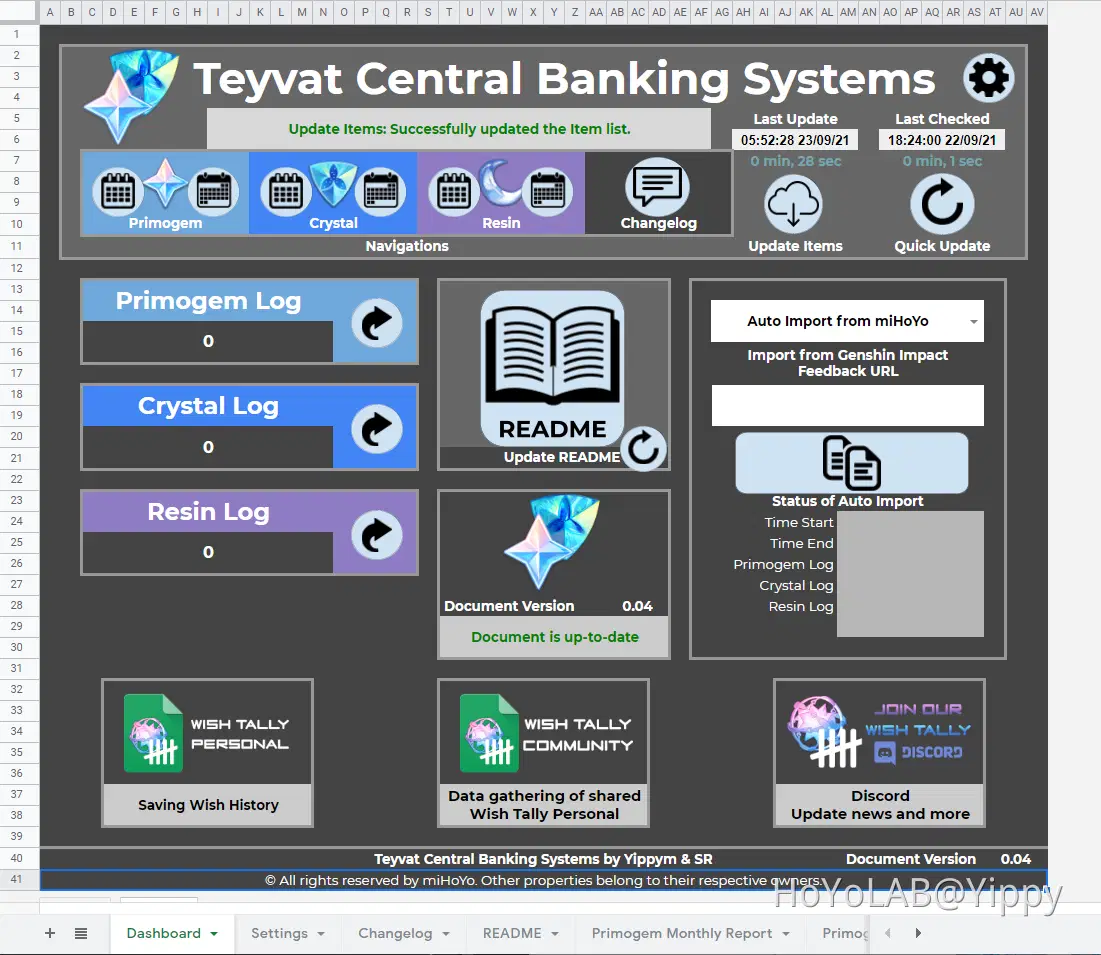
Dashboard
This has all the navigational buttons for the document, and is very similar to the Wish Tally document project.
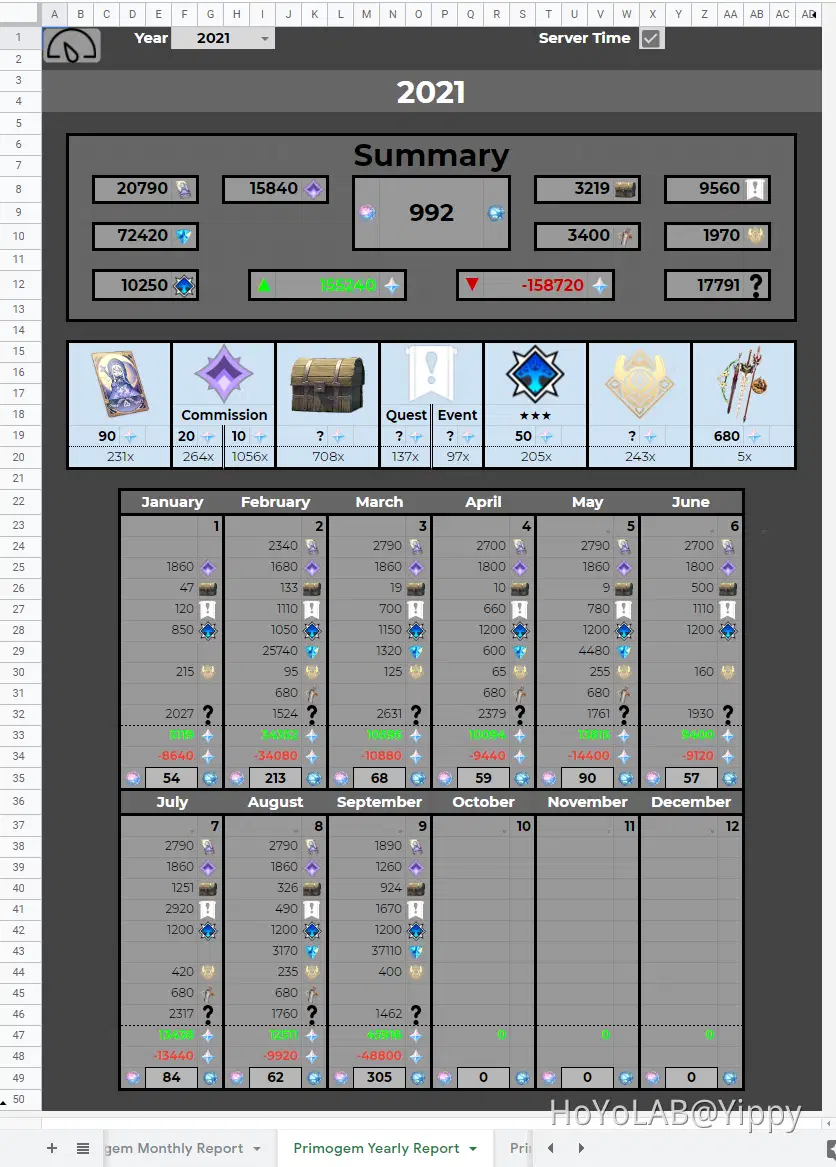
Primogem Yearly Report
This sheet helps identify where all your Primogems are spent, it can tally all your
Welkin Moon daily
Daily Commissions
Treasure Chest Opened
Quest and Events
Collected ★★★ on Spiral Abyss
Achievement Collected
Battle Pass Primogems
Genesis Crystal conversion to Primogems
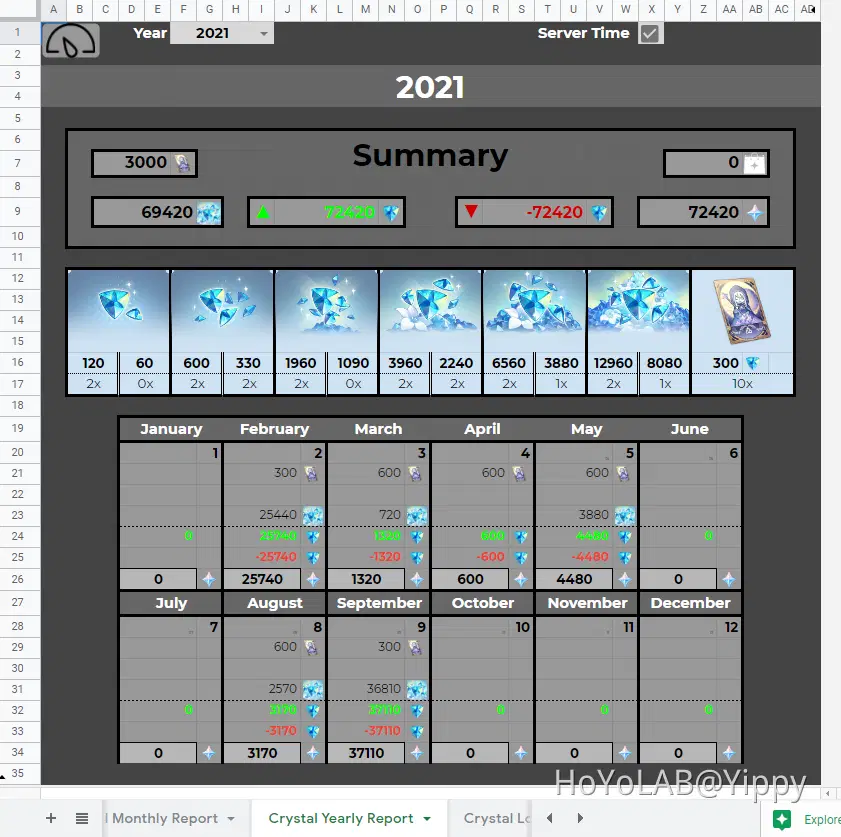
Crystal Yearly Report
This sheet is to help have an overview on your spending on Genshin Impact, and give you an idea which month has been the most expensive.
Able to track:
Genesis Crystal Packs
Welkin Moon Pass
Shop spending, whether that is character skins or material bundles
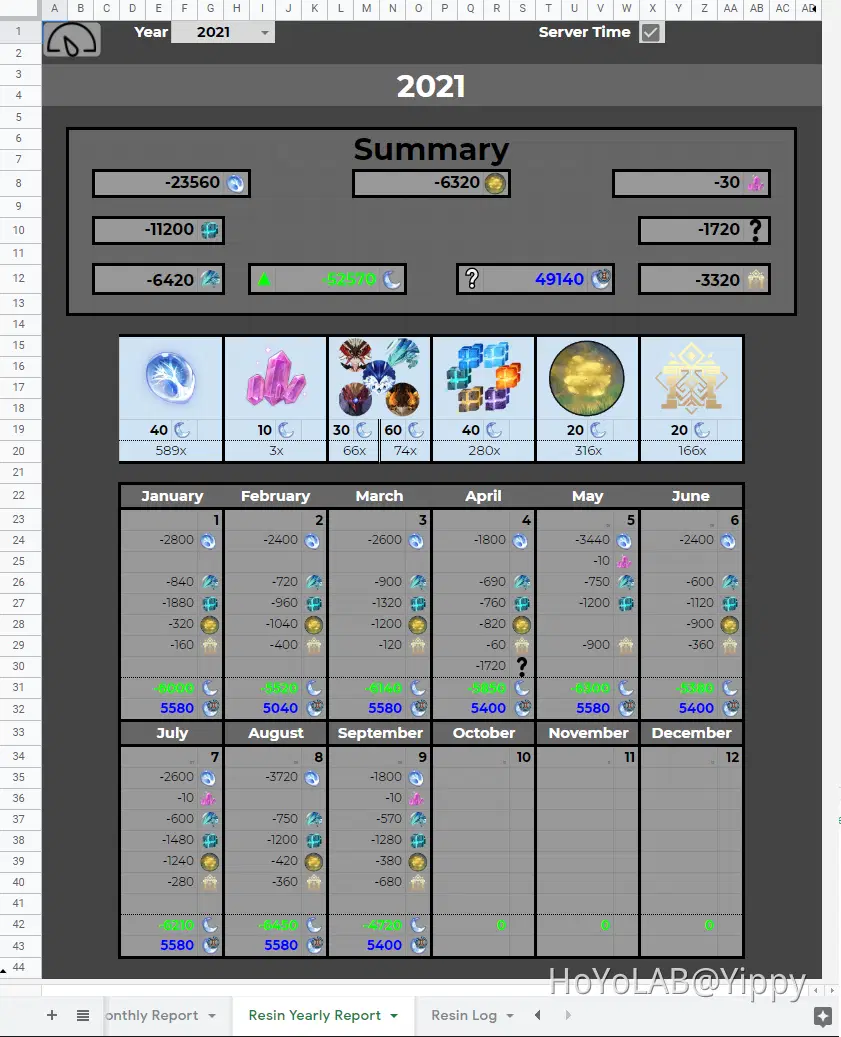
Resin Yearly Report
Due to how the data is retrieve from miHoYo, there is no way of finding out how you have earned your Resin. We can only map out your Resin spending, such as:
Crafting Condensed Resin
Forging Mystic Enhancement Ore
Weekly Boss Battle
Defeating Elite Bosses
Leylines
Domains
Monthly Report
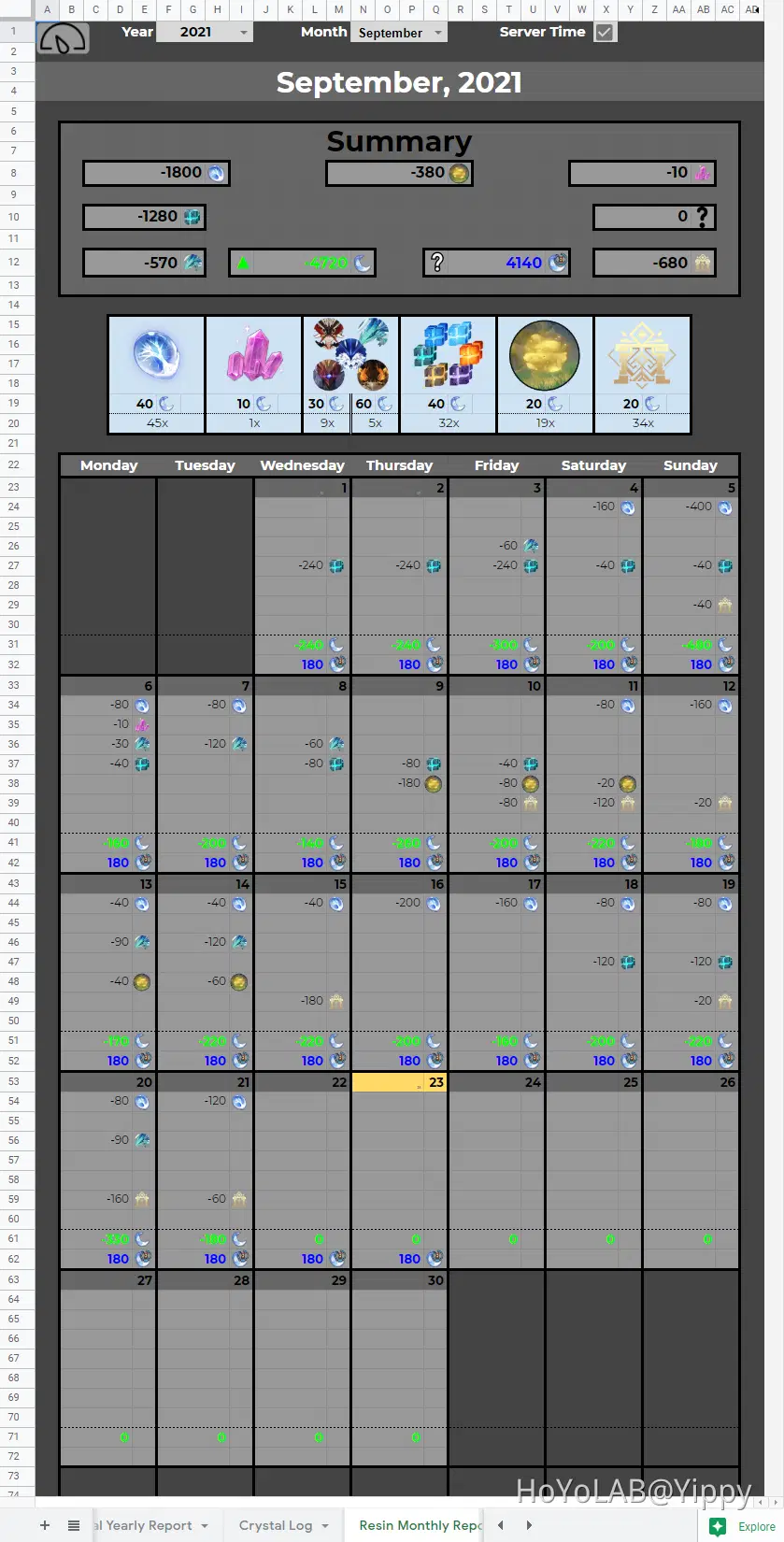
There is also a monthly view for Primogem, Crystal and Resin, where you are able to look into each day of spending and earning.
How to use?
Now that you've seen what this document can do, here is the tutorial on how to use it for yourself
1) Make a Copy
Document Link
https://docs.google.com/spreadsheets/d/1VrNIbZGj2XhVZv7eRMgoSO3xUhOm0EVFGFqW0y1BLpI/edit
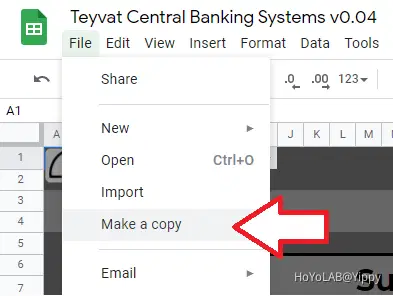
You need to have a Google account, and click on toolbar 'File' and then 'Make a copy':
2) Authorise the script
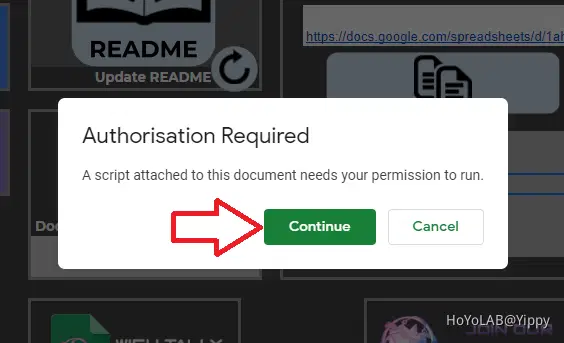
Click on any button (light blue) on the dashboard, this is to bring up the "Authorisation Required" popup to help enable the built-in script.
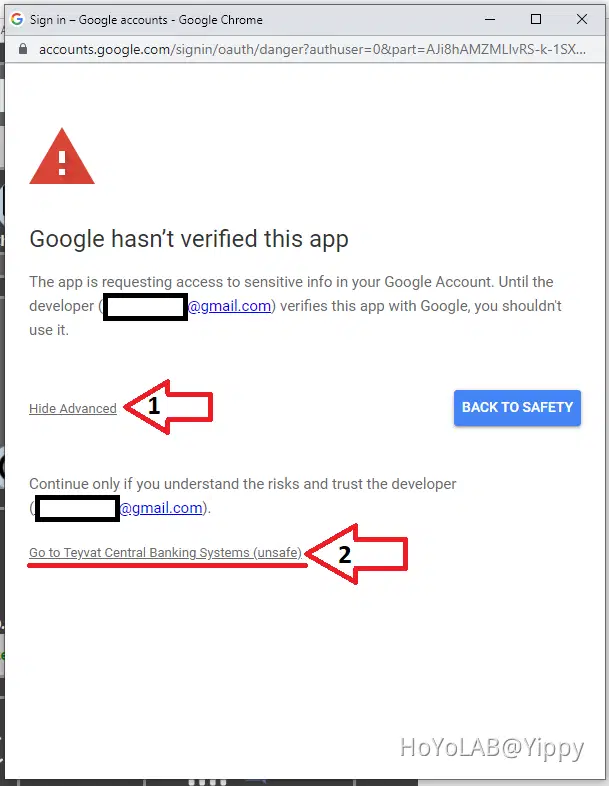
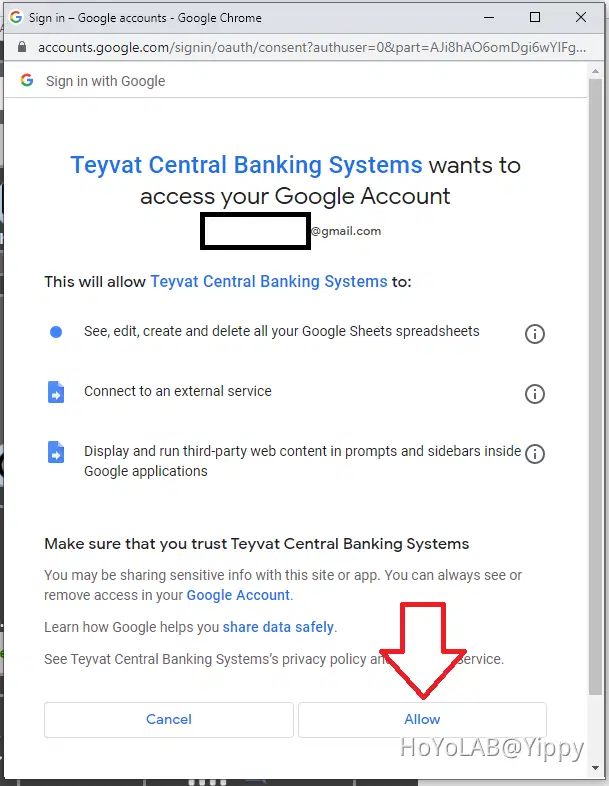
Once you get the popup, you need to tell Google that you want to approve the built-in script to run with your permission.
Click on "Continue"
1) Click on 'Show Advanced"
2) Click on "Go to Teyvat Central Banking Systems (unsafe)"
Click on "Allow"
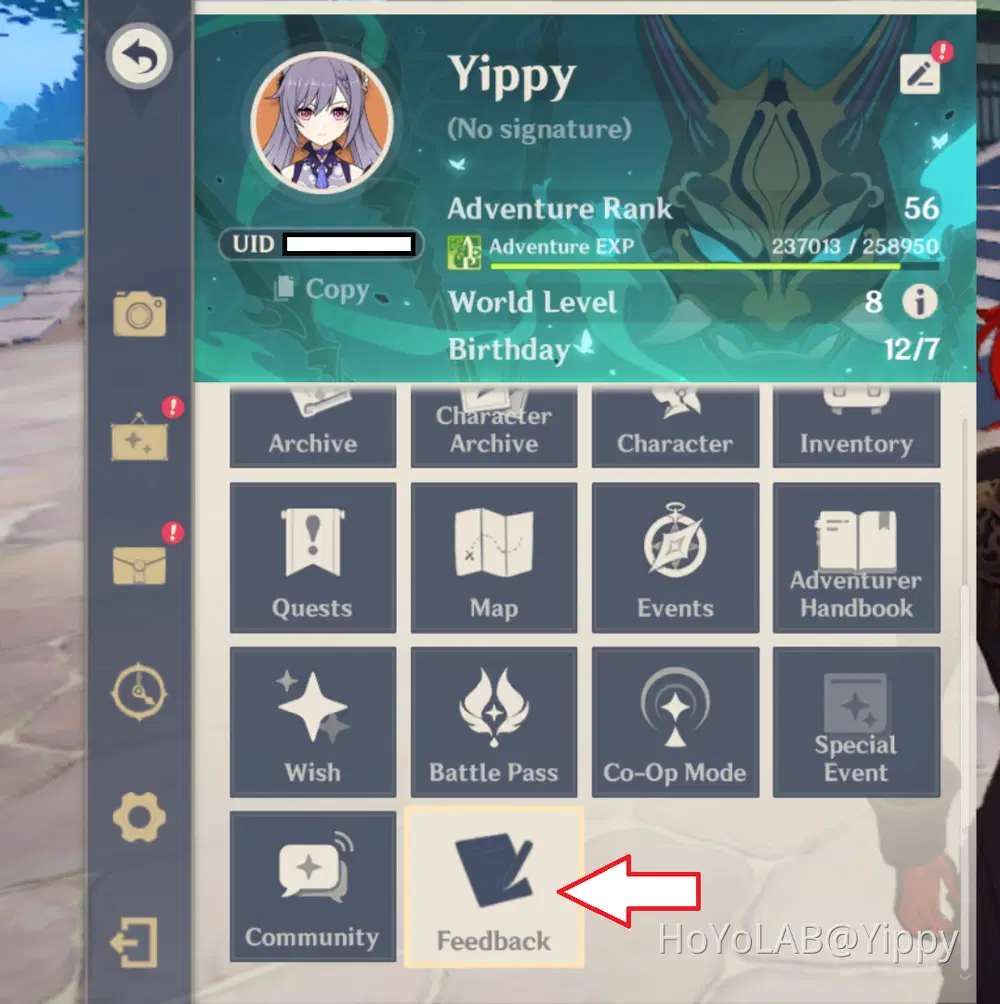
3) Using Auto Import using Feedback URL
You can get your feedback URL buy going into Genshin Impact, in the menu option select "Feedback"
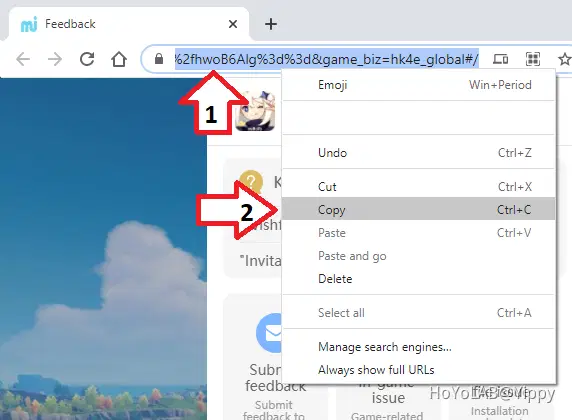
Copy the URL from the browser address bar
Make sure the import option is "Auto Import from miHoYo", use the drop down arrow to change.
Paste your URL in the white box below, and click on the import button.
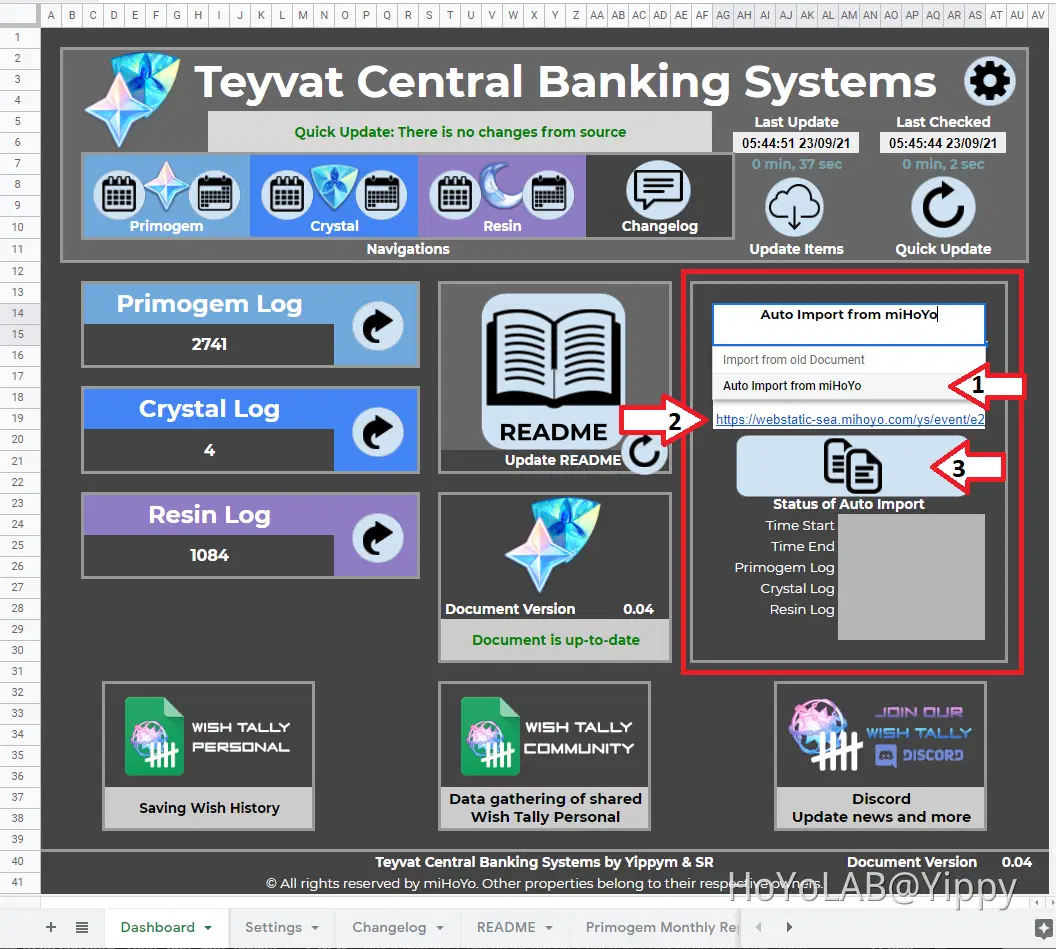
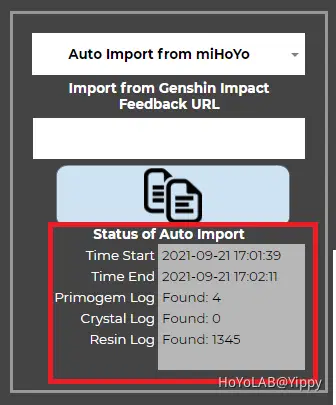
You should see the status of the auto import working.
4) Navigation layout
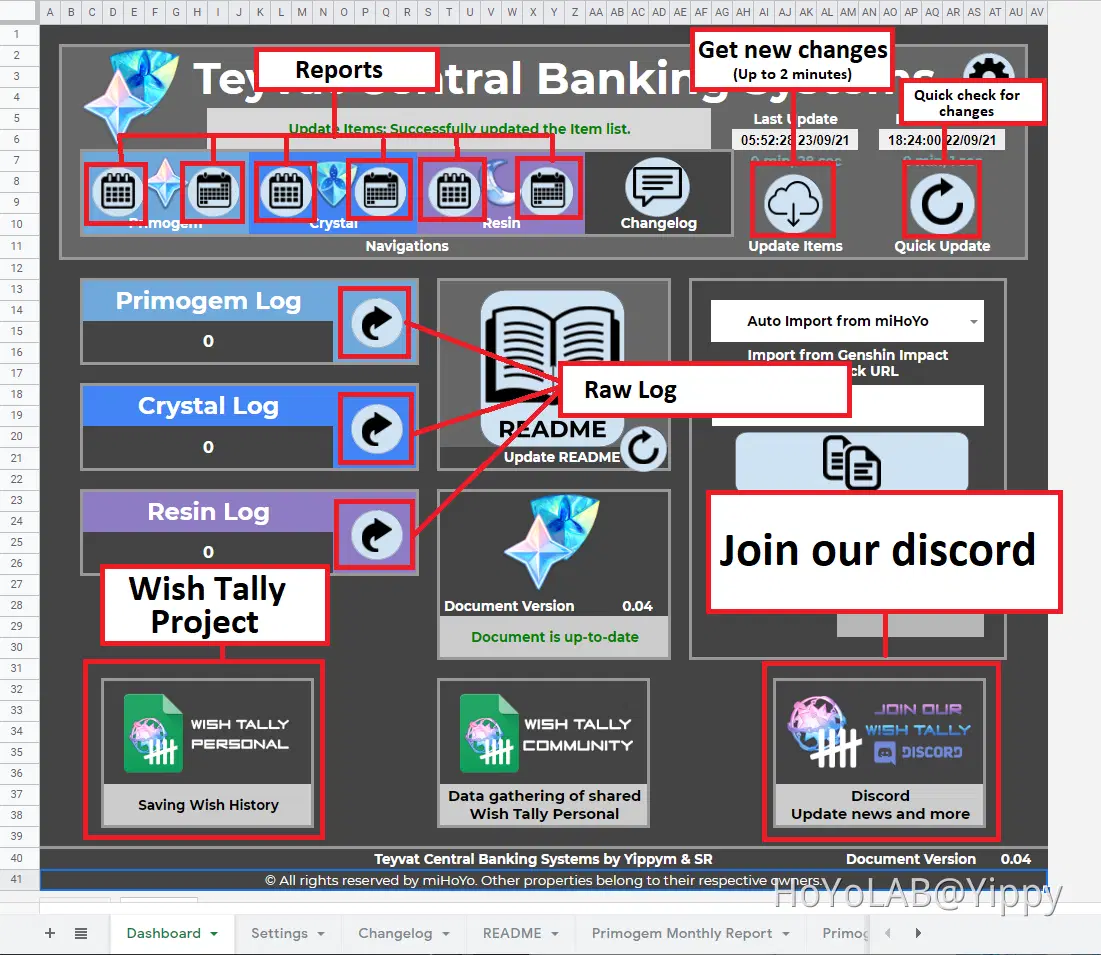
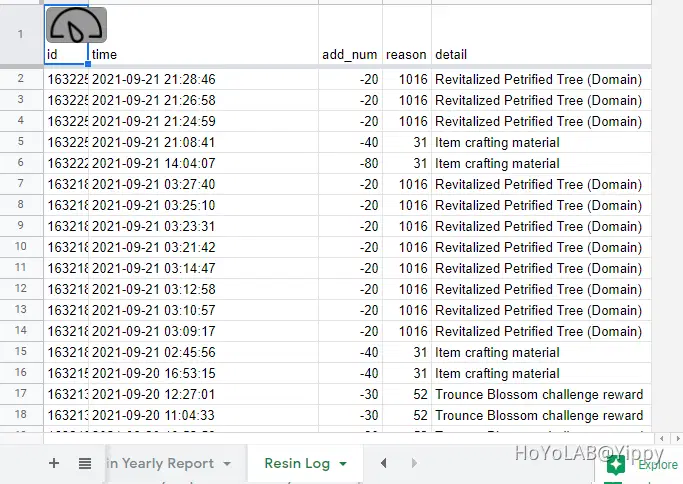
Raw Logs
Show all the extract from miHoYo
Quick Update
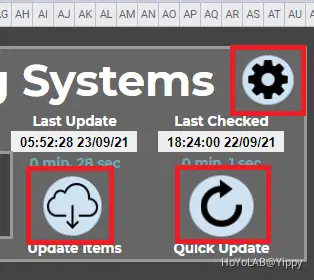
Quickest way to show if there are new changes to the document available, takes less than 30 seconds. Doing 'Update Items' will refresh the report contents, which takes time.
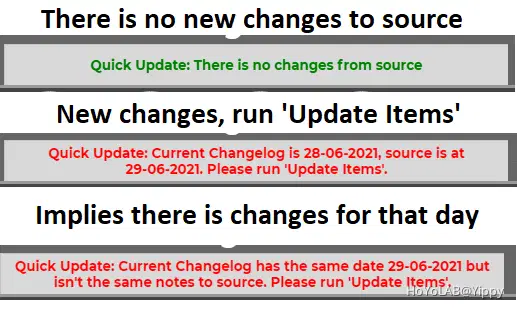
Upgrade Guide
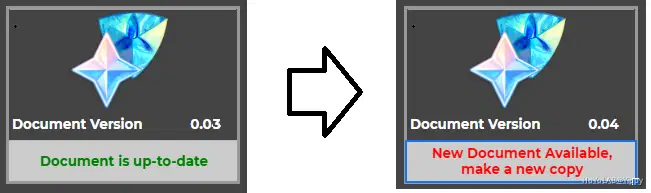
How to upgrade your old Teyvat Central Banking Systems v0.02 document to this newer document. Updating your document is different to upgrading, when you upgrade to the new document you get the newer script inside. Which may contains bug fixes or improvements, updating the document just get new contents without the script.
So when ever you run 'Update Items' or 'Quick Update' the dashboard will notify that your document version is now out-of-date.
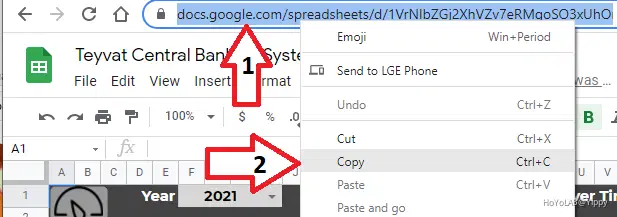
1) Get your document URL
You can get your URL from the browser address bar, copy the entire URL.
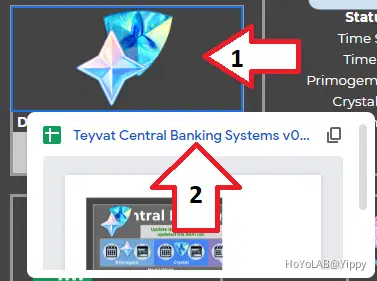
2) Navigate to the new document
On the dashboard you can click on the TCBS Logo, it should bring up the URL.
3) Make a copy
You should know how to do that by now
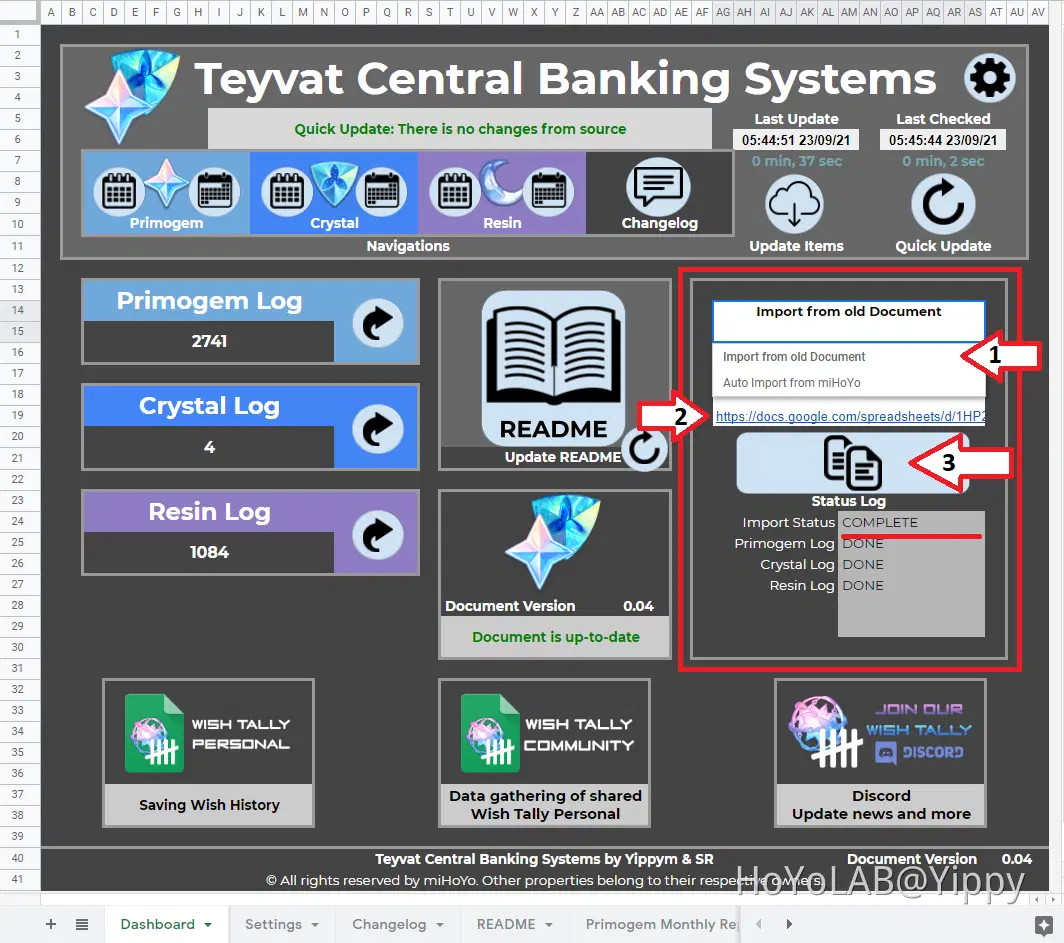
4) Import from old Document
1) Using the drop down arrow, change the process to "Import from old Document".
2) Paste your URL of your old TCBS document that you wish to transfer over.
3) Click on the Import button, ensure that the script has been authorised otherwise nothing will happen.
Sorry for the long post, as the README isn't yet done it was best to explain everything here. I hope that you enjoy the project that we create, join the discord to provide us with feedback or bug reports.
The purpose of these Google Sheet is to allow people to have full control of their data without sharing to website, as you know using feedback URL for wishes has been used a lot on websites. But please be careful in providing your feedback to random website, they can extract data that you do not wish to disclose.
This is a document that is yours to keep (FREE), and your data is keep within your Google account without anyone else seeing. The script built-in this document can be easily accessible and has been verified by developers. Check GitHub
Don't forget you can record your Wish History with Wish Tally (Different project) [Google Sheet].