
Hello Travelers~
The "Genshin Impact Battle Chronicle" has been updated! With this update, the "Mobile Widget" feature has been added. Let's see how it works!
>> Click Here to See Battle Chronicle <<
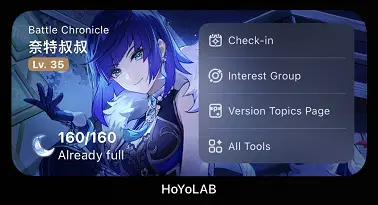
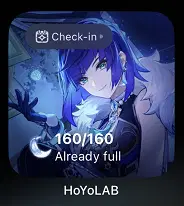
[Widget Style]
By adding the mobile widget, you can check the remaining Original Resin and quickly access Genshin Impact tools on your mobile devices at any time. The widget comes in two sizes: large and small.
[How to Add the Widget]
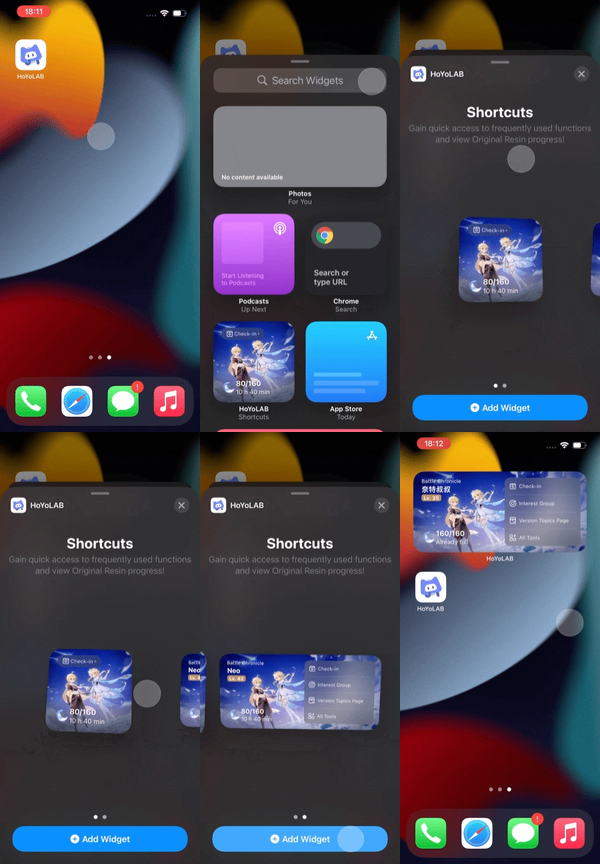
1. iOS Devices
(1) Press and hold the blank area of the screen and tap the "+" icon in the top-left corner.
(2) Search for "HoYoLAB" and add the Genshin Impact Battle Chronicle mobile widget.
2. Android Devices
(1) Press and hold the blank area of the screen and tap the "Widget" at the bottom.
(2) Search for "HoYoLAB" and add the Genshin Impact Battle Chronicle mobile widget.
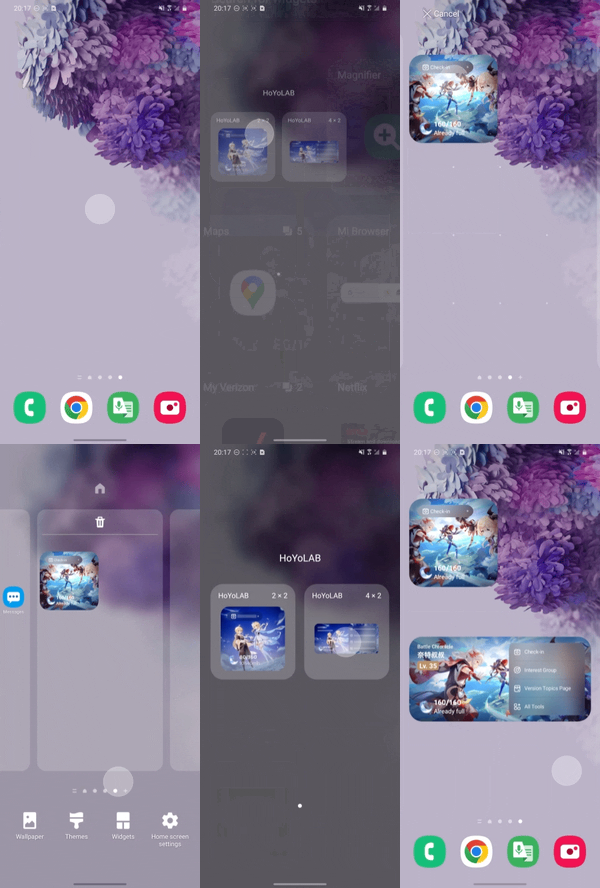
On Android devices, you can also add the mobile widget in one click by tapping the corresponding button in the Battle Chronicle > Real-Time Notes pop-up window.
[Details]
1. To ensure device performance and battery life, the widget data refresh rate is subject to iOS and Android rules. The data updates dynamically with a certain latency: 30 minutes for iOS and Android devices. (The actual refresh rate depends on various factors such as users' daily behavior.)
2. The HoYoLAB App must be updated to Version 2.21 to use the Widgets feature.