In this update, Night Mode has been added to the App version.
The Night Mode of the web version is also in development and will be available soon! (✧◡✧)

v2.0.0 which was originally scheduled to release on November 10, 2021 could not be released in the app store due to system compatibility issues.
The release date will be changed to November 15, 2021. The HoYoLAB Community Team sincerely apologizes for the inconvenience caused > <
How to Enable Dark Mode on HoYoLAB App
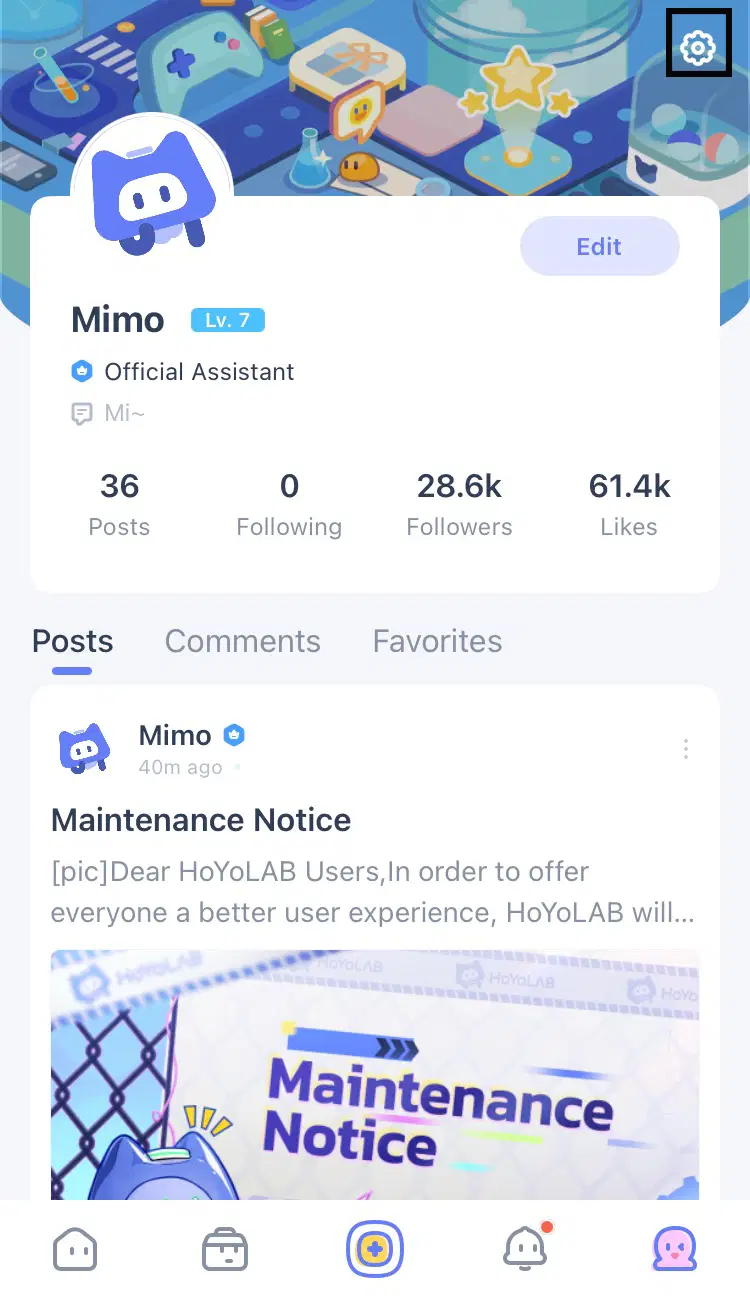
Step 1: Open HoYoLAB App, then click the button in the bottom-right corner to enter your personal home page
Step 2: Click the gear icon in the top-right corner to access the Settings interface
Step 3: Click "System Settings", then click "Display Settings"
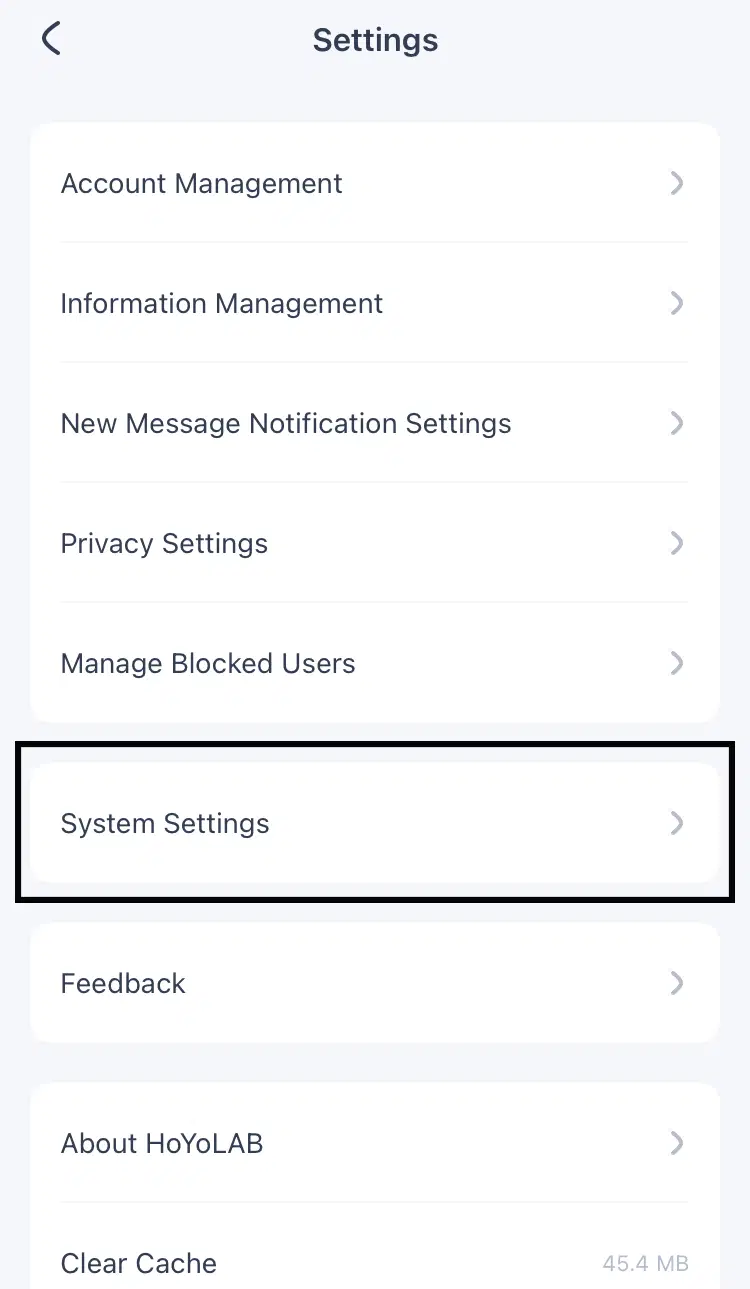

Step 4: Select "Dark Mode" to activate it