Hello, Travelers!
Since the widget feature was officially launched, we have received a lot of positive feedback. In return, we have adjusted and updated the widget in the newest version of HoYoLAB.
Let's take a closer look at the new functions for this update!
New Widget Style
We have added a new widget style, providing both small and medium widgets.
Regarding the new widget style:
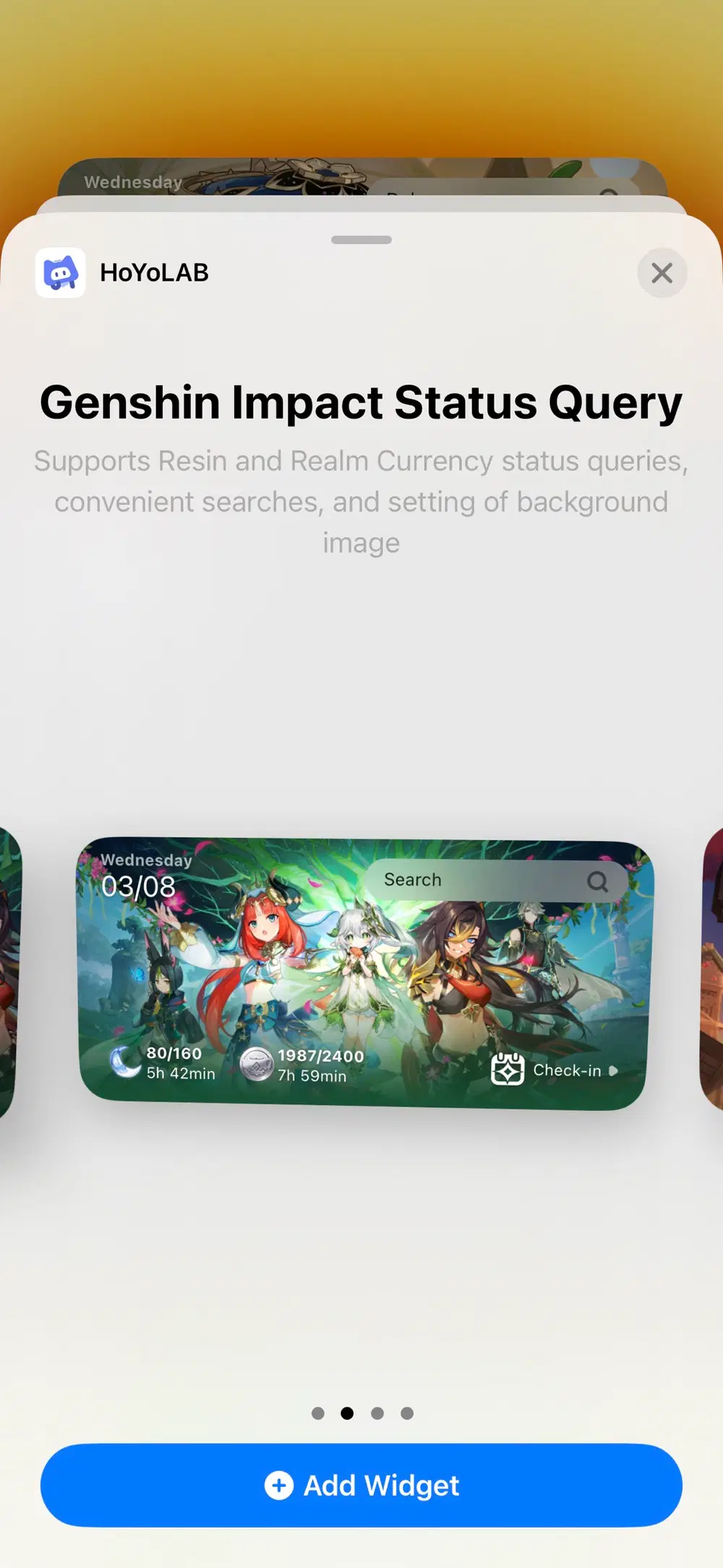
For the medium widget, we have kept both Resin Restoration Progress and Check-In, and added Realm Currency Restoration Progress, Search, and Local Time.
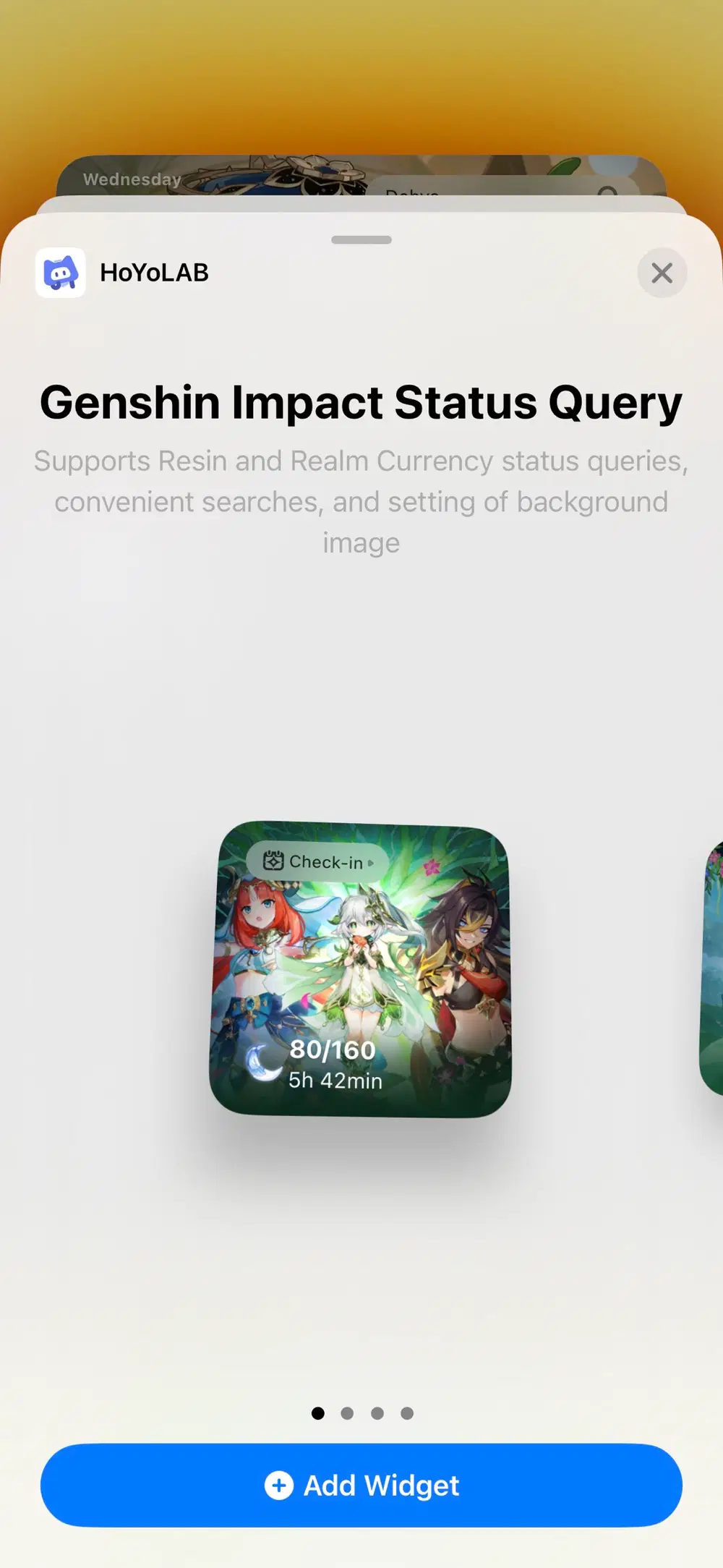
For the small widget, we have kept both Resin Restoration Progress and Check-In.
The highlight of this update is the Wallpaper Gallery that we provided for both small and medium new widgets. Feel free to select your favorite image as the background!

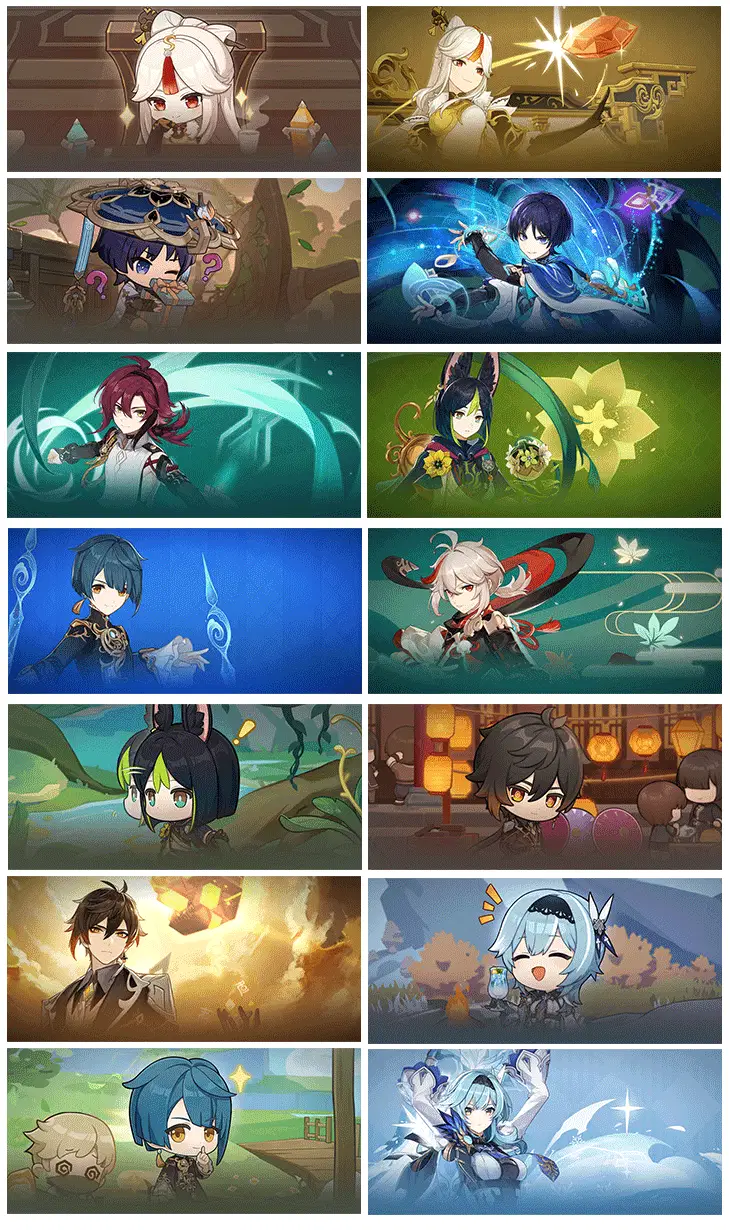
P.S. We will keep updating the Wallpaper Gallery over a period of time. Stay tuned!
How to Add the Widget
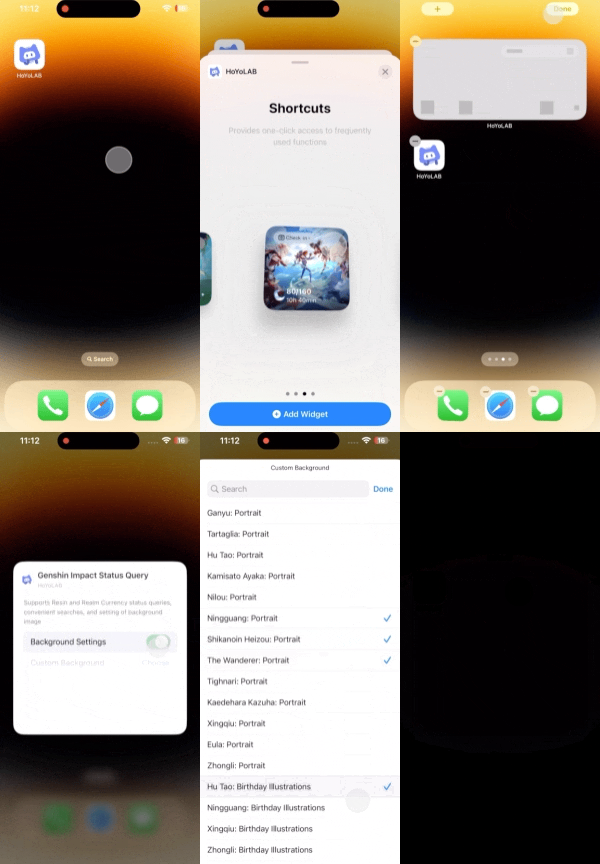
1. iOS
(1) Press and hold the blank area of the screen and tap the "+" icon in the top-left corner.
(2) Search "HoYoLAB" and tap to add the widget.
(3) Press and hold the widget to change the background image.
2. Android
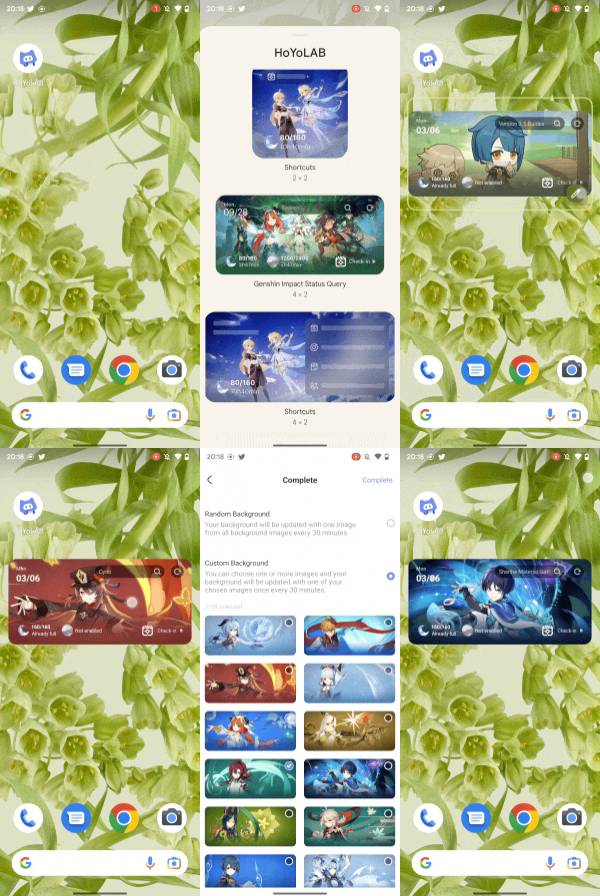
(1) Press and hold the blank area of the screen and tap "Widgets" at the bottom.
(2) Search for "HoYoLAB" and tap to add the Genshin Impact widget.
(3) For Android 10.0 or above, press the widget to change the background image. For systems below Android 10.0: Tap "Settings" on the widget to enter the background selection page and change the background.
Details
1. To ensure device performance and battery life, the widget data refresh rate is subject to iOS and Android system rules. The data updates dynamically with a certain latency: 30 minutes for iOS and Android devices. (The actual refresh rate depends on various factors such as users' daily behavior.)
2. The new widget style is only available in iOS 16 or newer and Android 8.0 or newer.
3. The HoYoLAB App must be updated to Version 2.28 to use the widgets feature.