Hello, Travelers!
In HoYoLAB Version 2.29, we designed new functionality and features for the widget. Let's take a look at this update!
New Widget Style
This time we have added a new widget style: a large companion widget.
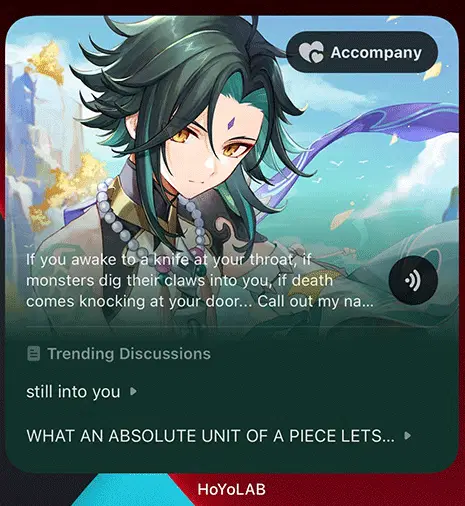
This image is for illustrative purposes only.
Gameplay Overview
We have designed new functionality for the large widget.
1. Topic Functionality
At the bottom of the large widget, we've added a display of popular topics, so you can choose topics of interest and take part in discussions with other Travelers.
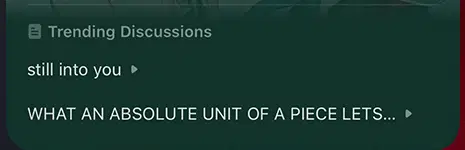
This image is for illustrative purposes only.
2. Companion Functionality
We have added the greeting voice lines of the characters (such as Hello, Good Morning, etc.). You can tap the voice playback button to hear the character greet you within the widget. (Travelers on iOS devices must go to the topic page to play.)
P.S.: According to the time displayed on your mobile phone, the character will switch to one of the following voice-over lines: Good Morning, Good Afternoon, Good Evening, and Good Night.
Note: Character voice-overs are all from HoYoWiki. Special thanks to the writers and moderators of HoYoWiki for their outstanding contributions!
We have also added a companion button. Tap the heart-shaped companion button to record the number of days you've spent with your favorite character.
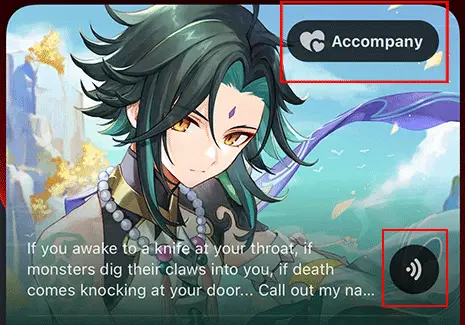
This image is for illustrative purposes only.
3. New Reward
We've prepared a reward for the Companion Function: Paimon Avatar Frame!
After accompanying a character for 1/7/14/30 days or more than 28 days within a month, you will receive an Avatar Frame that can be used for 3/7/30 days or permanently.

P.S.: As we continue to update versions of the game and HoYoLAB, we will continue to improve the companion widget.
(More characters are in the making. Stay tuned~)
On March 23, after the HoYoLAB Version 2.29 update, all widget styles will have a settings button, through which the background can be changed.
If you encounter problems displaying content after adding the widget, try disabling your device's power saving mode.
How to add the widget
1. iOS
(1) Press and hold the blank area of the screen and tap the "+" icon in the top-left corner.
(2) Search "HoYoLAB" and tap to add the widget.
(3) Press and hold the widget to change the background image.
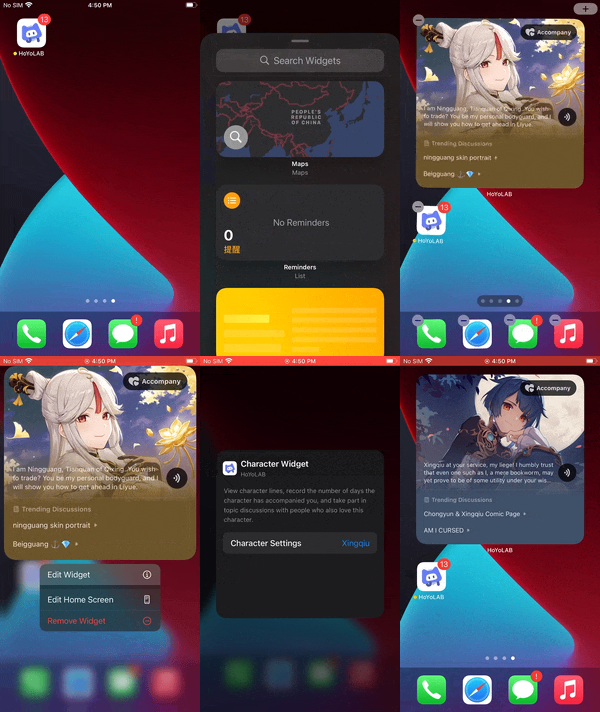
(Tutorial GIF)
2. Android
(1) Press and hold the blank area of the screen and tap "Widgets" at the bottom.
(2) Search for "HoYoLAB" and tap to add the Genshin Impact widget.
(Tutorial GIF)
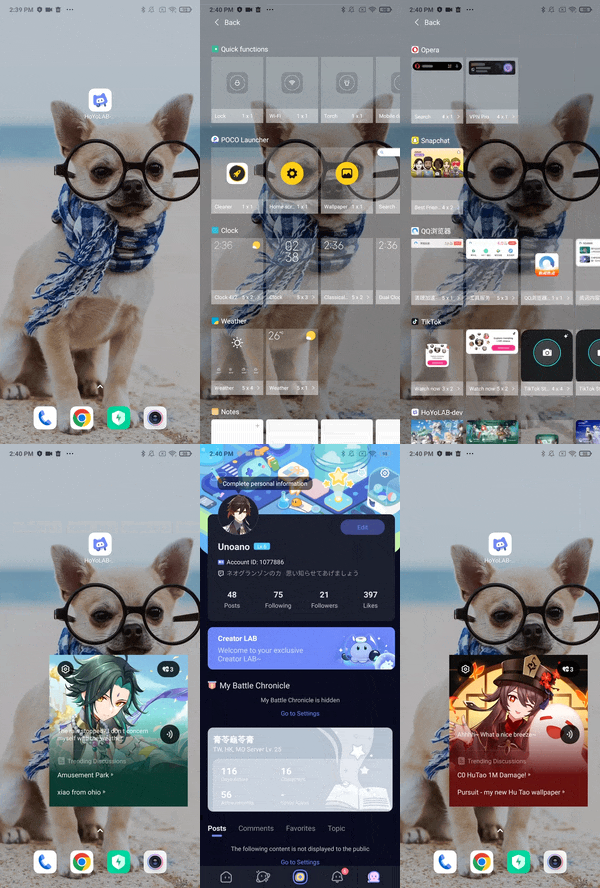
(Tutorial GIF)
Details
1. To ensure device performance and battery life, the widget data refresh rate is subject to iOS and Android system rules. The data updates dynamically with a certain latency: 30 minutes for iOS and Android devices. (The actual refresh rate depends on various factors such as users' daily behavior.)
2. The new widget style is only available in iOS 16 or newer and Android 8.1 or newer.
3. The HoYoLAB App must be updated to Version 2.29 to use the widgets feature.