


Greetings, Trailblazers!
The Honkai: Star Rail Map tool has been online for a while now! To assist Trailblazers with their usage of the map tool, we released a user manual for the map, as well as a changelog. We hope this helps on your adventure~
1. Map Location Info Quick Switch & Search Functions
The map displays Herta Space Station by default. If you would like to look up other maps, you can click on the arrow icon on the upper left corner of the map on your computer, or tap on the arrow icon at the top of the map on your mobile device to change to a different map.
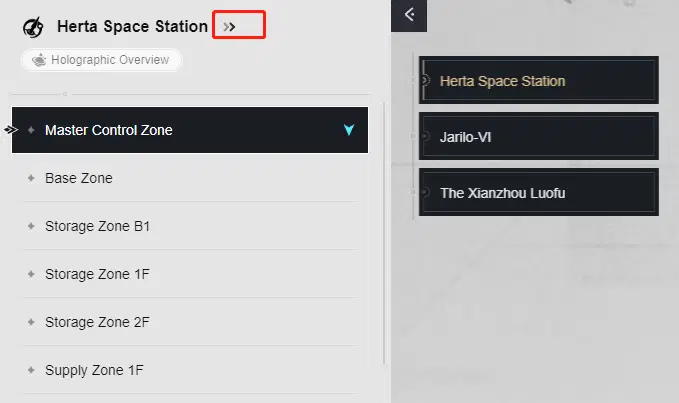

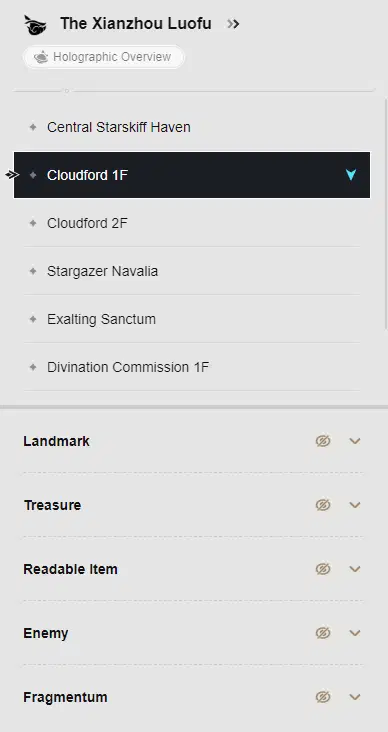
After changing maps, you can select specific areas to check on the information on the landmarks, treasures, readable items, enemies, and the Fragmentum.
You can view all information at once using the "Select All" button or choose to deselect all and click on individual targets to view specific location information.
2. Map Model Display via the Holographic Overview Function
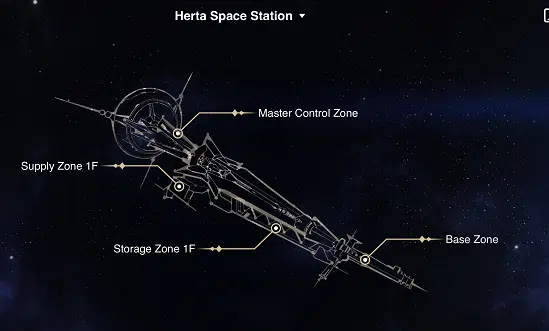
You can select the "Holographic Overview" button to switch to the holographic map display and see the three-dimensional model of the current three maps!
3. Map Location Fix
Taking in user feedback, we inserted and corrected information regarding some locations on the map, including the Administrative District 1F, Backwater Pass, Boulder Town, and Great Mine areas on Jarilo-VI.
That's the Honkai: Star Rail Map user manual for now!
If you have any requests or suggestions for functions regarding the map tool, feel free to leave a comment in the comments section. Thank you for your support!



