Hi all,
You can now install Teyvat Central Banking Systems (also known as TCBS) as a Free Add-On, this has been verified by Google themselves. There are advantages of using:
•Approve and Install once
•Add-On can be used on multiple Sheet documents
•Less scary Google Warning
•Easier to manage updates
Get it from Google Workspace:
Teyvat Central Banking Systems Add-On
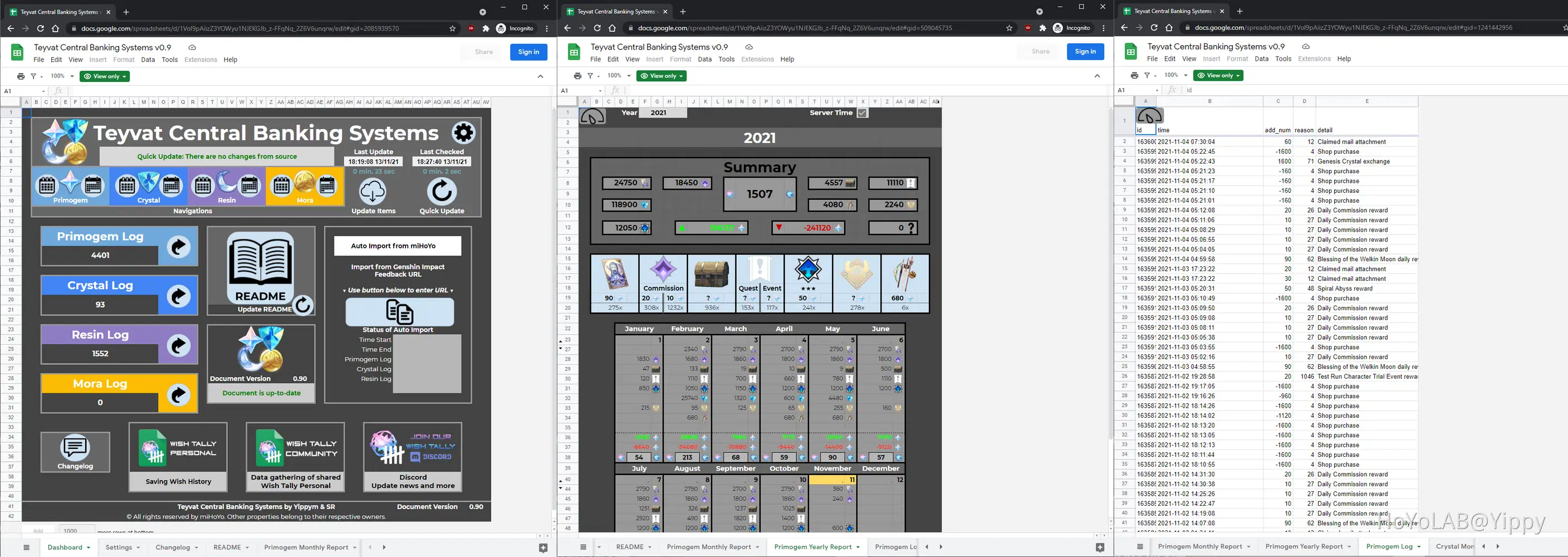
For people that don't know about this project, myself and dualie helped developed the Google Sheet scripts, that is able to save logs for Genshin Impact, such as:
•Primogems - earning and spending
•Genesis Crystals - earning and spending
•Resins - spending
•Mora earning

Install Add-On
How to install the Teyvat Central Banking Systems Add-On
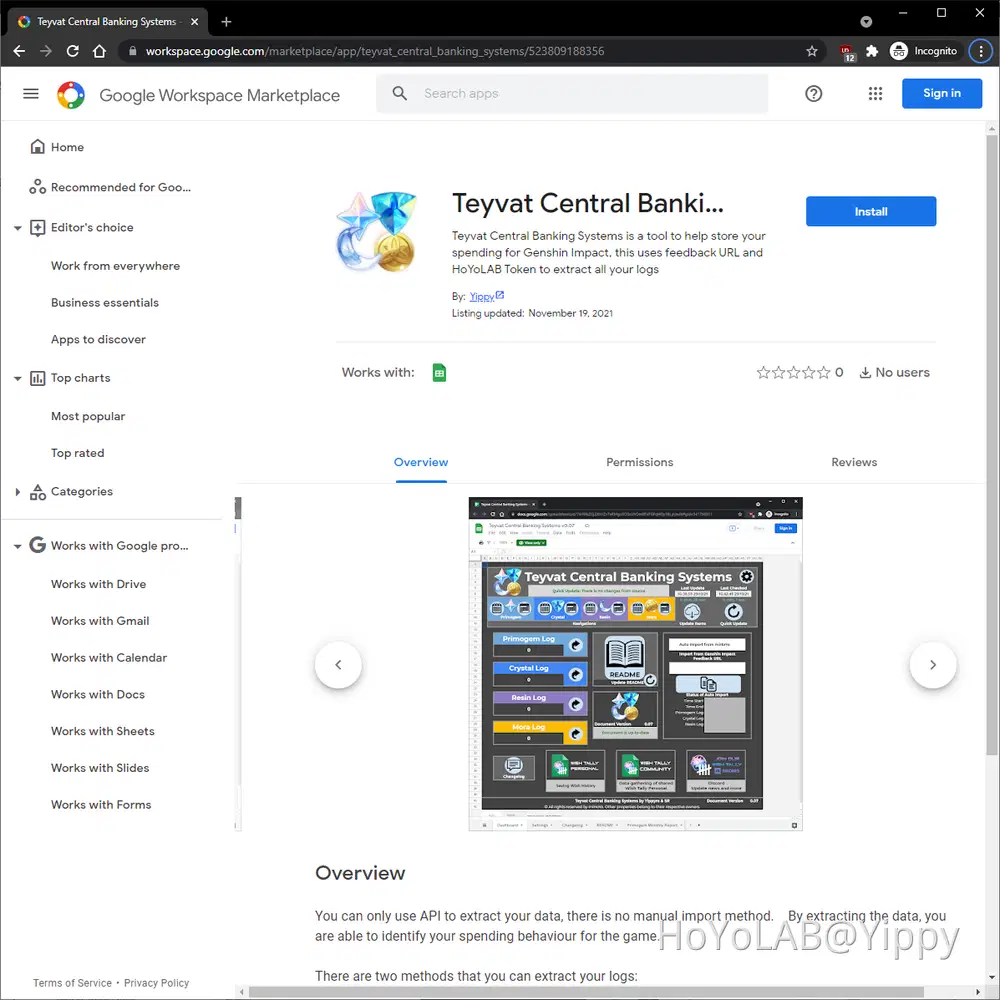
Step 1
Click on the 'Install' button
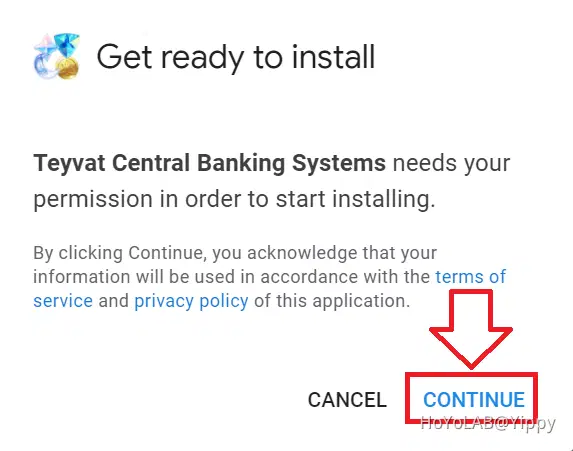
Step 2
Installation process will begin, just click on 'Continue'
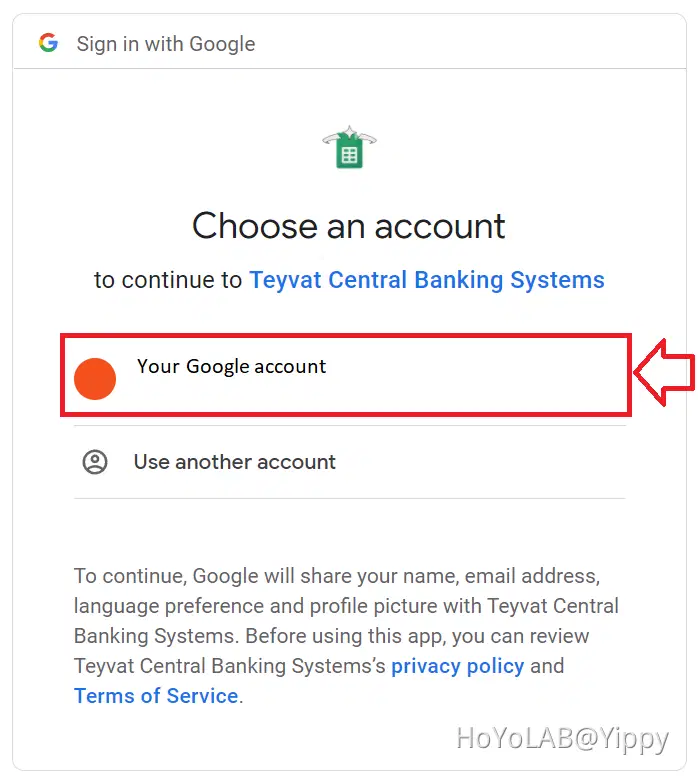
Step 3
Select the Google account to install the add-on.
Step 4
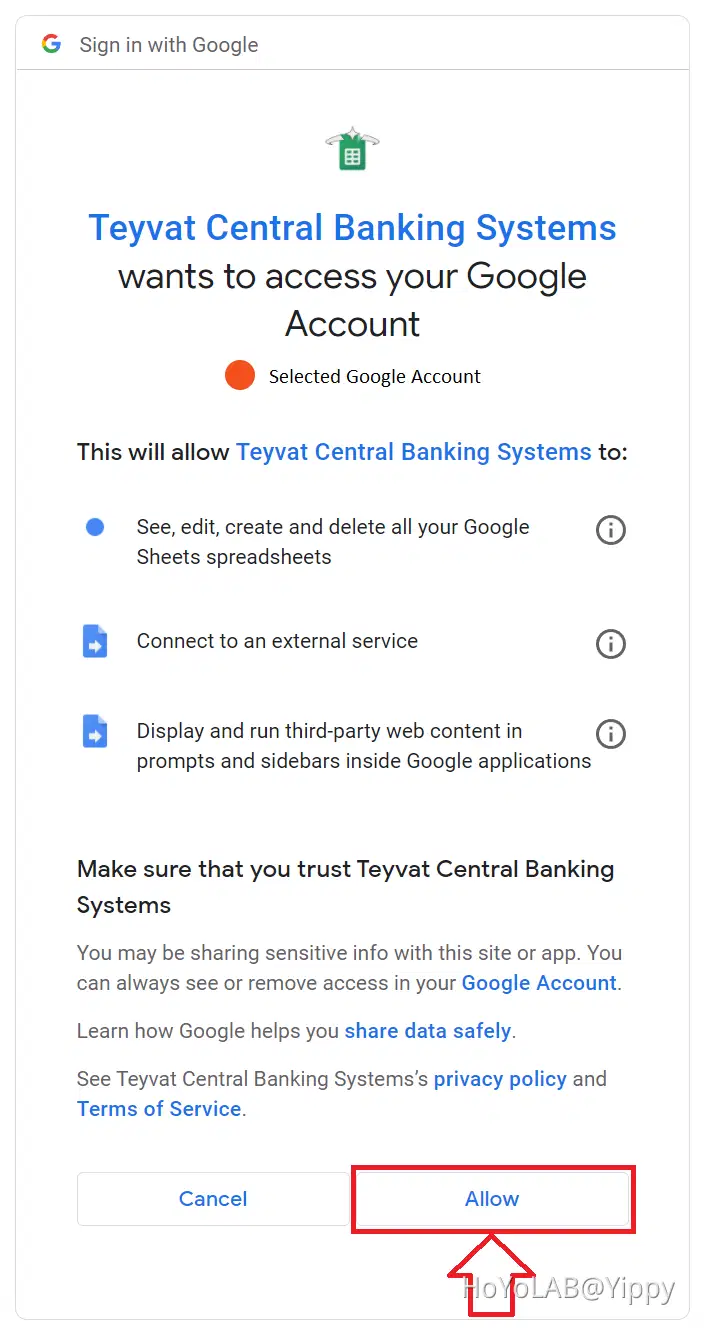
Click on 'Allow' to provide the add-on the permission necessary to run
Step 5
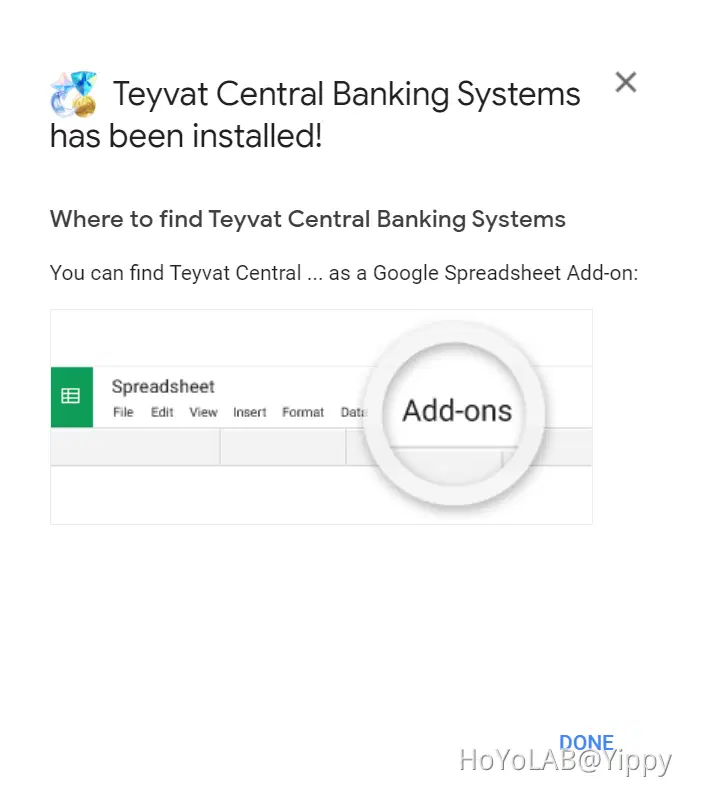
Teyvat Central Banking Systems is now installed to your Google account
Set up the TCBS Document
After installing the Add-on to your account you must manually enable the Add-On to the document.
Step 1
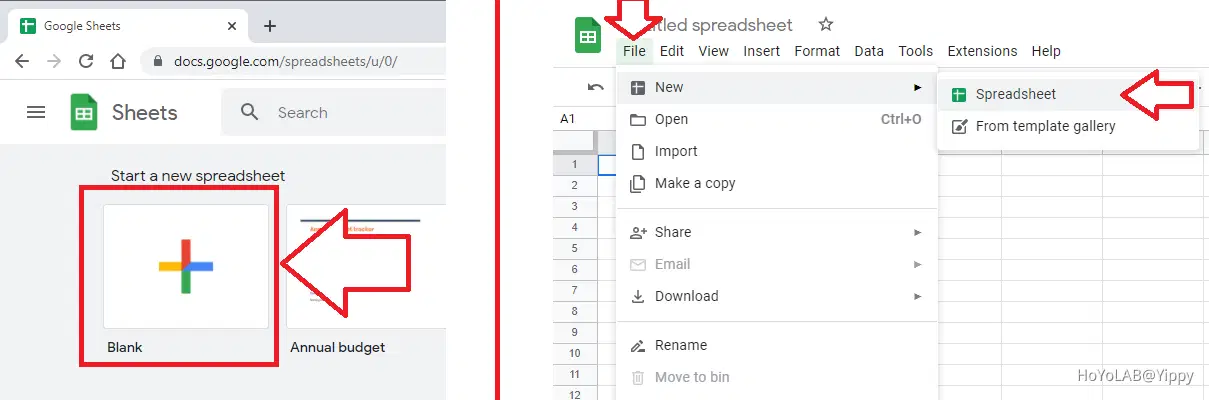
Visit the Sheets homepage to create a 'Blank' Spreadsheet
https://docs.google.com/spreadsheets/u/0/ or Using the toolbar 'File' -> 'New' -> 'Spreadsheet'
Step 2
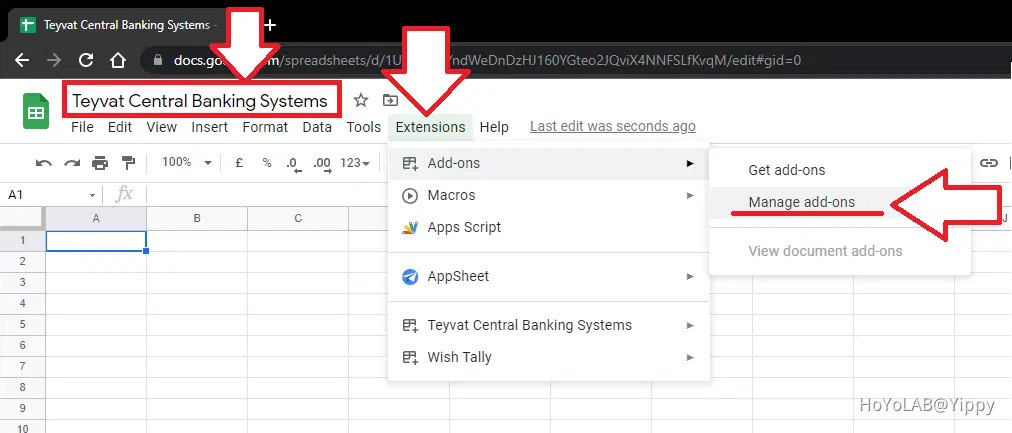
Give a name to the Document, such as 'Teyvat Central Banking Systems'
Then go to toolbar 'Extension' -> 'Add-ons' -> 'Manage add-ons'
Step 3
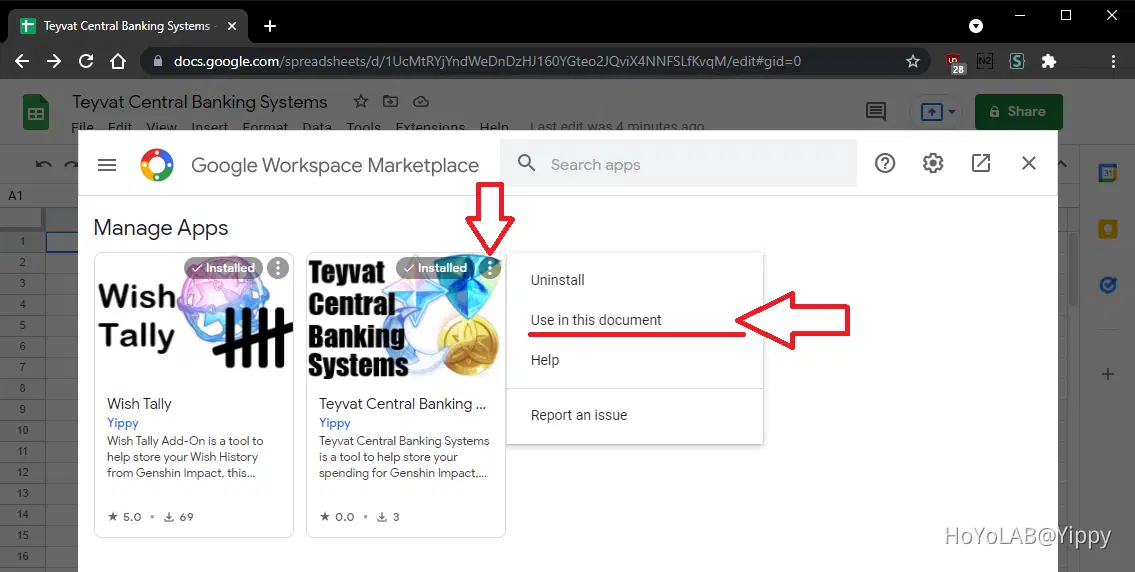
Enable the Teyvat Central Banking Systems add-on you have installed, by clicking on the three dots option icon.
Then click on 'Use in this document', which will allow the add-on to run within this new document you have made.
Step 4
IMPORTANT - After enabling the add-on Refreshing the document will help automatically change the locale to 'United Kingdom', this is done in order to allow the formula to work.
Use the refresh button or F5 to force the page to reload.

Step 5
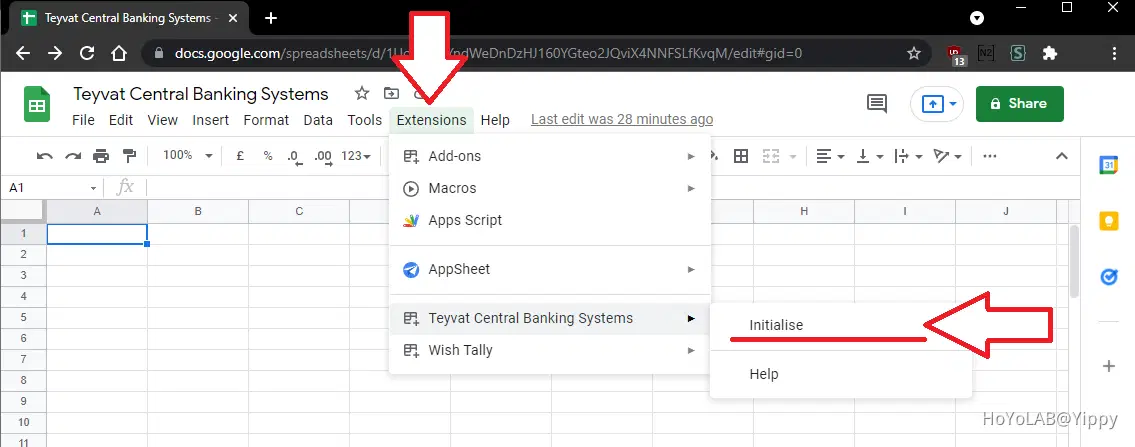
Now to initialise the document by going to toolbar 'Extensions' -> 'TCBS' -> 'Initialise'

Change Language
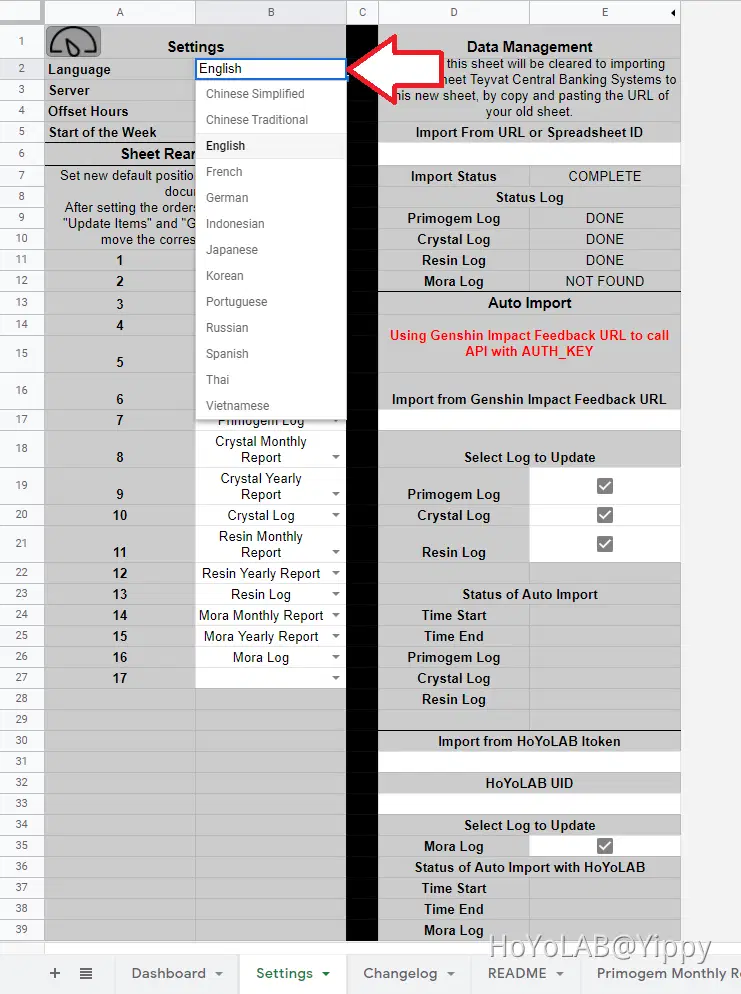
Teyvat Central Banking Systems support 13 text language support for Genshin Impact
Step 1
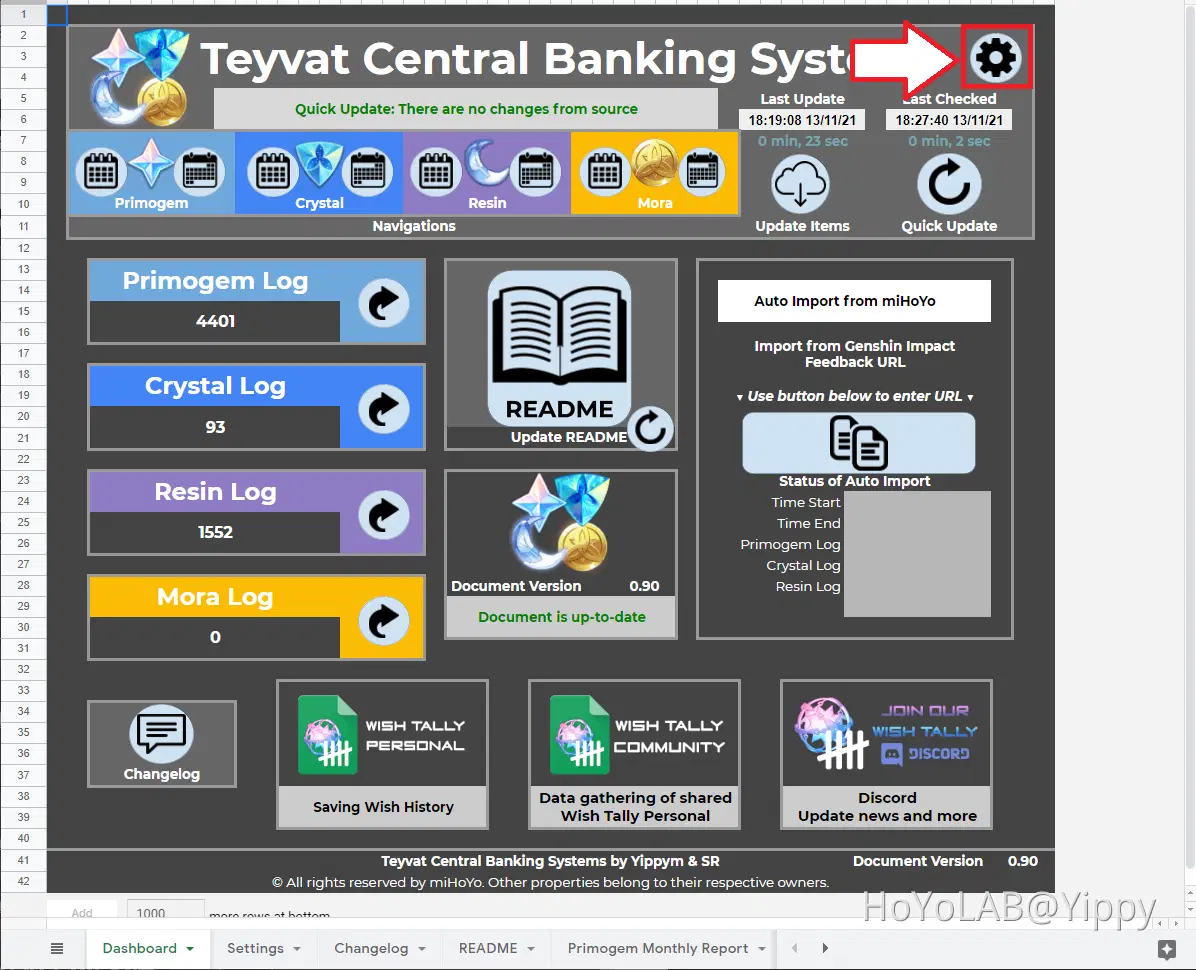
Go to Settings using the cog icon.
Step 2
Amending B2 cell, by using the drop down options available
Use Auto Import from miHoYo
Using Genshin Impact feedback URL is the fastest way of adding your game data, this uses miHoYo API on extracting the data log for you. This mimic the page movements of seeing the history in your feedback, this method is also used for Wish tracking.
Check the README on how you can get your Feedback URL on your chosen platform, be aware that PlayStation must wait for an webevent that generates an URL.
PC
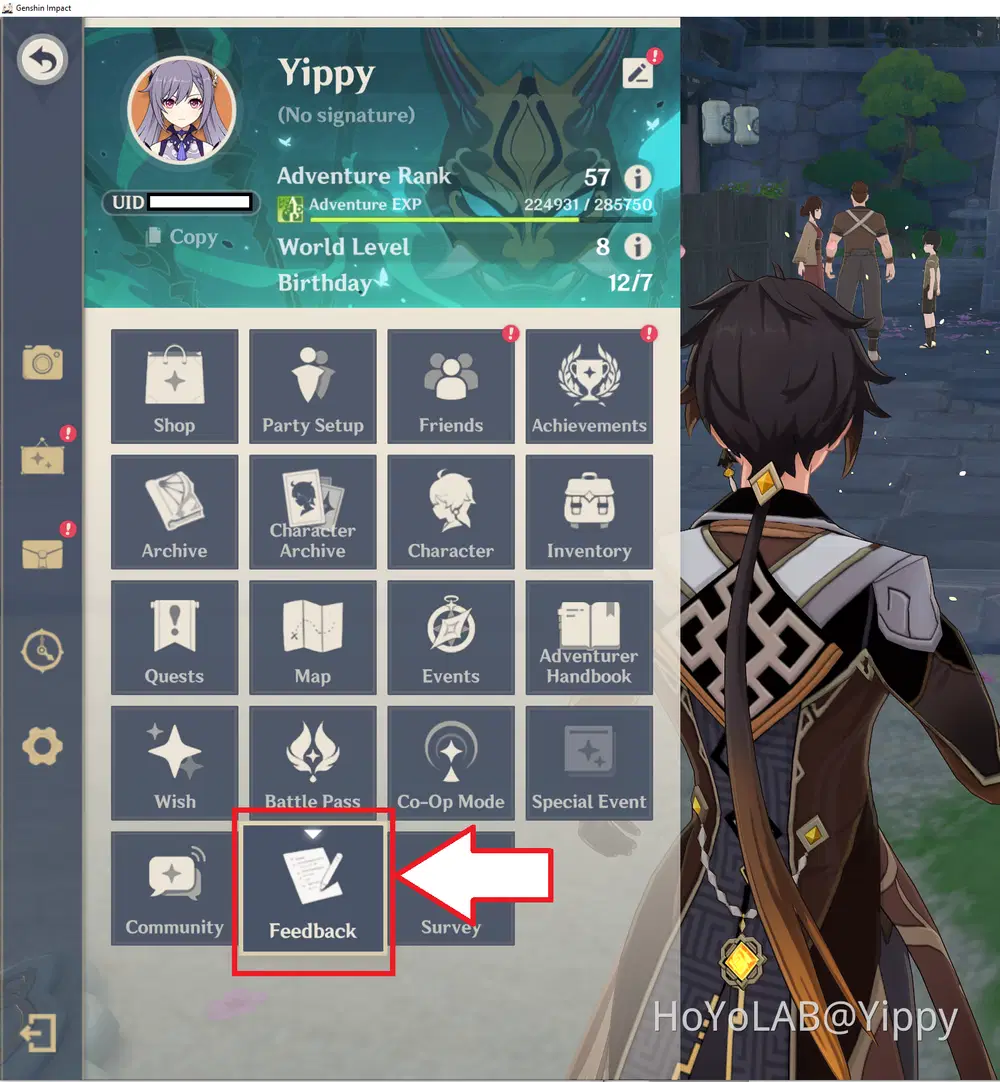
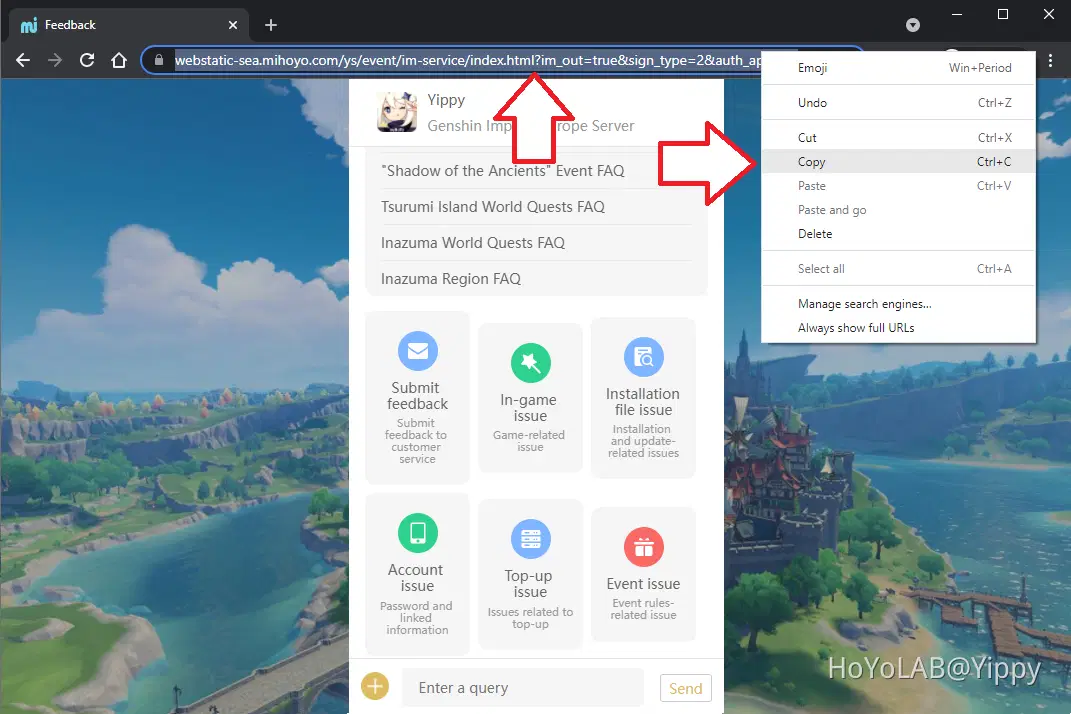
Login to Genshin Impact, goto the menu and select 'Feedback'
Browser will popup with the URL needed to extract.
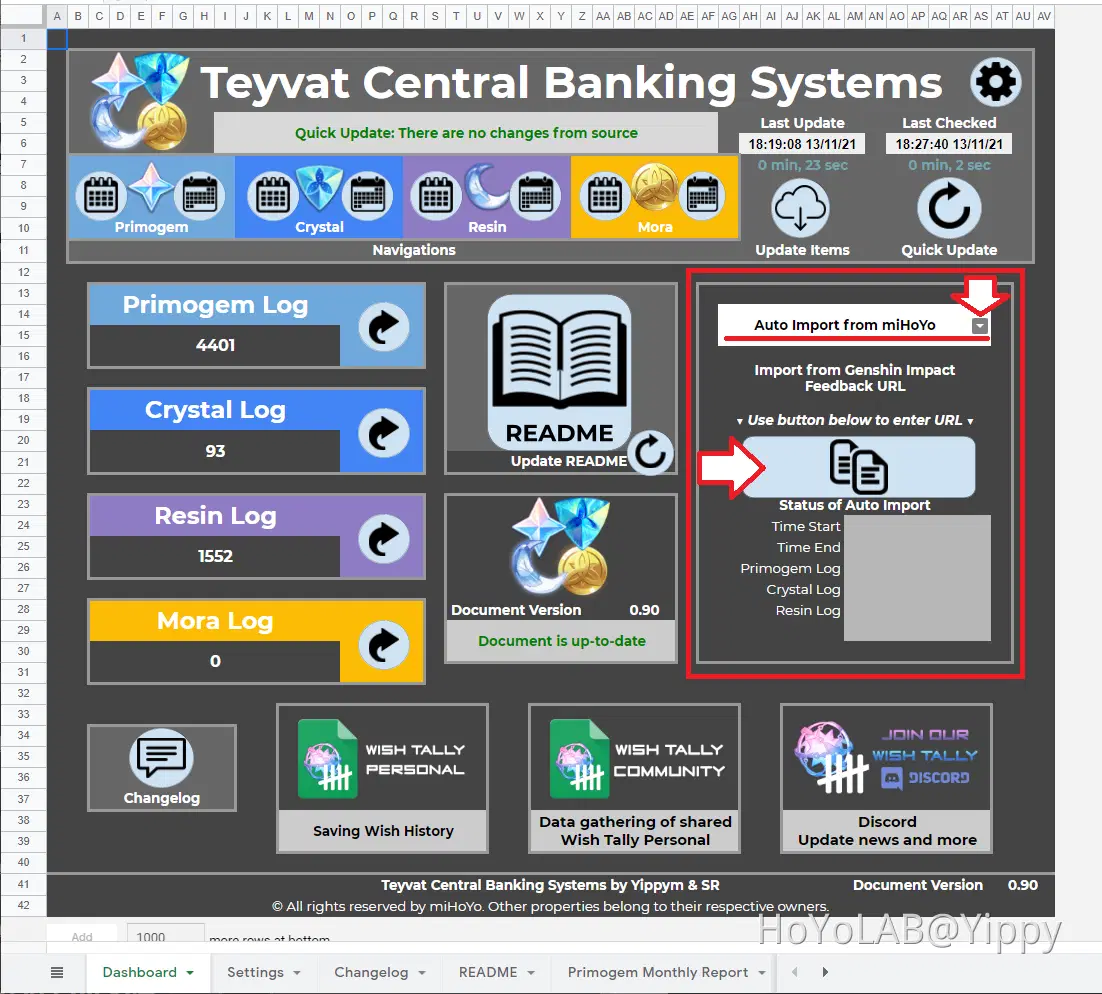
Step 1
Make sure the drop down option is set to 'Auto Import from miHoYo' and click on the import icon to begin.
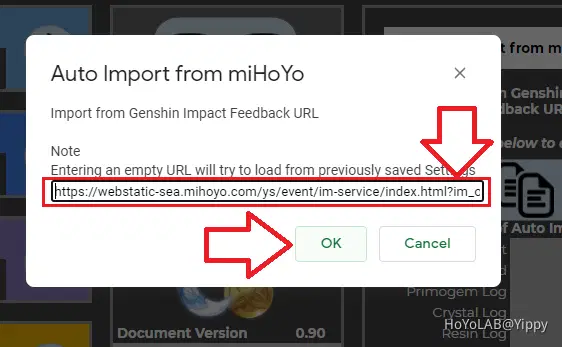
Step 2
Paste your URL in the popup, and click on 'ok'
Use Auto Import from HoYoLAB
While feedback URL is the best method of extracting data, there is no method to extract Mora. Instead we will use the HoYoLAB login to access the Travellers Diary Tool API. This mimic seeing the history in the history log, and it only goes back from 3 months worth of History.
How to Get ltoken and ltuid
Login HoYoLAB
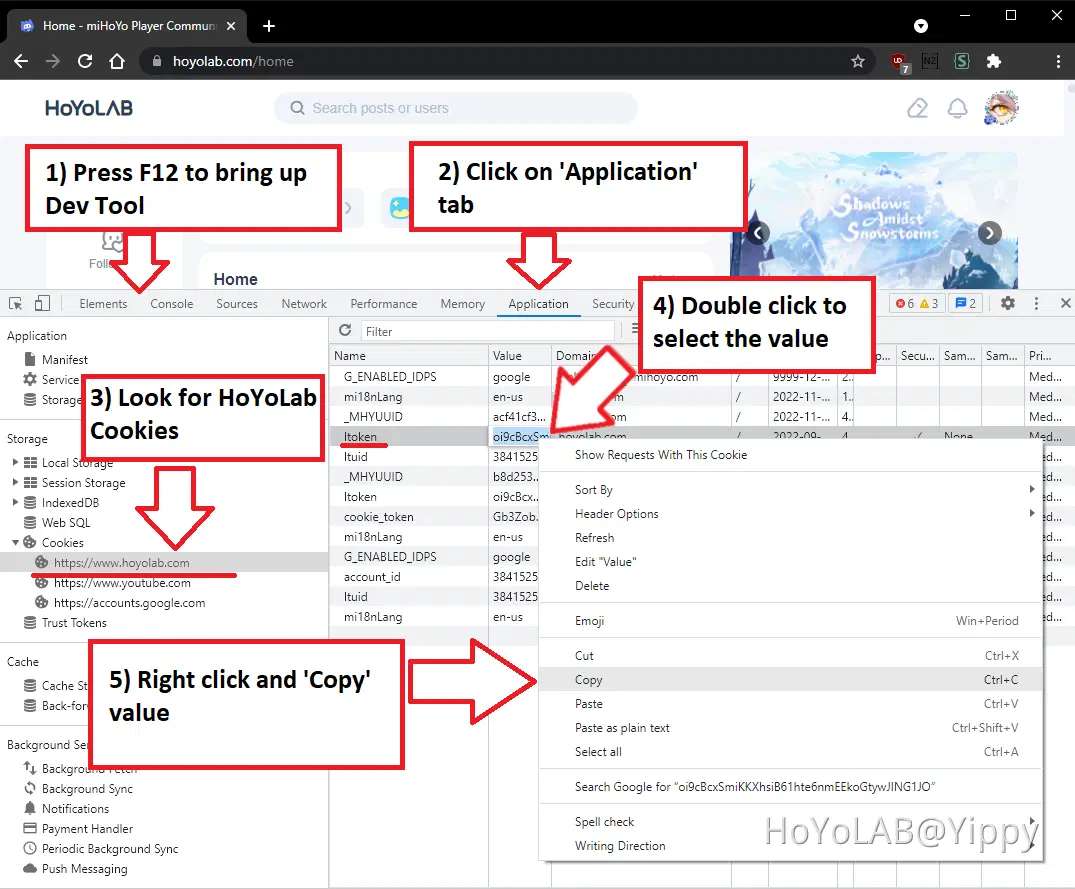
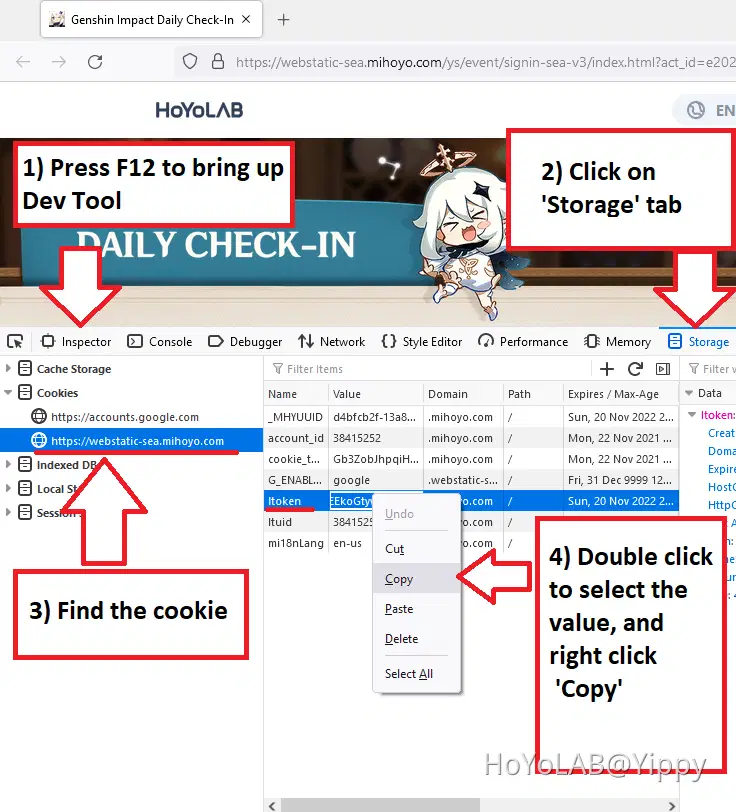
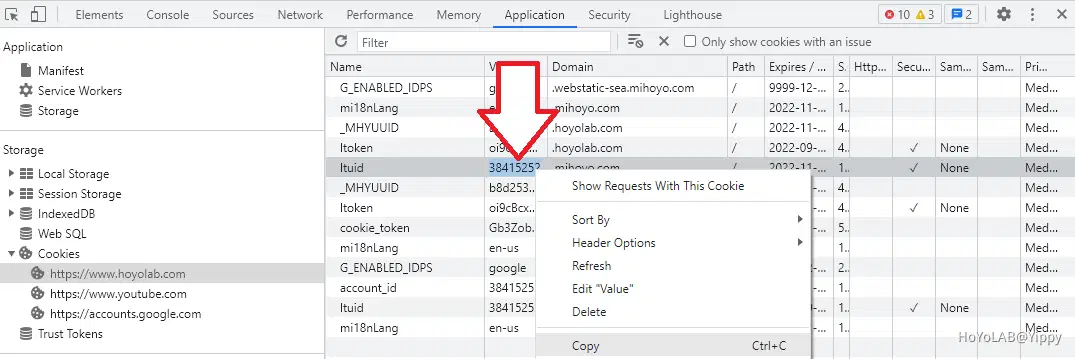
Bring up the developer tool using 'F12', find cookie www.hoyolab.com or webstatic-sea.mihoyo.com (Visting Daily Check-In) and copy ltoken.
Chrome
FireFox
Step 1
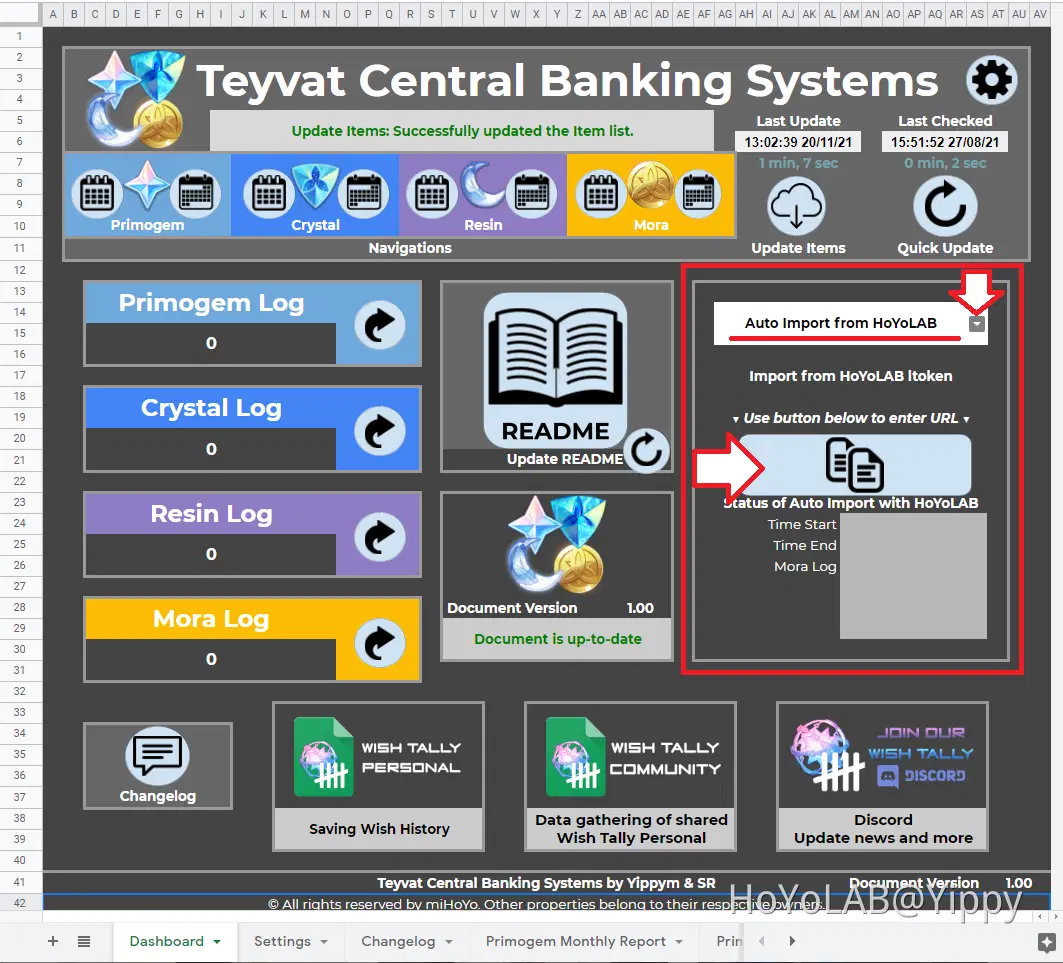
On the Dashboard sheet, make sure the drop down is set as 'Auto Import from HoYoLAB'
Step 2
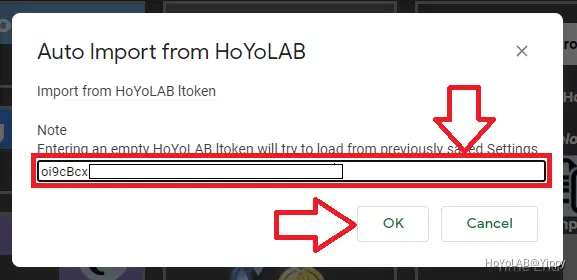
Paste the ltoken
Step 3
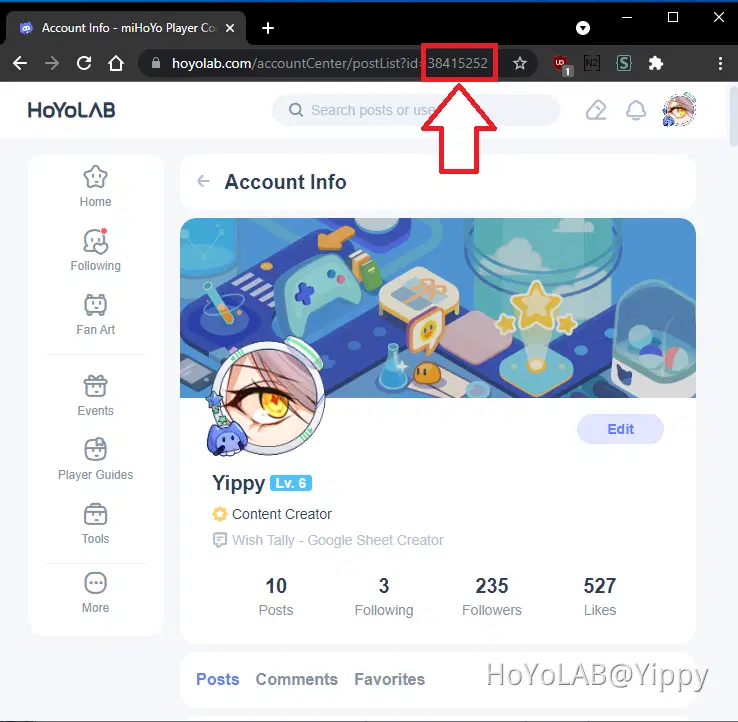
Get your HoYoLAB UID, which is different to your Genshin Impact UID.
Method a - Cookie
Using the cookie you can find the HoYoLAB UID as ltuid, same place you have found your ltoken.
Method b - HoYoLAB Website
Visit your Account info URL: https://www.hoyolab.com/accountCenter
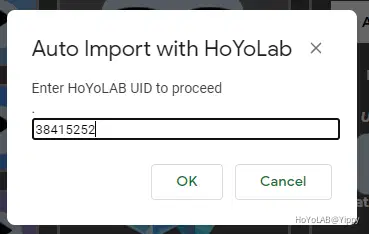
Step 4
Enter your HoYoLAB UID
This project is part of the Genshin Impact Content Creator Programme!
Hope you enjoy using TCBS, if you have any issue or want to help improve this project. Please join us using the Dashboard shortcut to visit us on Discord.