November 9th update: After the HoYoLAB V2.43 update, the Honkai: Star Rail Battle Records widget will be taken offline. The Honkai: Star Rail Battle Records widget (stable version) will be kept online.
Should you encounter black screens or are unable to use the widget, please add the Honkai: Star Rail Battle Records widget (stable version) again.
--------------------------------------------------------------------------------------------------------------------------------------------------------------------------
HoYoLAB version 2.40 introduces the Honkai: Star Rail Battle Records widget (stable release), available in both small and medium sizes. The stable release is compatible with Vivo and Transsion series of smartphones.
If you encounter issues with the original Battle Records widget such as black screens, data not refreshing, or incomplete content displayed, you can try using the stable release widget.
--------------------------------------------------------------------------------------------------------------------------------------------------------------------------
Greetings, Trailblazers!
The Honkai: Star Rail Battle Records Widget is now officially available!
Now, let Mimo explain in detail the features of this widget and how to use it~
Q: What are the functions of the Honkai: Star Rail Battle Records Widget?
A: The widget provides data relating to the game, such as date, check in, changing the widget's background, and Trailblaze Power.
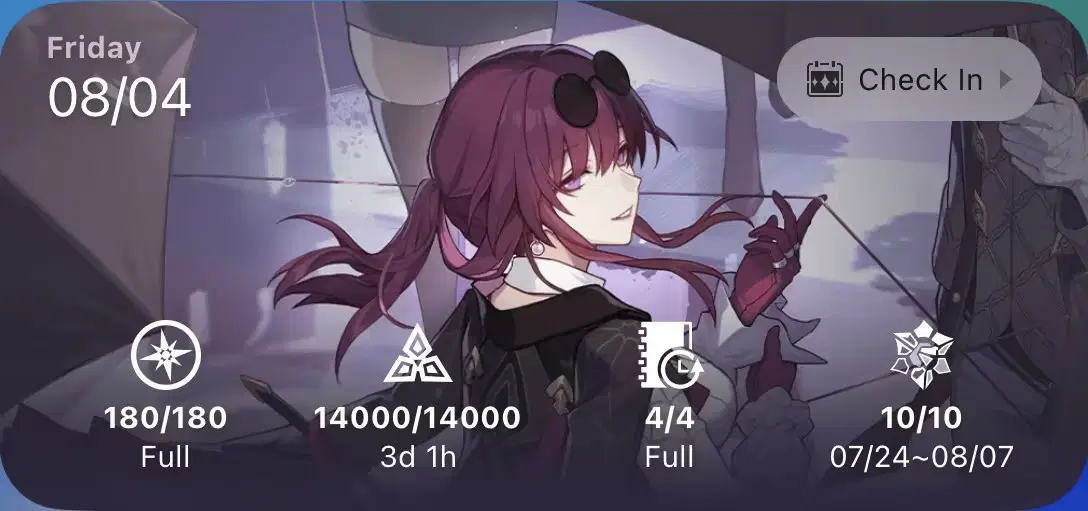
This image is for illustrative purposes only.
Trailblazers can view today's date in the top left.
Tap the "Check In" button on the top right to quickly check in and obtain rewards!
The lower part of the widget displays the Trailblaze Power recovery status, this week's Simulated Universe exploration status, number of floors cleared in this round of Forgotten Hall: Memory of Chaos, and daily Assignments status.
Q: Aside from the ones mentioned above, what other features does it have?
A: Mimo has provided everyone with the background images for all characters (up to version 1.2). You can set your favorite character as the background for the widget!

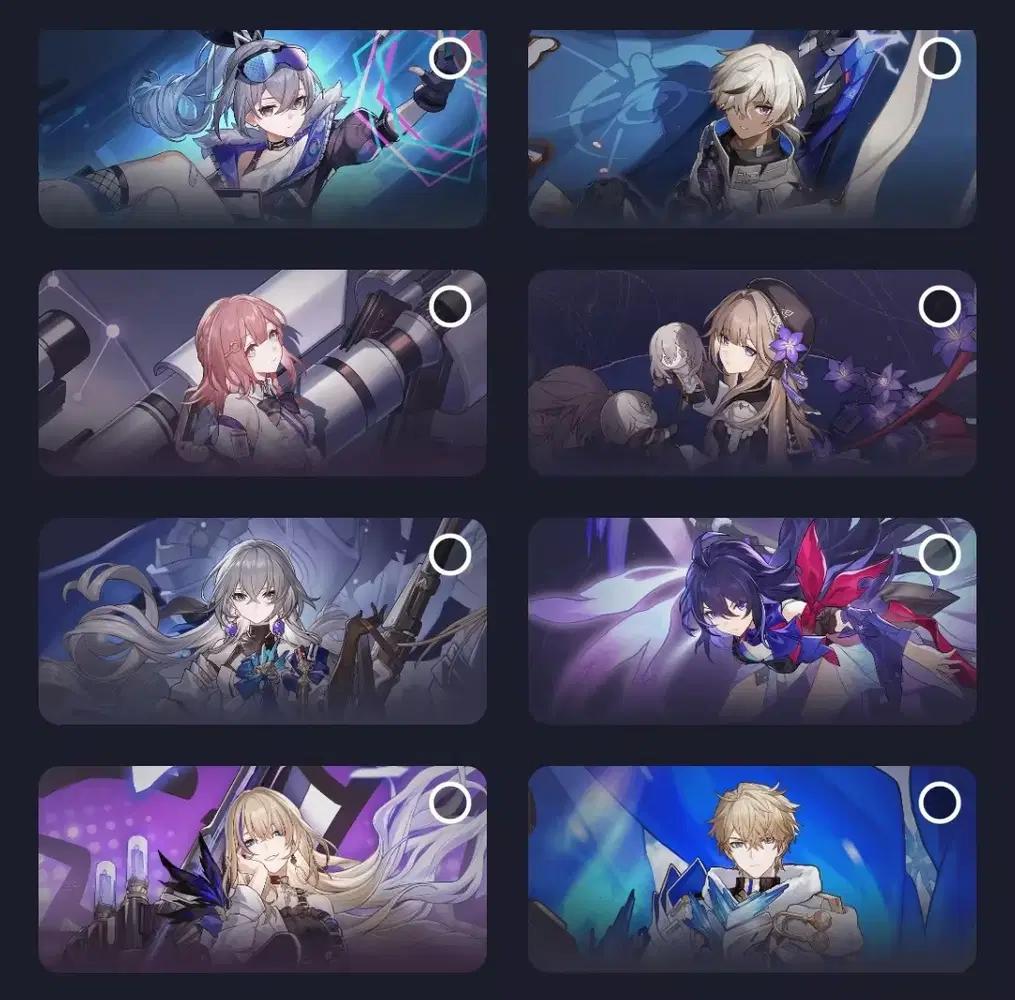


Q: How do I change the background?
A: Android and iOS devices have different methods of changing the widget background.
For Android systems, tap on the Settings button on the widget's top right.
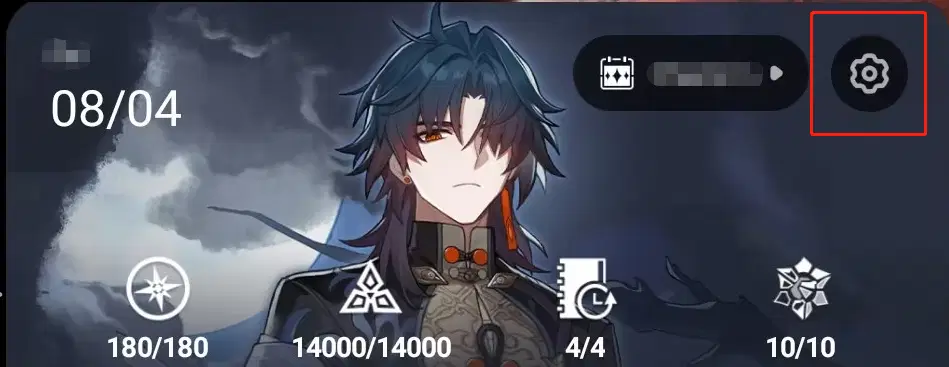
For iOS systems, press and hold the widget and select the option to change your background.
Q: What version of HoYoLAB is needed to use the Battle Records Widget?
A: You will be able to use the widget once you have upgraded to version 2.37!
Q: How do I add the Battle Records Widget?
A: Android and iOS devices have different methods of adding the widget.
First, here is how to add the widget on iOS.
1. Press and hold an empty area of your home screen and tap on the "+" in the top left.
2. Search for "HoYoLAB," then tap on the Honkai: Star Rail Battle Records Widget to add it.
Next, here is how to add the widget on Android devices.
1. Press and hold an empty area of your home screen and tap on "Widgets" below.
2. Search for "HoYoLAB," then tap on the Honkai: Star Rail Battle Records Widget to add it.
Q: What else should I take note of regarding the widget?
A: Firstly, in order to ensure device functionality and battery power, the widget's data refresh frequency (for data such as Trailblaze Power) will be limited by the iOS and Android systems' rules. The widget will update dynamically within a set delay: 30 minutes on iOS devices, and 30 minutes on Android devices. (Refresh rate in real-time will be influenced by other factors such as phone usage)
*Next, the Battle Records Widget is only supported on iOS 16 and above, and Android versions 8.1 and above.
Q: Why is my Battle Chronicle widget unavailable during each version update?
A: The Battle Chronicle widget will be affected by version updates, as the widget will be unable to use Battle Chronicle data while the server is down for maintenance. It will be restored once the server has been re-opened.