Captain, hello! Part 2 Development Special No. 4 has been updated!
This time, Ai-chan will share with you the info regarding AstralOp, new battle screen, permanent event Realms of Battle, and recommended device specs.
As Part 2 is under intense development, please keep in mind that the content mentioned here doesn't entirely represent what will be released. If you have any questions, don't hesitate to ask Ai-chan in the comments.
Now, let's delve into the contents of the fourth issue together!
About AstralOp
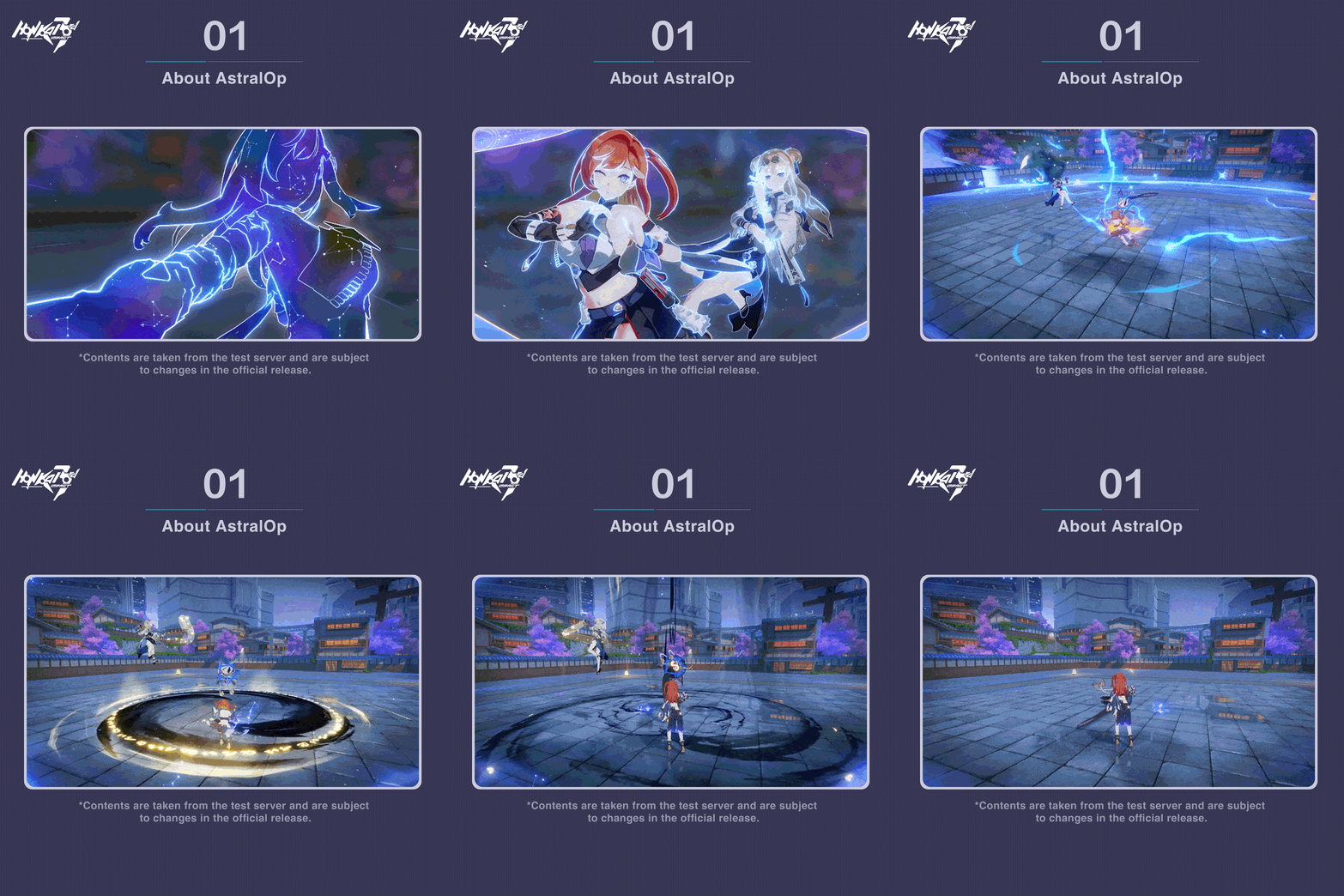
Starting from v7.3, AstralOp System will be available. When the leader is a new battlesuit with Astral Ring, AstralOp can be added to the team. After activating Astral Ring in battle, AstralOp will enter to attack and further enhance the buffs provided by Astral Ring.
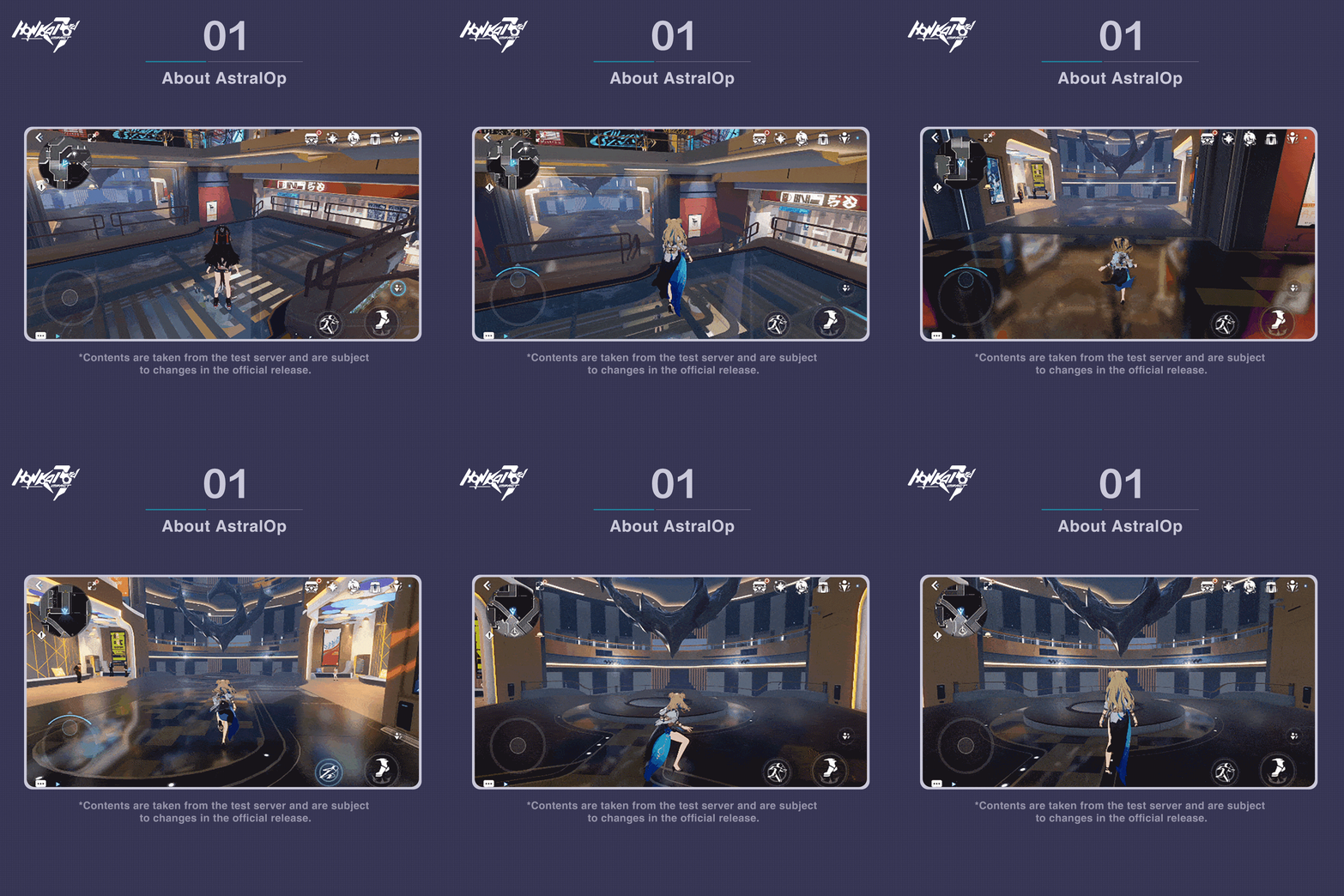
Within certain areas of Antares Building, Oxia, you can operate AstralOps to move around and interact with them on the main screen.
1. AstralOp Preview
Two AstralOps will be available in v7.3: Songque and Dreamseeker.
You can get Songque from Supply events and unlock Dreamseeker after reaching Lv. 30. You must play the main story of future versions to get the upgrade items for Dreamseeker.
2. How to Obtain AstralOp
Starting from v7.3, you can use Focused Supply Cards to participate in AstralOp Supply, in which you are guaranteed to get S-rank AstralOp, Operation Terminals, Einstein's Torus or SC Metal-H2 in every 10 drops and get an S-rank AstralOp in every 60 drops. Untriggered guarantees will be retained by the next round.
After the v7.3 update, the data of the current ELF Supply will be retained proportionately by AstralOp Supply, and ELF Supply will not be available in the future.
*After the v7.3 update, the number of pulled drops in ELF Supply will be retained by AstralOp Supply in a proportion of 28:15, and the number will round up to an integer.
*Your owned ELF Supply Cards will expire and return 150 Crystals each.
3. AstralOp Growth Rules
The AstralOps you obtain from Supply will be S-rank by default. The obtained AstralOps with the same name will be automatically converted to corresponding Origin Chips, which can be used for ranking up. 2 AstralOps with the same name are needed to rank up an AstralOp to SSS-rank. Ranking up AstralOps will let them have higher base stats and unlock more skills.
After the v7.3 update, all ELFs will have Astral Ring skills and can enhance the buffs provided by Astral Ring. As ELFs rank up, they will unlock more Astral Ring skills.
Operation Terminals, ADV Skill Materials and Coins are required to unlock or level up AstralOps. ADV Skill Materials and Coins are required to level up ELF Astral Ring skills.
*After the v7.3 update, the Mind Stones you own will be exchanged 1:1 for Operation Terminals. The option to exchange for Mind Stones will be changed to the option to exchange for Operation Terminals.
*After the v7.3 update, the Mind Stones required for unlocking or leveling up ELF skills will be replaced 1:1 by Operation Terminals.
4. AstralOp Combat Rules
When the leader has Astral Ring, ELFs or AstralOps can be assigned.
If the leader doesn't have Astral Ring, only ELFs can be assigned.
You can still get ELFs from other channels in the future. For instance, in v7.3, you can get the Parts of all S-rank ELFs (including Project Bunny) from Spring Spend Bonuses Event Option; in v7.4, Elf Elysia/Blade Durandal ELF Cards and more will be available in BP Works.
Please follow our official announcements to learn more about the event details!
About the New Battle Screen
After the v7.3 update, the development team will roll out a revamped battle screen to seamlessly blend with the style of the Part 2 storyline. A [Leap] button will be added to the lower right corner of the control area, allowing Captains to perform jumping actions during exploration, battles, and other gameplay.
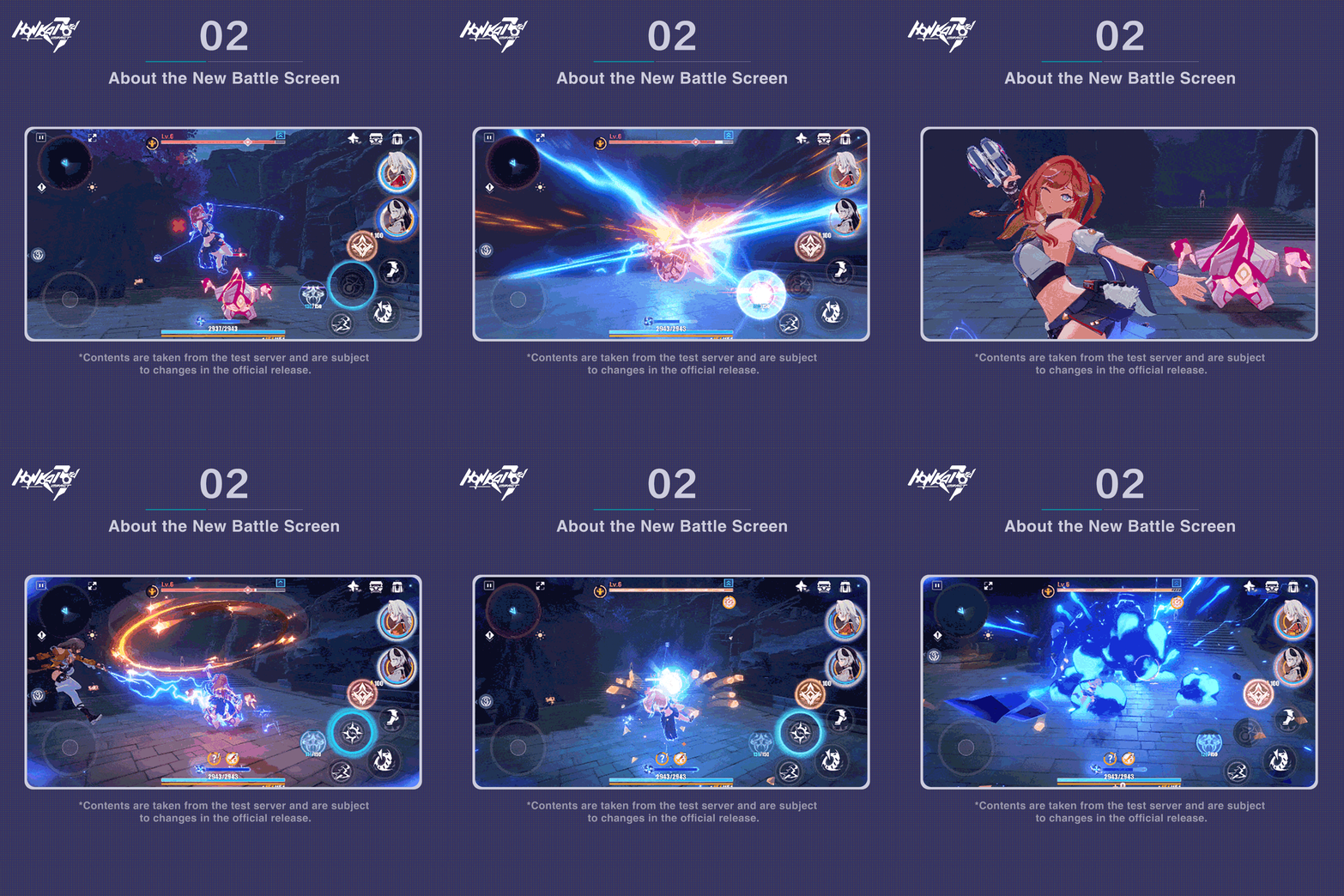
Following the v7.3 update, the default combat screen will enable the recommended mode. You can freely switch between Recommended Mode and Classic Mode on the settings screen to swap the positions of the [Leap] button and [ULT] button.


About Co-op and Realms of Battle
Starting from the Monday of the week for the v7.3 update, Co-op will no longer be available. The Co-op function in Universal Mirage will also be closed after the v7.3 update. Related tasks and Co-op Shop will undergo simultaneous adjustments. Please follow our official announcements for details.
Event Realms of Battle will be permanently available and refresh weekly. In 7.3, more diverse stage content will be added, and clearing stages will reward you with PRI materials, Spirit Jades, Operation Terminals and more. If you have not obtained Divine Key rewards in Co-op mode, you can get them from Realms of Battle. Upon accumulating a certain number of Challenge Stars in the current round of Realms of Battle, you can get one of the following locked Divine Key weapons: Judgment of Shamash, Jizo Mitama, Grips of Tai Xuan, Cleaver of Shamash, or Star of Eden.
In the future versions, the development team will continue to iterate on this mode, providing Captains with more engaging combat experiences.
About Recommended Device Specs
Following the v7.3 update and the continuous enrichment of in-game content, to ensure Captains can enjoy Honkai Impact 3rd smoothly, we recommend referring to the following specs when selecting gaming devices:
1. Android Device Specs
1) Recommended
CPU: Qualcomm Snapdragon 855, Kirin 990, Dimensity 1000, or higher performance processors
RAM: 6GB or above
System: Android 11.0 or higher
Storage: 25GB or more storage space
2) Compatible
CPU: Snapdragon 835, Kirin 810, Dimensity 720, or higher performance processors
RAM: 4GB or above
System: Android 8.0 or higher
Storage: 25GB or more storage space
2. iOS Device Specs
1) Recommended
Device: iPhone X, iPhone XR, and above models; iPads with A12 or above processors
System: iOS 12.0 and above
(Bluetooth controller support requires iOS 14.0 and above)
Storage: 25GB or more storage space
2) Compatible
Device: iPhone 8 Plus and above models; iPads with A10 or above processors
System: iOS 12.0 and above
(Bluetooth controller support requires iOS 14.0 and above)
Storage: 25GB or more storage space
3. PC Device Specs
1) Recommended
Processor: 7th generation Intel® Core™ i7 or higher
RAM: 16GB or above
Dedicated Graphics Card: NVIDIA® GeForce® GTX 1060 6GB or higher configuration
System: Windows 10 64-bit or higher
Storage: 60GB or more storage space
For a smoother gaming experience, we recommend installing the game on a solid-state drive (SSD).
2) Compatible
Processor: 4th generation Intel® Core™ i5 or equivalent
RAM: 8GB or above
Dedicated Graphics Card: NVIDIA® GeForce® GT1030 or equivalent
Intel HD Graphics: Intel® UHD630 or equivalent
System: Windows 7 64-bit or higher
Storage: 60GB or more storage space
That concludes this issue of Mars Newsletter. If you have any questions related to Part 2, please feel free to let Ai-chan know in the comments.