
Dear Travelers,
The pre-installation function is now available on both PC and mobile platforms.
Travelers on PC can still play the game while pre-installing game resources. Pre-installation will take up a certain amount of your network's bandwidth, so it's best to make sure you have a good network connection before beginning pre-installation.
Travelers on mobile platforms will be unable to play the game while pre-installing game resources. It's recommended that Travelers complete any Domains or other challenges they wish to finish first before beginning the pre-installation process.
After the pre-installation process is complete, Travelers can experience the new version content faster once the update maintenance period is finished.
〓How to Update〓
Mobile (iOS & Android)
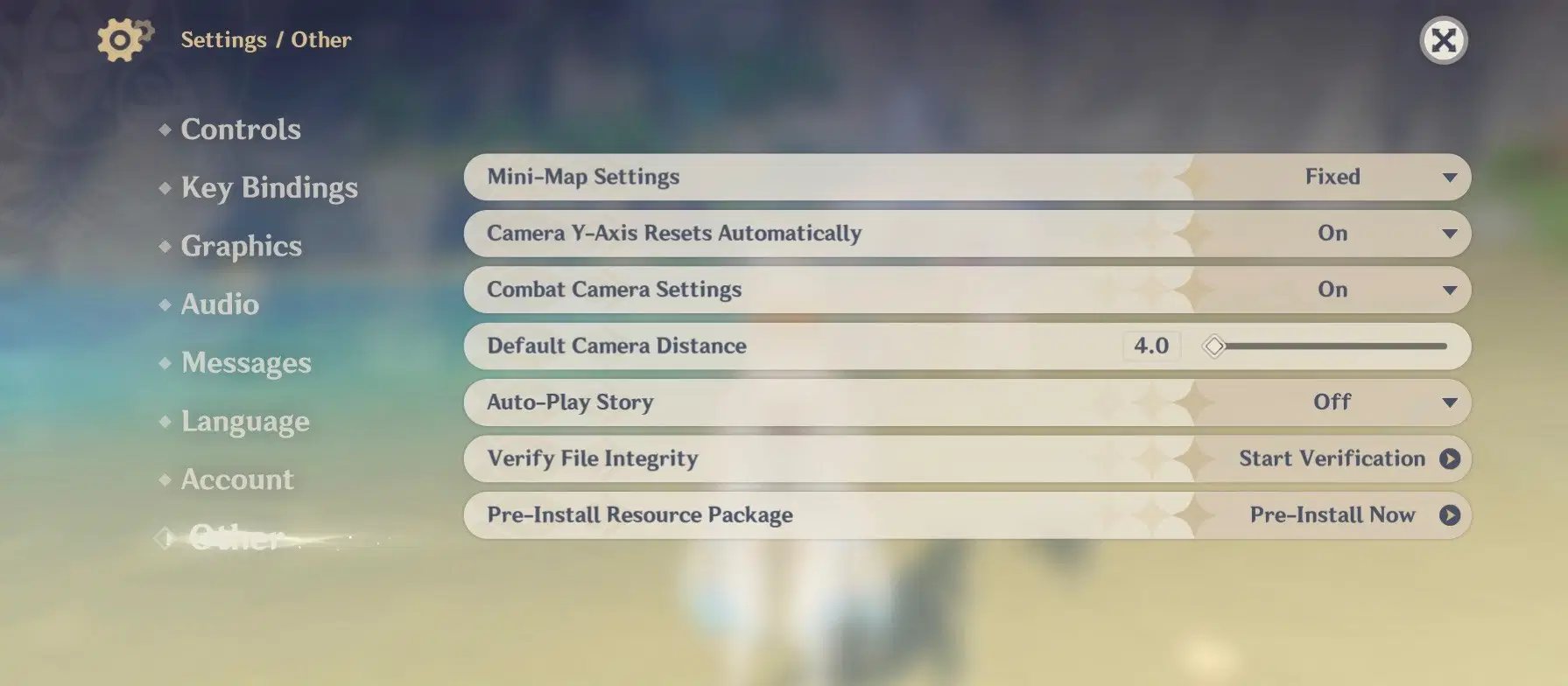
Method 1: Travelers may begin pre-installing update resources by going to the Paimon Menu > Settings > Other > Pre-Install Resource Package.
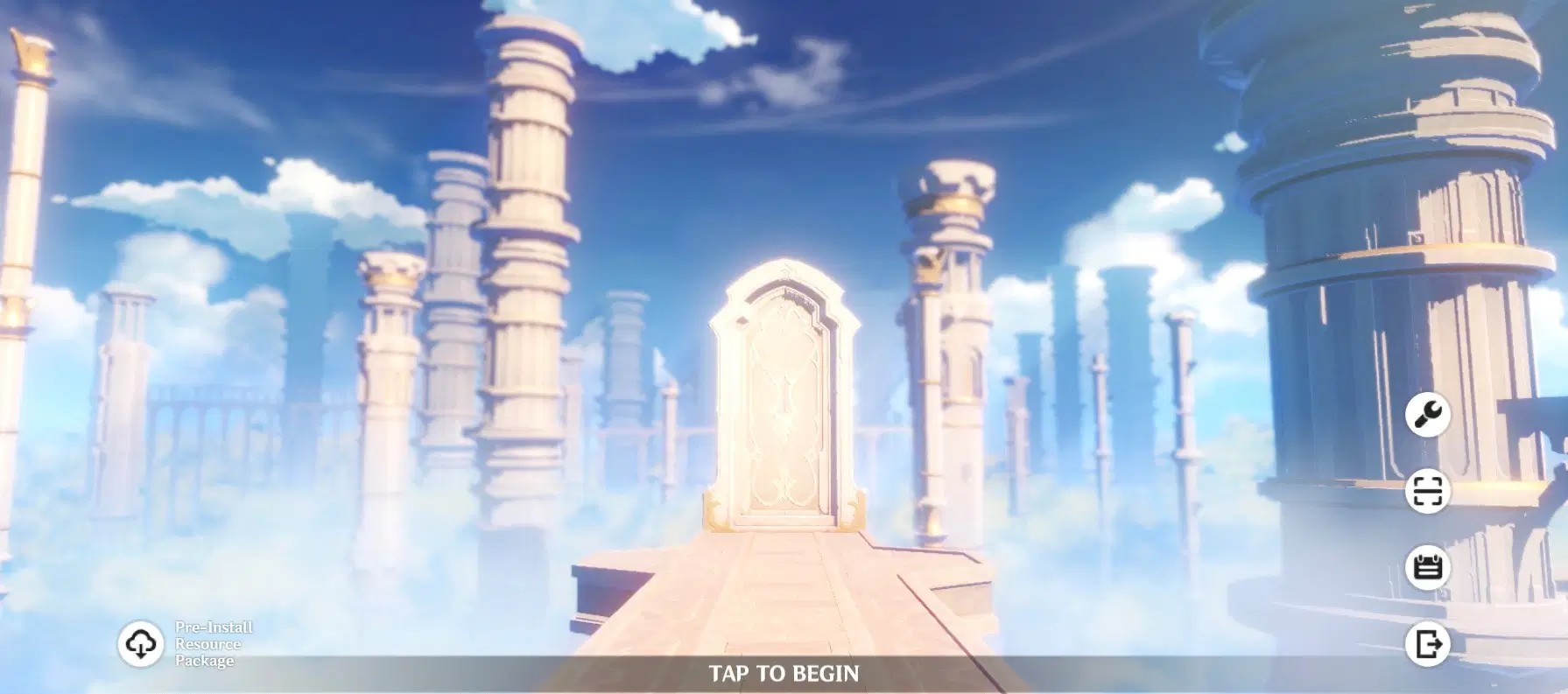
Method 2: Travelers may also begin pre-installing update resources by tapping the "Pre-Install Resource Package" icon on the bottom left corner of the login menu.
When the version update is released, Travelers on iOS devices must enter the App Store and tap Update. Android users may open the game and follow the directions on-screen (or open Google Play and tap Update).
Using the pre-installation function will reduce the time that the game spends updating resources on the first time you enter Version 1.5, even if you did not fully complete pre-installation.
PC:
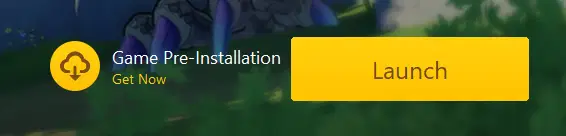
After the pre-installation function is available, you must first update the Genshin Impact Launcher. After updating the launcher, a "Game Pre-Installation" button will appear to the left of the "Launch" button. Click "Game Pre-Installation" to download the latest game resources.
After completing pre-installation, when the version update is released, open the launcher again and click "Update" to install the game directly without any further need to download game resources.
If pre-installation is not complete, when you reopen the launcher and click "Update," game resources will continue downloading from the point where pre-installation progress ended.