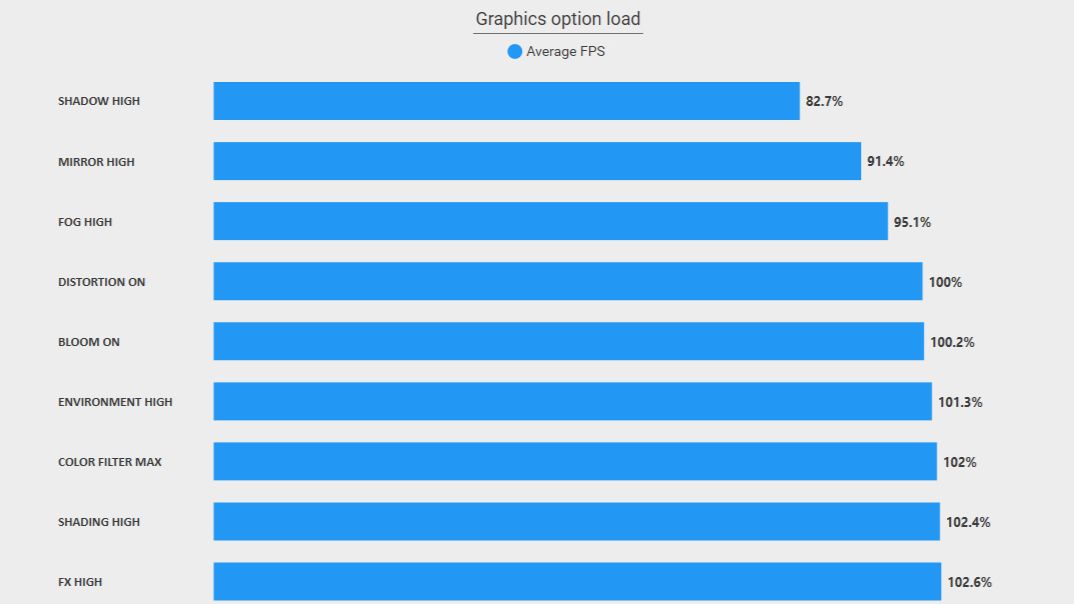
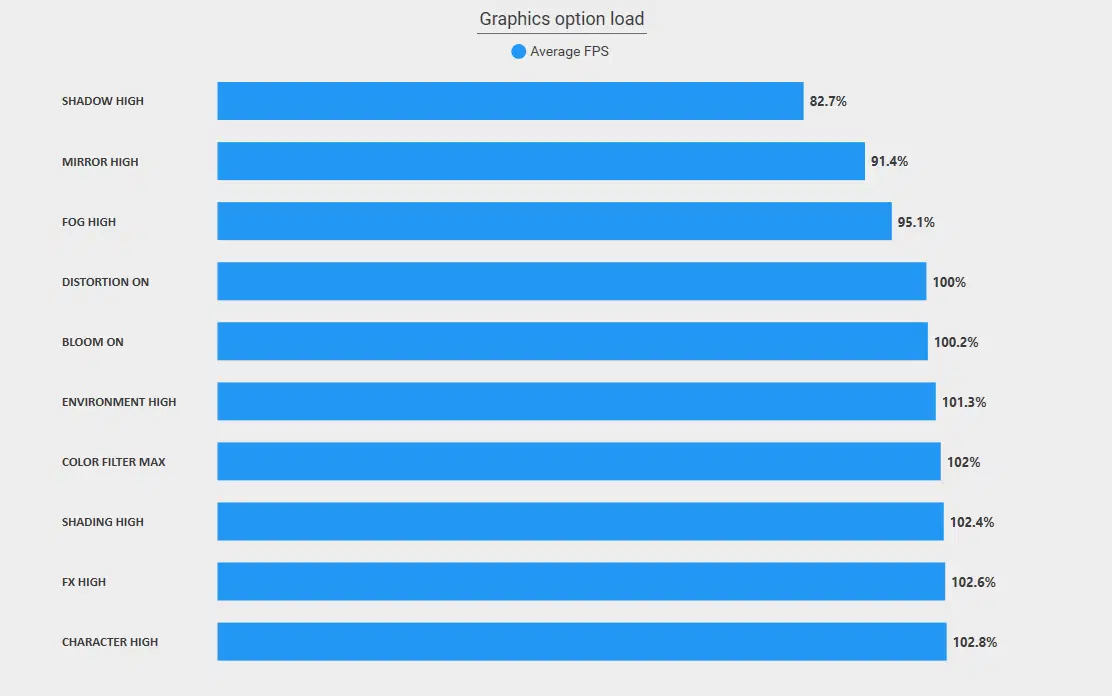
Finally got time to benchmark ZZZ. I tested each graphics setting of the game to find how each of them affects the fps performance.
It turns out, there's only 3 heaviest graphics settings: Shadow, mirror reflections and volumetric fog.
after these 3 graphics setting, most of the other toggle option have less than 3% effect on fps each so anyone wanting to optimize their performance can look at this chart and start to reduce the graphics from top to bottom.
(testing methodology:
system config: i5-12600k, 32gb ram, RTX 3060 12gb.
tested on 4k resolution fps unlimited. all test is morning in-game time, normal walk in Lumina Square, from playground to police station. FPS capturing software is CapframeX).
---------------------------------------------------------------------------------------------------------------------------------------------------------------------------
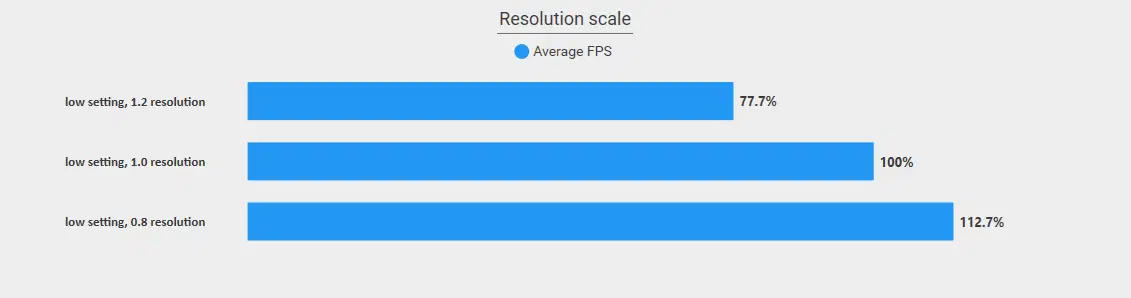
decreasing resolution scale improves fps by 12.7% while increasing it reduces fps by 22.3%.
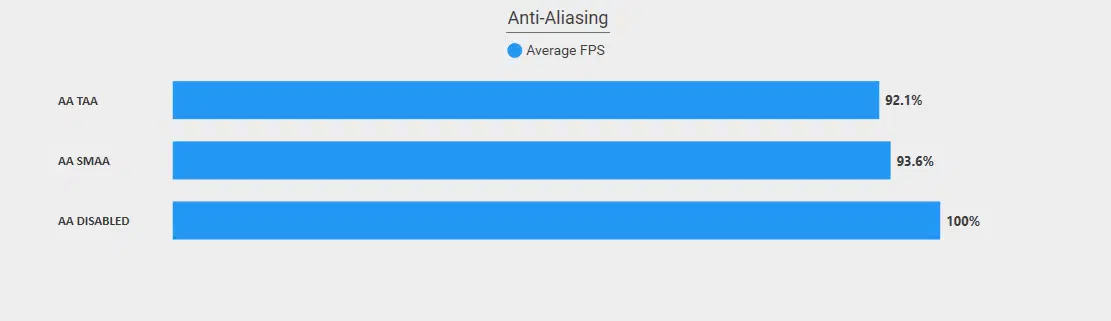
using Any of the Anti-Aliasing setting decreases fps by about 6%. SMAA can be sharp but TAA reduces shimmering on some objects (like fences).
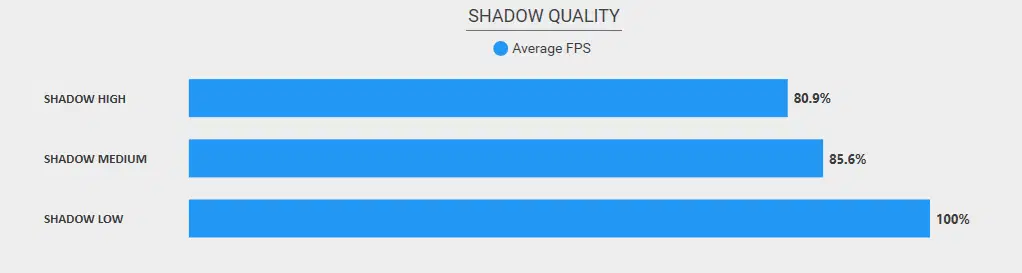
Shadow quality affects both the rendering range and cascade of environment objects like building shadow and electric lines, etc. NPC and player shadow have high quality shadow regardless of the setting.
changing from low setting to medium setting is a jump of 14.4% decrease in fps but changing from medium to high is just a step of 4.7%.
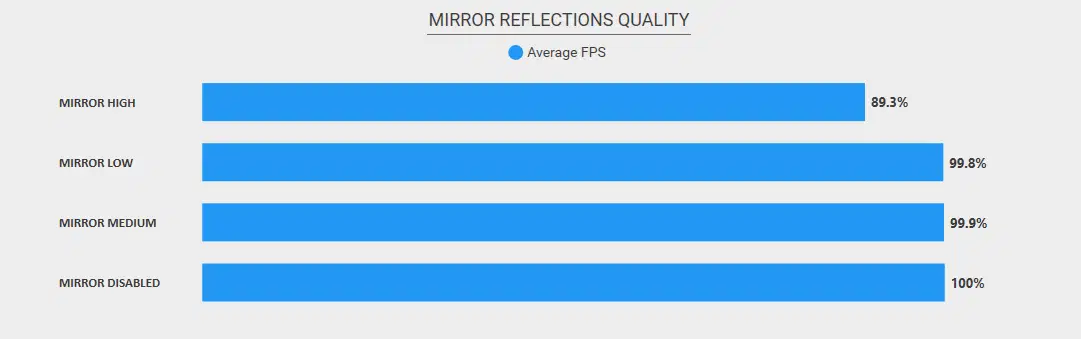
Mirror reflection is an interesting setting.
low and medium setting only increases the resolution of the cubemap being used as reflection (it's a static image of the environment). while using the high setting changes the reflection into a software based low sample count ray-tracing reflection.
software based low sample count ray-tracing is being used by Genshin PC for its Global Illumination setting (and also War Thunder).
using medium setting is still good but high setting got better reflections at a cost of 10.7% of fps.
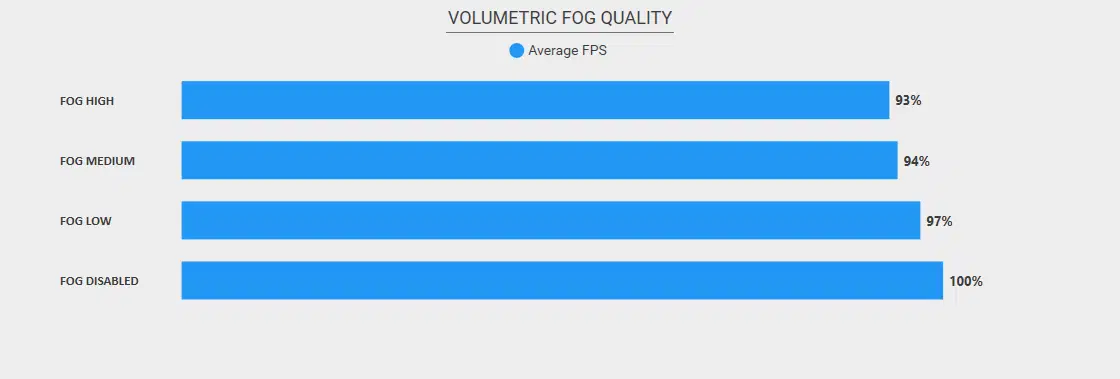
Volumetric fog setting affects the quality of the light ray from the sun (example, camera pointing up while walking through the streets at morning). using low setting makes some light rays flicker because of low sampling size so I'd advice just use high setting (medium and high difference is only 1%) or disabled for 6% fps boost.
------------------------------------------------------------------------------------------------------------------------------------------------------------------------
my optimized recommended (increase performance without losing too much image quality):
resolution scale: 1.0
Anti-Aliasing: TAA
Shadow: low
Mirror Reflections: medium
Volumetric fog: disabled
distortion: enabled
Bloom: enabled
Environment: high
shading quality: high
FX quality: high
character quality: high
Color filter: optional (0 gives more contrast look, 10 gives more "cinematic" look)