
Introduction
I’ve always had a bit of a fascination with mazes, and in fact, it’s part of what got me into software development in the first place! Way, way back when I was given a handheld computer for my birthday, I discovered that it had a programming language. The very first thing I typed in was “make a maze”, and young me was slightly disappointed when it didn’t compile – it was the 1990s after all, and the LLMs of today weren’t a thing. It is a memory I look back on fondly, however.
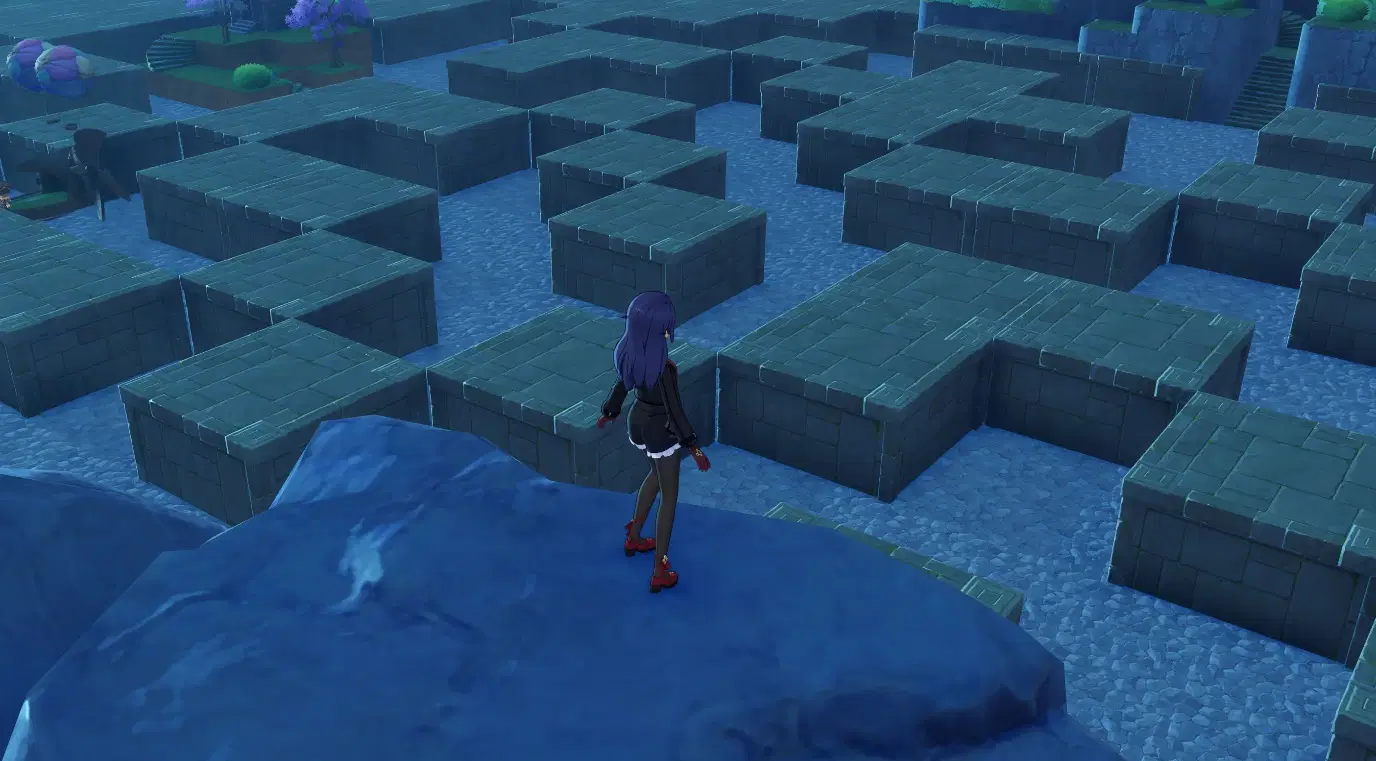
Fast forward 30 years, and with the advent of Miliastra Wonderland, I felt compelled to bring randomised maze generation into Genshin Impact – and thus The Labyrinth was born. For the majority of you that haven’t played it, it’s a stage in which you take the fight to Grumblestone – an agitated old man who’s trapped you in his maze – with plenty of explosives.
Share the Load
Maze generation can be rather computationally expensive, and when you’re dealing with node graphs, this consideration is even more important. With the understanding that UGC servers are going to be somewhat stressed with the volume of players, there are heavy restrictions. Here are some tips I’ve learned over the last few months:
- Spread thin over time. Your best defence against the dreaded excessive load warning is to do little and often. For example, if you have a loop, try to split it up and do chunks at a time, with short (e.g., ¼ of a second) delays in between. It’s best to distract your players with something whilst you do this, ideally with gameplay!
- Let nodes do the heavy lifting for you. Where possible, make clever use of a node and/or component’s functionality to shortcut calculations that would otherwise take much longer. For example, the “Get Entity List by Specified Range” node can be a much faster alternative to managing interlinking entities yourself.
- If you can create your entities within the editor without the need for nodes, do it! Creating prefabs at runtime is expensive. Even if each one still requires an “On Created” event to set things up, it’s going to be cheaper setting them up in advance.
- Utilise local variables if you’re re-using an output pin. Every time a node runs, so do its dependencies. If you can shortcut an entire chain so that it only runs once with a variable, that’s a big time-saver.
Choosing an Algorithm
With all this in mind, I jumped over to Wikipedia for my research. I wasn’t surprised to find a page dedicated to the topic!
I went with a variation of Prim’s algorithm, for several reasons:
- It allowed me to set a start point, which meant that the players were guaranteed to be able to start exploring, even if the maze hadn’t finished generating yet.
- It involved global lists to manage parts of the maze, and – when combined with entities – MW has just the thing for that: unit tags!
- Neighbouring cells are important, and there are nodes for finding out that information.
- The algorithm iterates quickly, it just needs to be repeated a lot of times – a perfect match for the loop & delay approach I mentioned earlier.
Laying the Foundations
As Prim’s algorithm suggests, the first thing we need are walls. Lots of walls. It just so happens that the editor can copy entities in bulk with alt-dragging (combined with movement stepping for greater effect), and – to nobody’s surprise – I made heavy use of this in The Labyrinth.
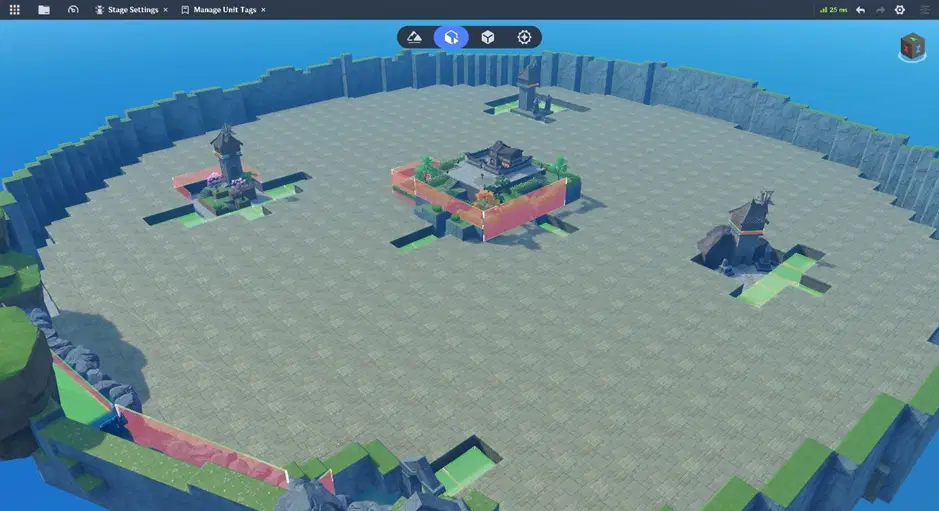
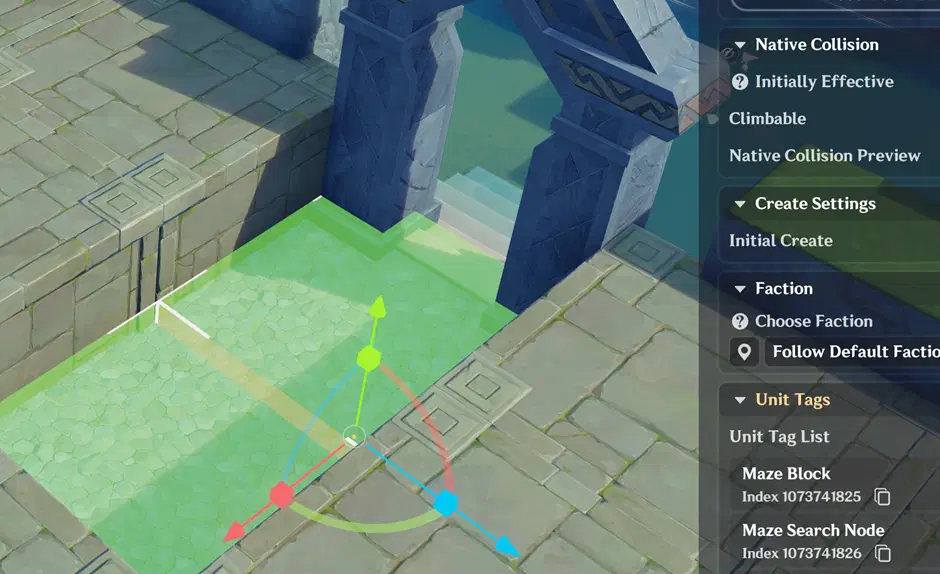
We’ll also need a couple of unit tags; one to identify the walls/blocks, and another to keep track of the path we’re generating through it (search nodes). I’ve made sure to add the latter to the entrance:
Core Loop
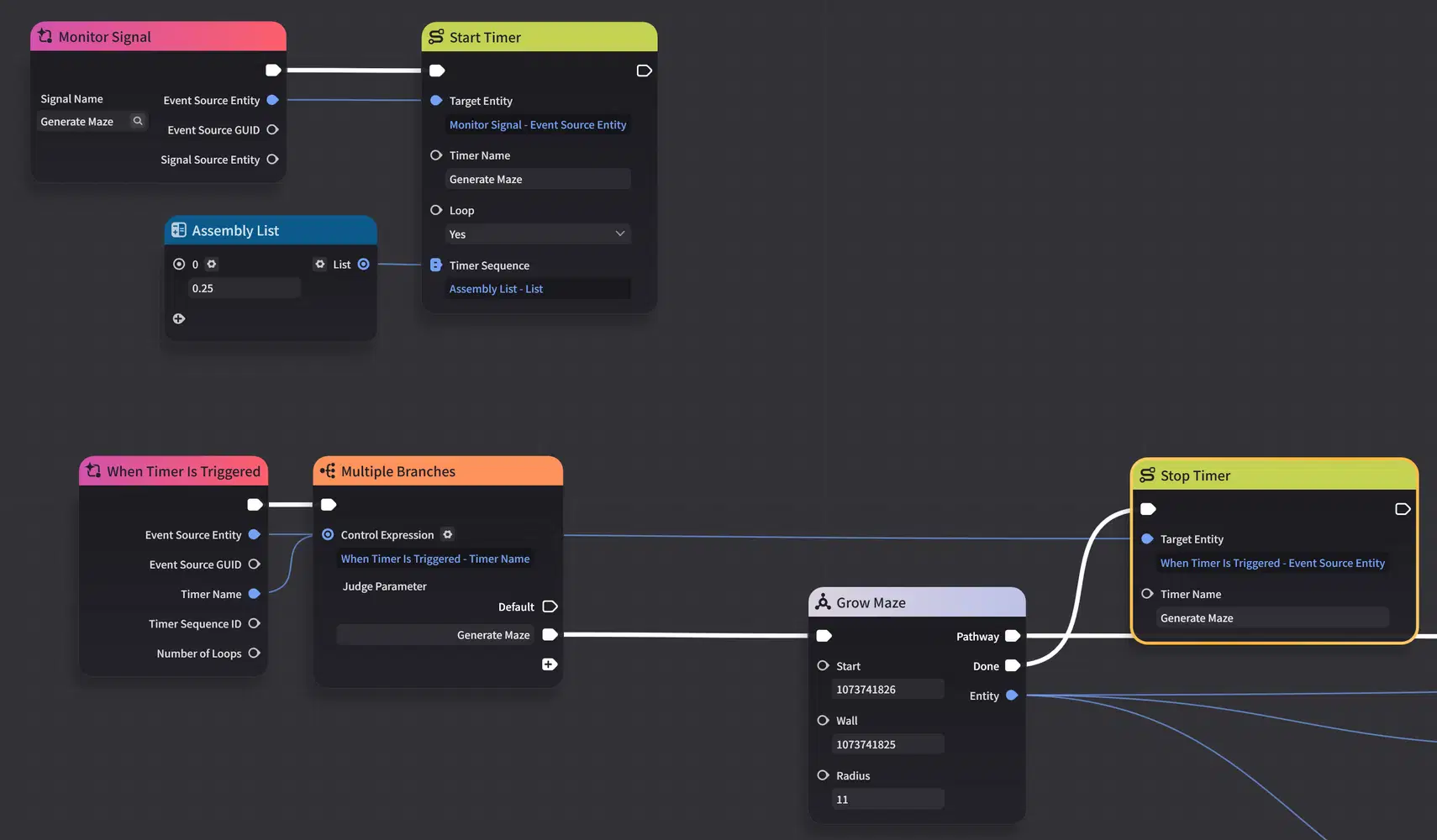
To get the ball rolling, I’ve set up an asynchronous loop using a timer. Deceptively simple, as the maze generation logic is hidden behind a compound node (one of my favourite features). All we’re doing is repeating the process until there’s no more chance to grow the maze further:
Knock, knock!
Delving deeper, we find ourselves beginning each iteration by looking for a random wall to break down. Remember how I marked the entrance with the search node unit tag? Well, it’s going to pick that first!
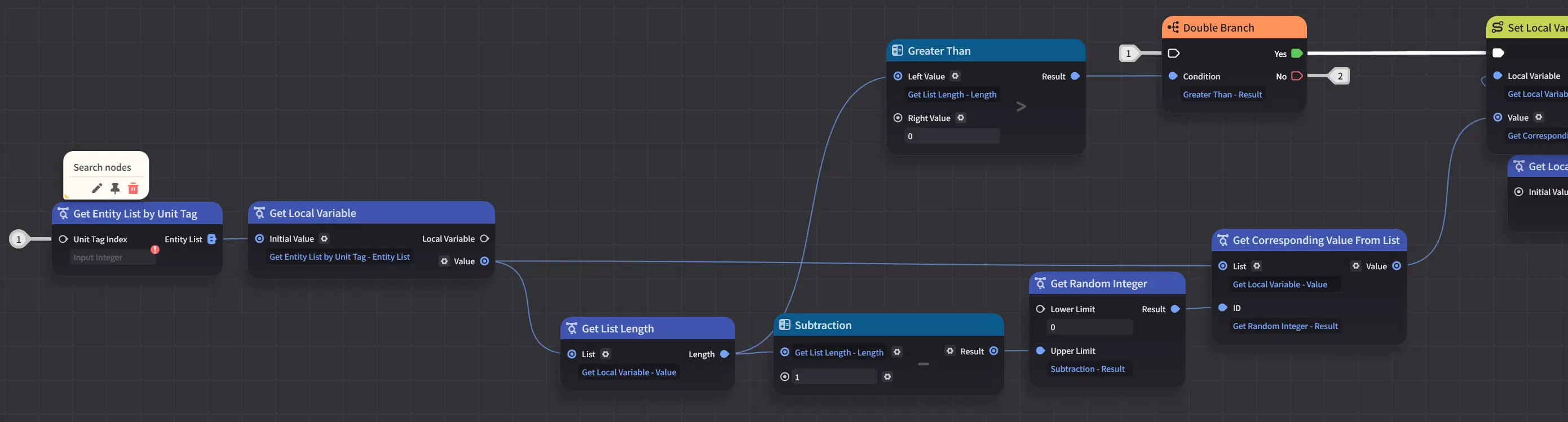
Whilst I’m here, this part’s very important when dealing with random list selection – even outside of the context of mazes. Each time the node is accessed, a new random number is selected. Remember to store the result before using it:
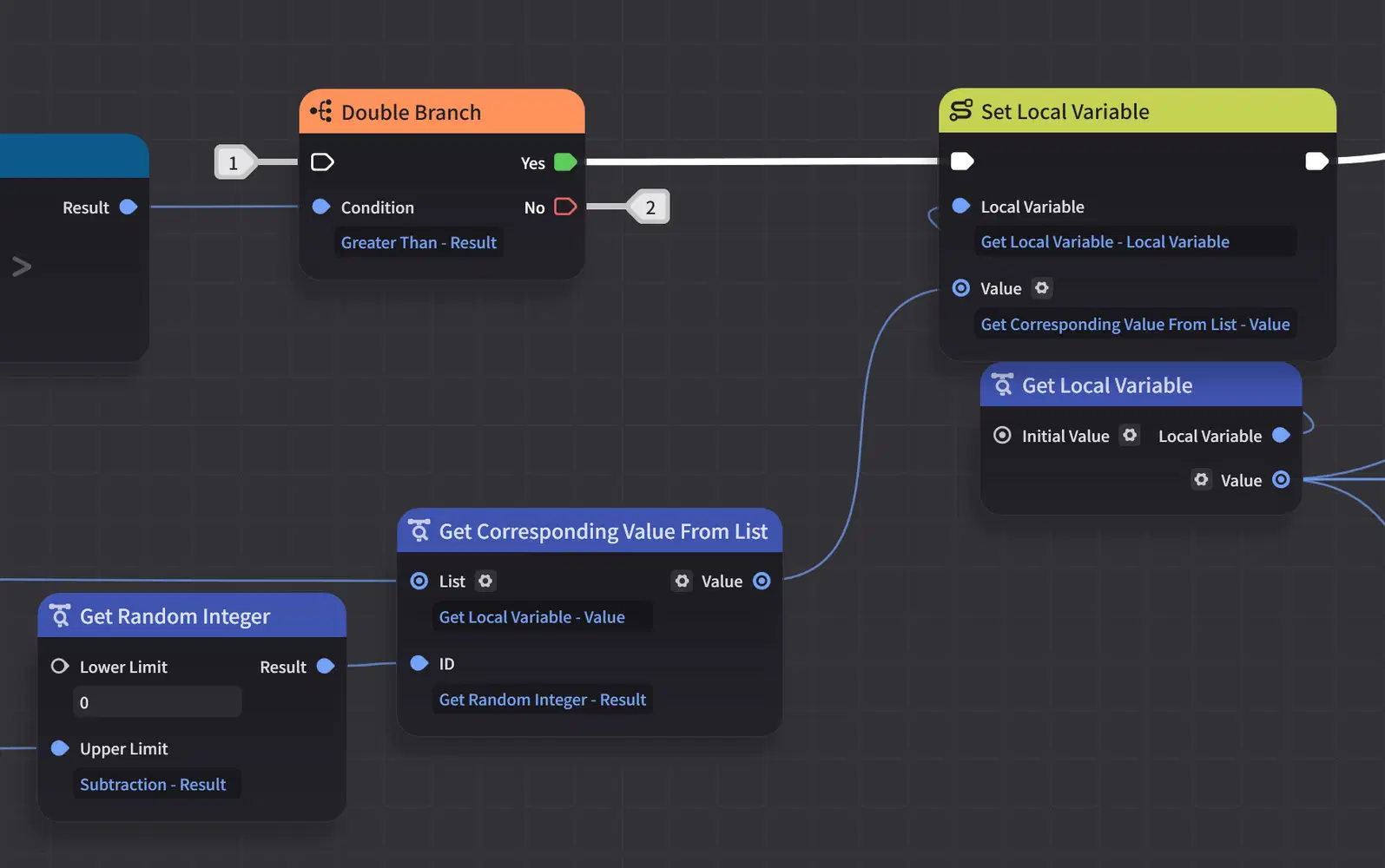
Each search node is only a prospective avenue for maze expansion, not guaranteed. We need to assess its viability:
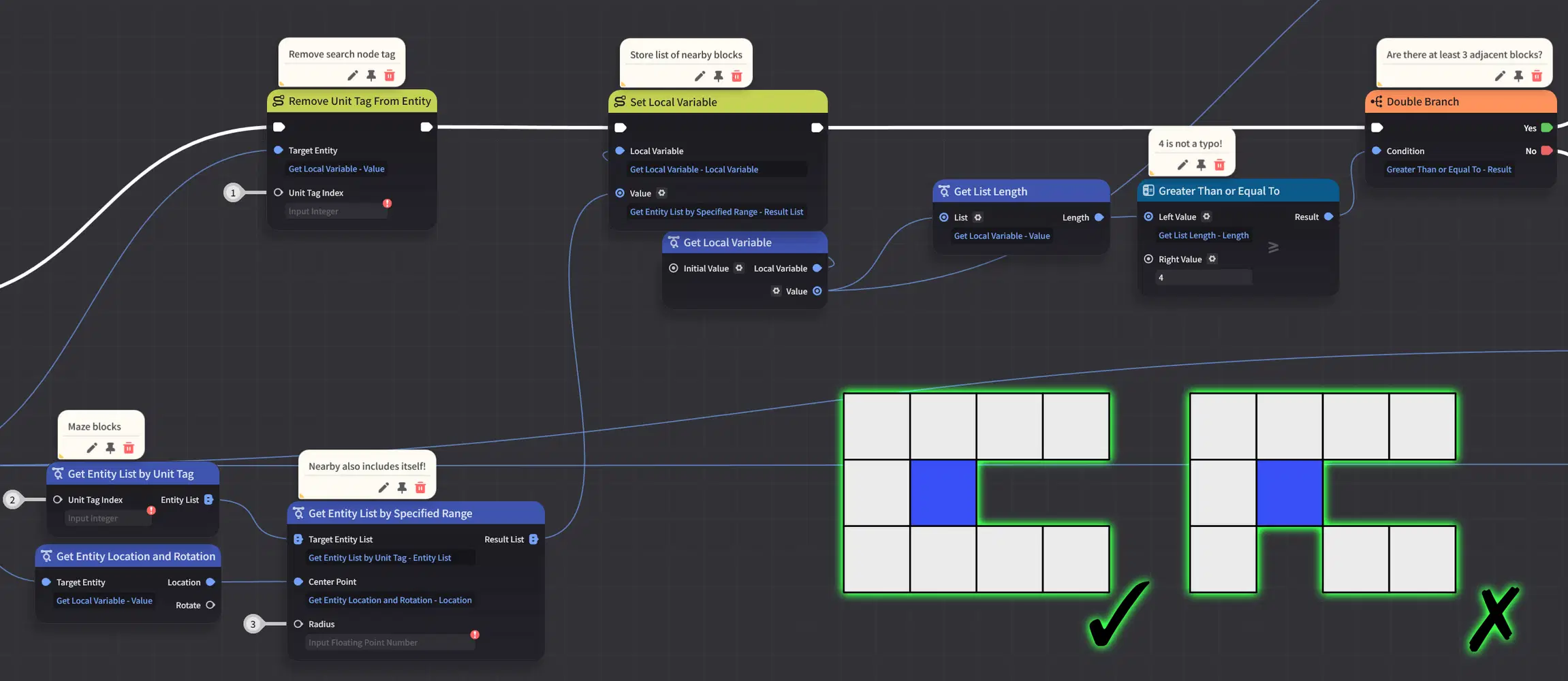
Essentially, if the chosen block has no more than one pathway connecting to it, it can be bulldozed to allow passage.
Expanding the Search
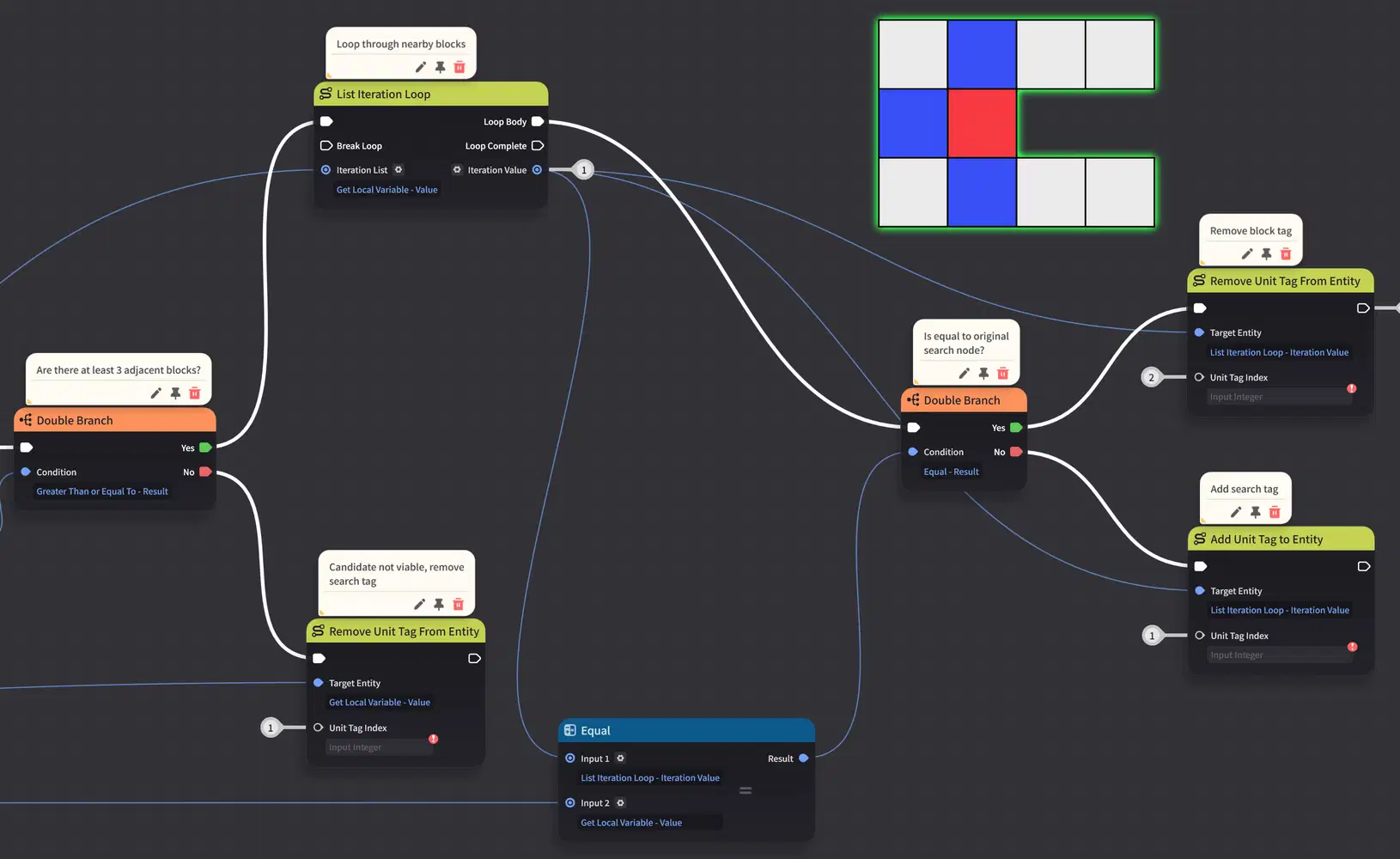
Of course, that’s not the end of it – getting rid of just one block won’t make a maze. Every adjacent block needs to be marked as a candidate too. Thanks to unit tags, this is made easy:
Closing Thoughts
I hope that this has inspired the creator in you to think about how a bit of randomness in your stages can go a long way to ensure that not every playthrough is the same!
Happy creating!