
Hello, everyone. I believe that some creators have noticed the function Collection of Creations is now available. Through this function, creators can sort their posts according to different categories, which makes it easier for other users to view the works of the same category~
So how do you use the Collection of Creations? Come and check it out with the Assistant!
P.S. This function is currently only available to Certified Creators.
How to Create a Collection
Step 1:
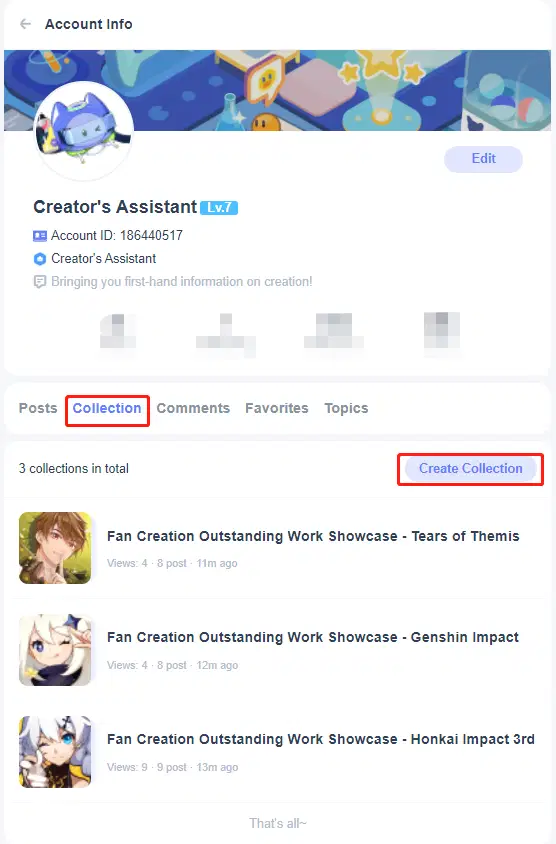
Method 1: Creators can see the Collection tab on their home page. Simply click the Collection tab button to create.
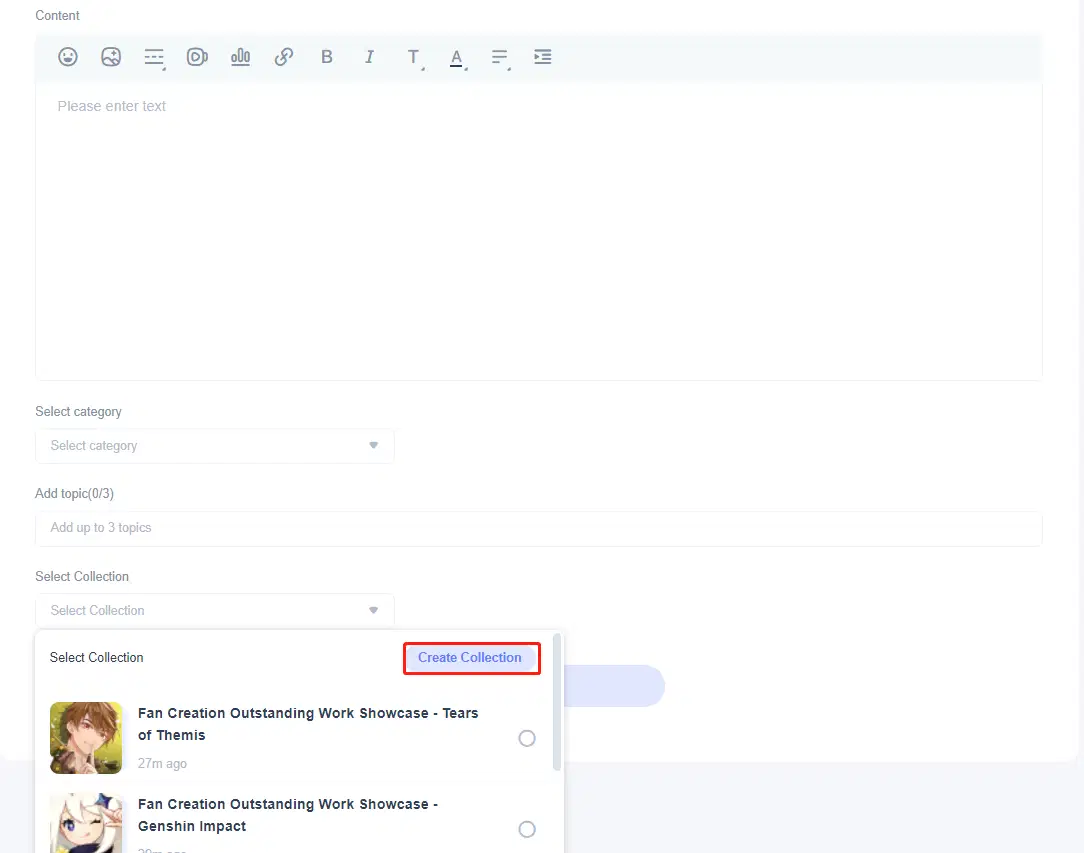
Method 2: You can also create a collection on the post editing page.
Step 2:
Fill in the title and brief introduction of the collection, and upload the cover image (the cover image supports 1:1 jpg. and gif. files, and should be no bigger than 10 MB). After passing the review, the collection will be created successfully!
How to Add Works to a Collection
Creators can add their own posts to the collection. One post can only be added to one collection. A single collection can have up to 200 posts.
Step 1:
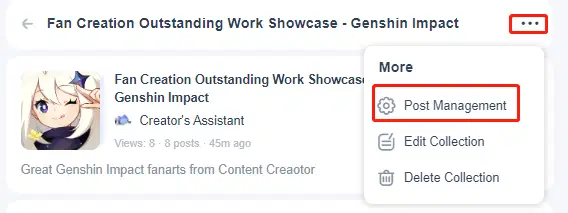
Click "..." on the top-right corner of the collection details page, and click "Post Management"
Step 2:
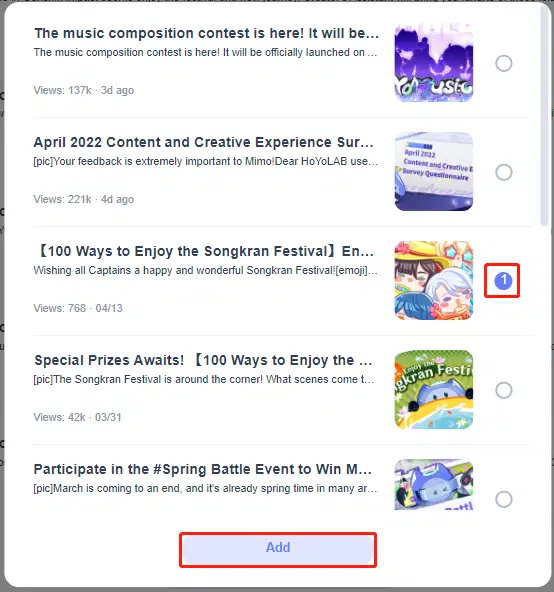
Click the "Add Post" button at the bottom and you can drag-and-drop to sort the sequence of posts in the collection.

Step 3:
Check to select the posts you want to add to the collection.
How to Edit/Delete the Collection
1. Once your collection is created, you can edit/delete collection-related information on the collection details page.
2. Posts in the collection will not be deleted after the collection is deleted.
Come and try it out~