1. The Purpose of This Page
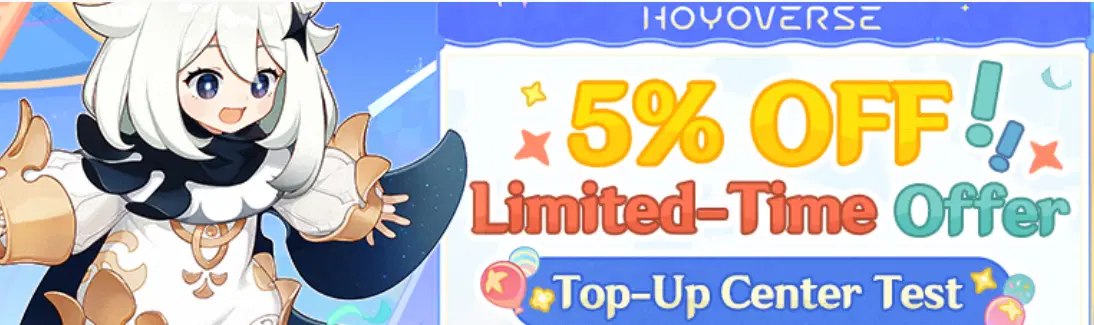
Many of you have probably noticed this 5% off and are wondering what it is and how to use it. I'm going to demonstrate how to utilize the new top-up website and how to buy Genesis Crystals and other things at a lower cost.
You can purchase Blessing of the Welkin Moon, Genesis Crystals, and the Battle Pass for your account from the official HoYoverse Top-Up Center website. It's a safer way for making purchases in-game or via platform stores.
Why should you use this over platform stores (Google Play, Galaxy Store etc.)? There is an easy explanation for this: utilizing this website will provide you with a 5% discount (not including Miliastra Wonderland) This website also allows you to buy the Battle Pass with your 5% reduction, which is a big advantage since no other website can do that.
2. How to Use the Top-Up Center
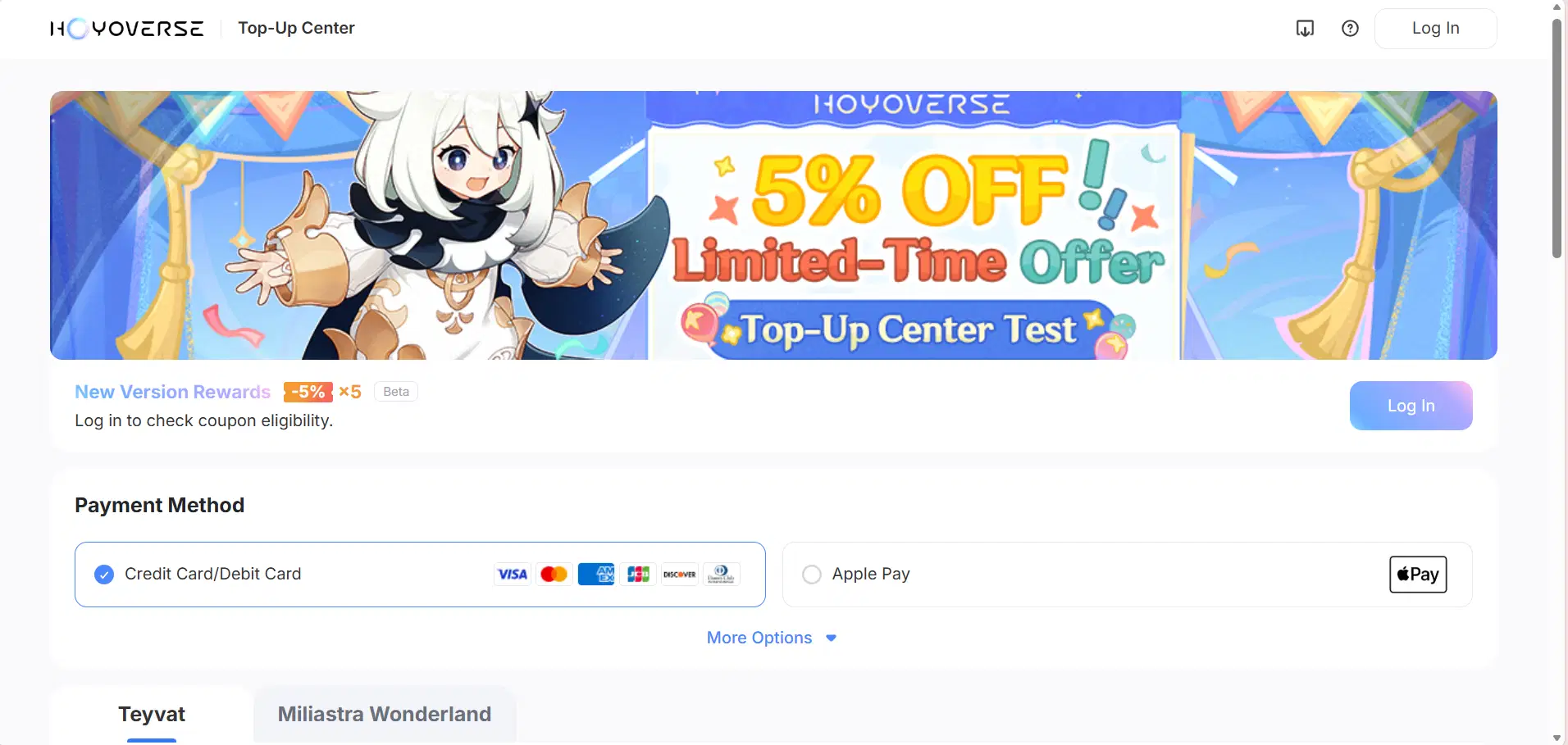
Step 1: Access the Top-Up Page
Go to https://hoyo.link/9lJ5hiPtx after opening your browser.
Step 2: Sign in
Open the HoYoverse account that is connected to your Genshin Impact account.
You MUST log in with the account whose UID you plan to top-up
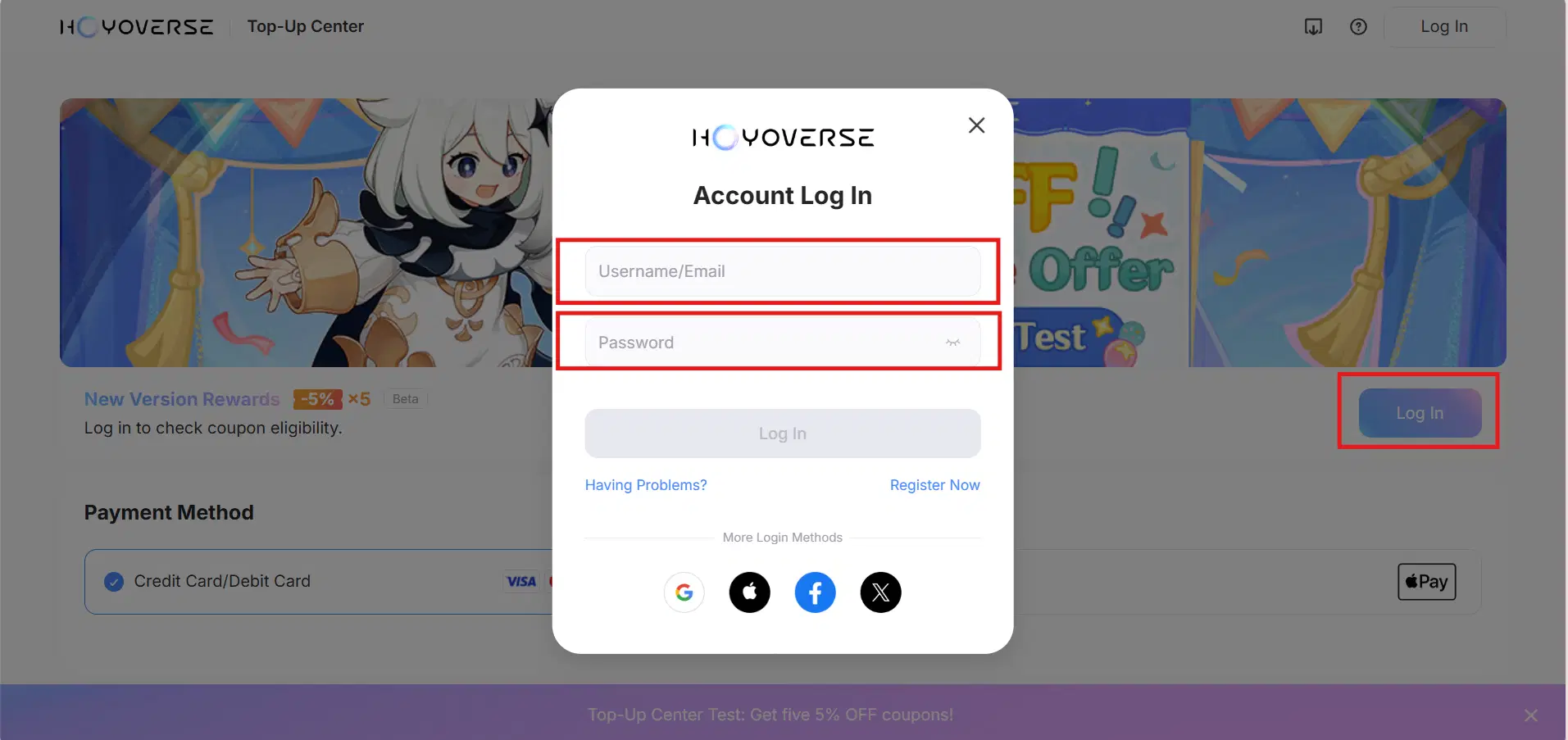
You will be taken to the HoYoverse login page if you are not already logged in.
Fill out the Username/Email and Password to the account you want to top-up
Step 3: Choose the Server and Account
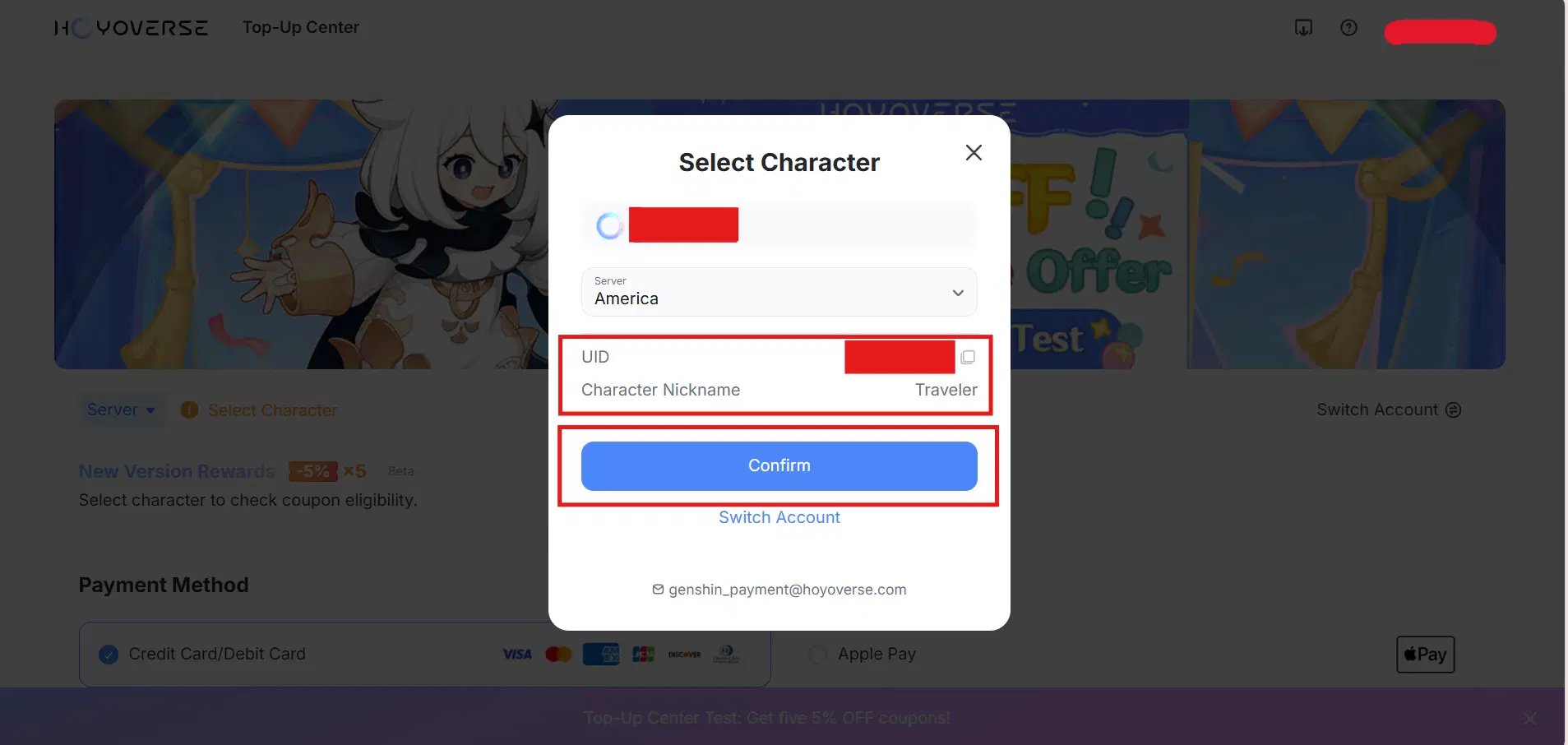
You will normally be prompted to validate your Genshin Impact account (via UID) and choose your server area after checking in. The account you wish to top up MUST match the server/region.
Examples: Asia, Europe, America
Your Genshin UID may be found in your Paimon Menu in-game and starts with a number corresponding to your region.
8 or 18-Asia 7-Europe 6-America
Double check to make sure the UID, character nickname, and server are the same as the account you want to top-up.
After making sure it is the correct account click confirm.
Step 4: Decide What You Want to Purchase
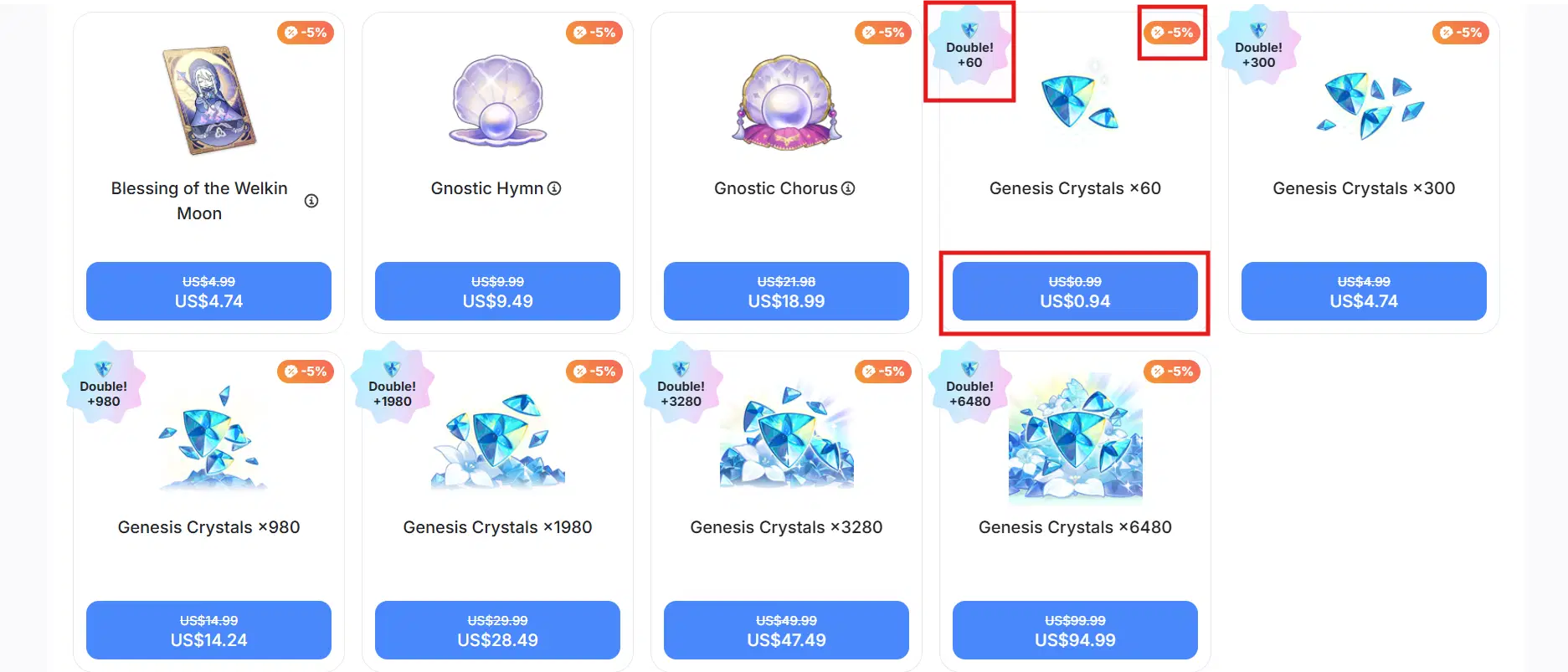
After selecting an account and logging in, select the Genesis Crystal pack (in different sizes). Alternatively, choose Blessing of the Welkin Moon, which offers daily bonuses for a month.
Or select Battle Pass (Gnostic Hymn) if it is available (Isn't available in all servers.)
Note: The double only applies if you have not yet made a purchase on your account.
Remember to claim the coupon at the top to get 5% off your purchases.
After choosing your items, select "Next" or "Buy."
Step 5: Select Your Payment Method
You will select your method on the payment screen. Typical choices consist of: Visa, Mastercard, and other credit/debit cards
PayPal, and regional payment wallets or services, depending on the nation. Know that availability varies by region; not all in-game payment methods will be displayed here.

Step 6: Finish Paying
Continue with the transaction. A secure payment provider page will be shown to you. Observe the instructions (insert card details etc.). Once you fill everything out, click proceed to payment.
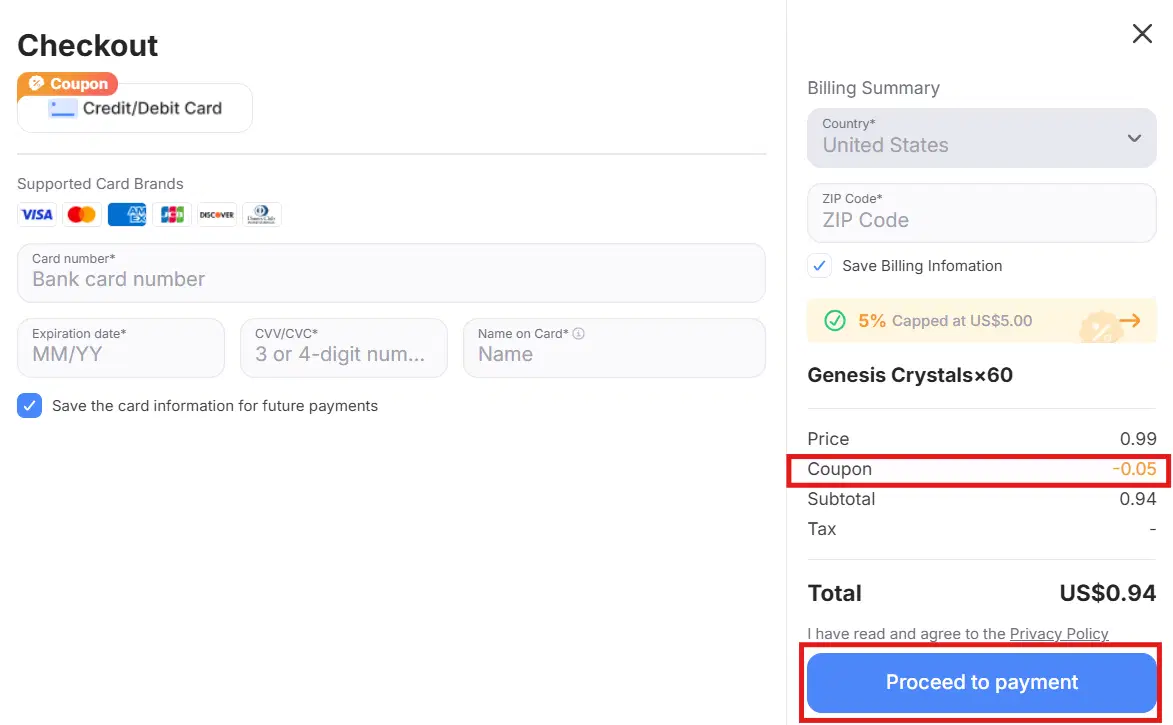
You should get a confirmation screen once the payment has been completed.
All the items that were purchased are immediately credited to your account.
⚠️ Make Sure to Align Your UID and Server
Items you purchase for the incorrect server or UID won't show up on your real gaming account. Verify again before making a purchase. Go tohttps://support.hoyoverse.com/hc/en-us if there is an issue.
Question:Will you be using this top-up in the future? Why or why not?