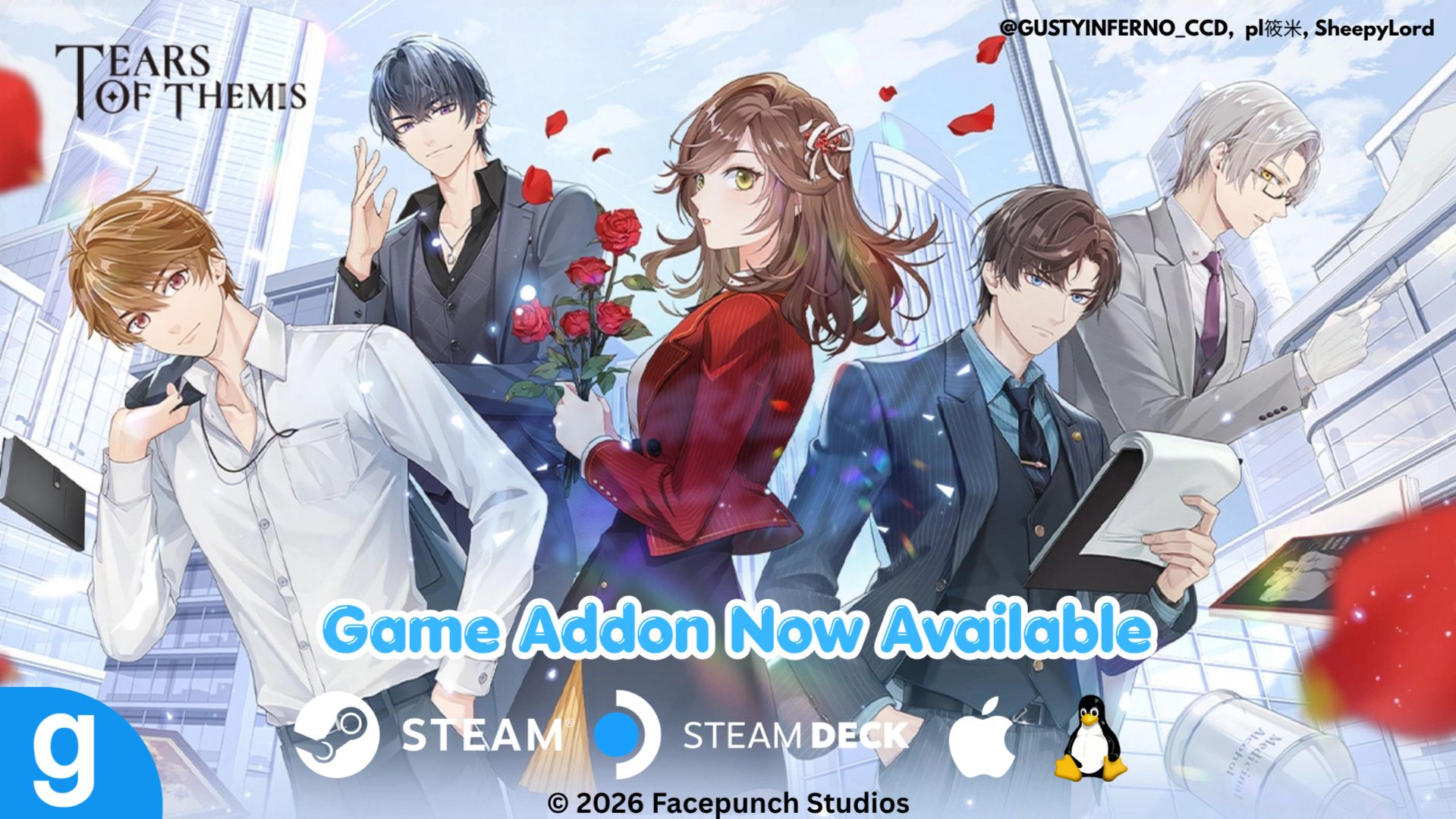
Welcome to Steam Next Fest! With my 8th anniversary on Steam, Garry's Mod, and Marius's birthday coming up soon, I decided to do something a little different. Starting today, I am pleased to release my first addon for Garry's Mod featuring Marius as a playable in-game character, NPC, and ragdoll now available for download on the Steam Workshop with the original model developed by pl筱米 and ported to Garry's Mod with SheepyLord's model importer!
Support for this addon will also be available on platforms such as STEAM DECK, macOS, and Linux! For now, I only have Marius's model working and I'll eventually port all of the male leads including Rosa on the Workshop. If you have any questions or issues with the game, you can check out the support website below and the Steam Community Hub. For problems related to the addon, you can report your issues on this post. You can also check out the HELP & FAQ section of this post for any possible questions listed there.
Garry's Mod is a physics sandbox game with no predefined aims or goals. You spawn objects and weld them together to create your own contraptions - whether that's a car, a rocket, a catapult or something that doesn't have a name yet - that's up to you.
Play offline, with friends, or join the thousands of players who play online each day. If you're not too great at construction - don't worry! You can place a variety of characters in silly positions.
Original Model | Garry's Mod | Steam Community Hub | Download Addon (Steam) | Support Website | Steam Next Fest
▼ Addon Details
Developer: GustyInferno_CCD, pl筱米 (Model Creator), SheepyLord (Model Importer)
Publisher: GustyInferno_CCD
Download Size: 62.15 MB
Supported Platforms: PC, macOS, Linux, STEAM DECK (Playable)
Additional Notes: This addon is a ported version from Aplaybox and may not be fully perfect. There may be possible issues with the model when animating in-game, or glitches.
▼ System Requirements (PC)
- MINIMUM:
- OS: Windows® 10
- PROCESSOR: 2 GHz Processor or better
- MEMORY: 4 GB RAM
- GRAPHICS: 1GB dedicated VRAM or better
- DIRECTX: Version 9.0c
- NETWORK: Broadband Internet connection
- STORAGE: 10 GB available space
- SOUND CARD: DirectX® 9 compatible
- ADDITIONAL NOTES: Mouse, Keyboard, Monitor
- RECOMMENDED:
- OS: Windows® 10/11
- PROCESSOR: 2.5 GHz Processor or better
- MEMORY: 8 GB RAM
- GRAPHICS: 4GB dedicated VRAM or better
- DIRECTX: Version 9.0c
- NETWORK: Broadband Internet connection
- STORAGE: 25 GB available space
▼ System Requirements (macOS)
- MINIMUM:
- OS: OS X version Snow Leopard 10.6.3
- PROCESSOR: 2 GHz Processor or better
- MEMORY: 4 GB RAM
- GRAPHICS: 1GB dedicated VRAM or better
- NETWORK: Broadband Internet connection
- STORAGE: 10 GB available space
- ADDITIONAL NOTES: Mouse, Keyboard, Monitor
- RECOMMENDED:
- OS: Latest OS X version
- PROCESSOR: 2.5 GHz Processor or better
- MEMORY: 8 GB RAM
- GRAPHICS: 4GB dedicated VRAM or better
- NETWORK: Broadband Internet connection
- STORAGE: 25 GB available space
▼ System Requirements (SteamOS & Linux)
- MINIMUM:
- OS: Ubuntu 12.04
- PROCESSOR: 2 GHz Processor or better
- MEMORY: 4 GB RAM
- GRAPHICS: 1GB dedicated VRAM or better
- NETWORK: Broadband Internet connection
- STORAGE: 10 GB available space
- ADDITIONAL NOTES: Mouse, Keyboard, Monitor
- RECOMMENDED:
- OS: Latest Ubuntu
- PROCESSOR: 2.5 GHz Processor or better
- MEMORY: 8 GB RAM
- GRAPHICS: 4GB dedicated VRAM or better
- NETWORK: Broadband Internet connection
- STORAGE: 25 GB available space

How to Download
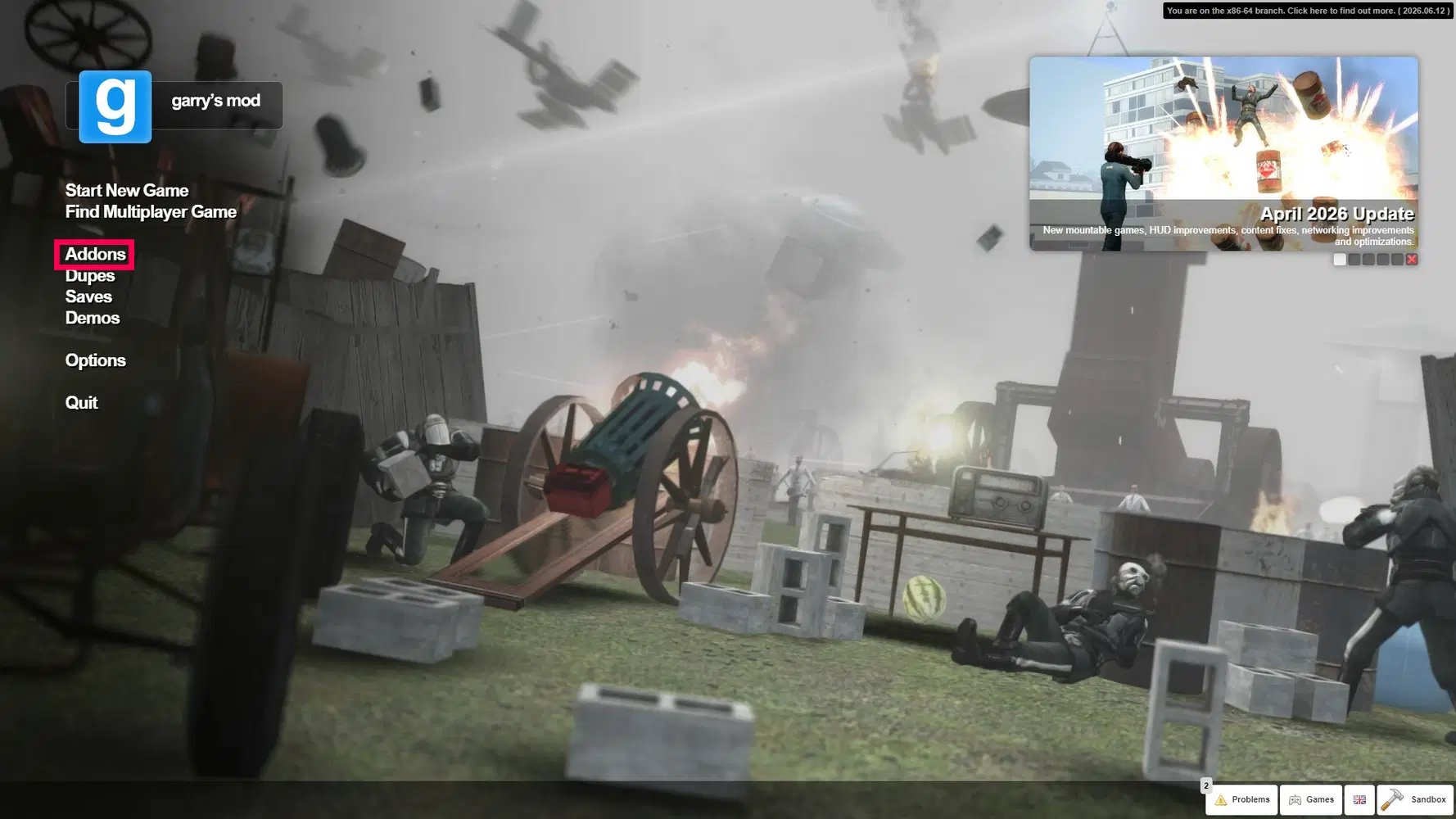
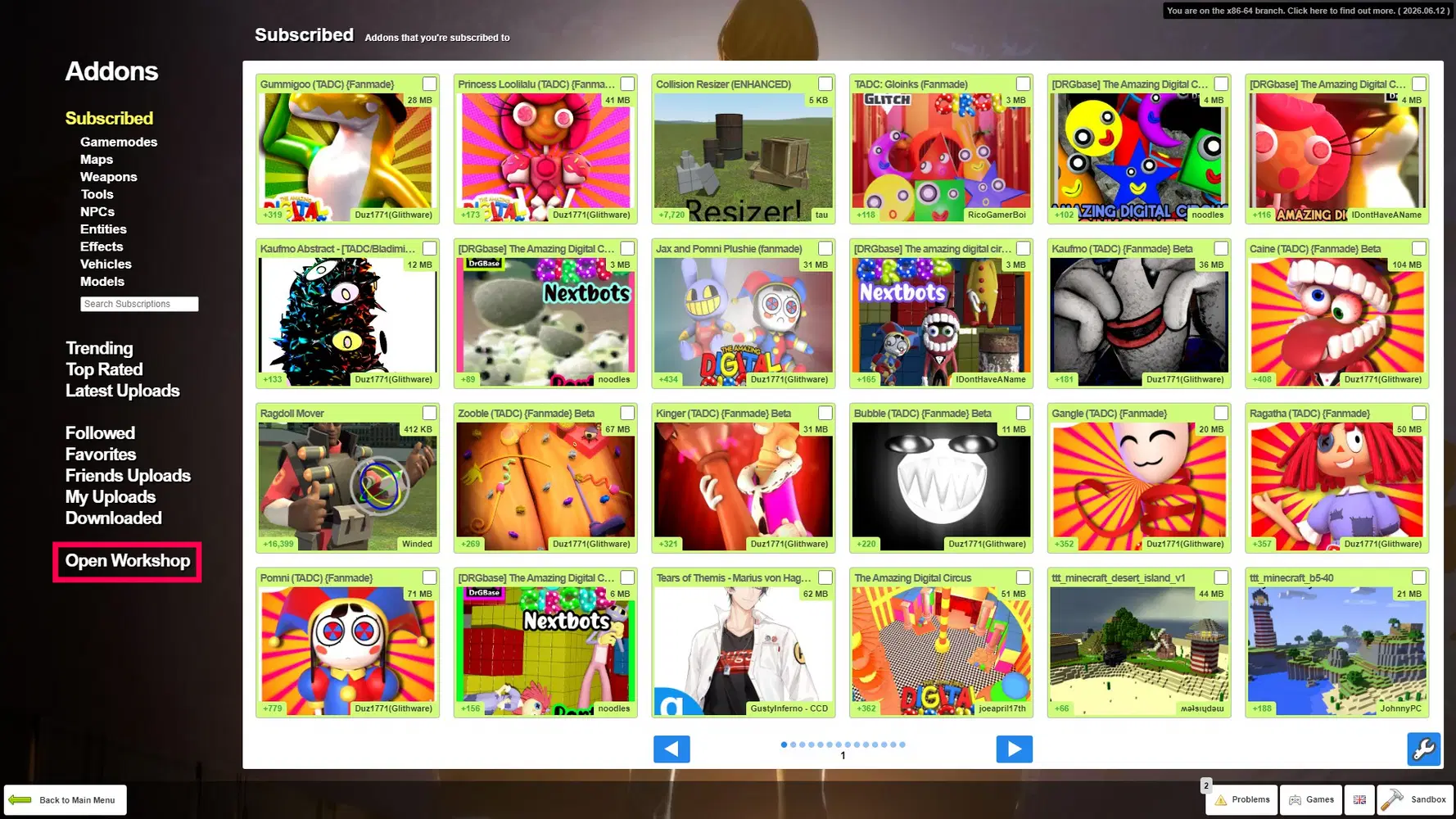
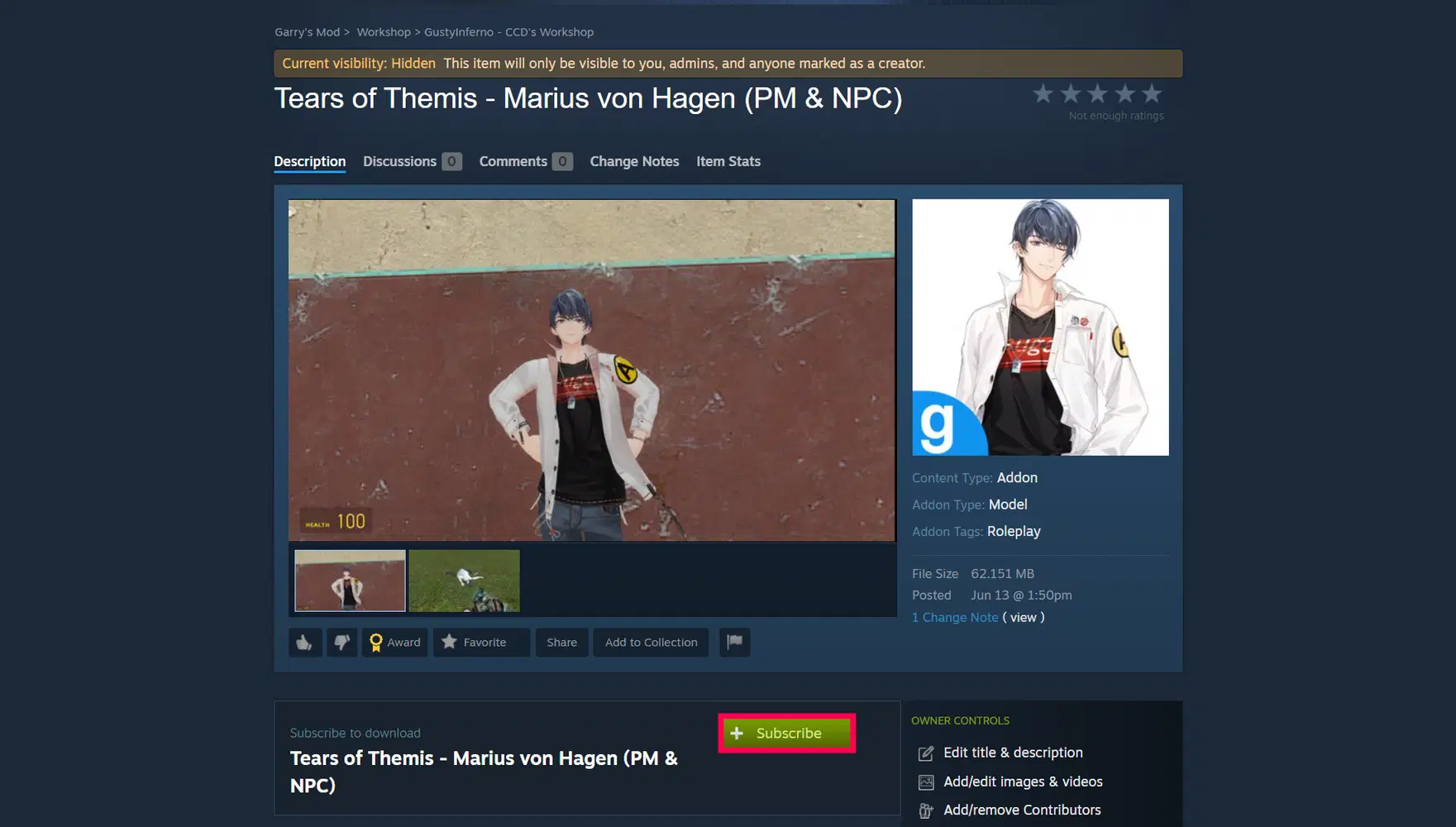
This addon can be downloaded in-game or directly on the Steam Workshop. If you're downloading for the first time, click Subscribe and the addon will be installed. If you downloaded the addon while in-game, you will need to reload the map by typing "restart" in the console or select a different map to use the addon.
If you're seeing an error message when accessing the workshop, the addon is currently being processed by Steam, or I have not made it available for everyone yet to test that everything is working properly.
Downloaded addons are saved to the subscriptions section in your Steam account. You can manage your addons by going to Your Files > Subscribed items or manage them in-game.
This addon requires the Steam client and Garry's mod to be installed. If you don't have the Steam client yet, you can install it here.

Switching Game Version
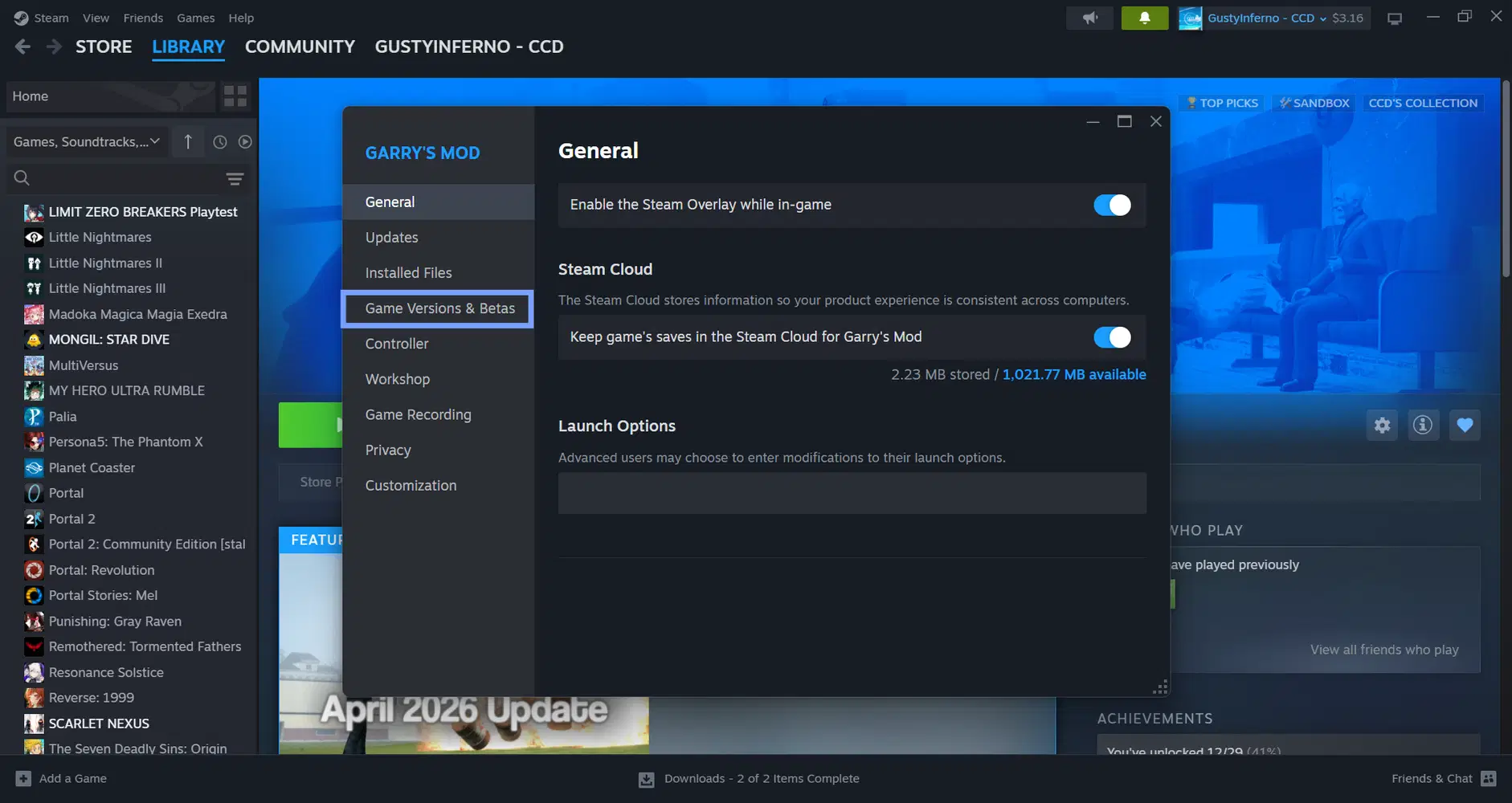
For the best experience, you will need to switch to the x86-64 version of the game which includes Chromium Embedded Framework for Linux, macOS and includes performance improvements. By default, the game will use the public 32-bit version which is not recommended for devices operating on 64-bit as running this version uses limited game performance, etc.
- Right-click on Garry's Mod in Steam or click the settings icon and select Properties.
- In the new window that appears, click on the Game Versions & Betas tab.
- Select the game version labelled x86-64
- Close the settings window. Steam will now automatically download the selected version.


Preview Screenshots
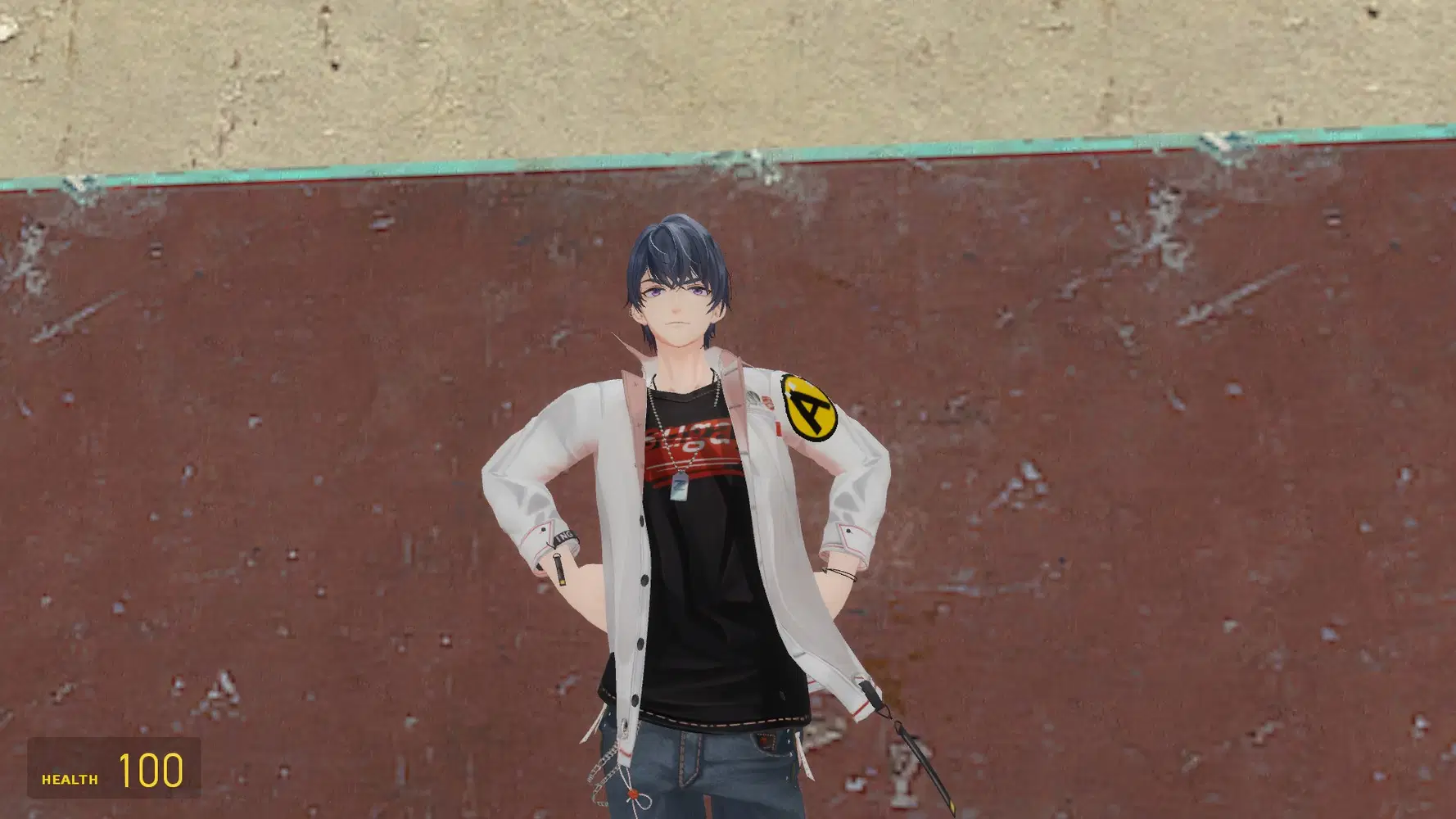
Animation & Pose Test

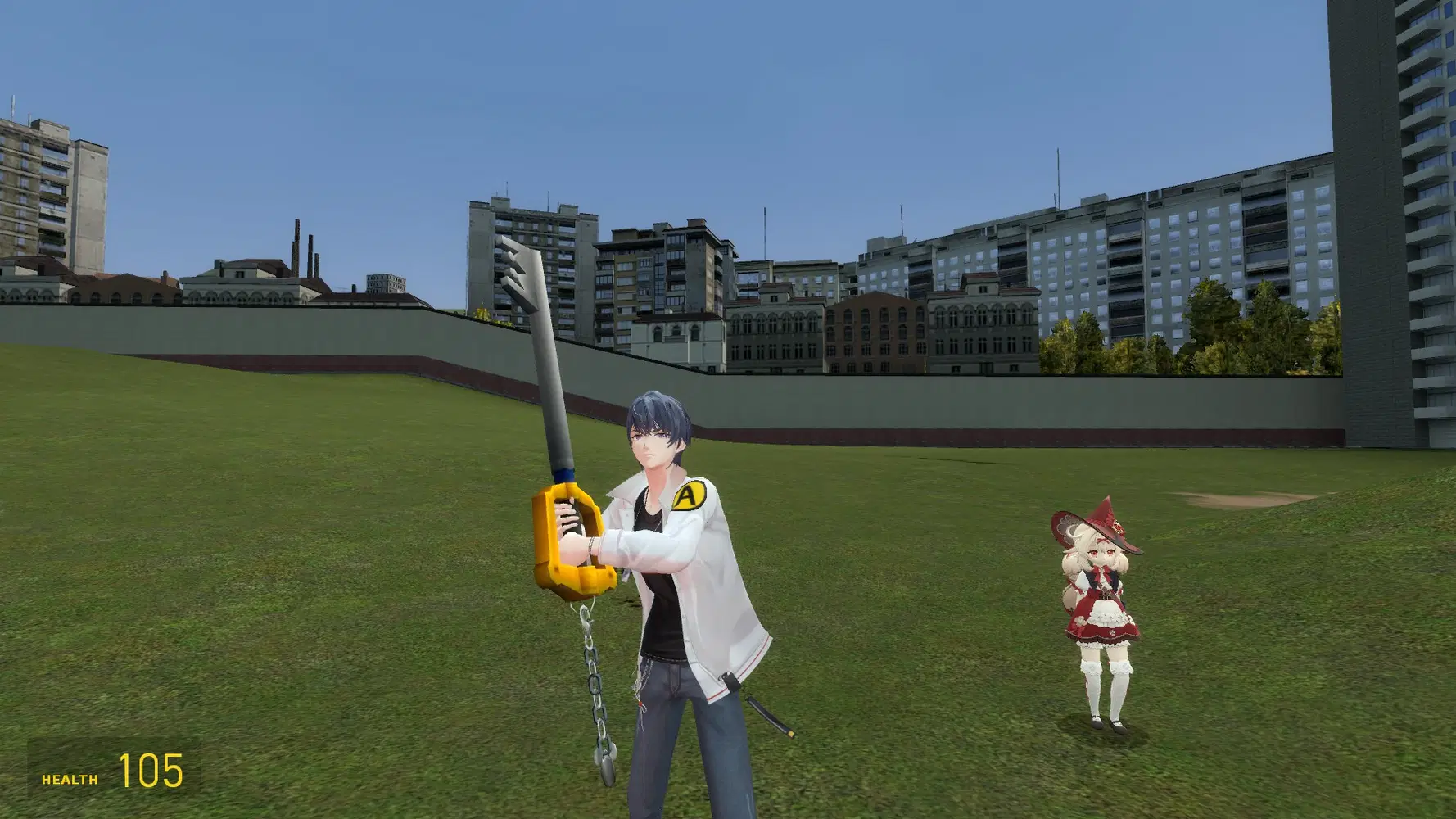
Player Model
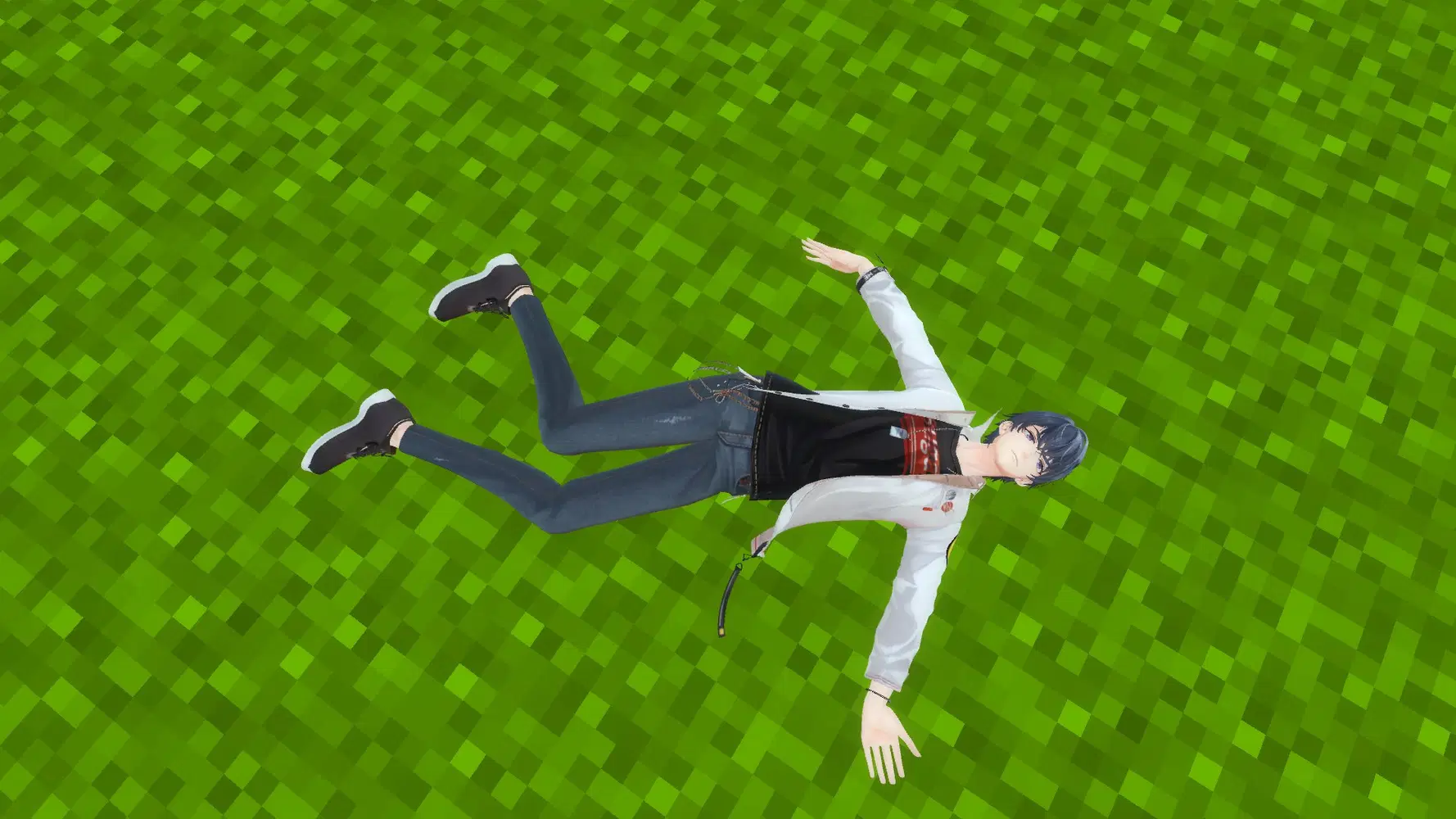
Ragdoll
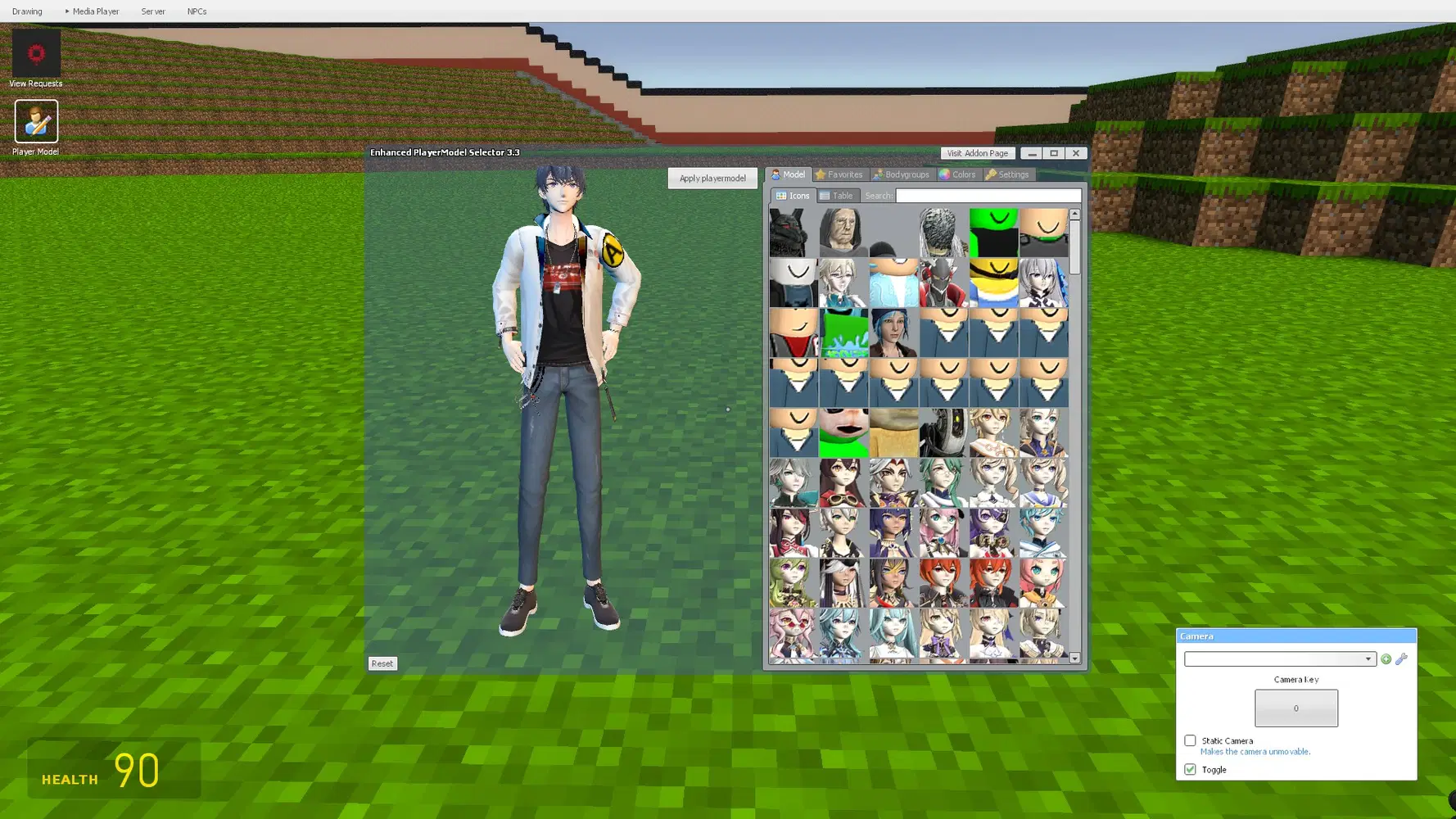
Player Model
Model Preview

Model from Aplaybox
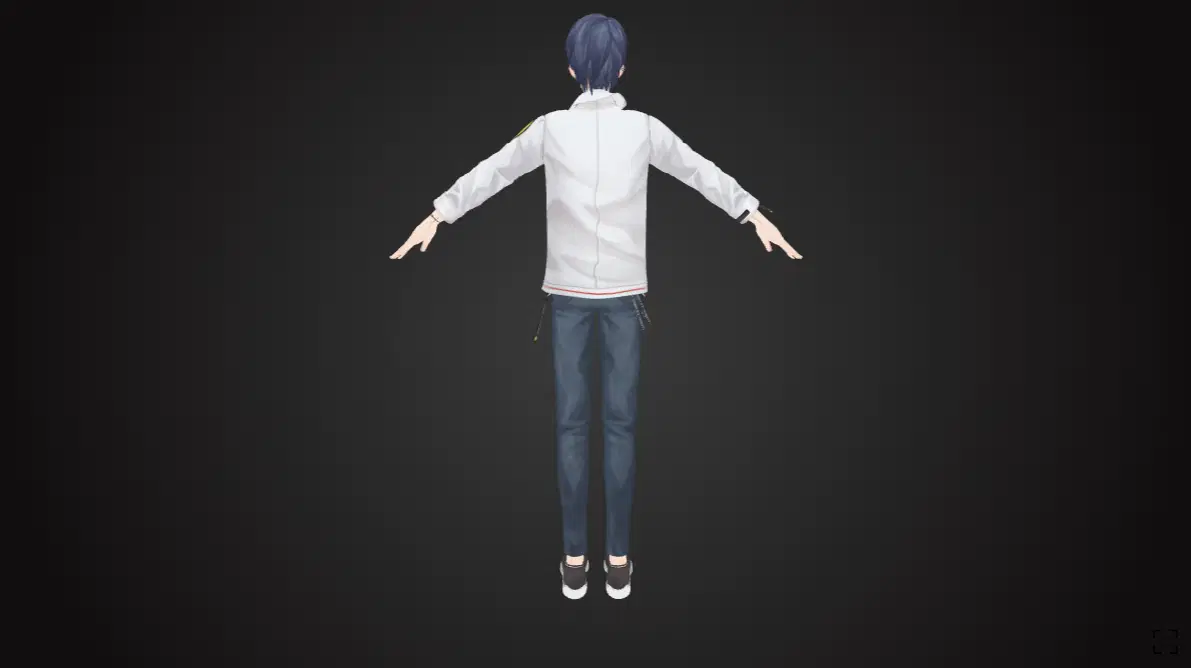
Model from Aplaybox
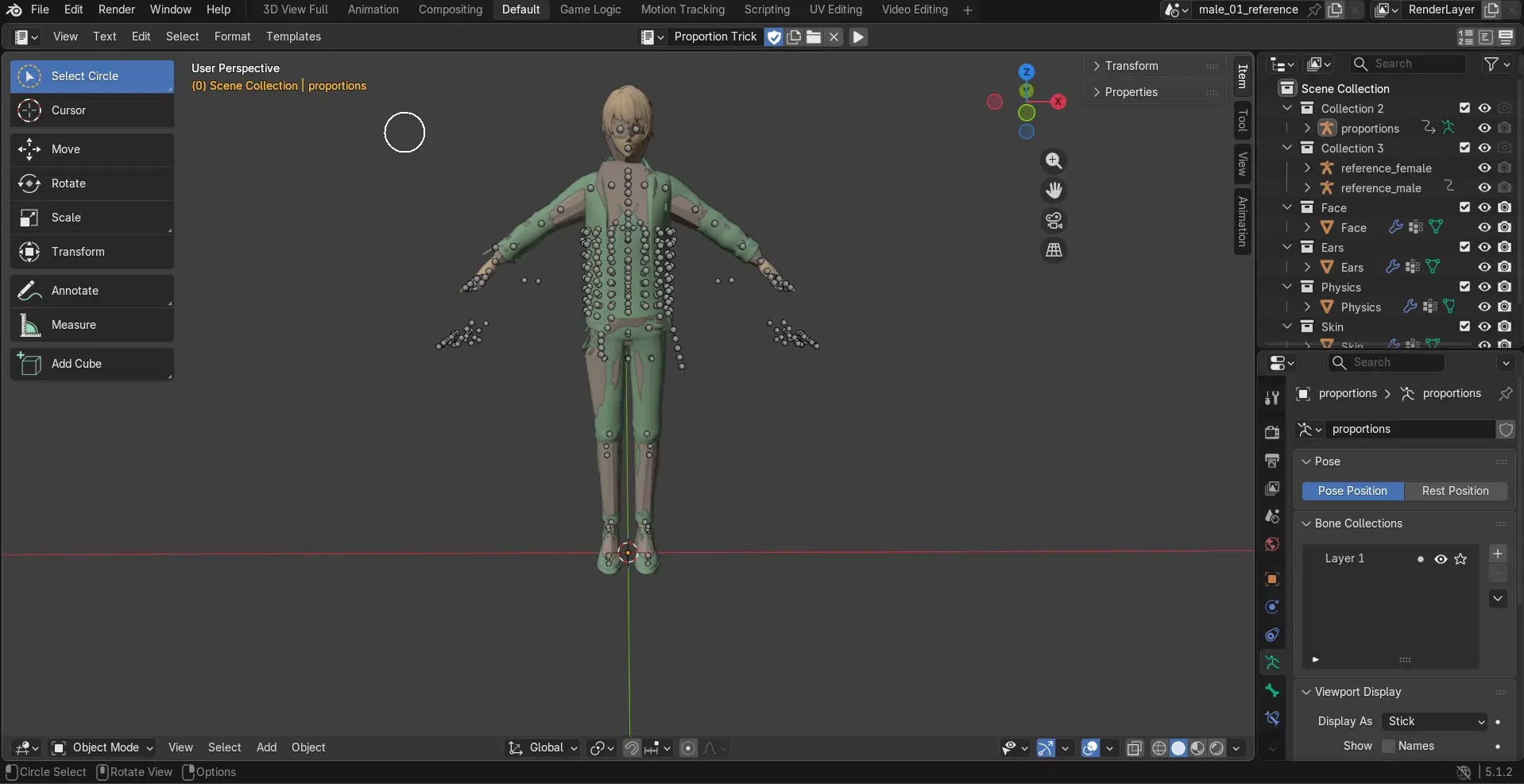
Ported Version for Garry's Mod via Blender (Development Build)
NPC Spawning
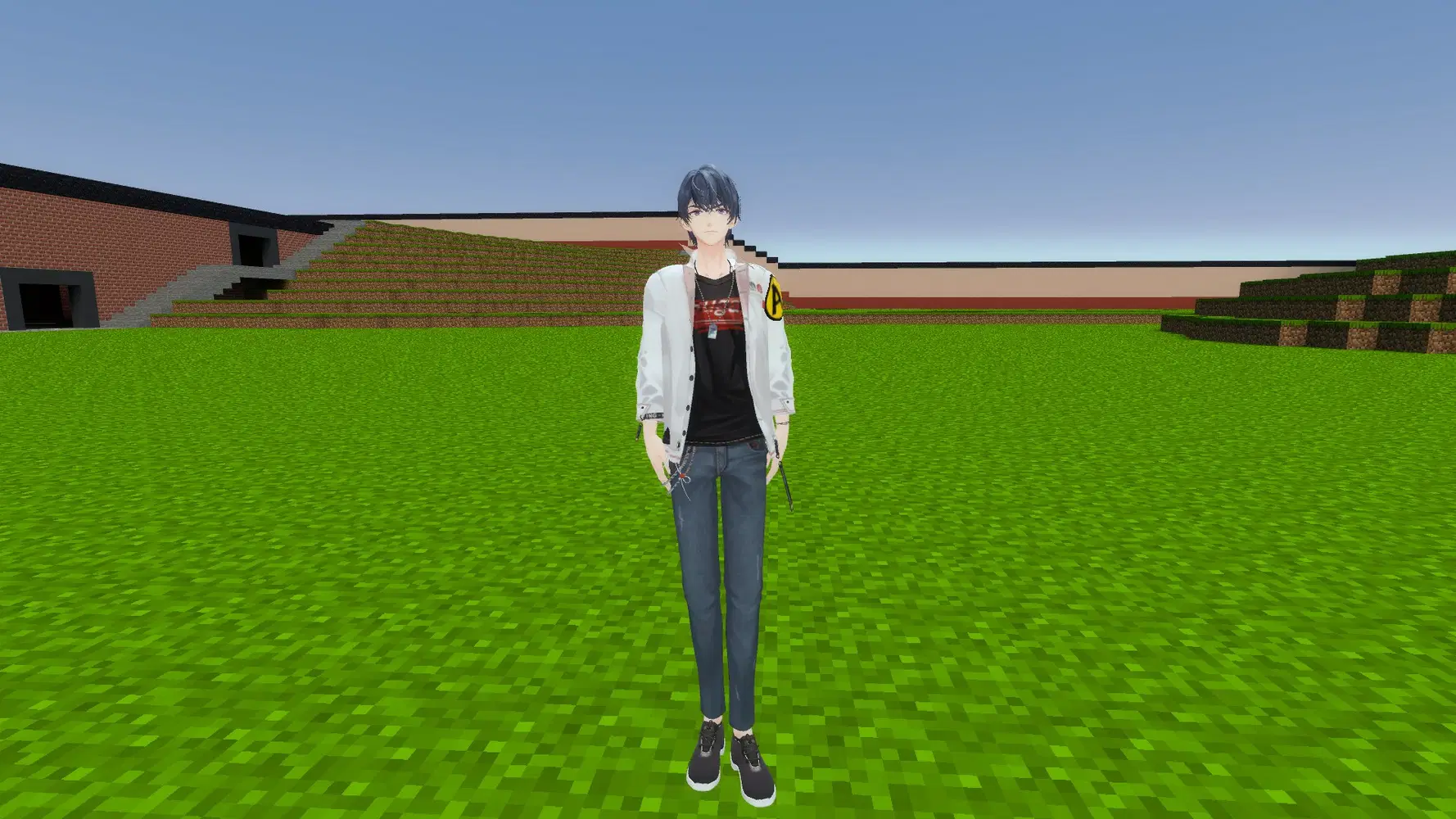
With this addon, you can spawn Marius as an NPC, friendly or hostile. There's no limit to how many you can spawn so add as many as you like!

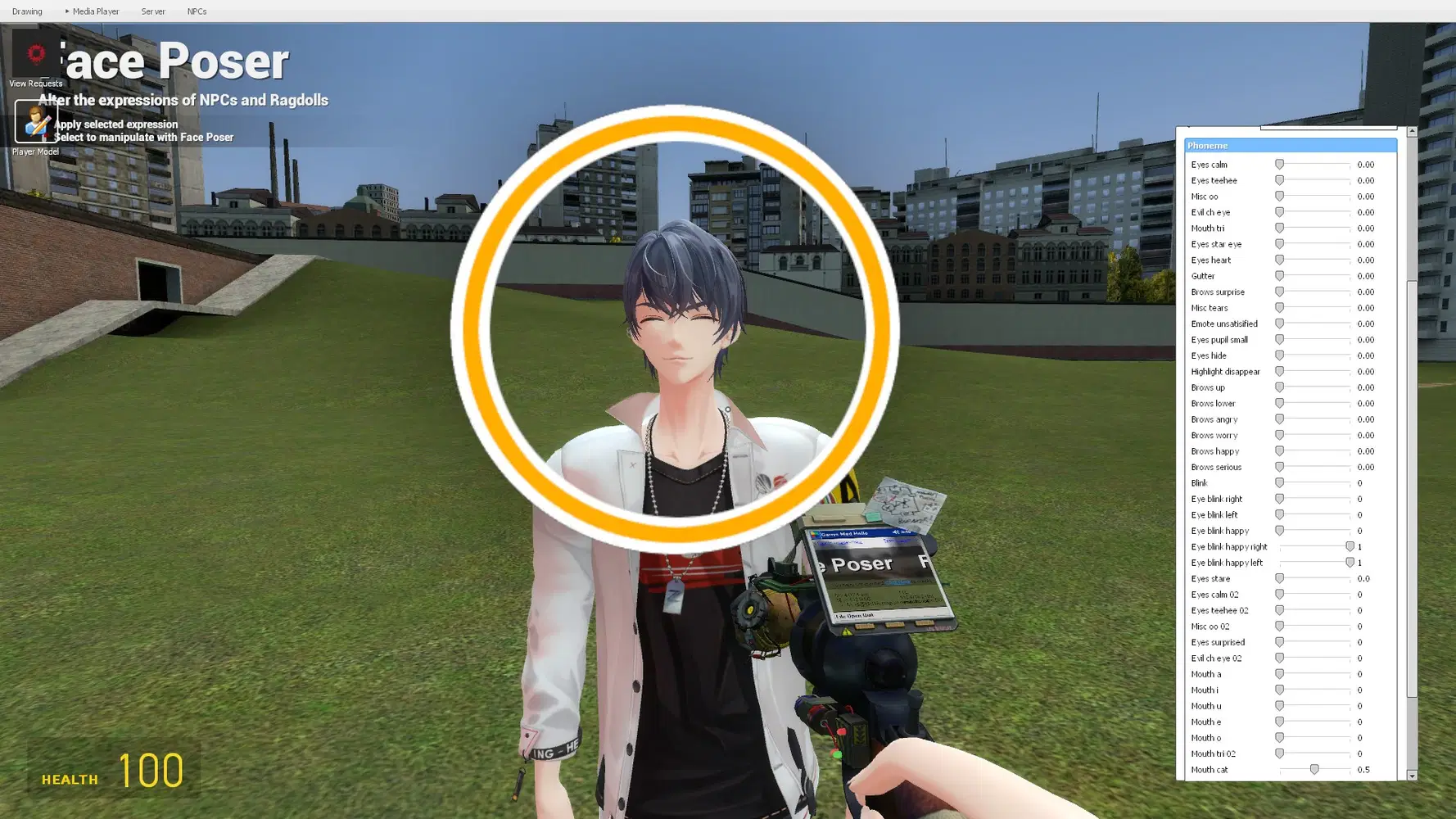
Customizable Face Expressions
This addon comes with a ragdoll which allows you to make your own animations, pose or even customize the face expression all on the Source game engine!
Compatible With Other Games
This addon can be used on other games running on Source engine such as Portal, Half Life 2, The Stanley Parable, and more! If you want to use the addon in these games, you will need to install one of the supported games on Steam and mount it with Garry's Mod. Games that are mounted with Garry's Mod allows you to play maps from the game, NPCs, and more. For the example below, it will be with Portal.
Mounting a Game
- Install one of the supported Source games you want to mount on Steam
- Open Garry's Mod until you're on the main menu. If you're on a map press ESC
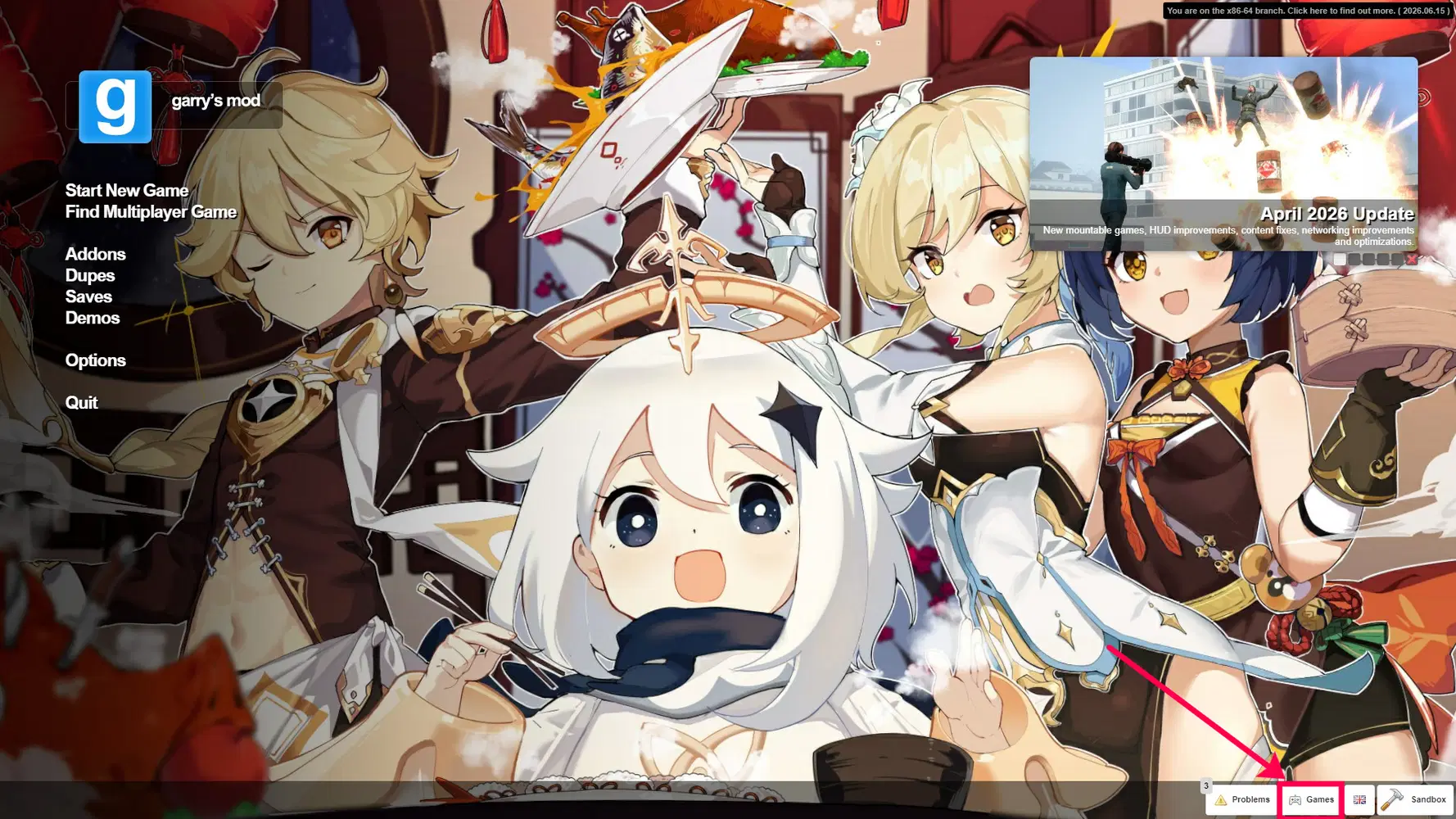
- In the bottom right corner, click on the Games option
- Tick any one of the supported games you want to have mounted. You may need to restart the game for it to be fully mounted.
- Once you selected the game you want to be mounted, it will appear in the map selection menu when you're starting a singleplayer or multiplayer map
Additional notes: Only Source Engine games added by Garry's Mod will be available on the list.



HELP & FAQ
Q: What Is Included in This Addon?
A: This addon comes with a player model, NPC, and ragdoll.
Player Model: This feature allows you to play as the character you selected.
NPC: This addon includes an NPC with a friendly or hostile option. By spawning in a friendly NPC, it will be a part of your team and will follow you. By spawning a hostile, this will attack any nearby NPC including the player.
Ragdoll: This addon comes with a ragdoll. You can use it to customize the pose, make your own animations, or customize the face expression.
Q: I have Issues with the Addon or the game. What Should I do?
A: All workshop content and Garry's Mod comes with a community hub. Here, you can interact with other players or find the issues you're looking for there. For issues related to the game, you can check out the developer's support website. For issues related to the addon, you can report some of the issues encountered on this post for assistance.
Q: Will My Friend Need to Have the Addon Installed?
A: Possibly. If a friend does not have the addon installed, some contents may display an error text, have pink and black textures, or not visible to friends and is only visible to those that have it installed.
Q: Will This Addon Work with Multiplayer Games?
A: Depending on the specific map, the player model may not be usable and will only include addons provided by the server. There are no workarounds for this as most community maps use Valve Anti-Cheat (VAC) a system designed to ban cheaters and prevents modifications to the server and game client.
Credits & Used Software
Garry's Mod is a physics sandbox game with no predefined aims or goals. You spawn objects and weld them together to create your own contraptions - whether that's a car, a rocket, a catapult or something that doesn't have a name yet - that's up to you.
Original model developed and published by pl筱米 (Aplaybox). Created with SheepyLord's model importer. Optimized for Garry's Mod via Blender. Developed and ported to Garry's Mod by GustyInferno_CCD. This is made into a compatible game addon for personal use and is not made in affiliation with the original creators or HoYoverse.
© 2026 Facepunch Studios. © COGNOSPHERE
© 2026 Valve Corporation. Steam and the Steam logo are trademarks and/or registered trademarks of Valve Corporation in the U.S. and/or other countries.
Mac and macOS are trademarks of Apple Inc., registered in the U.S. and other countries.
Apple and the Apple logo are trademarks of Apple Inc., registered in the U.S. and other countries and regions.
All trademarks belong to their respective owners.