Overview
This article describes a simple and stable method for generating new blocks with falling animations after existing blocks are eliminated in Miliastra Sandbox.
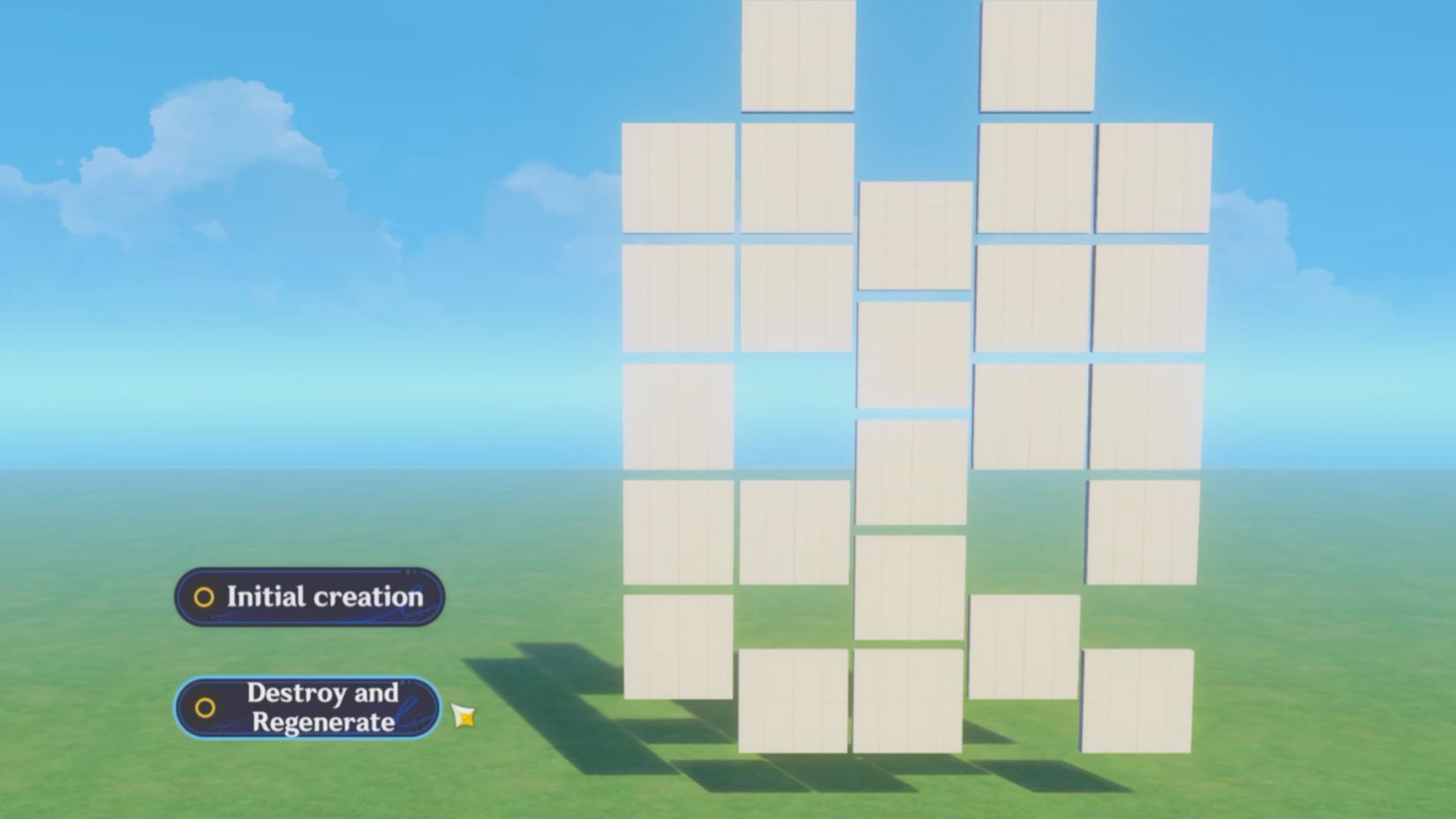
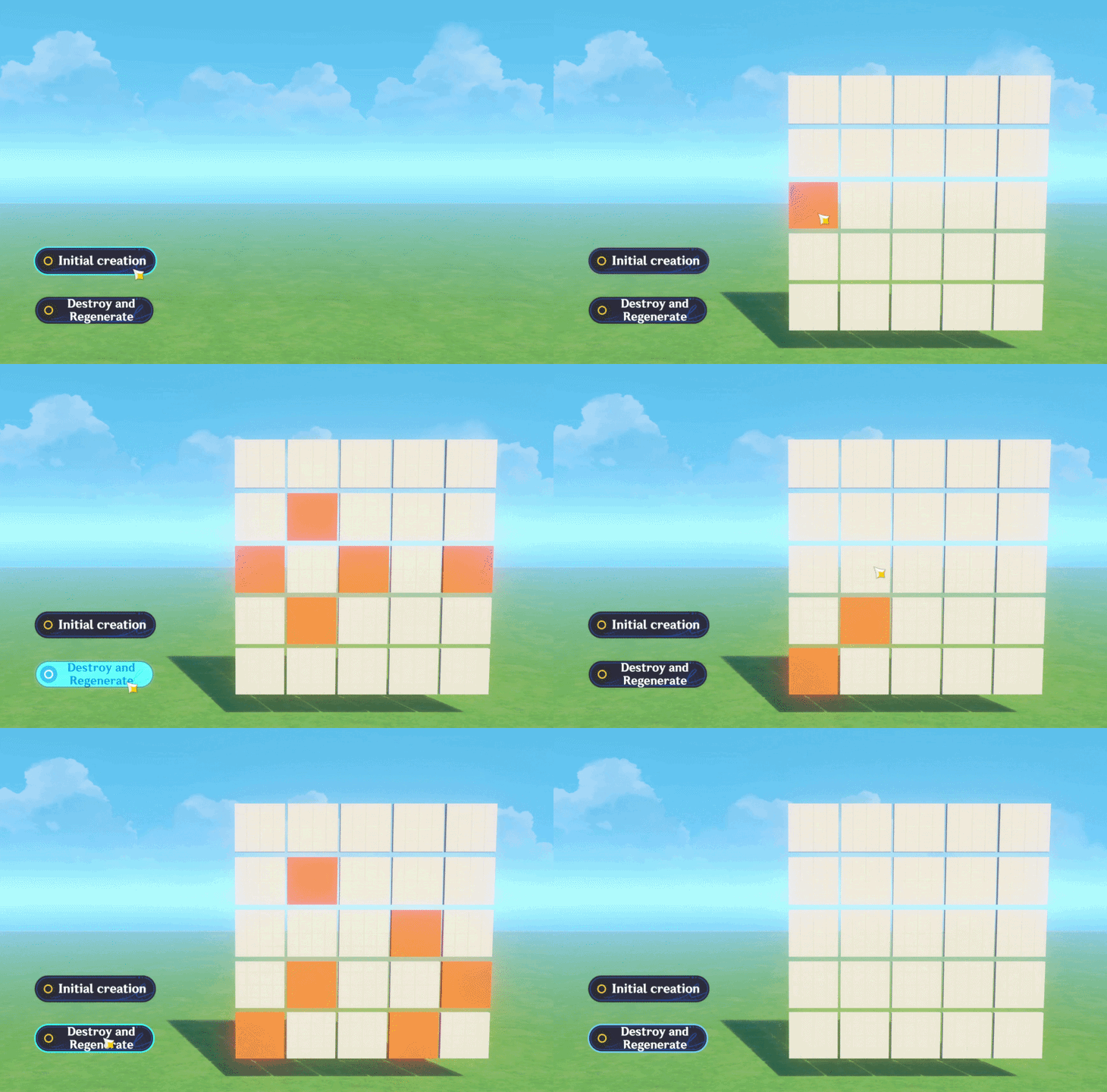
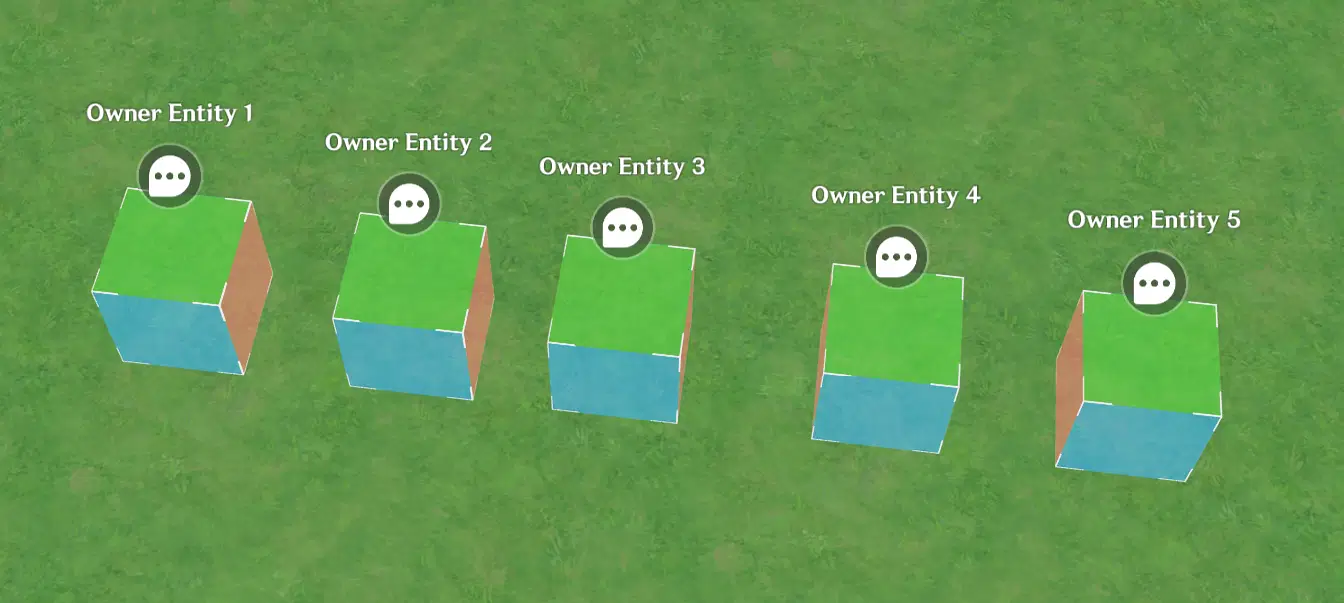
As shown in the figure, the method is very simple and requires no complex List operations or components like Collision Triggers.
1. Creating the Blocks
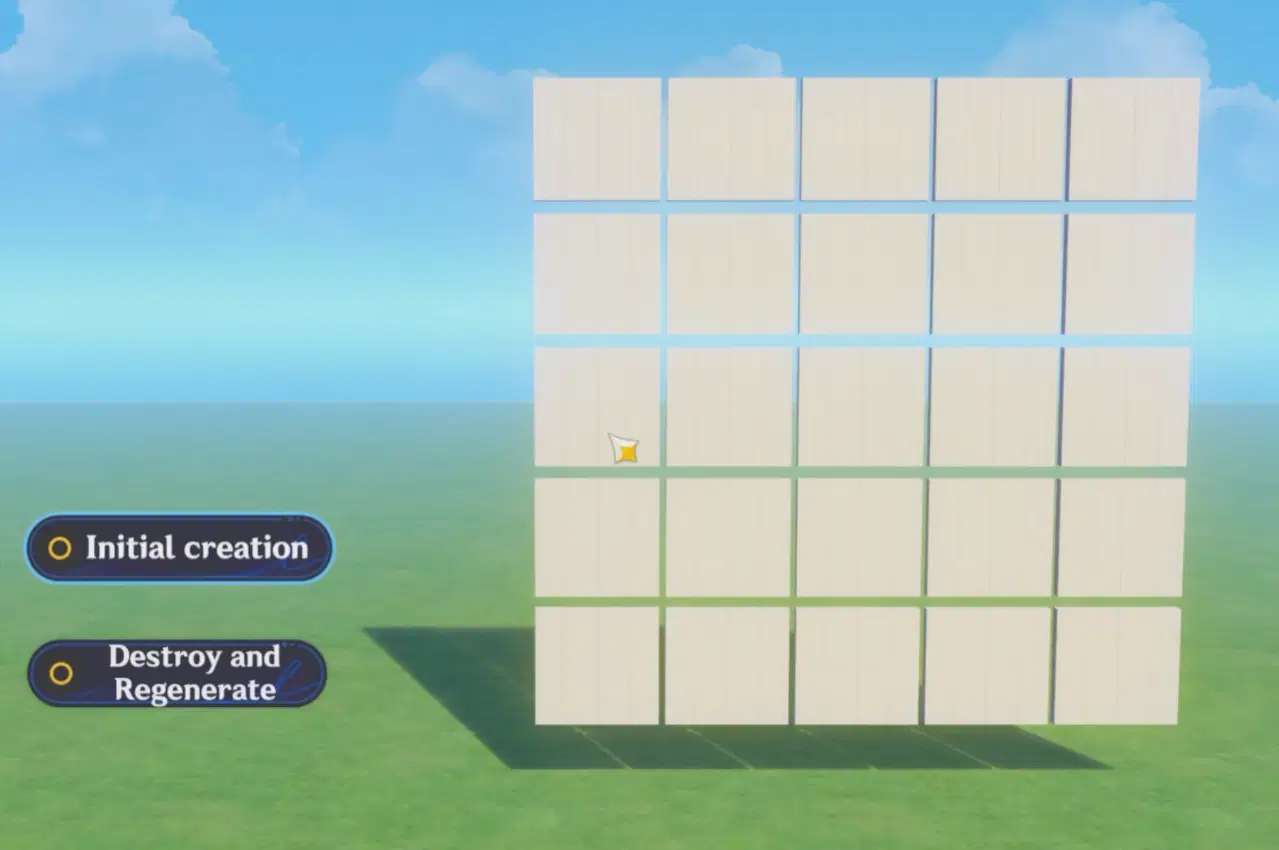
Assuming the z-coordinate of all blocks is 0, with 5 rows and 5 columns, and (x, y) ranging from (1, 1) to (5, 5).
Considering the falling animation, during initial creation, (x, y) should be from (1, 6) to (5, 10).
We do not generate all blocks directly; instead, we create them column by column.
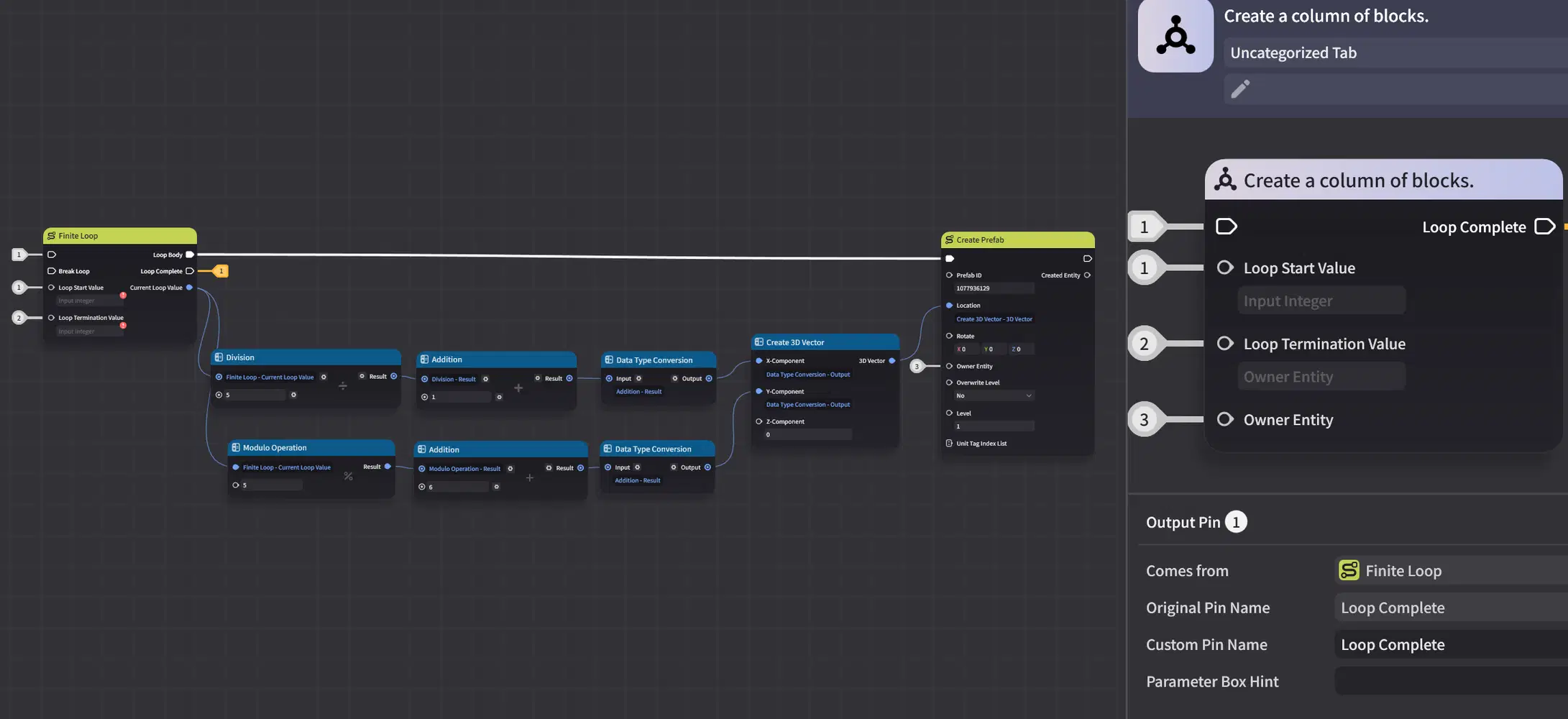
Use a Finite Loop to generate the first column, with the Loop Start Value set to 0 and the Loop Termination Value set to 4. Use integer division and the Modulo Operation to obtain the x and y coordinate values of that column.
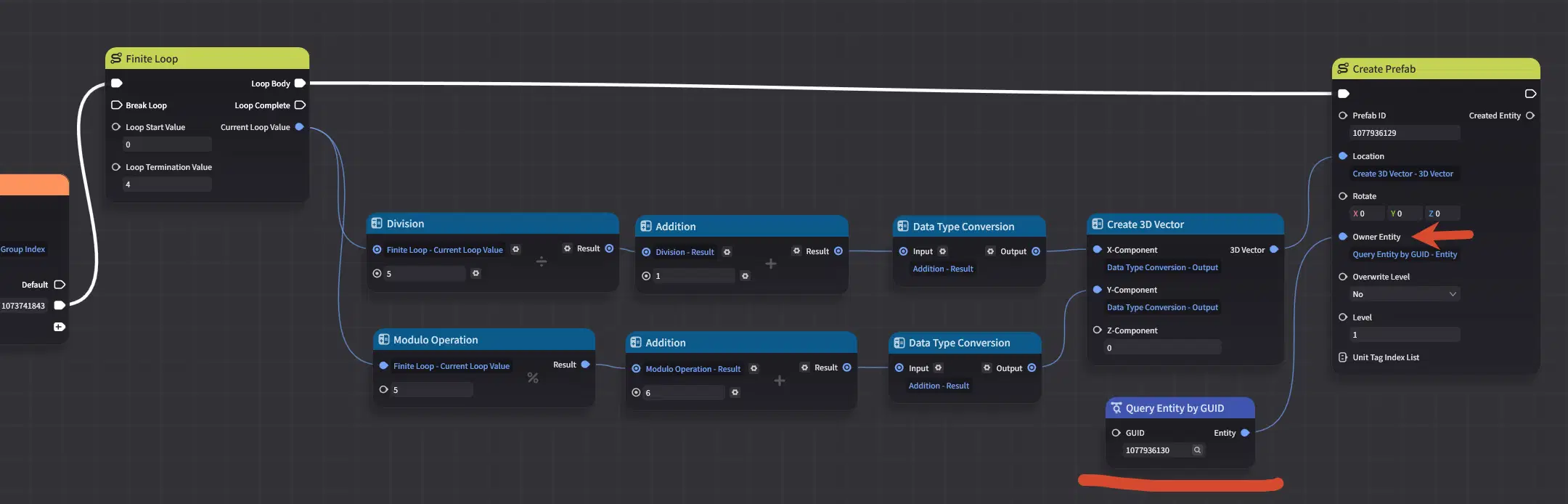
Note that the Entity created has an Owner Entity among its input parameters.
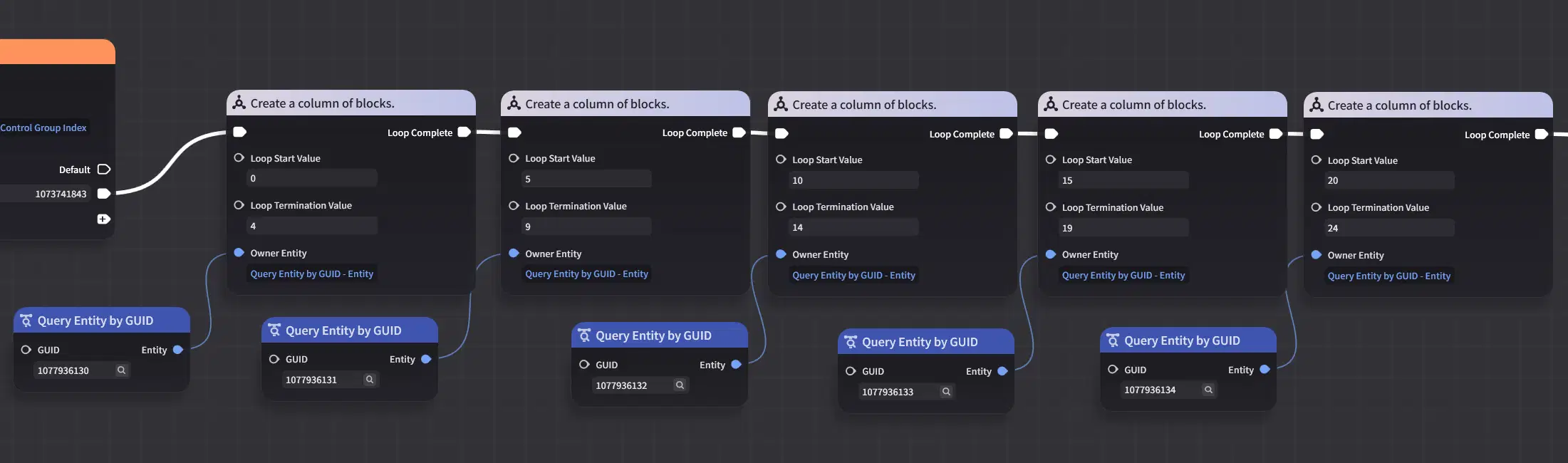
Yes, we need to create as many Entities as there are columns to serve as the Owner Entities. That is 5 here, with GUIDs 1077936130 to 1077936134.
Then, turn this part of the Node Graph into a Composite Node, with the Finite Loop's Loop Start Value, Loop Termination Value, and Owner Entity as input parameters.
For the second column, the Finite Loop has a Loop Start Value of 5 and a Loop Termination Value of 9, and the Owner Entity's GUID is 1077936131. Repeat this process to complete all 5 columns using the Composite Node.
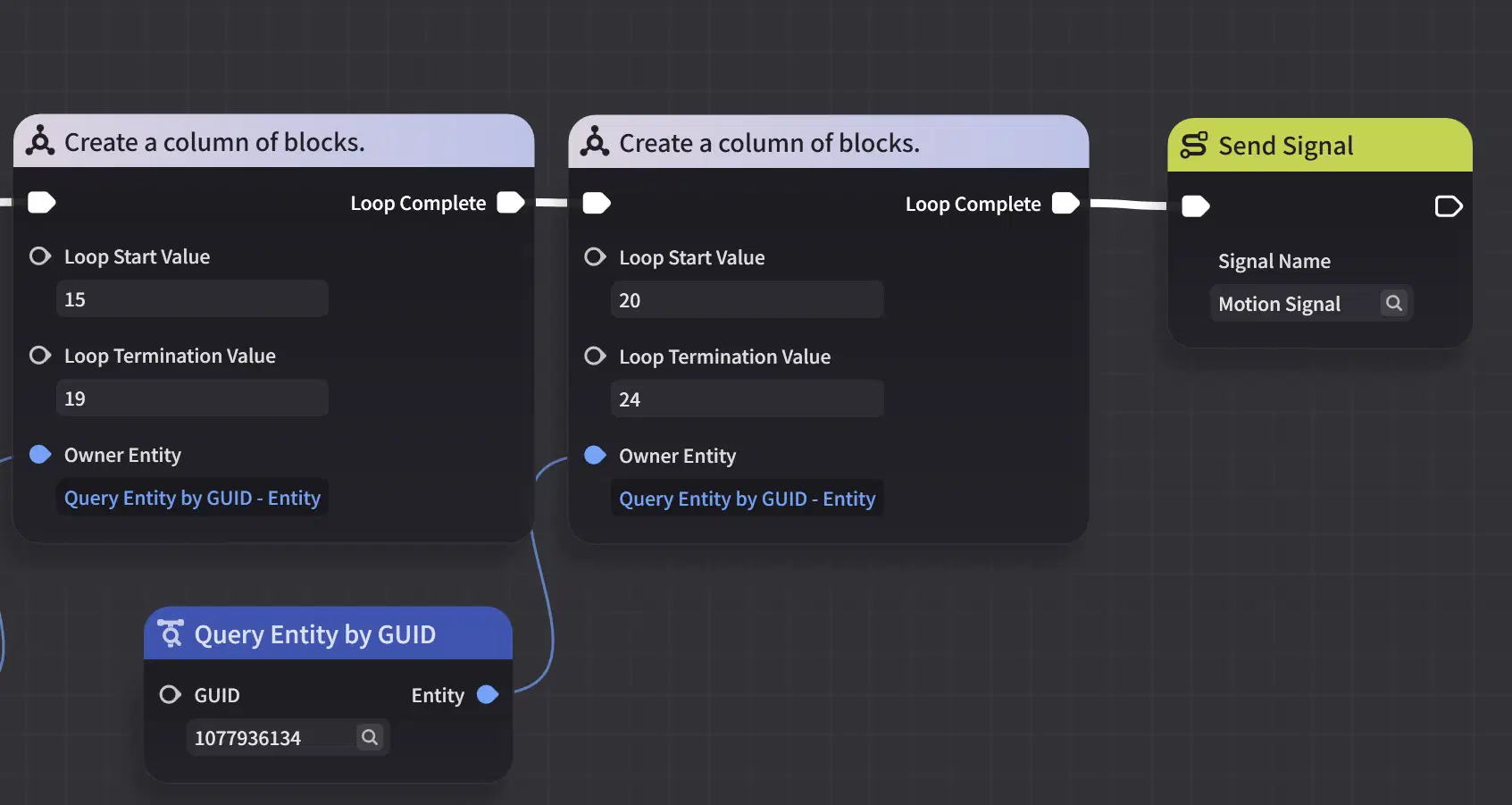
Once all blocks are created, send a Signal to all created blocks.
2. The Blocks' Falling Animation
After all blocks receive the Signal, based on the Owner Entity they belong to, they get the Entity List owned by that entity and find which item in the list they are. If a block is in the correct position, then according to our earlier convention, its height y value minus 1 should equal the index of the item in the list where it is located.
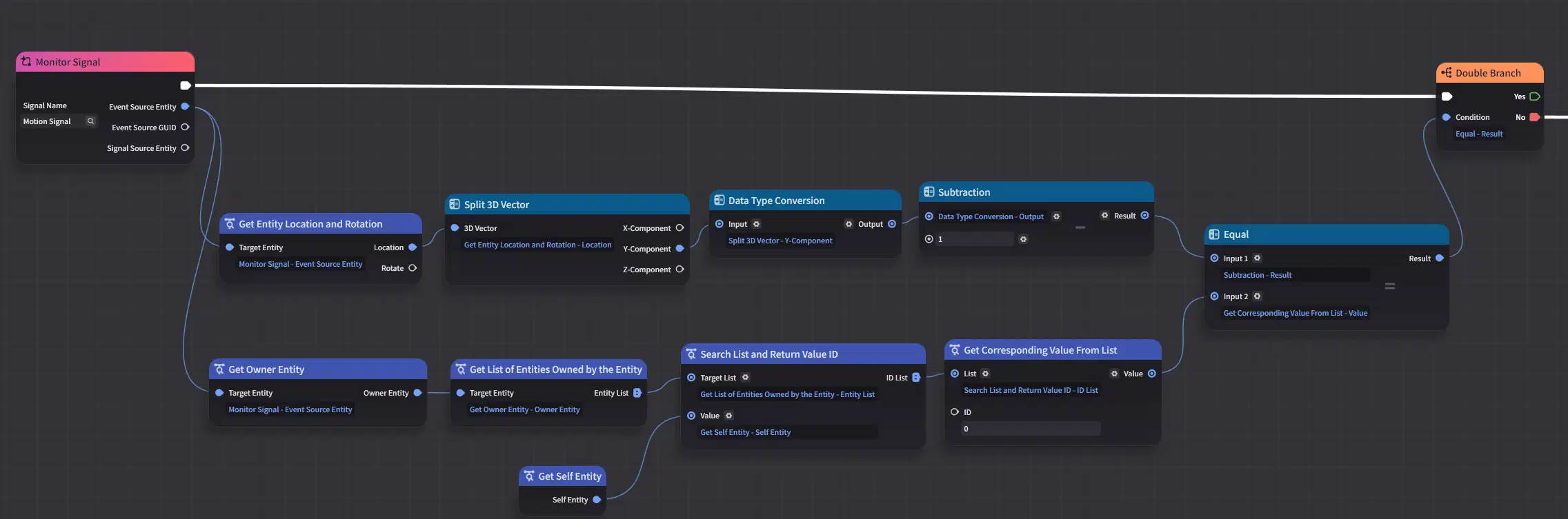
If they are not equal, then the difference is the distance the block should move. Apply linear motion to the block with a fixed speed, and the difference determines the falling time.
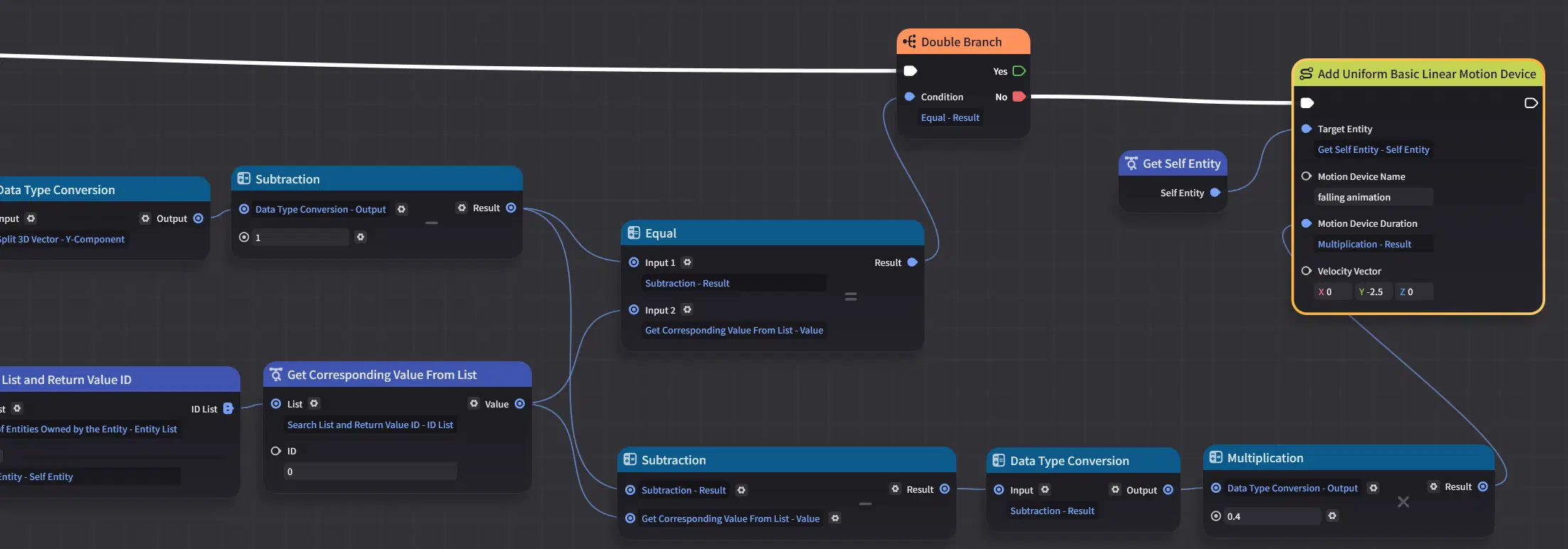
For example, for a block initially created at (1, 6), its Index in its List is 0, and the difference between its height y minus 1 and 0 is 5, so it will Move to the correct position (1, 1).
3. Re-spawning the Blocks
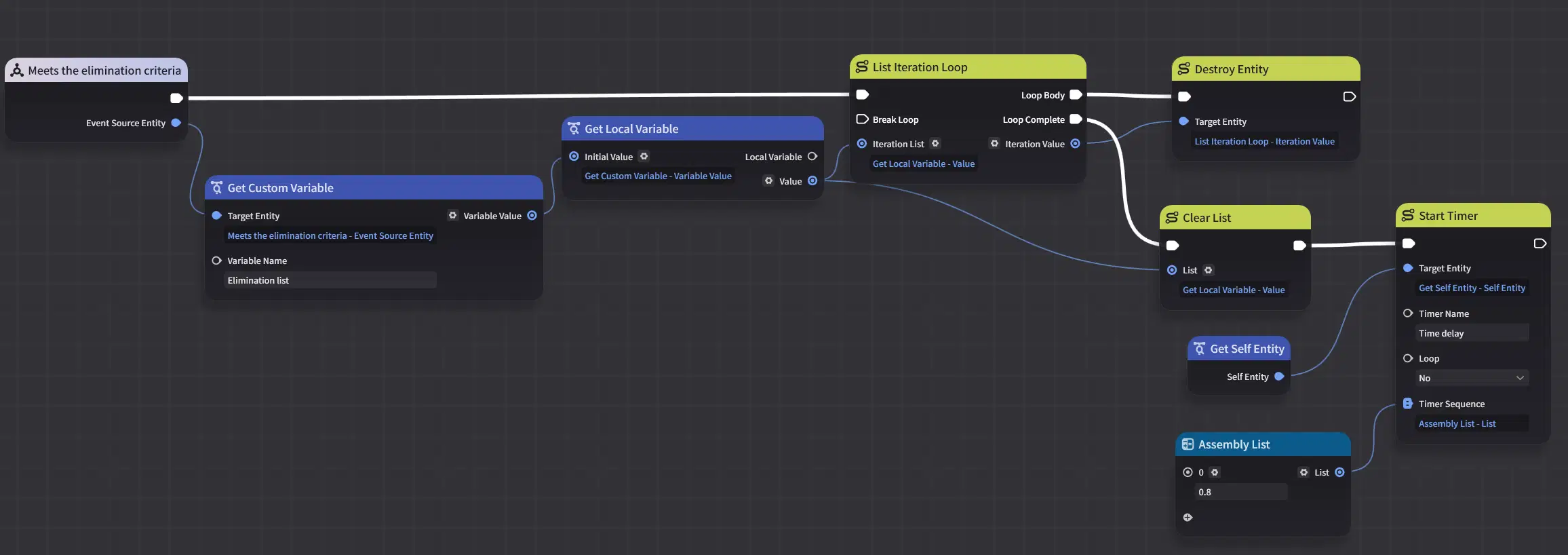
Use the Cursor function to select the blocks one by one, and on the server add the selected blocks to the Elimination list in order. If the elimination condition is met, eliminate all entities in the Elimination list. Here, use a short Timer as a transition after the elimination.
When the Timer triggers, get the Entity List owned by the entity with GUID 1077936130 and query the length of the list. If the length is not 5, it means an elimination has occurred in the first column. Reuse the previous Composite Node, with a Loop Start Value of 0, and determine the Loop Termination Value according to the number of blocks that have been eliminated (note: when the Finite Loop's Start Value and Termination Value are the same, it triggers 1 time). The height y of the newly created blocks will naturally be 6 or above.
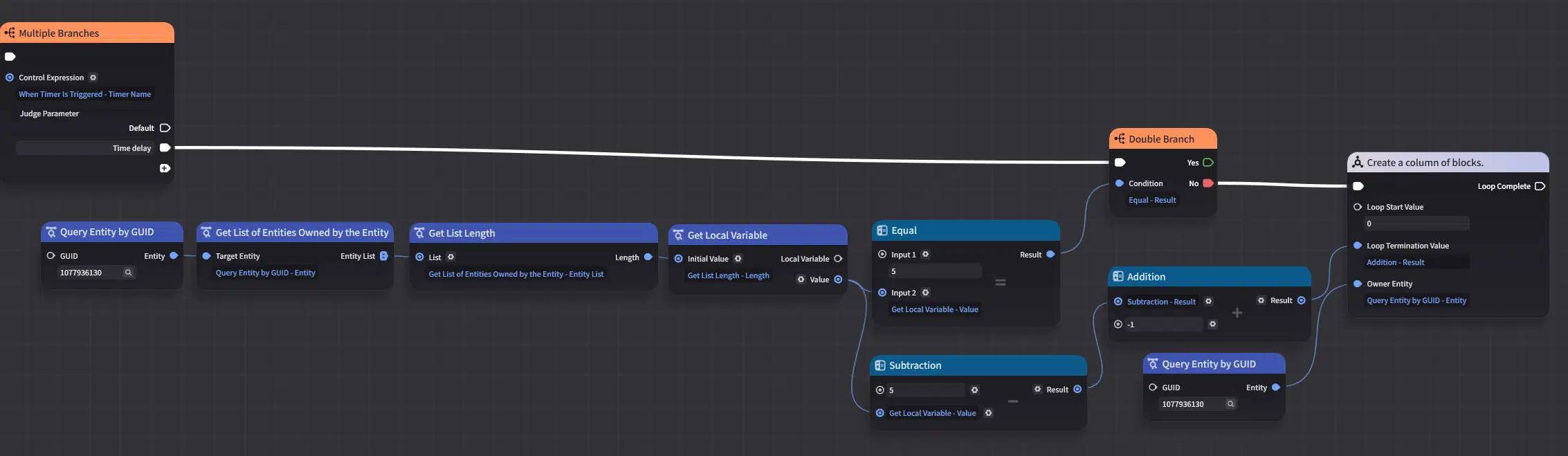
Regardless of whether or not there is an elimination in the first column, then get the Entity List owned by the entity with GUID 1077936131; the Loop Start Value is 5.
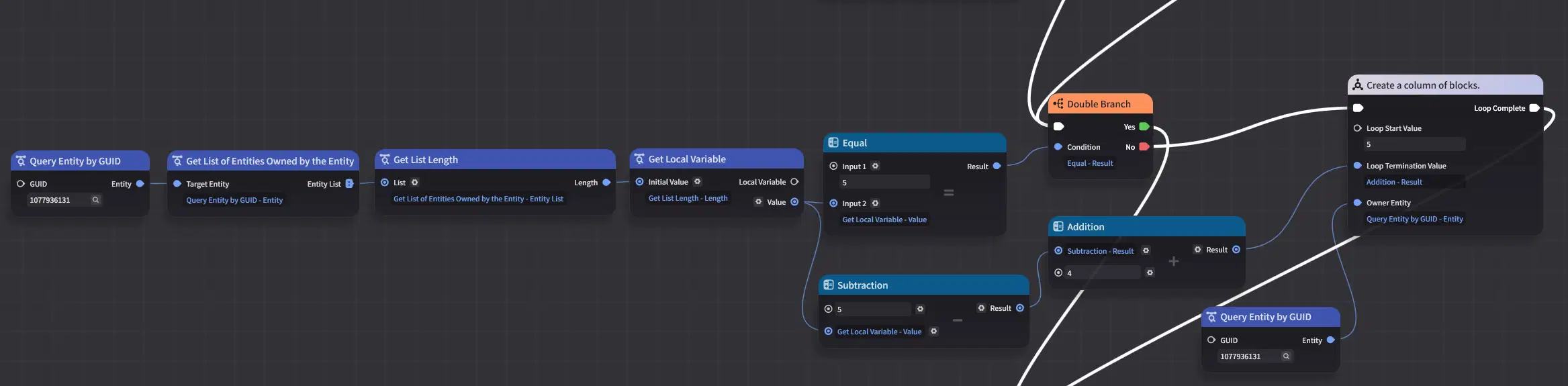
In the same way, all 5 columns are judged and their blocks re-created this way.
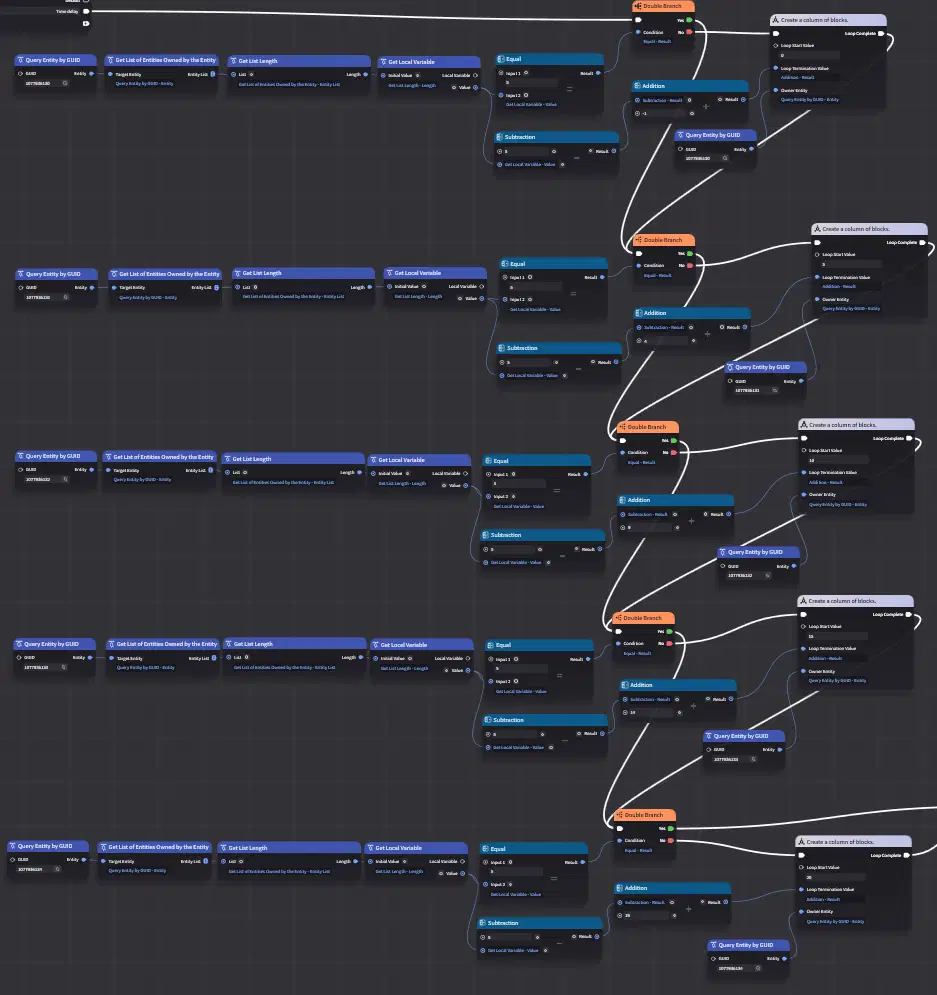
After all the new blocks have been created, send the previous Signal to all the blocks.
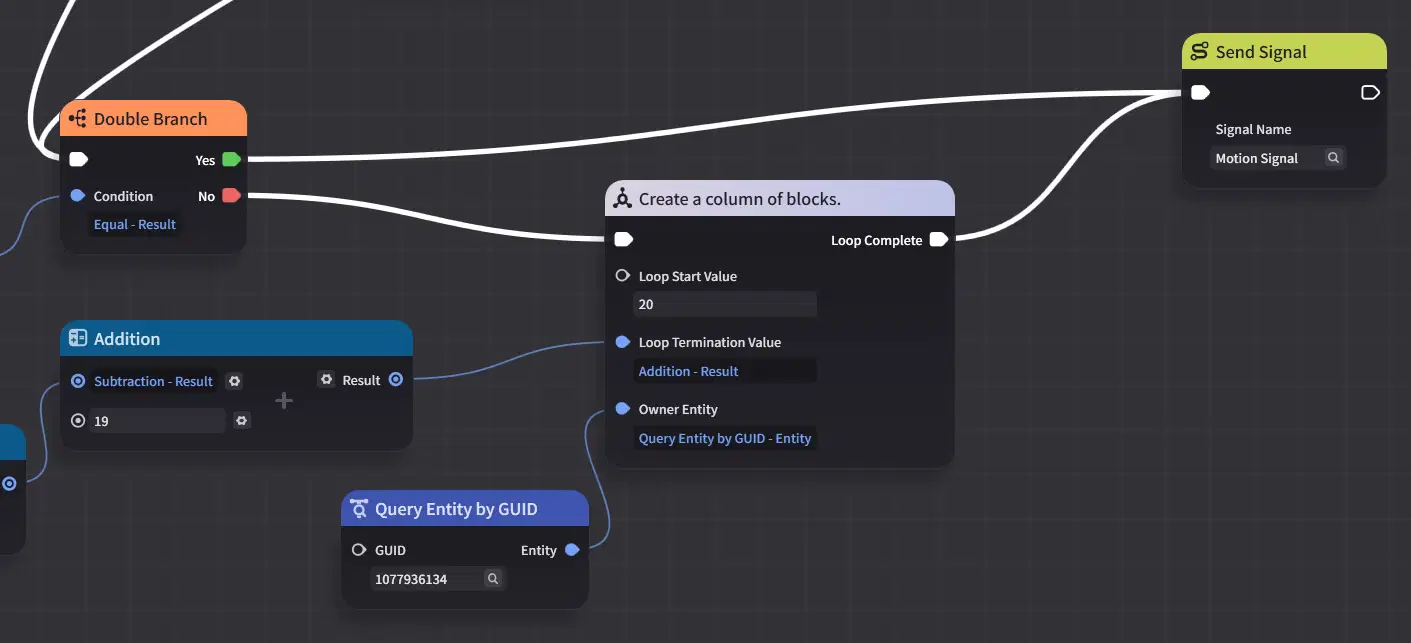
The blocks once again determine their falling time based on their own height y minus 1 and the index in the Entity List owned by the Owner Entity to which they belong. Finally, the blocks' positions return to (1,1) through (5,5).
Conclusion
This tutorial ends here. The implementation process is quite simple: by cleverly applying the nodes related to the Owner Entity, you can achieve block spawning and falling animations post-clear.