Calling All Minecraft Attorneys
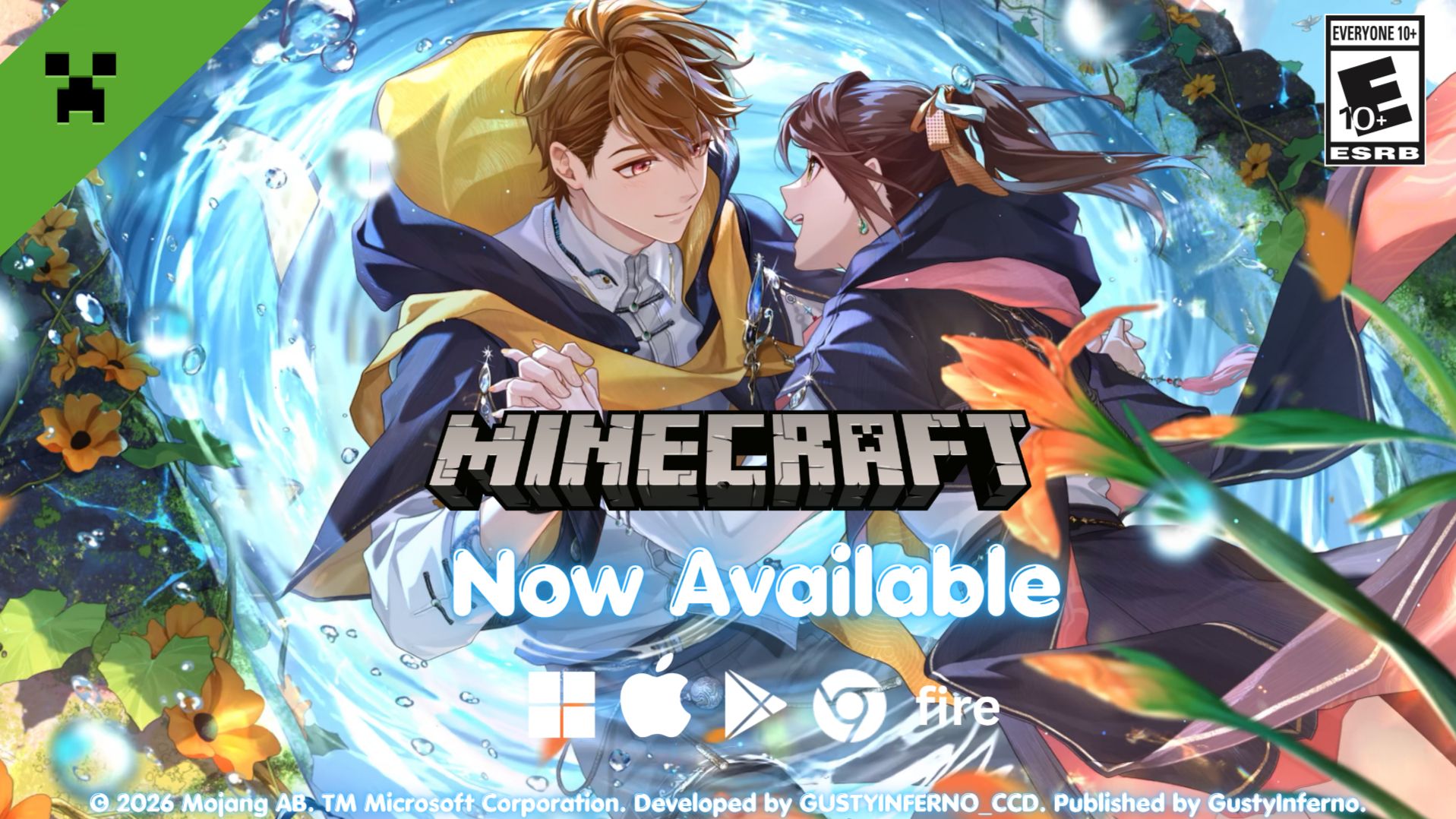
Hey Attorneys! Your male leads and Rosa are coming to Minecraft, a vast open world where you can build, face mysterious enemies, play with friends, and more!
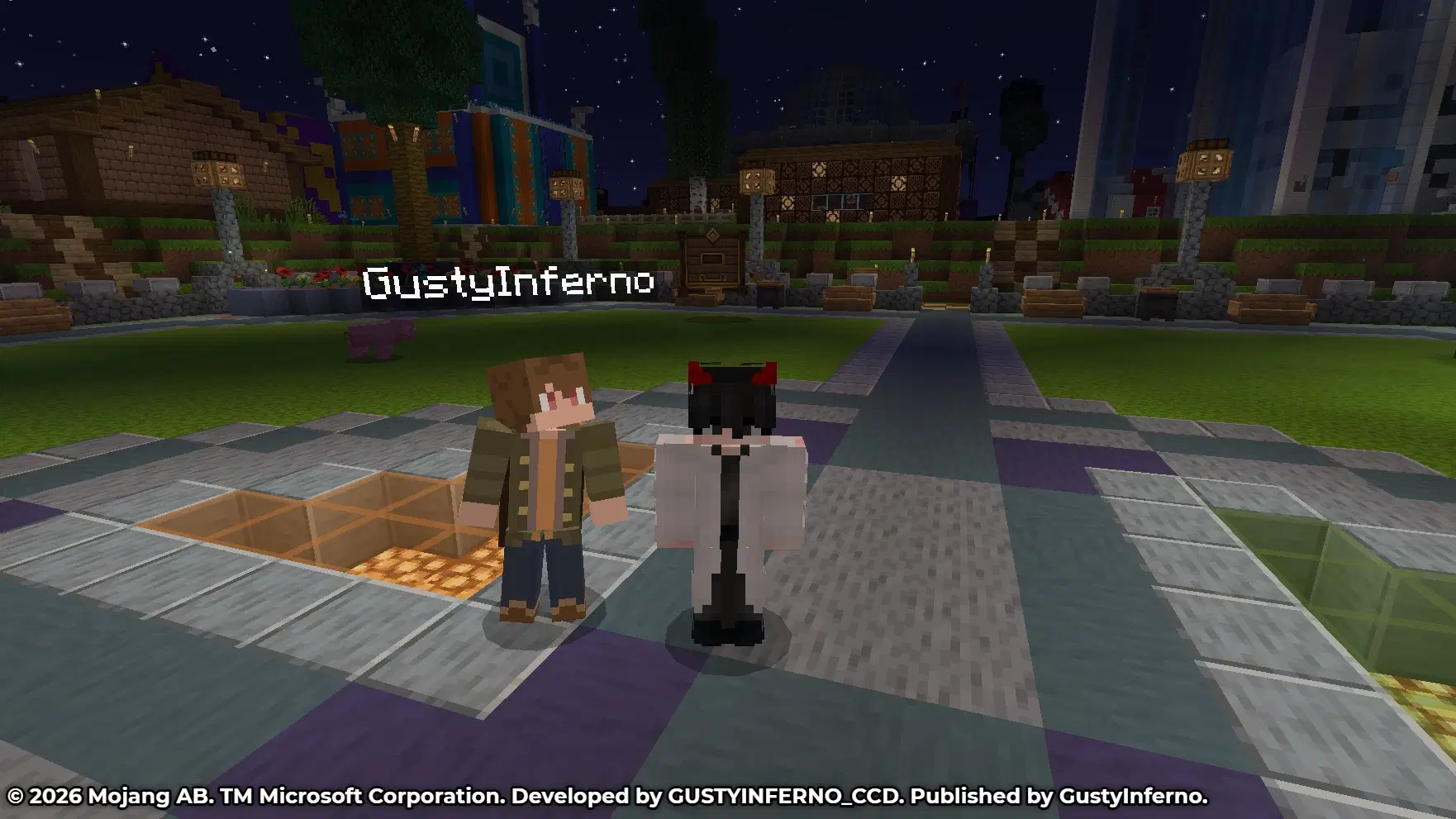
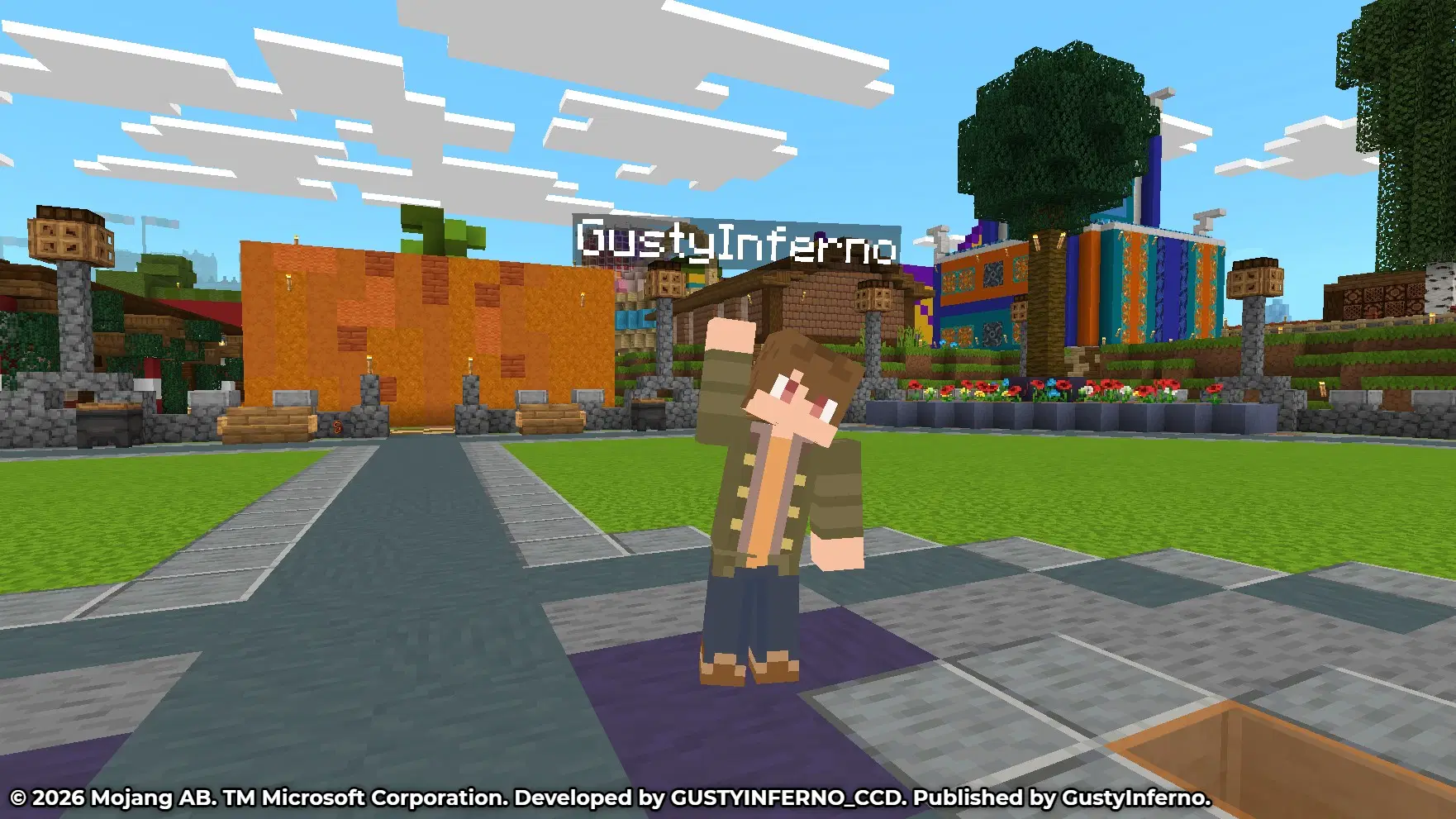
To start this off Luke's custom Minecraft skin developed by GustyInferno_CCD and publisher GustyInferno, is now available for use on mobile, PC, Mac, Chromebook, and Amazon Fire in pixel art form with a visit in Stampy’s Lovely World. The skin will also be available for your friends to see with cross-platform support.
The skins are not going to be fully 100% accurate as they're recreated from scratch and will be optimized in possible future updates. Have fun trying out the skin and remember, don't mine at night.
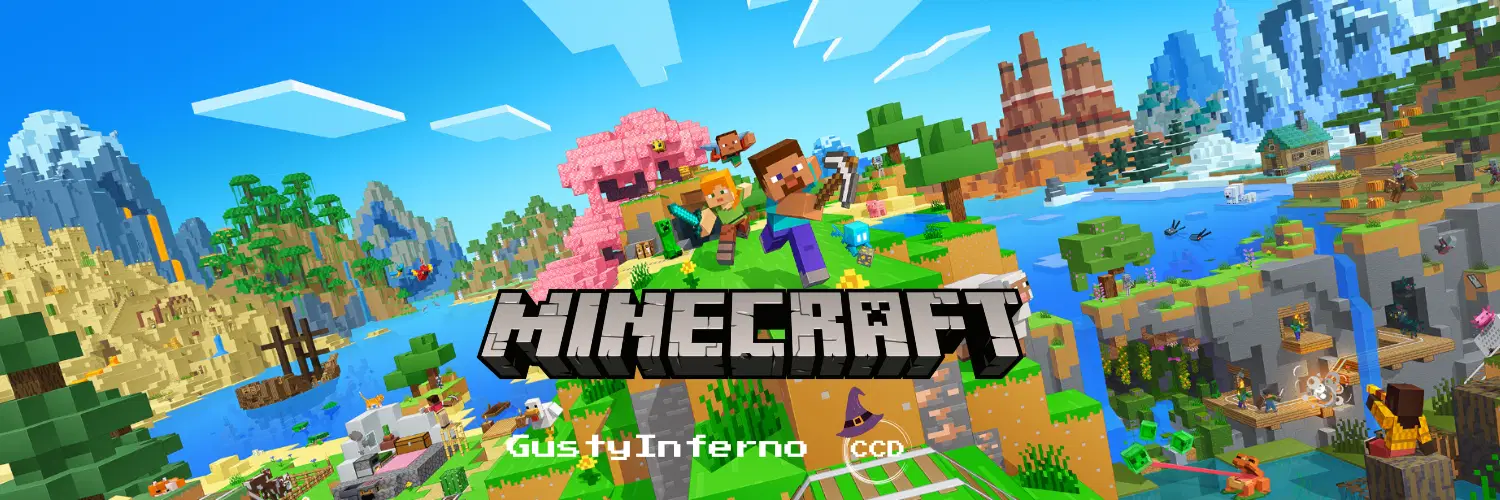
Dive into an open world of building, crafting and survival. Gather resources, survive the night, and build whatever you can imagine one block at a time. Explore and craft your way through a completely open world where you can play with friends, build a city, start a farm, mine deep into the ground, face mysterious enemies, or just experiment to the limits of your imagination!
Having issues with the game or skin? Check out the HELP & FAQ section on this post or visit Minecraft's Help Center below.
Minecraft | Download Skin Template |Help Center | Official Website & SNS


▼ About This Content
Available Type: Classic & Slim
Developer: GustyInferno_CCD
Publisher: GustyInferno, GustyInferno_CCD
Supported Platforms: PC, macOS, iOS, Android, Chromebook, Amazon Fire
Note: Nintendo Switch, PlayStation, and XBOX are currently not supported for uploading the skin.
▼ Known Issues
- On Bedrock Edition, the skin may fail to load when the game is restarted and may require reuploading. This will be resolved in a future version update. (More Info)

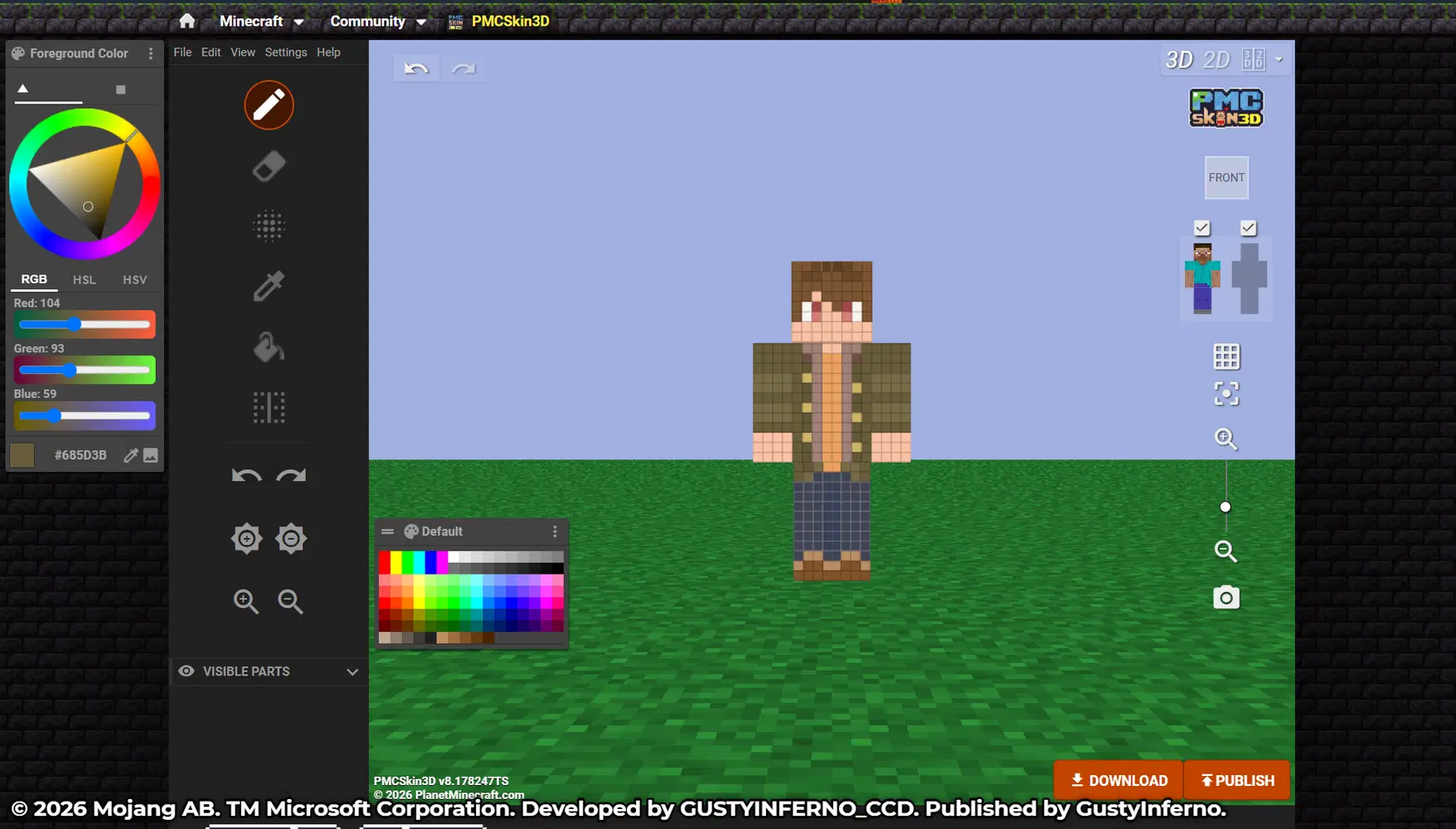
Preview Screenshots
How to Use
- Save the template featured below to your photos or through the Google Drive link above if you're having issues with saving it on HoYoLAB
- Open Minecraft on your mobile device, PC, or head over to Minecraft's official website and upload the skin template. You can check out the guides below on how to upload them

Bedrock Edition (PC, Mobile, Chromebook, & Amazon Fire)
For players on PlayStation, XBOX, and Nintendo Switch, uploading the skin is currently not supported. You can see the skin if a friend is using it since they're synced across platforms, you just won't be able to upload and use them if you're playing from these platforms.
Having issues with your friends not seeing it or not seeing theirs? Make sure to turn off "Only allow trusted skins" in the generals tab via the settings page.
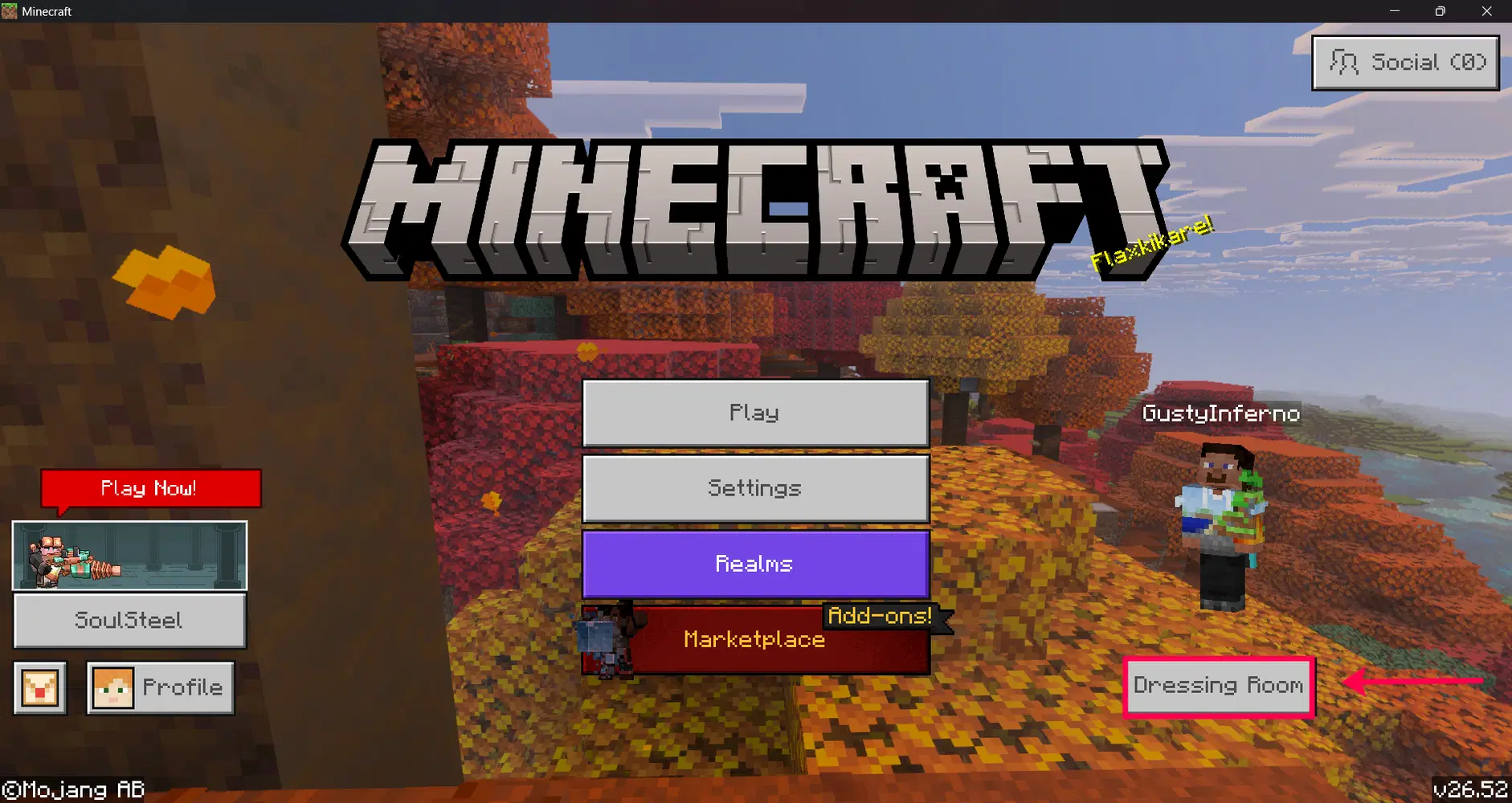
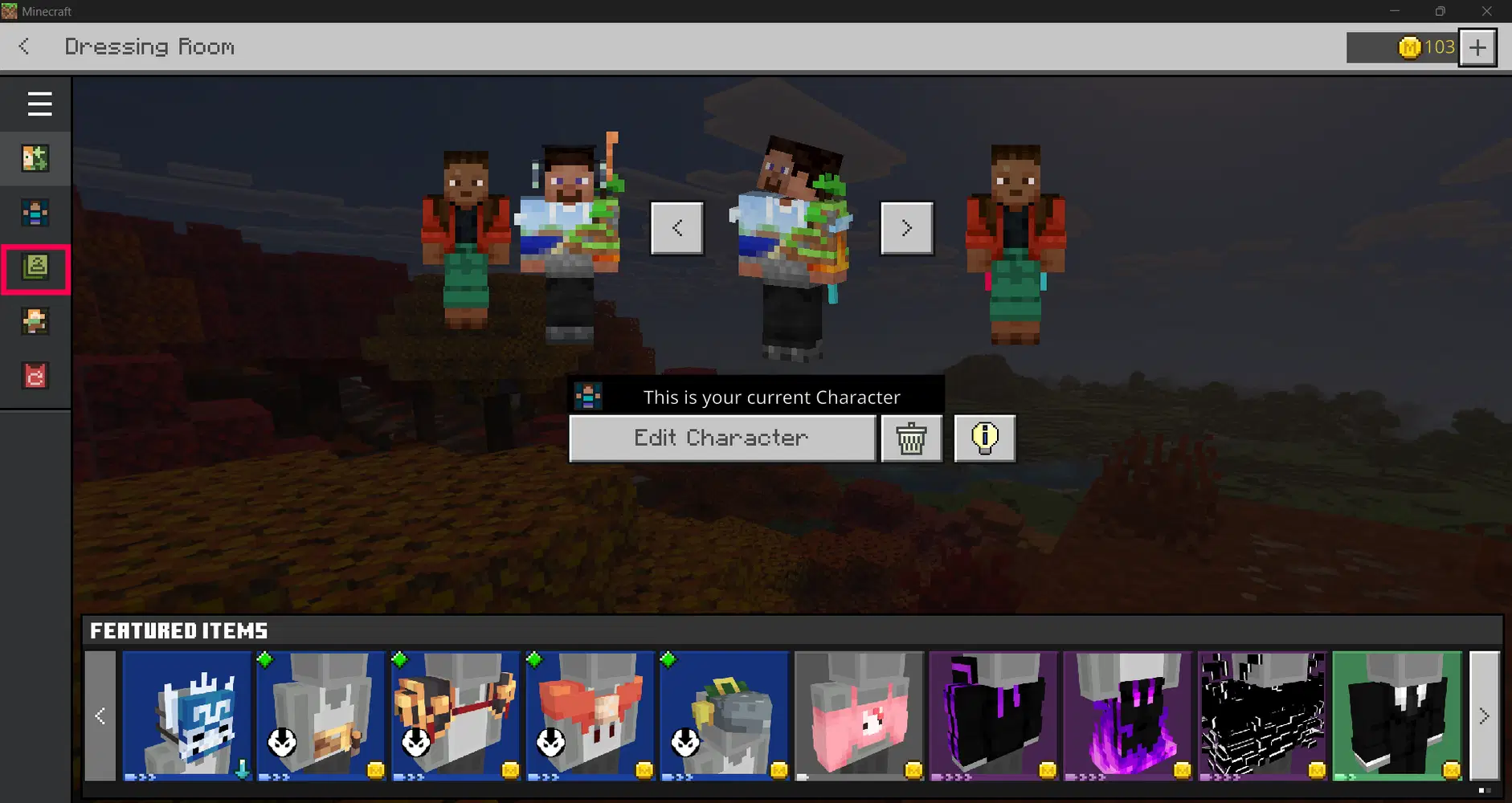
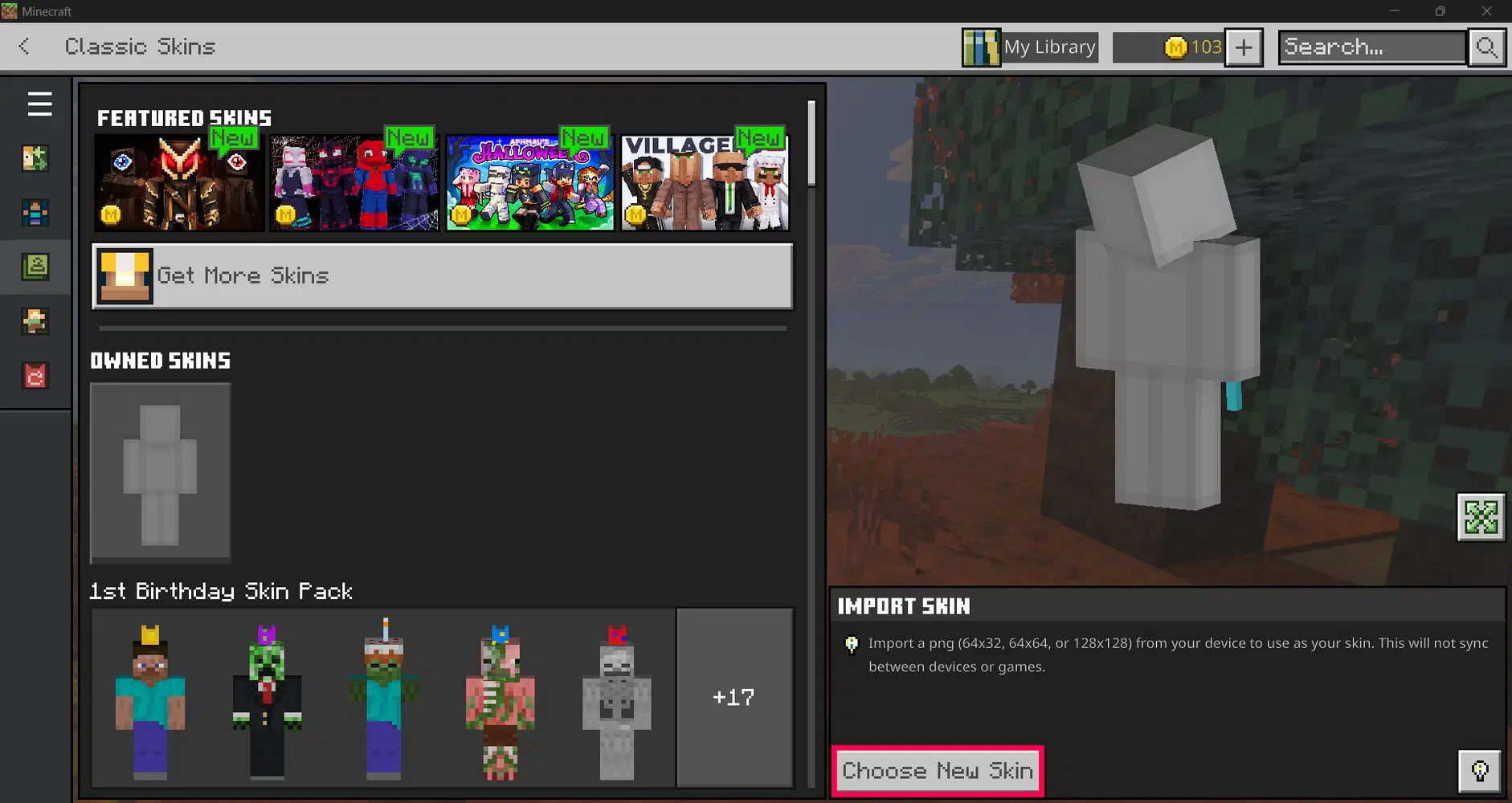
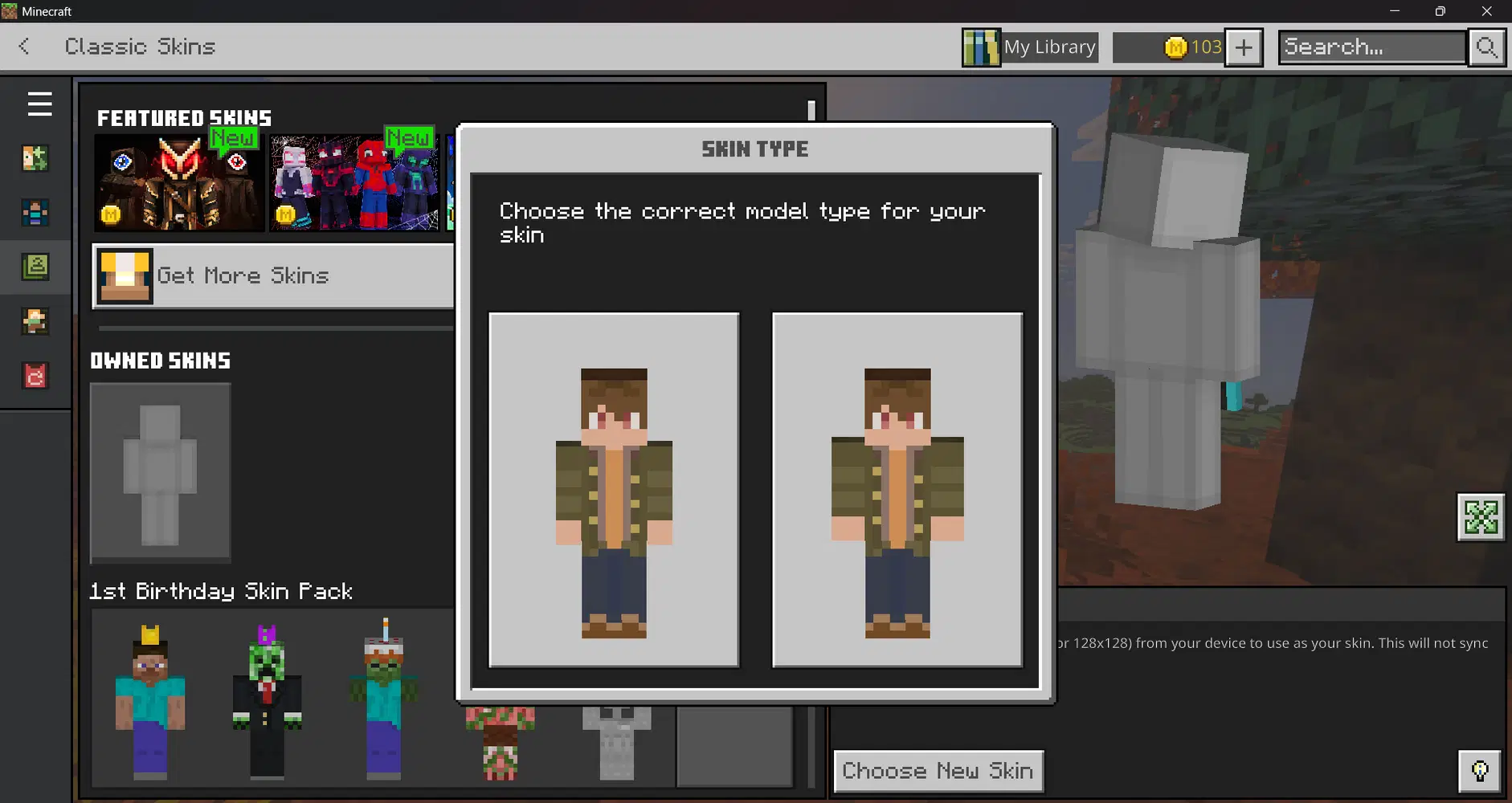
Java Edition (PC & macOS)
Head over to Minecraft's official website or open the launcher, sign in with your Microsoft account and upload the skin. For the purpose of the guide below, it will be in the launcher.
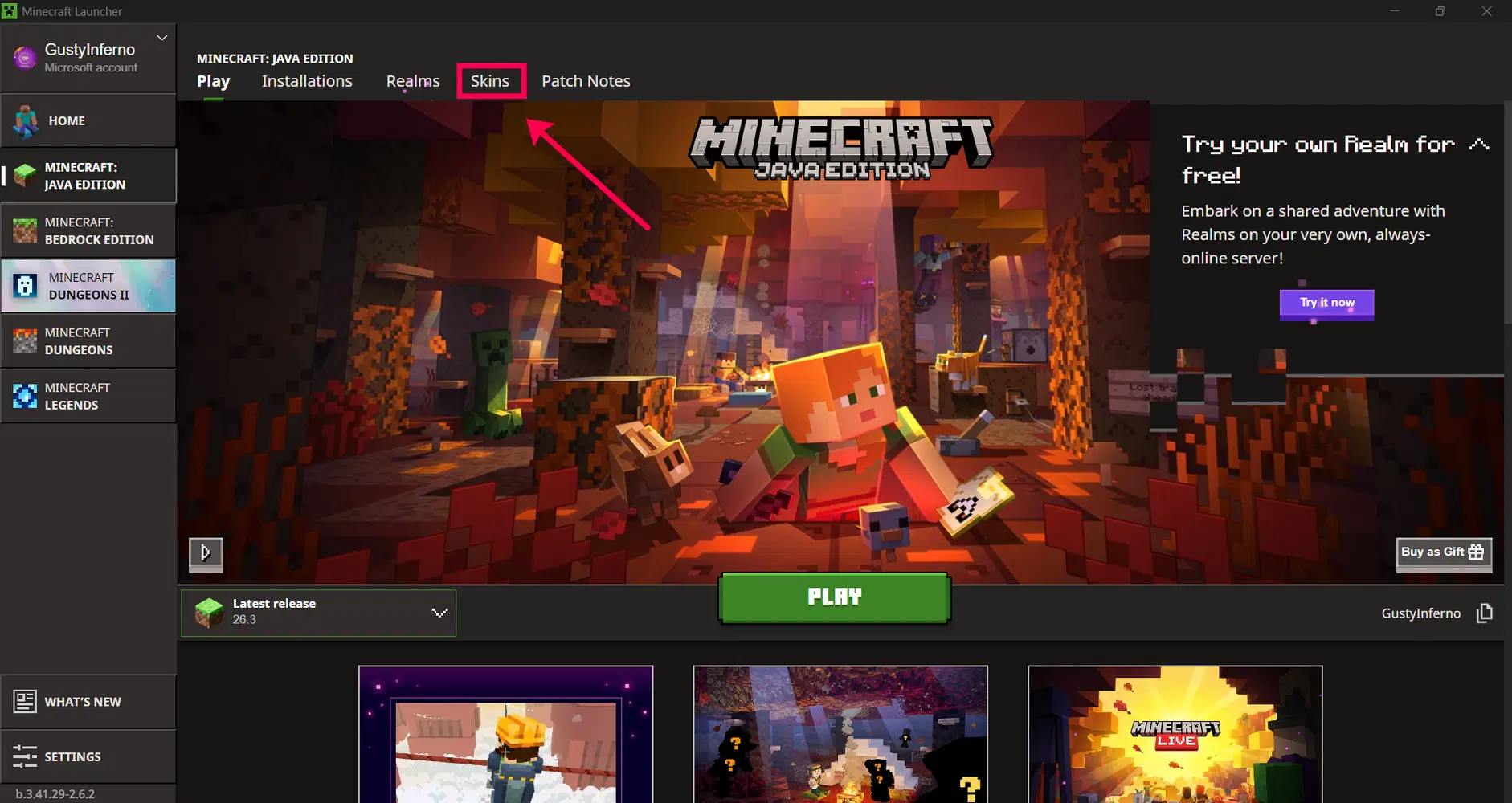
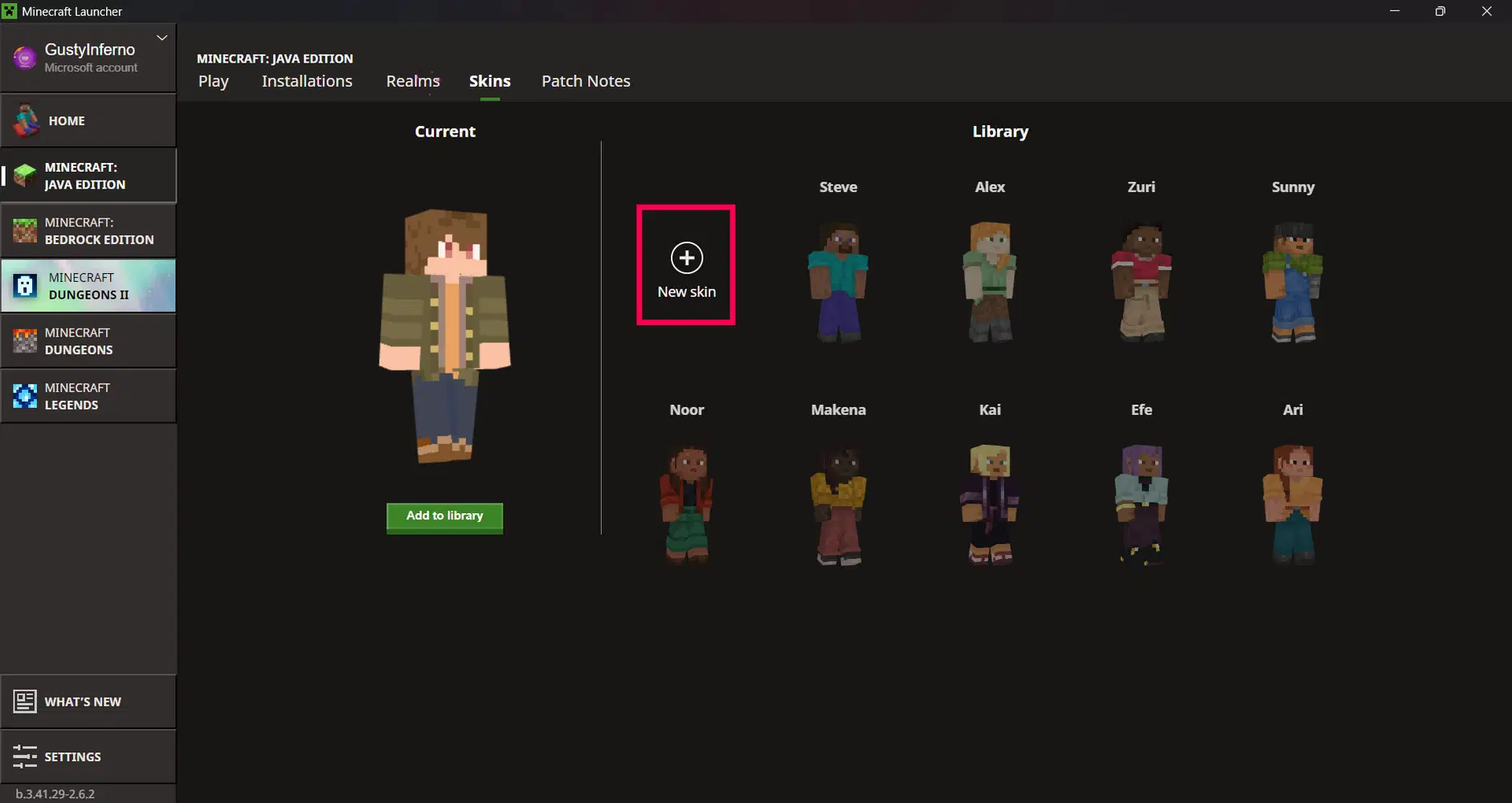

Supported with Community Servers
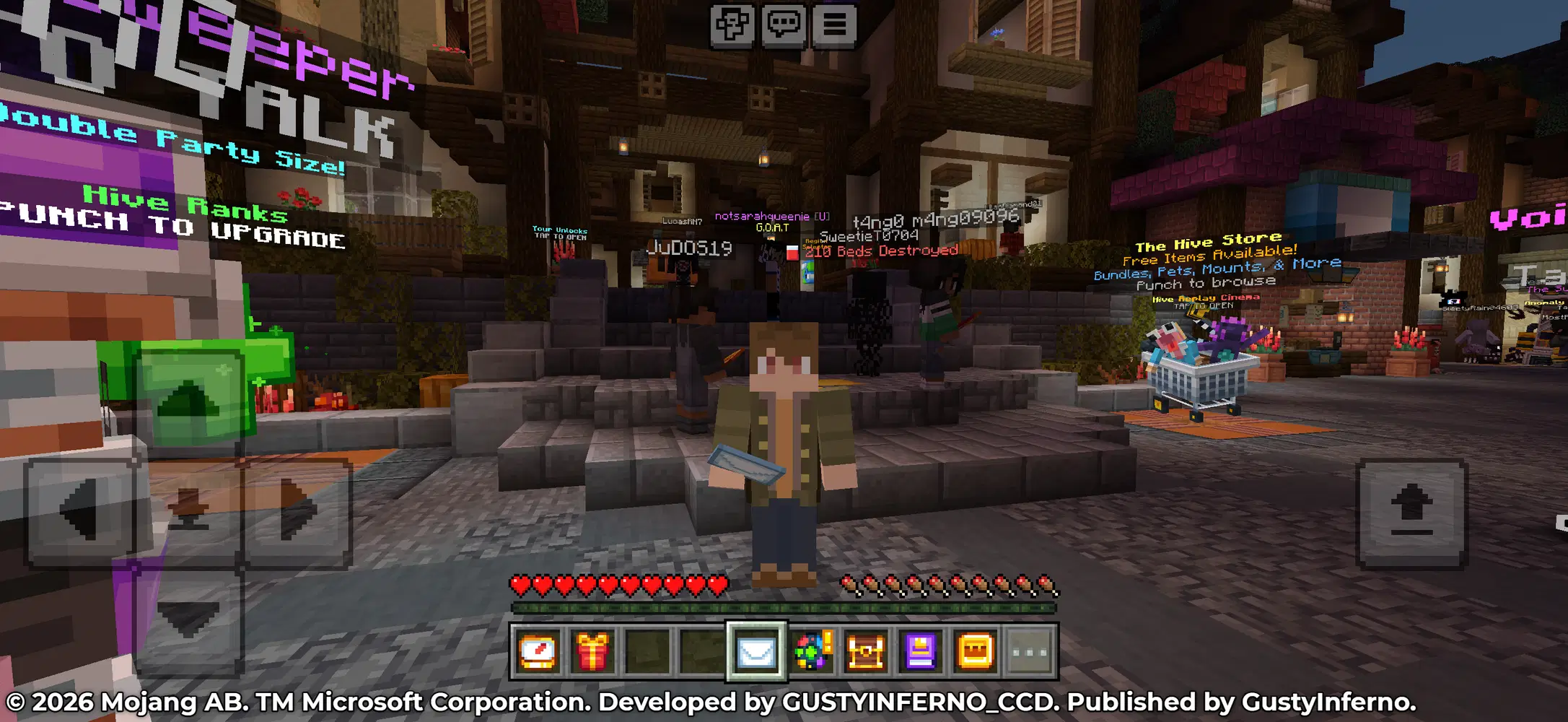
The skin is available for use in community servers for both Bedrock and Java Editions. Friends and players you play with will be able to see the skin. If you're having issues with not seeing the skin on Bedrock, make sure to turn off "Only allow trusted skins" in the settings page. To use them in community servers, sign in with your Microsoft account.
Use With Friends
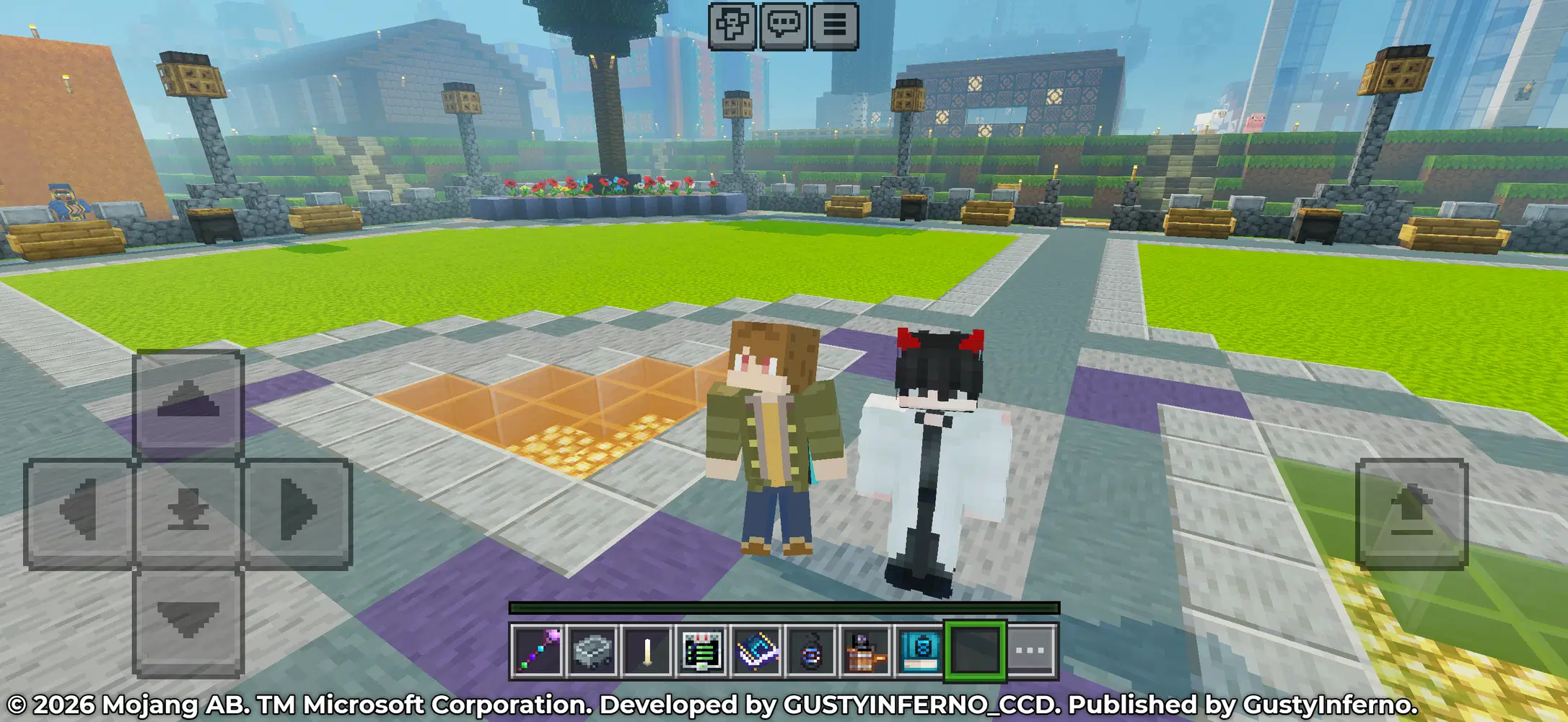
Once the skin is uploaded, friends you invite to your world will be able to see it and is visible across platforms such as PC, Mac, Chromebook, Amazon, Fire, PlayStation, XBOX and Nintendo Switch! You can join friends by adding them on XBOX or if both you and your friends are connected to the same Wi-Fi network.
Personalize With Capes
Got a cape from events on TikTok, Twitch Drops, or other campaigns you participated in? You can personalize the skin with any capes you own!
Capes can be added via the dressing room on Bedrock Edition or Java Edition via Minecraft's official website and launcher.
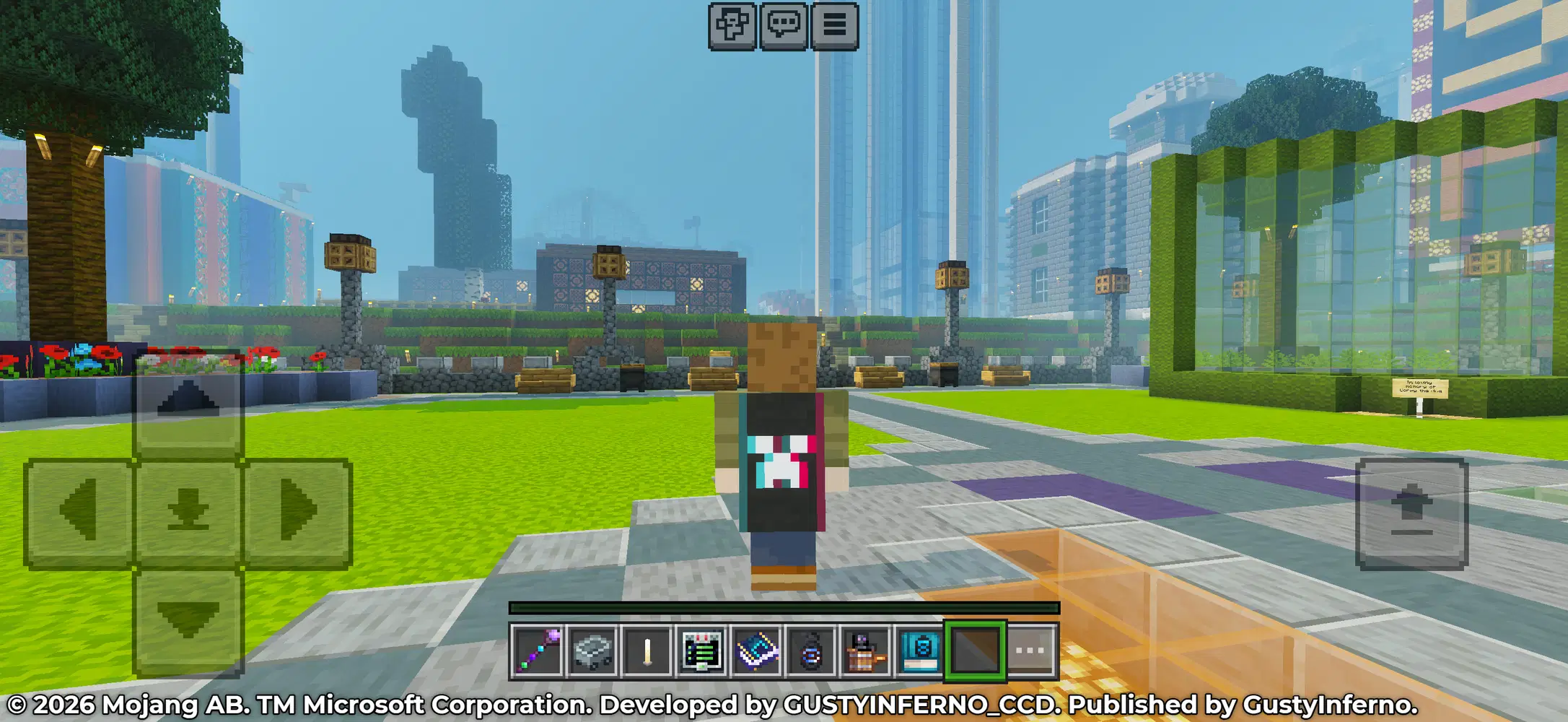
Supported With Emotes
If you have any emotes, you can show them off as Luke if you own any.
HELP & FAQ
Q: Will the skin be synced across platforms?
A: No. Uploaded skins are stored locally on the device it is uploaded on. If you want to use the skin on other platforms, you'll need to upload them again on the platform you'll be playing on.
Q: Can I personalize the skin with accessories purchased on the Marketplace?
A: Apologies but avatar items purchased on the Marketplace are currently not supported as the skin is only available as a classic skin. This also applies to any skins you may have purchased on the Marketplace as they're only a texture that is placed onto your character. Minecraft's skin creator does not use classic skins and allows you to personalize the outfit, hair, etc, which classic skins do not have.
Q: How will the skins be updated?
A: If any changes are made to the current release or future releases, these will be uploaded as a new template, the old templates are not automatically updated in-game and the new template will need to be uploaded.
Q: Is the skin available for use on community servers?
A: Yes. The skins are available for use in community servers on the Bedrock and Java Edition of Minecraft. If you want to use them in the server, sign in with your Microsoft / XBOX Live account.
Q: What platforms can I use the skin on?
A: Currently, only PC, Mac, mobile, Chromebook, and Amazon Fire supports uploading classic skins. Other platforms such as Nintendo Switch, XBOX, and PlayStation do not have support for them yet.
Q: Why is my friend not seeing the skin I uploaded or I cannot see my friend's skin on Bedrock?
A: If you're having issues with your friends not seeing the skin or you're not seeing theirs, open the settings page, go to the generals tab and disable "Only allow trusted skins". Once disabled, rejoin the world for the changes to take effect.
Q: Can I make changes to the original template?
A: Yes. You're welcome to use the template and change it to whatever you like. You can edit the skin on websites such as Planet Minecraft or The Skindex. If you plan on sharing your modified version, be sure to include credits to the original template.
The possibilities are endless. Embark on an epic adventure and play with friends, building from the ground up. Build and expand in Creative mode, where you can craft from unlimited resources. Survive the night, face intense battles, craft tools, and fend off danger in Survival mode. With seamless cross-platform and multiplayer gameplay on Minecraft: Bedrock Edition, you can adventure solo or with friends, and discover an infinite, randomly generated world filled with blocks to mine, biomes to explore, and mobs to befriend (or battle)!
Original template by GustyInferno_CCD. Published by GustyInferno. The featured contents are for personal use and is not made in affiliation with HoYoverse.
© 2026 Mojang AB. TM Microsoft Corporation.
Apple and the Apple logo are trademarks of Apple Inc., registered in the U.S. and other countries and regions.
Google Play and the Google Play logo are trademarks of Google LLC.
All trademarks belong to their respective owners.