Hi everyone!  Just want to share this in case anyone didn’t know... You can actually play Tears of Themis on a Windows PC or laptop via Google Play Games! It’s pretty handy if you want to save phone storage lol.


How to get it:
1. Download and open Google Play Games on your PC/laptop, and search for Tears of Themis.
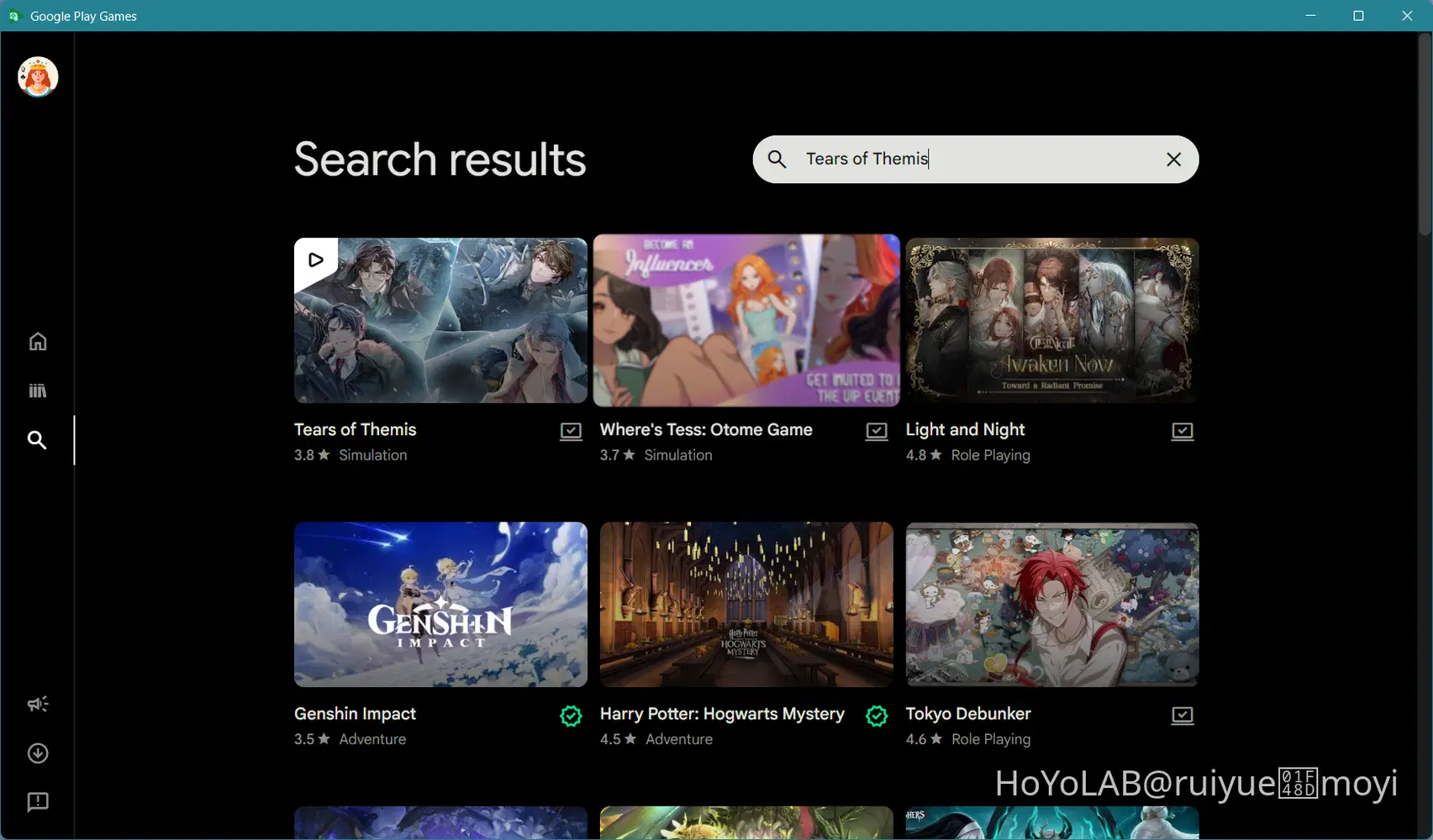
2. Check for the green "Playable" icon to make sure your PC/laptop can run it, then click Install.

3. Once it's done, the button will change to Play, just click it to launch the game.

4. Log in with your usual HoYoverse account to sync your progress.

Full screen on pc/laptop
What it's like on PC/laptop:
- Windowed layout: Runs in a vertical phone-sized window, so you can easily keep it on the side while doing other stuff.
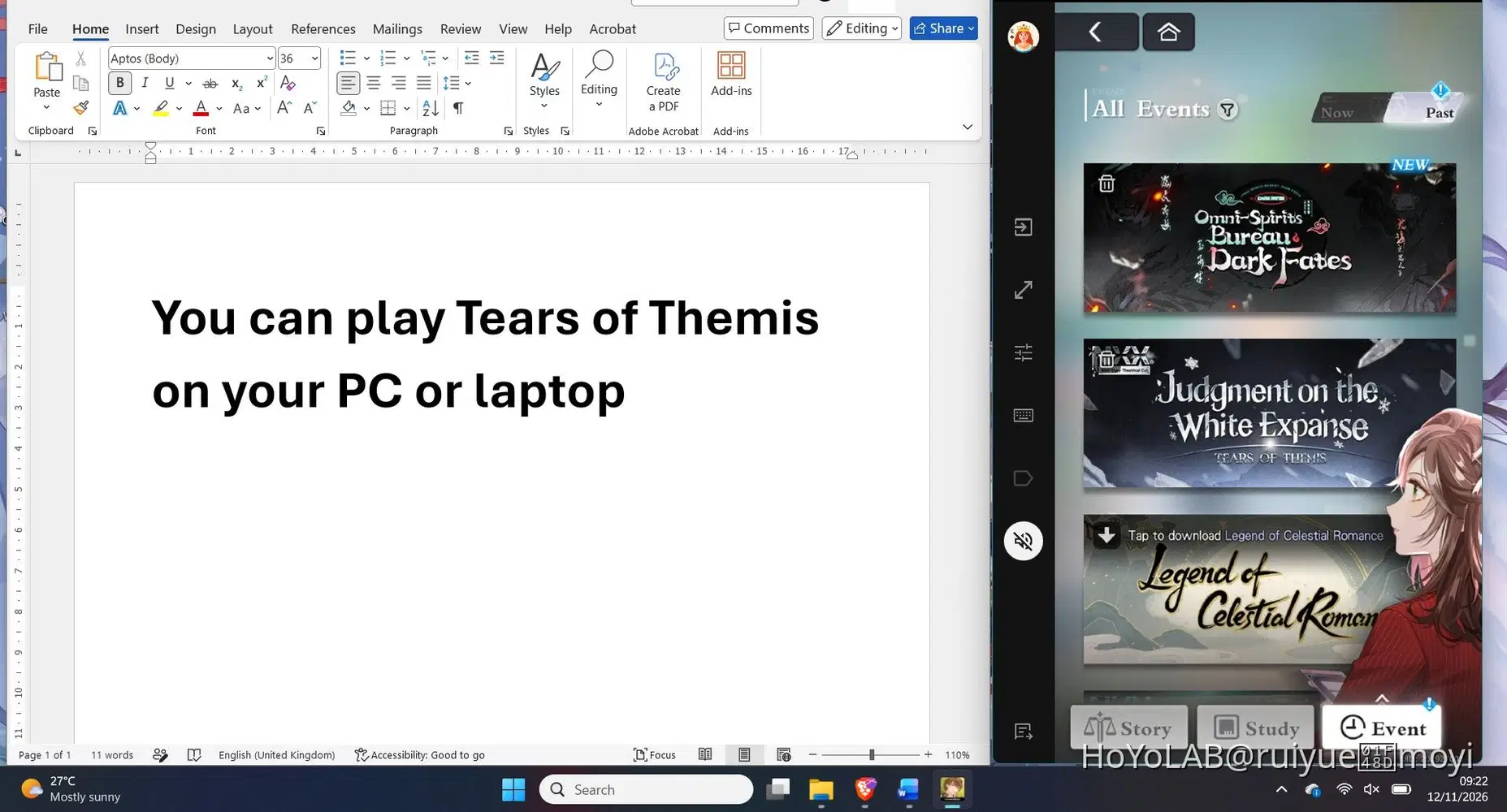
How it looks on my full screen
- Quick sidebar tools: Has easy toggles on the left for full screen, muting, and key mapping.
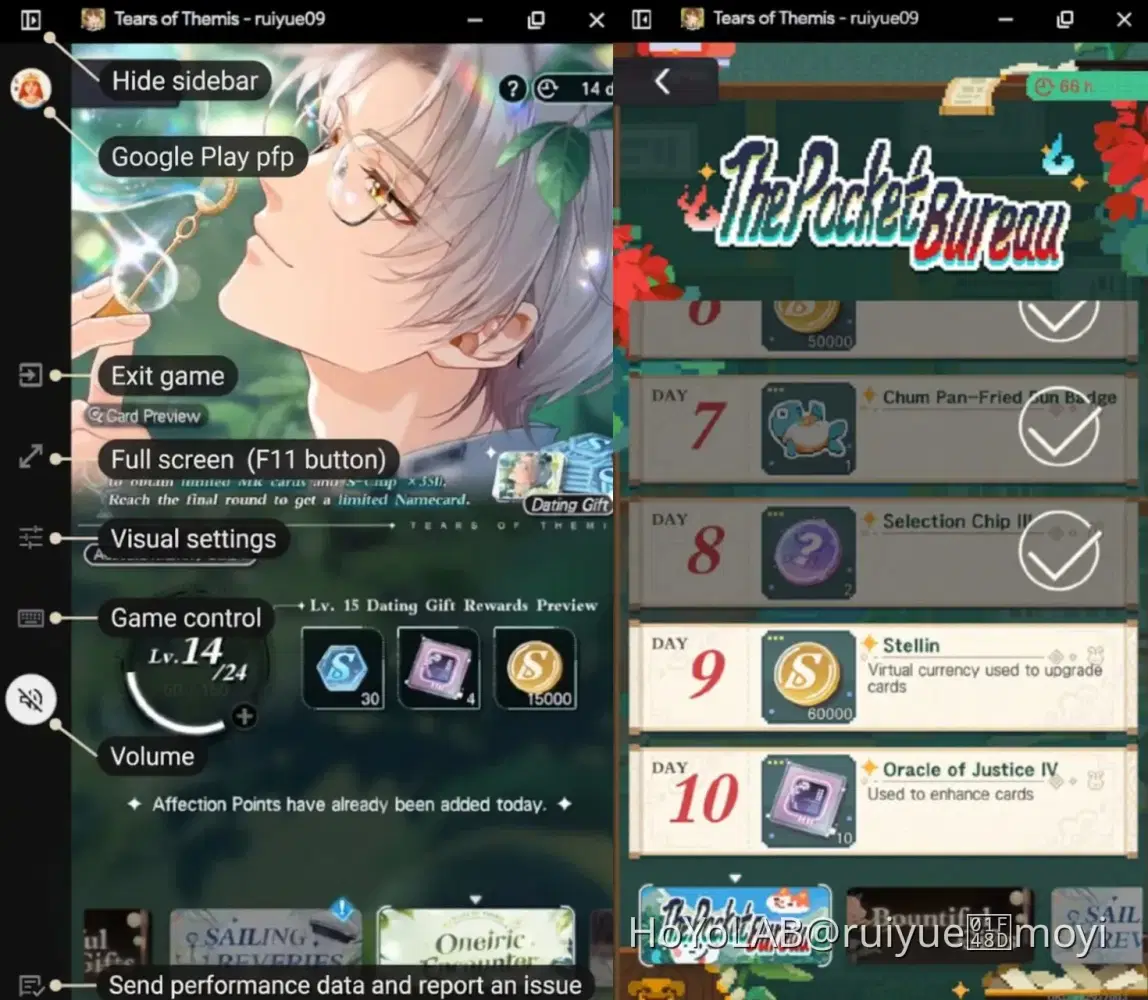
How it looks on PC/laptop with the sidebar (left) & without it (right)
- Customisation: Lets you adjust the visuals and set key controls.
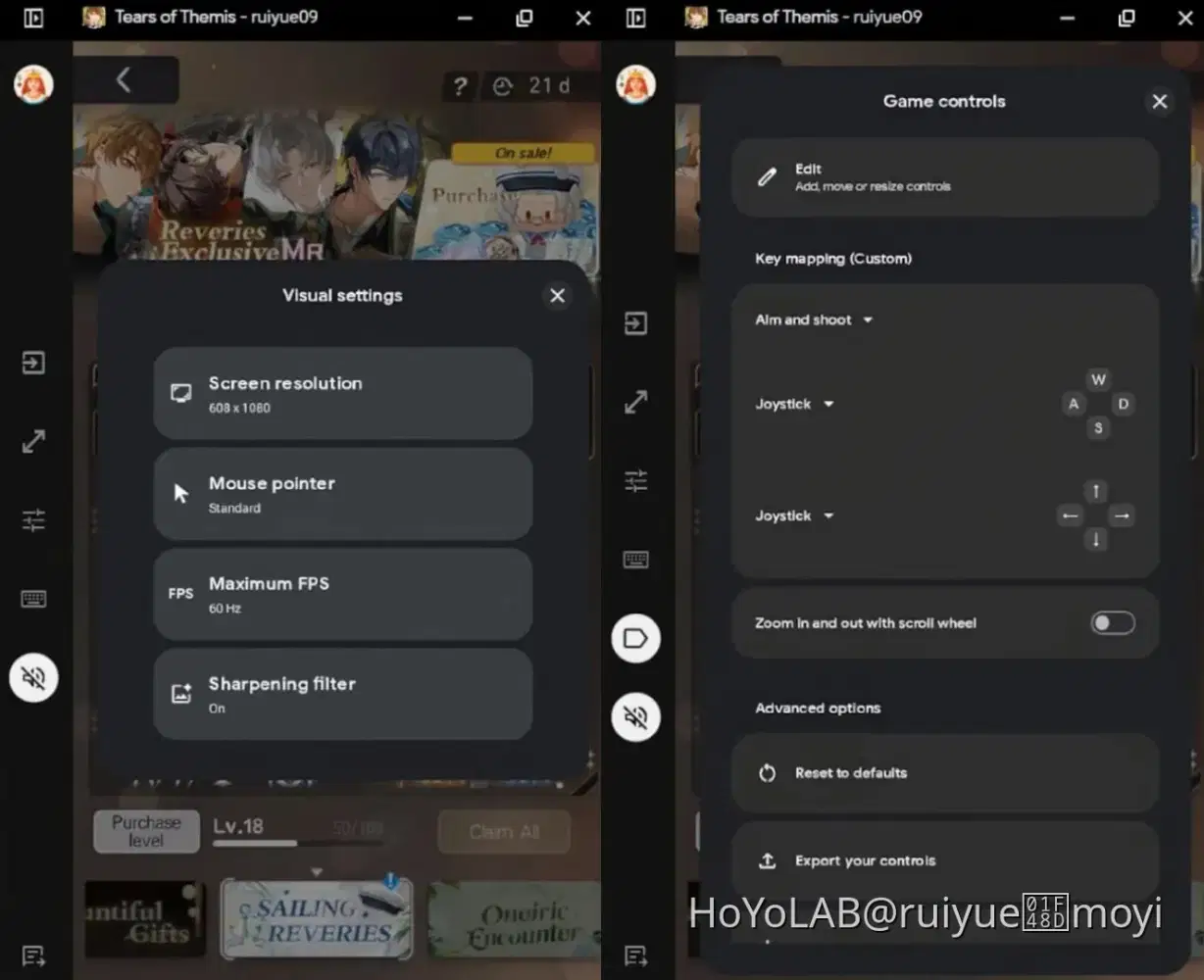
(I don't really bother with the game controls though, since it's easier to just use my mouse to click around.  )
That's it, just thought to share this for anyone looking for an alternative way to play Tears of Themis! 

Btw I'm using an HP laptop with Windows 11 and an Intel Core i5-1200U processor. I couldn't find an exact separate storage size for the game itself, but my Google Play Games app takes up about 2.88 GB and the game runs smoothly without issues (as long as you have a good internet connection lol!). Happy gaming! 



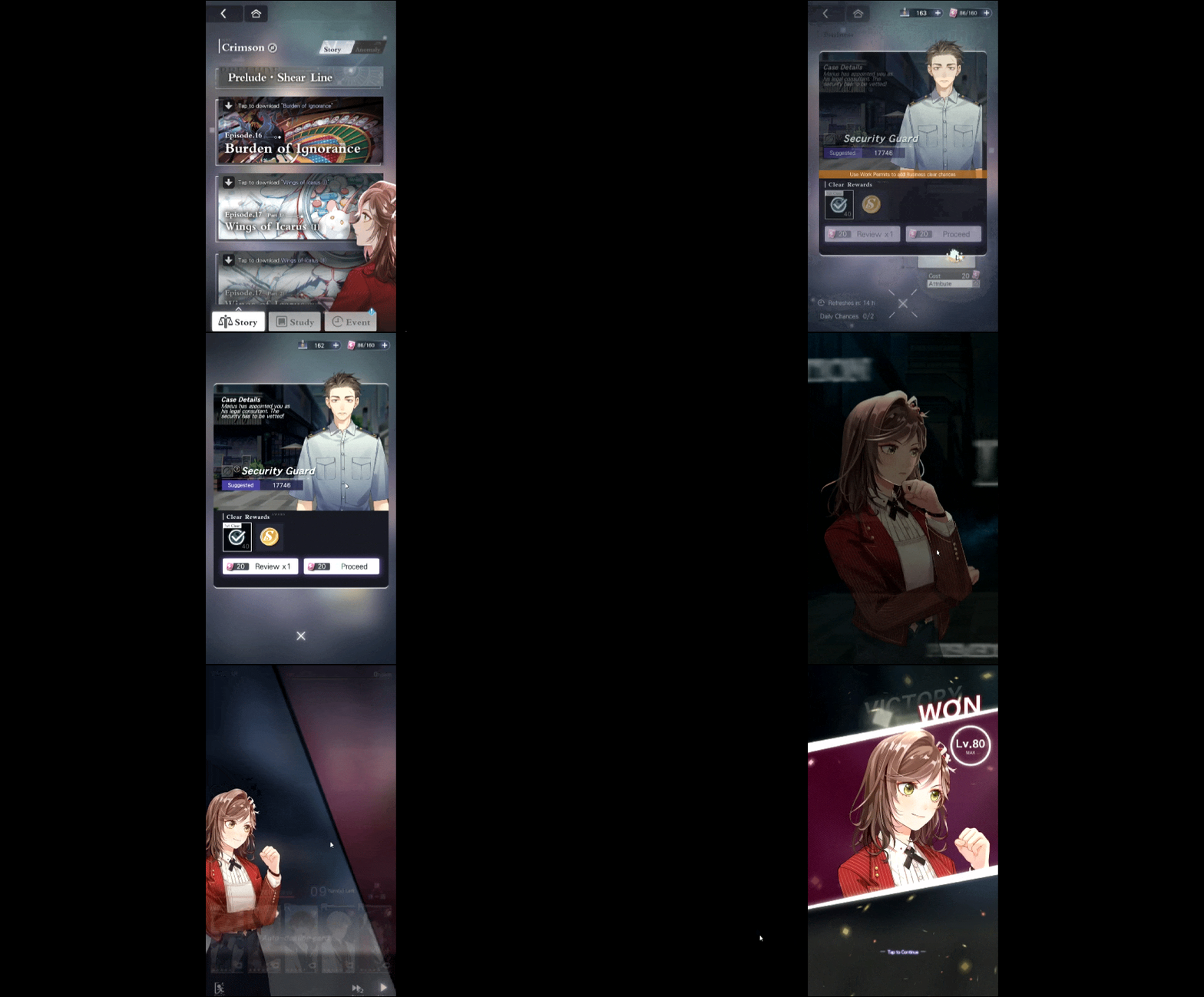
Full screen video recording in GIF