To experience Genshin Impact PC with your DualSense you need to configure the sound channels of "Wireless Controller".
First, you have to connect the DualSense via USB cable and make sure that your computer detect "wireless controller" on playback device.

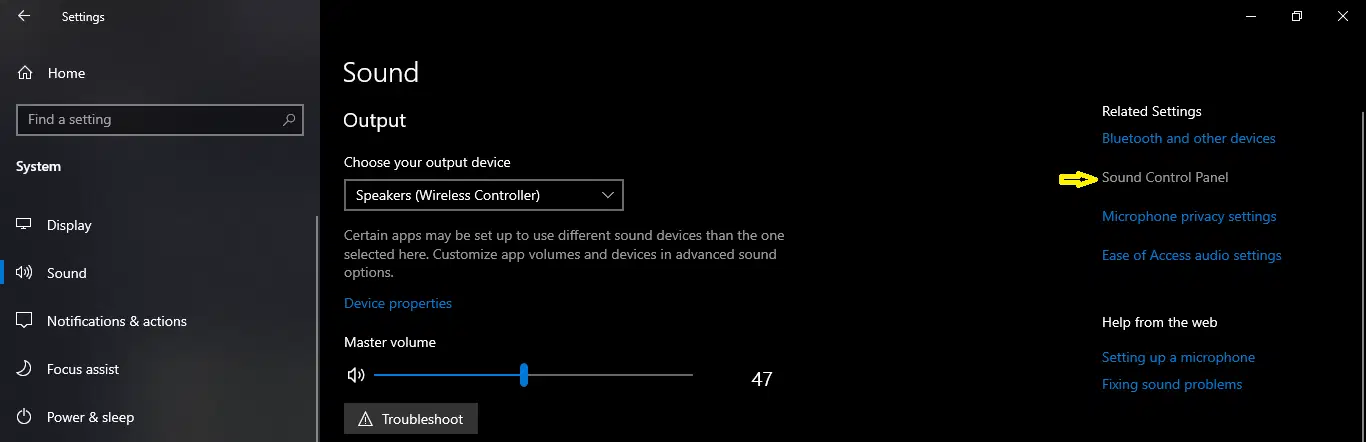
Then you have to open the Sound Control Panel; just go to Windows Settings > System > Sound > Sound Control Panel
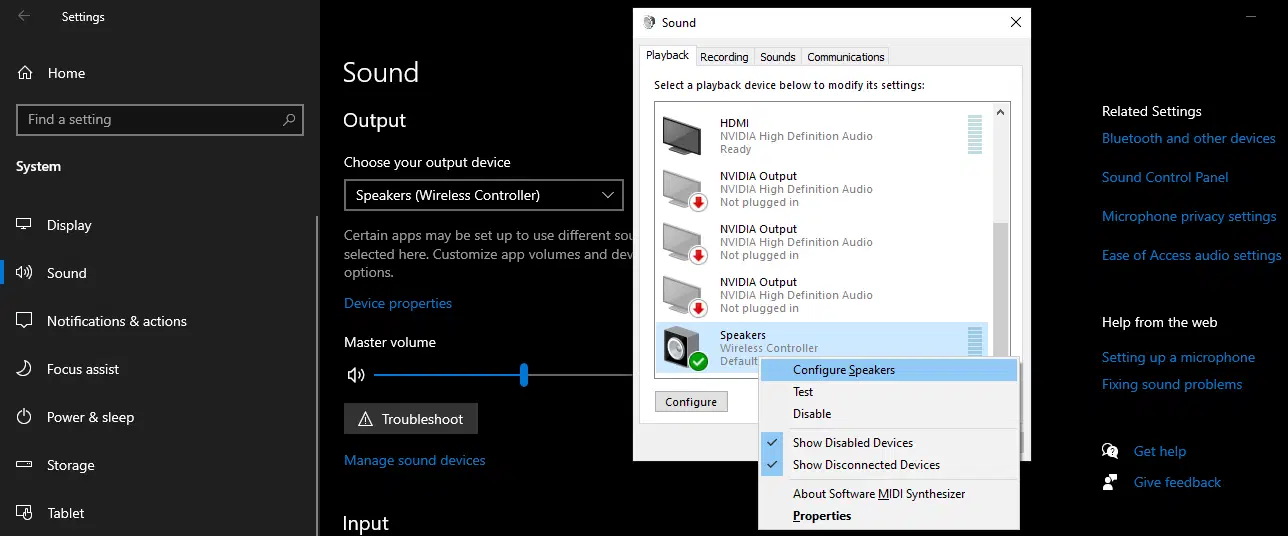
After that select playback and look for Speakers "Wireless Controller" and right-click on it to configure the speaker.
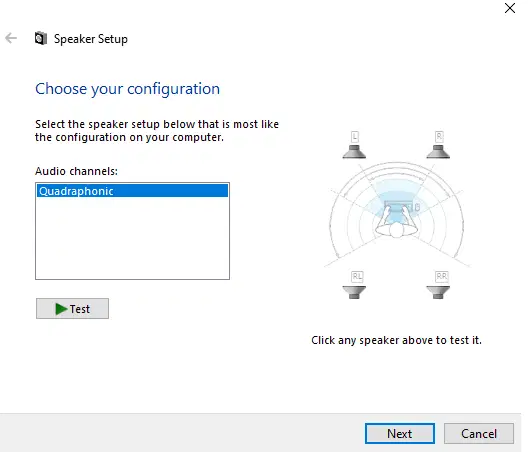
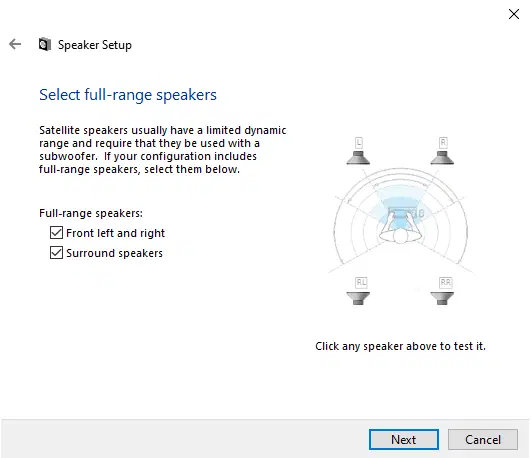
Select Configuration [Four Channels] or for me it is Quadraphonic and follow the instructions and make sure to check all full-range Speakers options
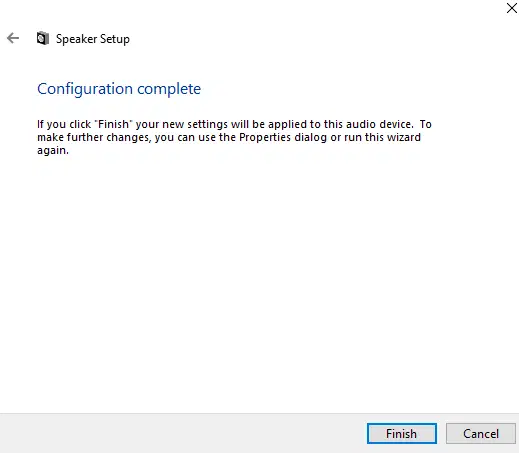
Go back to Genshin Impact and experience DualSense features.
#The feautures#
Adaptive Trigger:
- Only fishing
Haptic Feedback:
- Gliding
- Swimming
- Hitting tree
- Running through bushes
I hope this guide can help you.
For detail information about the Configuration you can check at the bottom of this webpage: https://genshin.hoyoverse.com/en/news/detail/16369