Hello everyone, we have received a lot of feedback from many of you recently, saying that you want to learn about video-making. In this edition of Creator's Classroom, we have invited Yukine to guide us on video-making! She will introduce the complete process of making a video, which is very helpful for many beginners who are interested in video creation, let's take a look!

Here's the full video:
Hey everyone, my name is Yukine, but you may better know me as Genshashin.
I make genshin videos when I got time. Some of the videos that I’ve worked on are the Squid Game/Genshin Parody series, the Attack on Titan/Genshin Parody, the Morax Mining Commercial, and the Irodori Festival video.
Today, I’ll be giving a quick rundown of my general process when I make videos. Hope you enjoy! (hihihi)
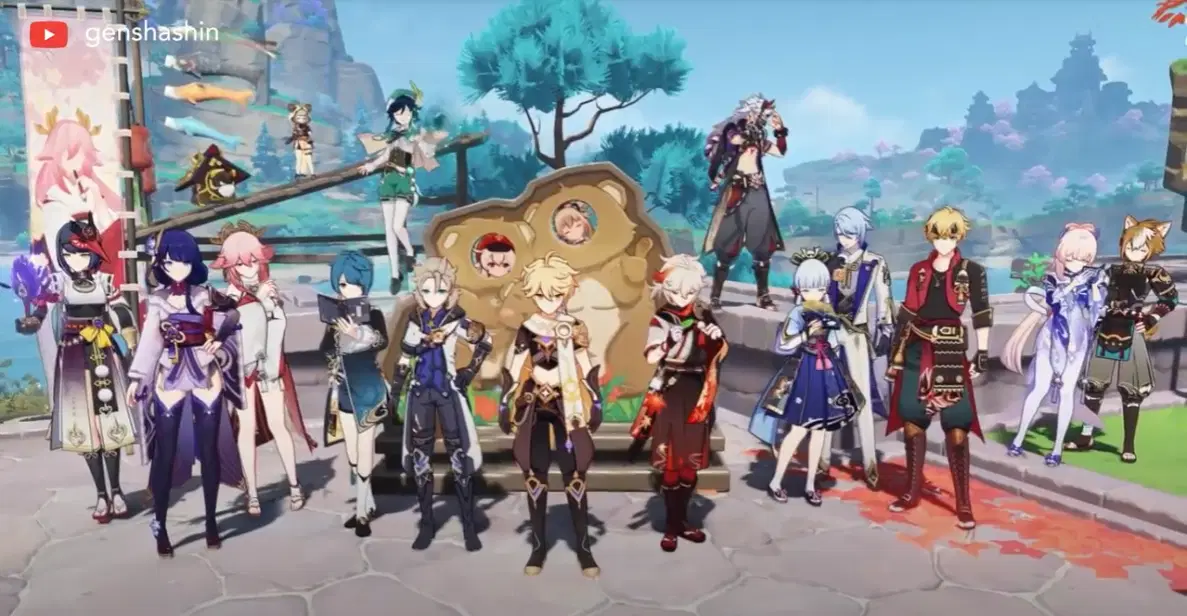
Idea Generation:
A lot of people have asked me the question “Where do you get your ideas for your videos?”
And my answer is “I get them from everywhere! hehehe”
No but seriously, you’ll never know where your next idea can come from. You know, sometimes I’ll be just walking around Genshin and I’ll see two Fatuis, like, chilling together at the side and I’m like “Hey! That’s cute!”
And then BAM I make a whole romance parody trailer about them. “Love in the Land of Inazuma.” Easy!
Other times I’d be looking at character voicelines and be like… “Hey, everyone has voicelines about food…and there’s a food related Genshin event called moonchase festival…”
…And then BAM I make a Genshin parody cooking show called “Archon Chef”.
I also find inspiration from stuff outside of Genshin, such as from my favorite shows and movies!
So yeah, keep your mind open, ‘cause inspiration can come from current Genshin events, your current interests, or even the most random of places, cuz you’ll never know, that may be your next big video!
Once I have an idea in mind, it’s time to actually start making the video.
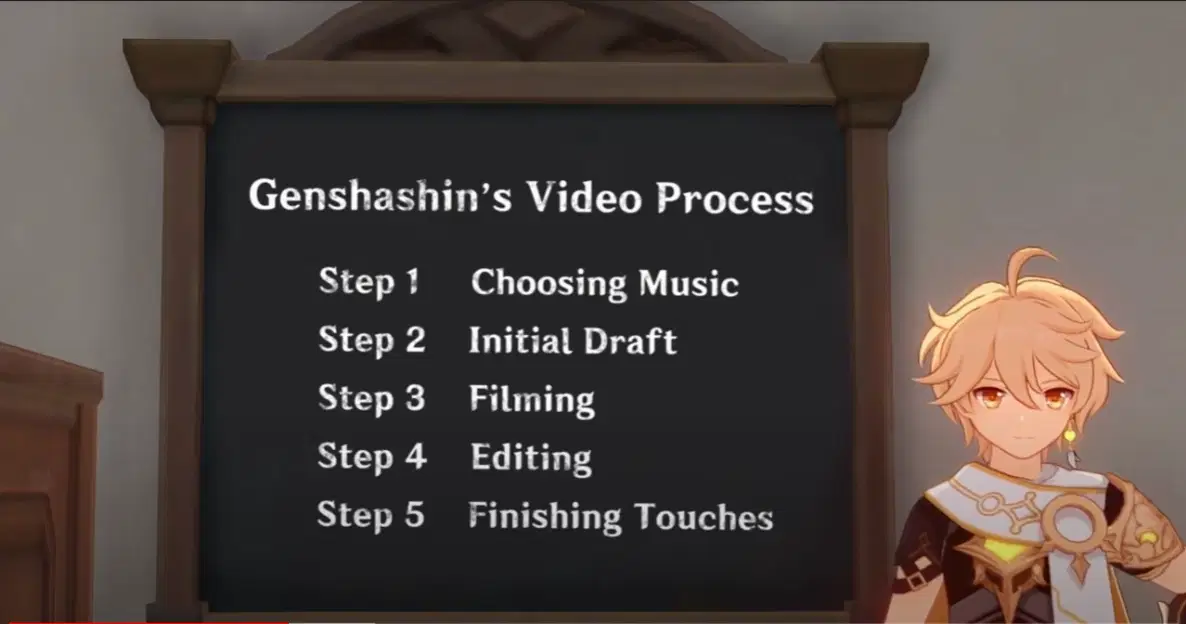
Step1: Choosing Music
My process can be summarized into 5 major steps. Step 1 is “Choosing the Music.”
So the reason why I choose the music first is because I feel that the music lays down so much groundwork for the whole video. Like whether it would be happy, sad, or thrilling.
Step 2: Initial Draft
Once I have the music, it’s time to move to step 2, which is “Making the initial draft.”
At this stage, I open Adobe Premiere, which is the software I use for editing videos. I drag and drop the music on the timeline, and trim it according to how long I want the video to be.
After this, I bring up the type tool and I start writing short phrases that will help me visualize the scenes. Some examples would be: Wideshot of Zhongli using his burst, or Close up of Zhongli’s shoes walking beside rocks, or… Zhongli looking cool.
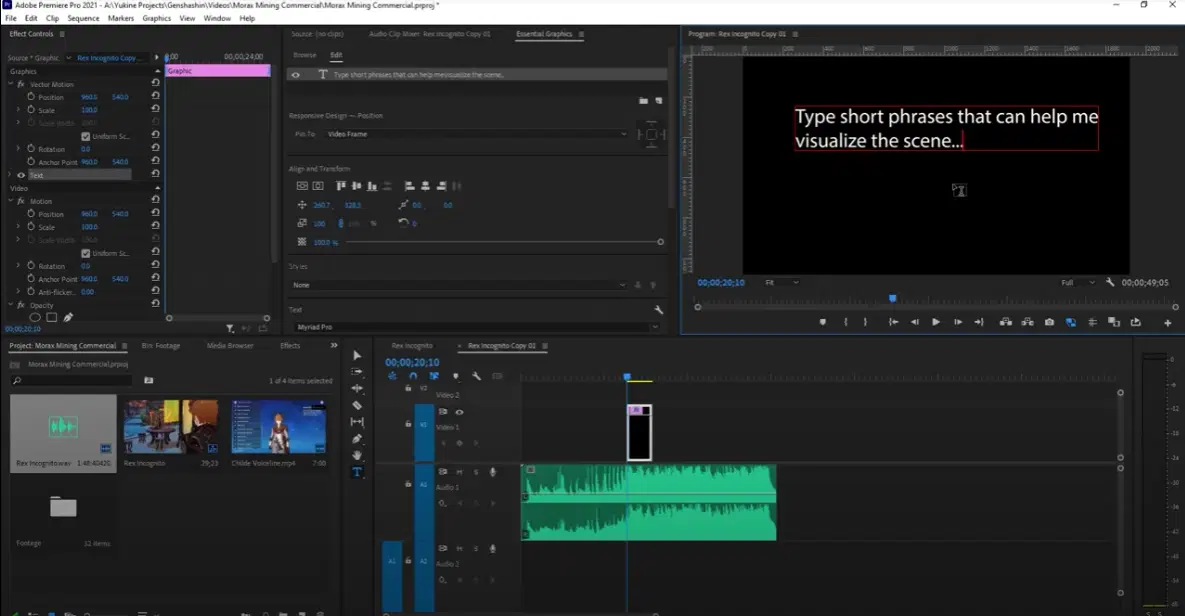
I would then edit these text layers according to the beat of the music.
I would also add in voicelines during this stage.
I’ll end up with a really really rough draft full of text and random voicelines, but this is actually the heart of the video, and it will be an important guide for the rest of the process.
Step 3: Filming
After this, we move on to the 3rd step, “Filming”!
Before I start filming, I make a shot list based on the initial draft, which includes information such as the location of the scene, the characters needed, the props, the angles, and the actions that will be done. This helps guide the shoot, and keeps things organized.
When I need to shoot scenes that have multiple characters, I asked some friends to co-op with me. They usually say yes cuz they’re nice. I love my friends.
For filming, I switch to the camera mode from the main menu. I choose the option to hide my character, as well as the UI elements, so my entire screen acts as the camera for the shoot.
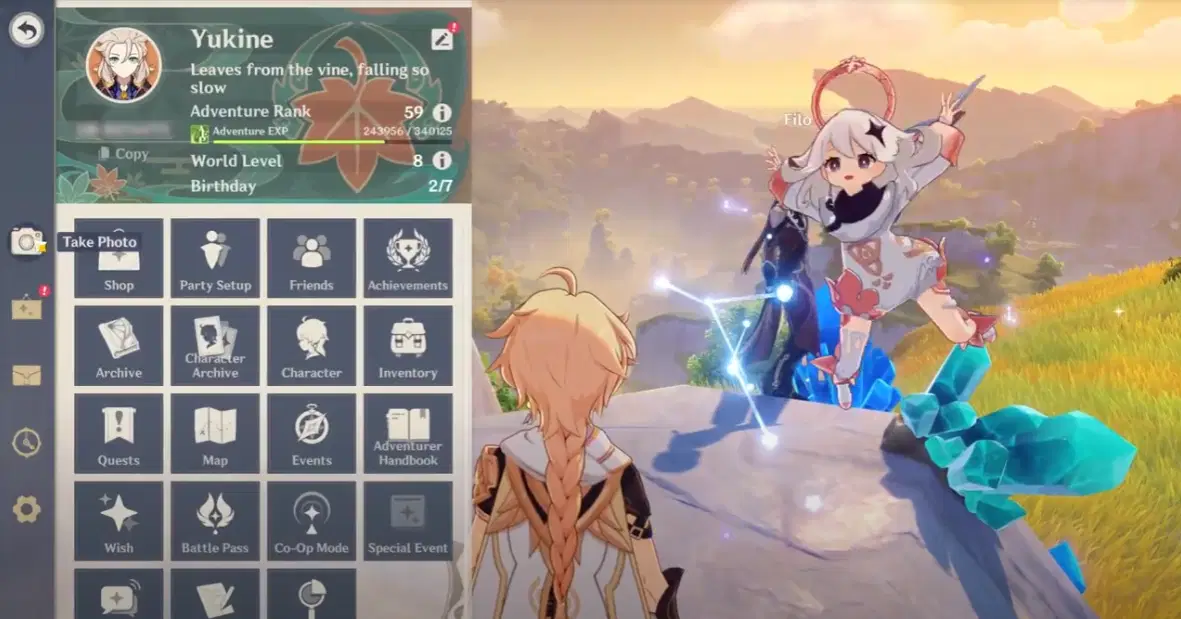
I then play around with the blur settings to give a more cinematic feel to the shots.
I record my screen using GeForce Experience. I like using it ‘cause it’s generally easy to use, and it has keyboard shortcuts to start and stop recording.
When my friends and I film in Genshin, it actually feels like we're shooting a real movie. We do spend a lot of hours trying to get the perfect shot, but in the end, it's worth it. and you know, it’s part of the process, it’s like, really fun haha-
Step 4: Editing
Once I have all my footage, it’s time to edit the video!
I go back to my initial draft in Premiere and drag and drop all the clips into the project panel.
After this, I match the clip with the text, putting the new clips on the layer above and trimming it accordingly.
If I want to do any heavier effects such as adding props that are not found in game, or putting more than 4 characters in one shot, I use a different software called Adobe After Effects. It’s a super cool program which allows you to take your videos to the next level in terms of effects.
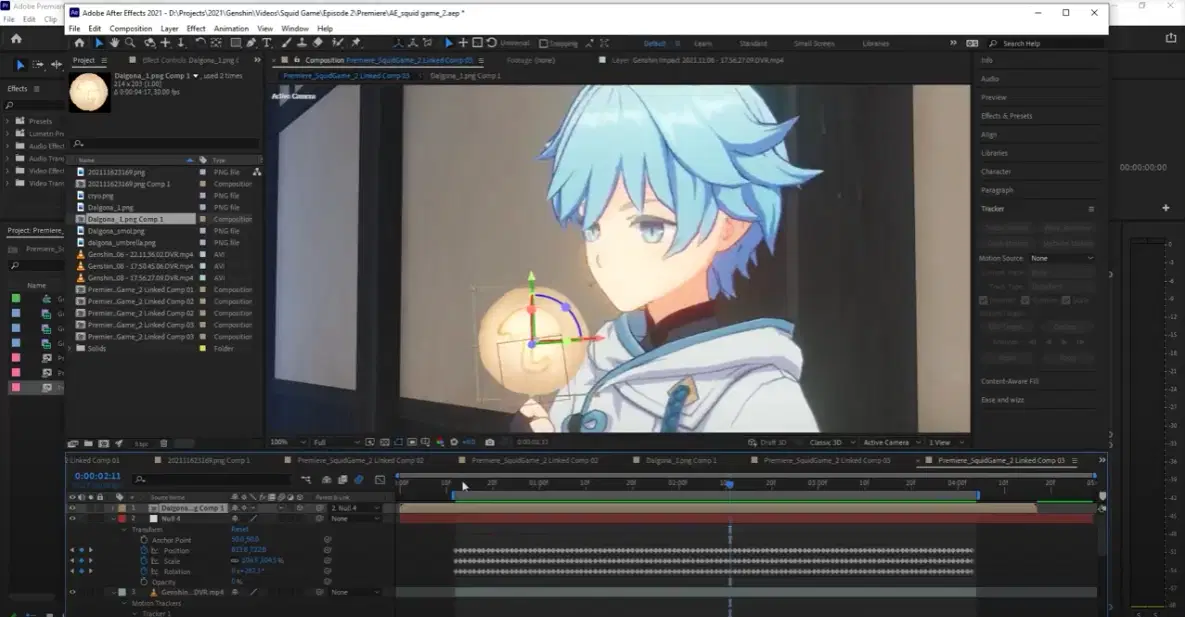
But also it’s like really really advanced stuff and this is supposed to be a video about my basic process and I don’t want to scare anyone so… maybe I’ll talk about After Effects in another vid hihihi~
Once the edit is done, I send a sample to my friends to get their comments. From there, I can check if there are scenes I need to reshoot or take out of the video.
After another round of edits, I send the revised video again for checking. This process repeats until we end up with a polished video that all my friends and I are happy with. Yay!
Step 5: Finishing Touches
Once everything is done, it's time for the finishing touches.
Because I post my videos on Youtube, it’s really important to think of a good title and thumbnail, since this is how people will first discover my video.
For thumbnails, I try to think of the most eye-catching visual that would entice people to click on the video. Sometimes I also put the title of the video on the thumbnail, because I like making my thumbnails look like movie posters. I also try to make sure that text would be readable even if the thumbnail is very small.
Just make sure not to put any important details at the lower right corner of the thumbnail, since this will be blocked by the video length indicator.
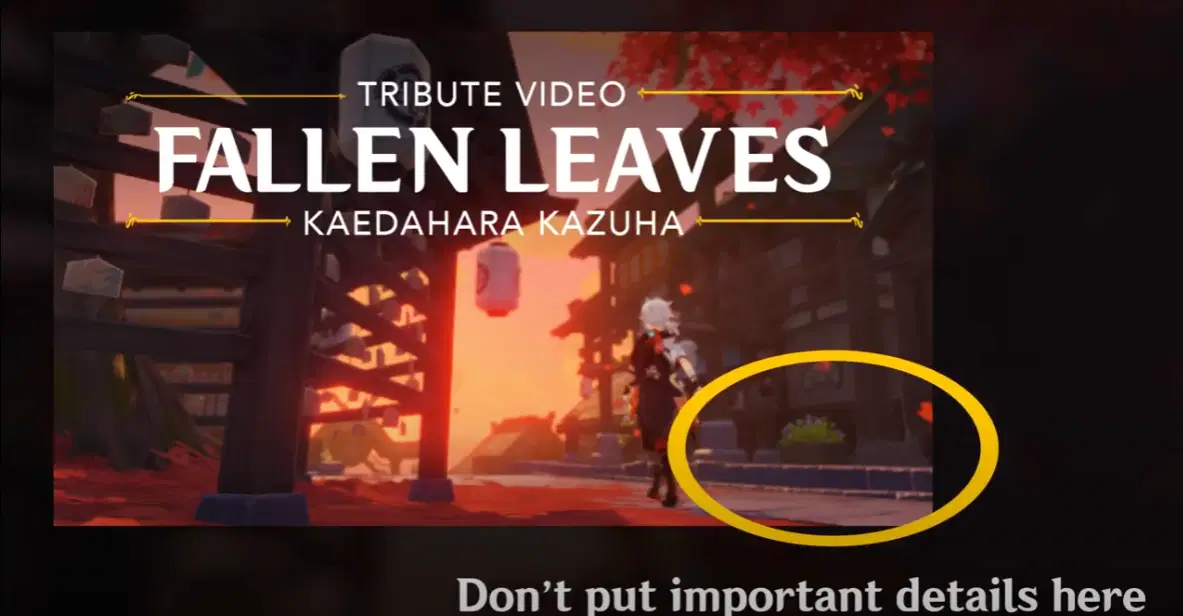
When choosing a title, I try to put keywords that best describe the video, since that helps Youtube in categorizing and recommending my videos to my audiences. For instance, most of my videos have the word Genshin in them, because I want to reach everyone who plays Genshin.
For the video description, I put in a quick summary of what people can expect from the video. I also include a list of credits, putting in the links of all the music and art that I might have used when making the video.
After this, I keep the video unlisted, and send this to my friends for final checking. It’s good to do this because sometimes we still find mistakes even in this part of the process.
Once the final check is done, that’s when I click public, and release the video for everyone to see.
Ending:
So that’s a quick rundown of my general process when I edit my videos. If you want to learn more about my process, see behind the scenes clips, or maybe watch some of my Genshin videos, come visit the Genshashin channel on Youtube. Thank you and I hope you enjoyed. See ya!
And that's all we have for this edition of "Creator's Classroom"! What other creation tutorials do you wish to see? Feel free to leave a comment!
In addition, we welcome experienced creators to share your creative skills under the topic #Creator's Classroom! Maybe you can find like-minded friends!
And that's all we have for this edition of "Creator's Classroom"! What other creation tutorials do you wish to see? Feel free to leave a comment!
In addition, we welcome experienced creators to share your creative skills under the topic #Creator's Classroom! Maybe you can find like-minded friends!