Foreword
Developer's Note (25/11/21): I am in the process of making this "Primogem Calculator" tool as a companion piece to my guides, in Excel form. So all my existing guides pertaining to banners / pity / primogems helped form the basis of this calculator.
For now, the Character page and Weapon page each works individually. Only calculator for "Weapon Banner" is available right now. I will make another announcement when calculator for "Character Banner" is available.
The tool is still pretty basic at this stage, but hopefully it can give a few useful shortcuts. It has a very specific niche and I made it to fill in that niche gap that hasn't been covered yet.
It will be f2p and low spending friendly, and newbie-friendly too!
Please look forward to more updates soon! I will be using this page to announce the link, as well as a step-by-step guide on how to use it.
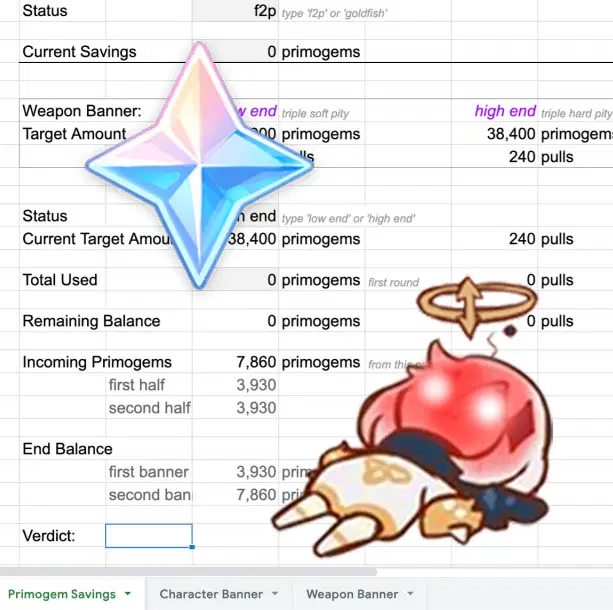

Tool
---> Link <---
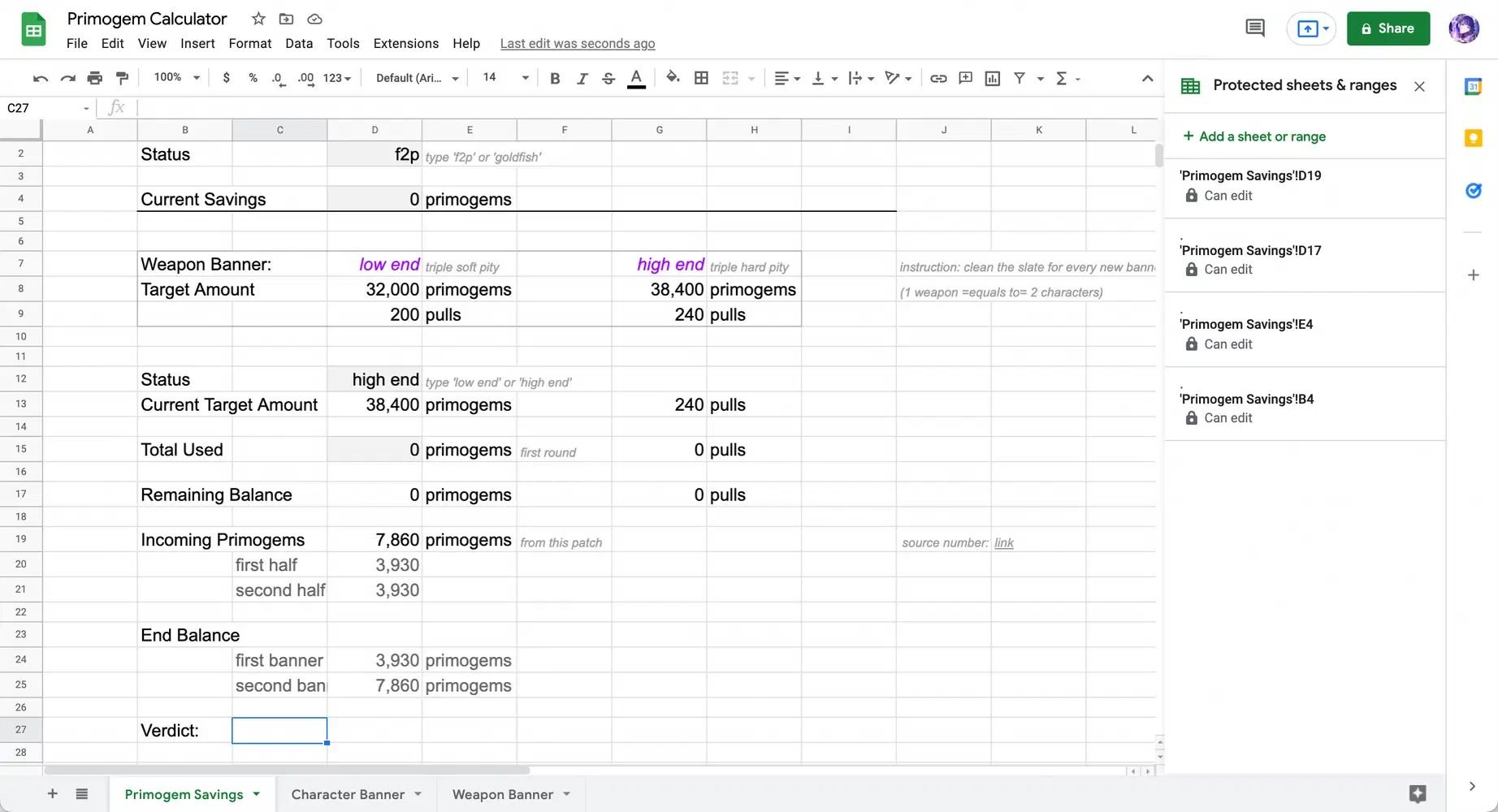
Developer's Note (25/11/21): I'm still struggling on how to execute the last 'Verdict' bit as it involves a lot of conditional ifs. I'd give it a week or so before it's ready to be used ✌️
Developer's Note (28/11/21): Finally figured it out! 🥵💦Enjoy~ The ‘Verdict’ section took me the longest to code 😭 It should not be buggy anymore (hopefully) 🤞
Instruction
How to use this Tool (user-friendly instruction):
Step 1: Make a copy of the Google Sheet. Use the copy as your own to enter edit mode. The Google Sheet file will be linked to your chosen google account, so it stays secure and private to your own discretion.

- - - - or - - - -

Step 2: Insert your numbers. Grey cell area is for you to fill in. By now you already have a copy of your own file, separated from mine, which means any private information entered can be viewed and accessed by you only, and saved in your own google account.
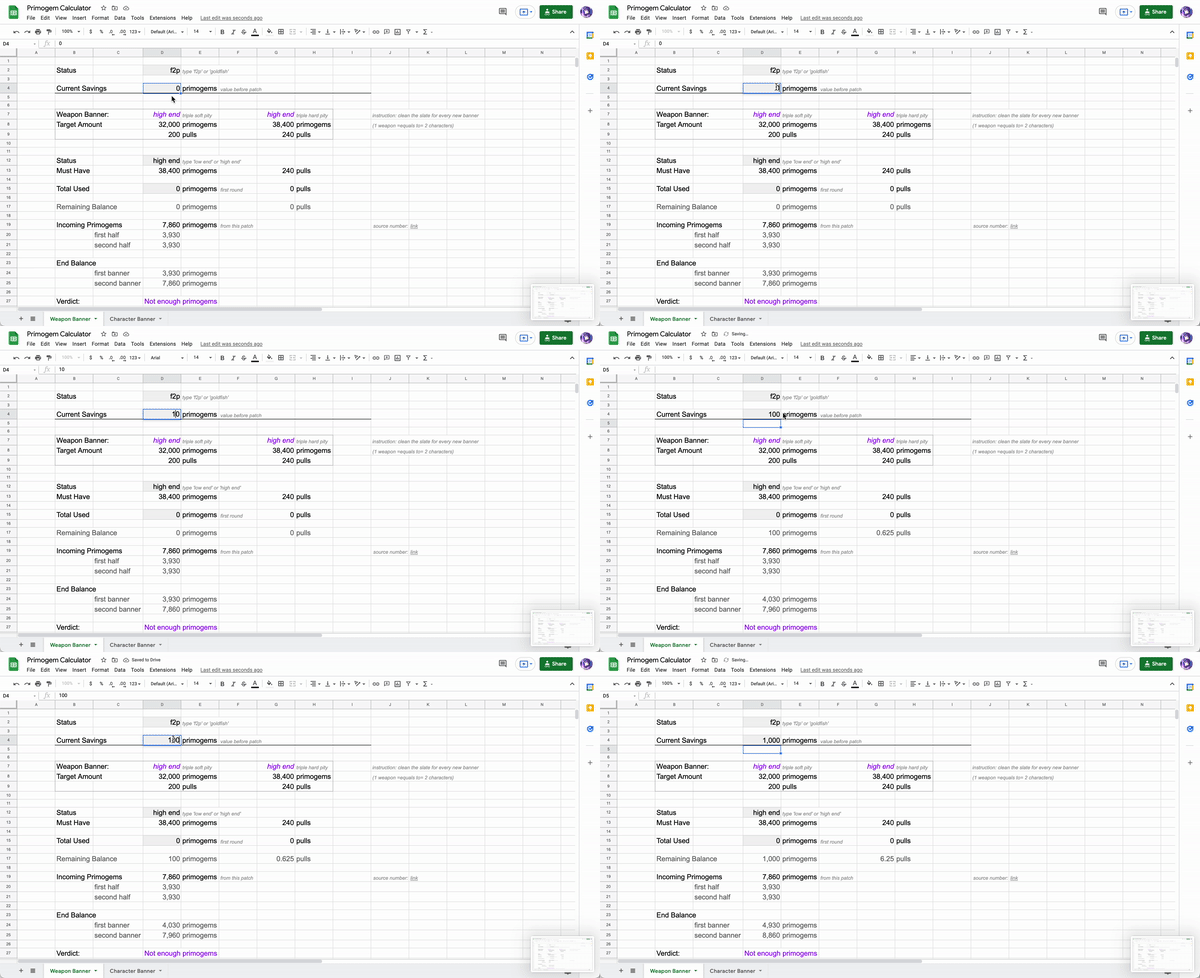
In this specific cell, enter the amount of primogem you are saving for this banner. Do this before/ at the start of your target banner. It is important to note, starting value ('Current Savings') is counted right after your last Weapon Banner's 5☆.
Step 3: Specifying status can help the calculator anticipate your primogem earning better, thus giving a more accurate result.
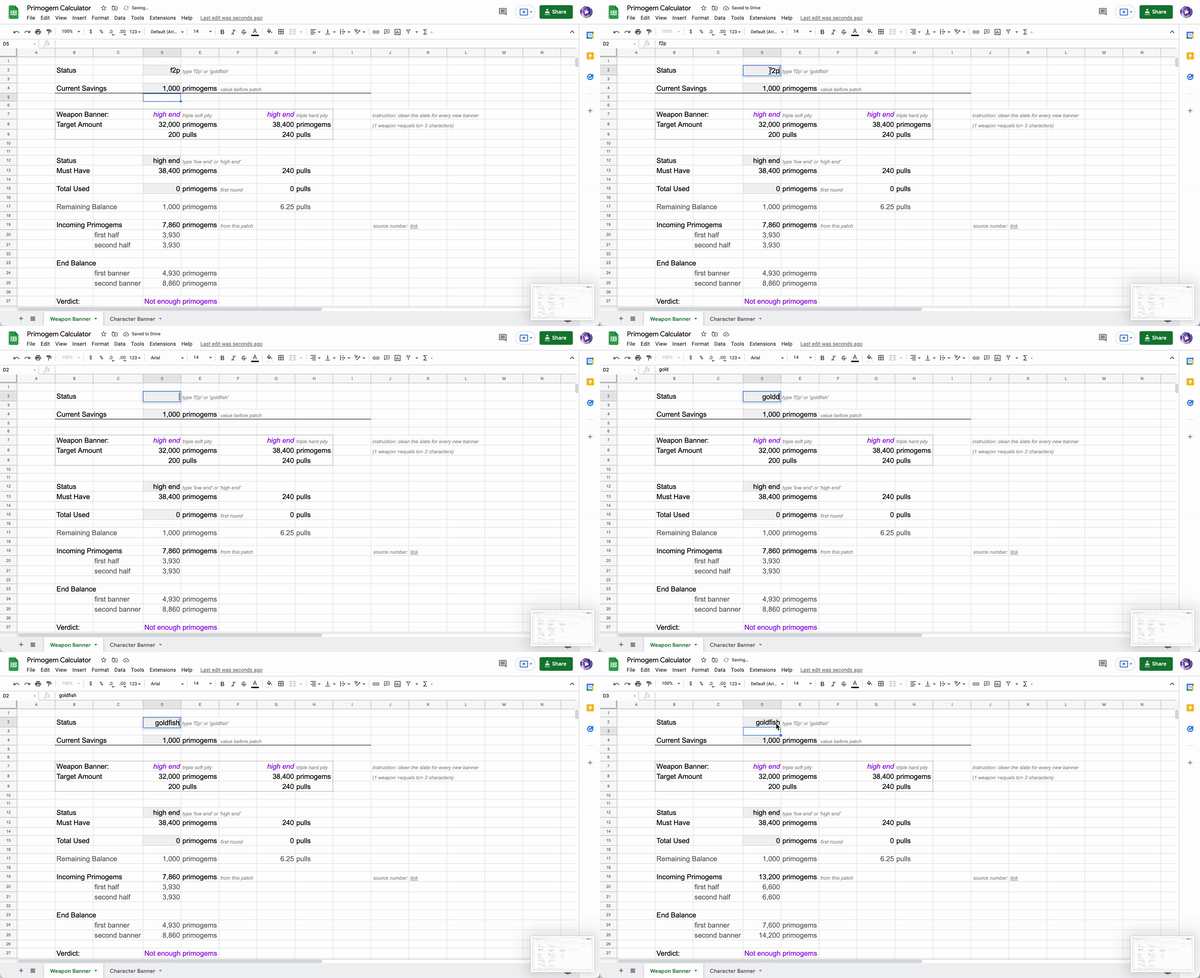
Step 4: Determining if you can soft pity or only hard pity can give the calculation a more accurate information. In order to know which pattern your account has, keeping track of pre-existing wishing history is necessary.

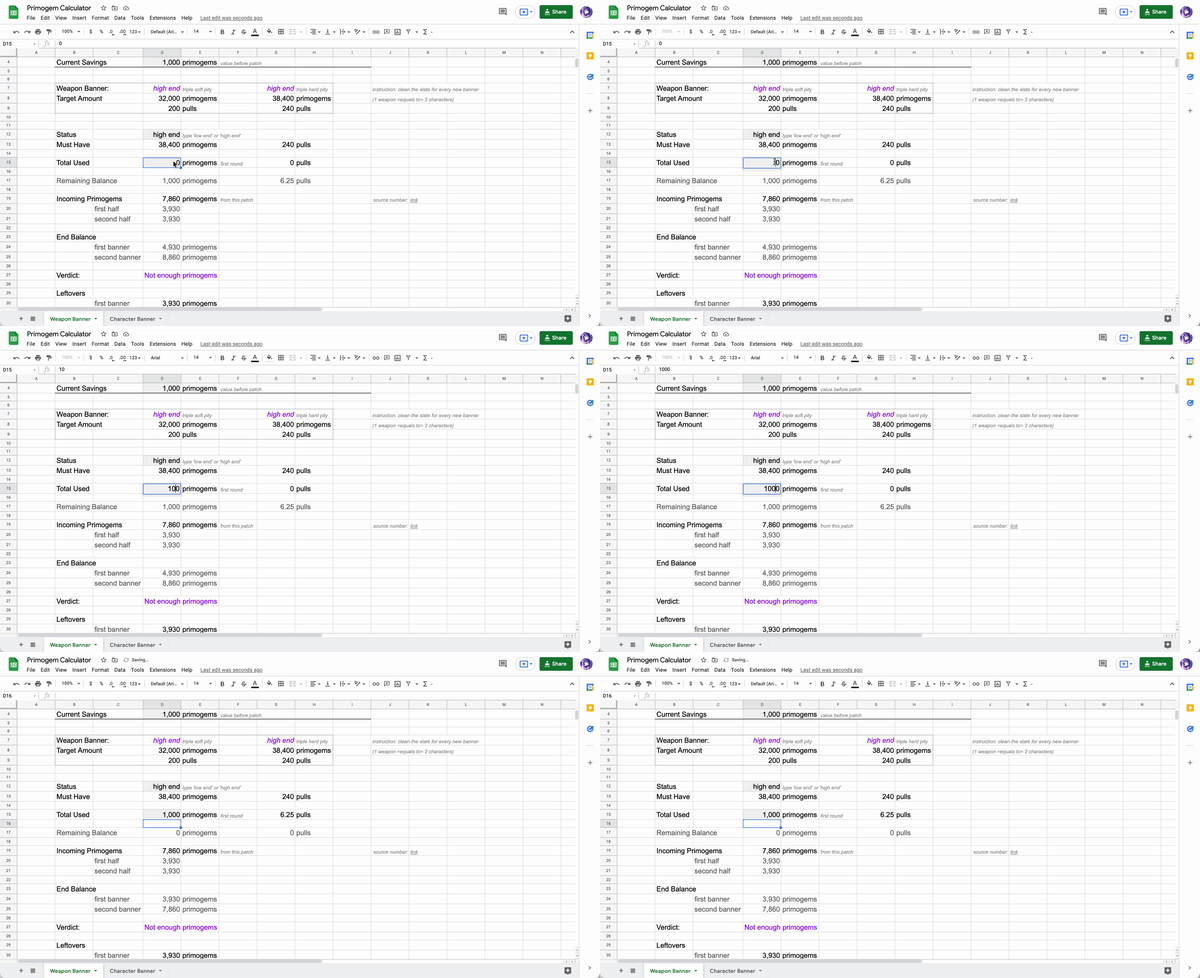
Step 5: After you start wishing on your target banner (such as hitting pity on the first round), you can input amount of primogems used. This will give you even further overview on what to do next (either you will have enough primogem to go on by the end of the patch, or if you should converse for next banner instead).
Feedback is appreciated 😆
(Coming Soon) = #Character Banner Calculator
> Trivia, Guide, News | ☆ Favorite | + Follow | ♡ Like <