Hello, everyone!!! 
I am sure by now you have seen these ice constructs littering all of your map. Today I will show you how to get rid of them.

Step 1
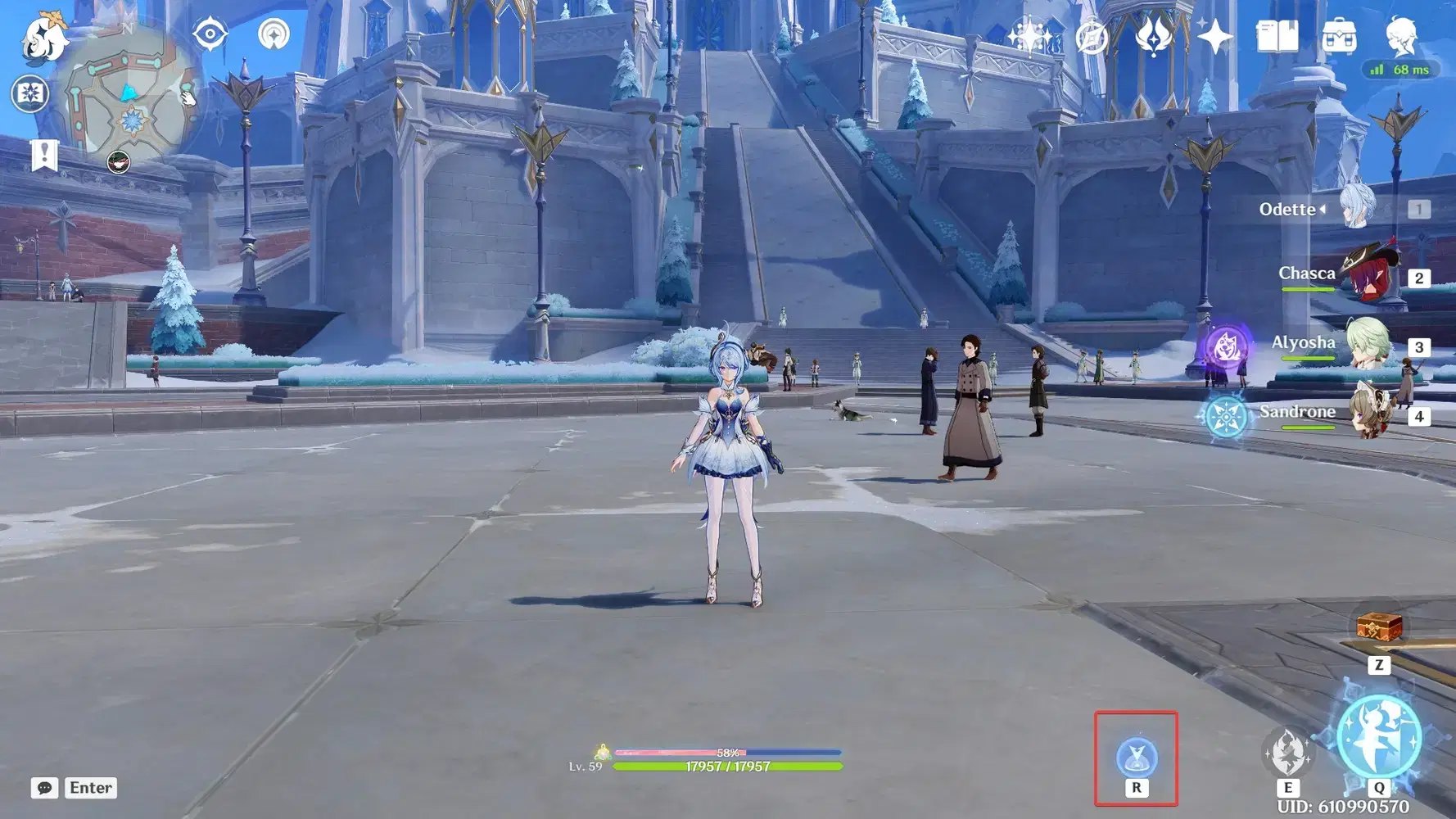
Open up your ice construct building menu. This should be the hotkey R by default.
Step 2
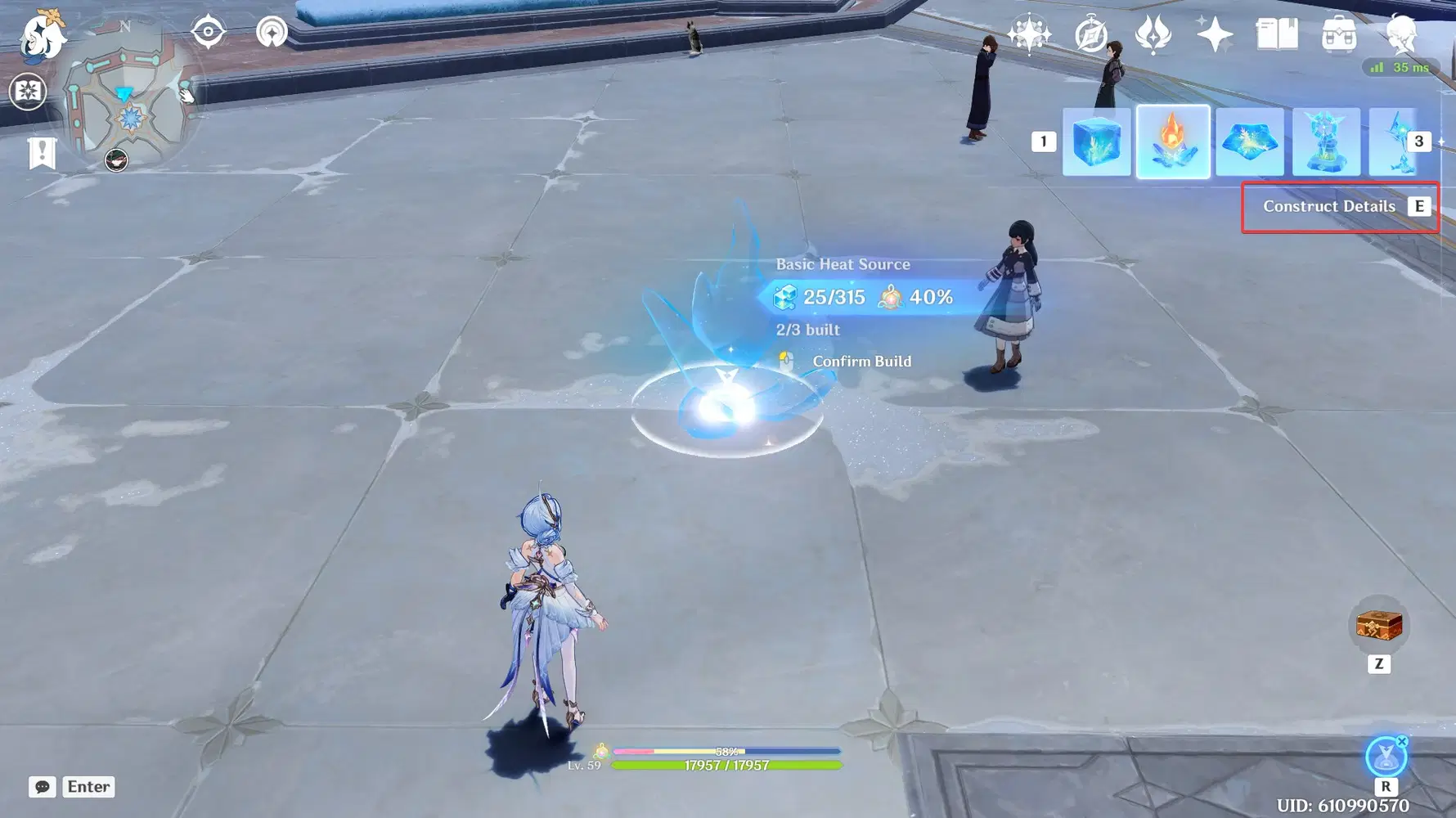
Now after you open the menu, press the hotkey "E" to access the Construct Details.
Step 3
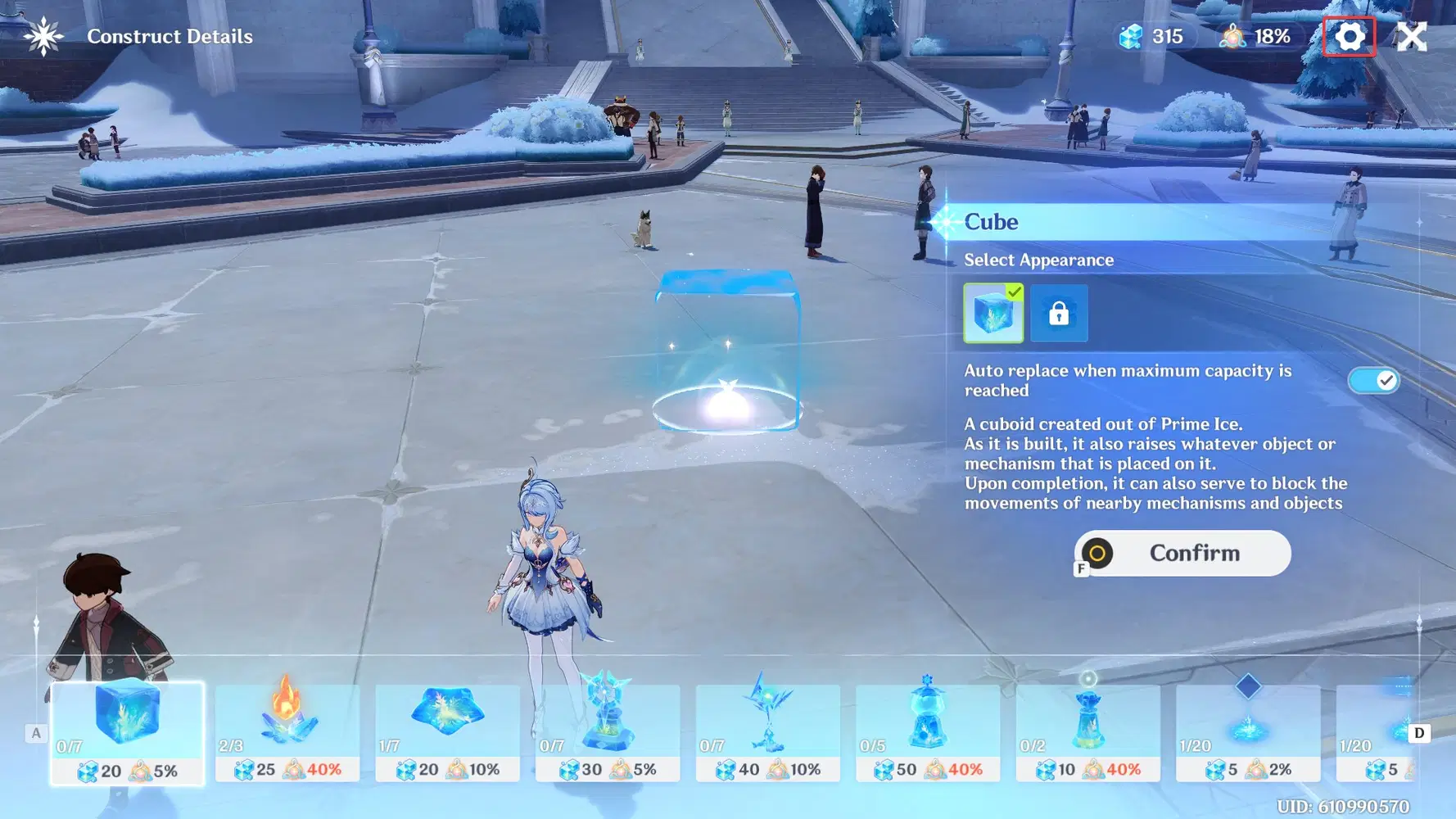
Now we want to go to the little gear icon in the upper right corner.
Step 4
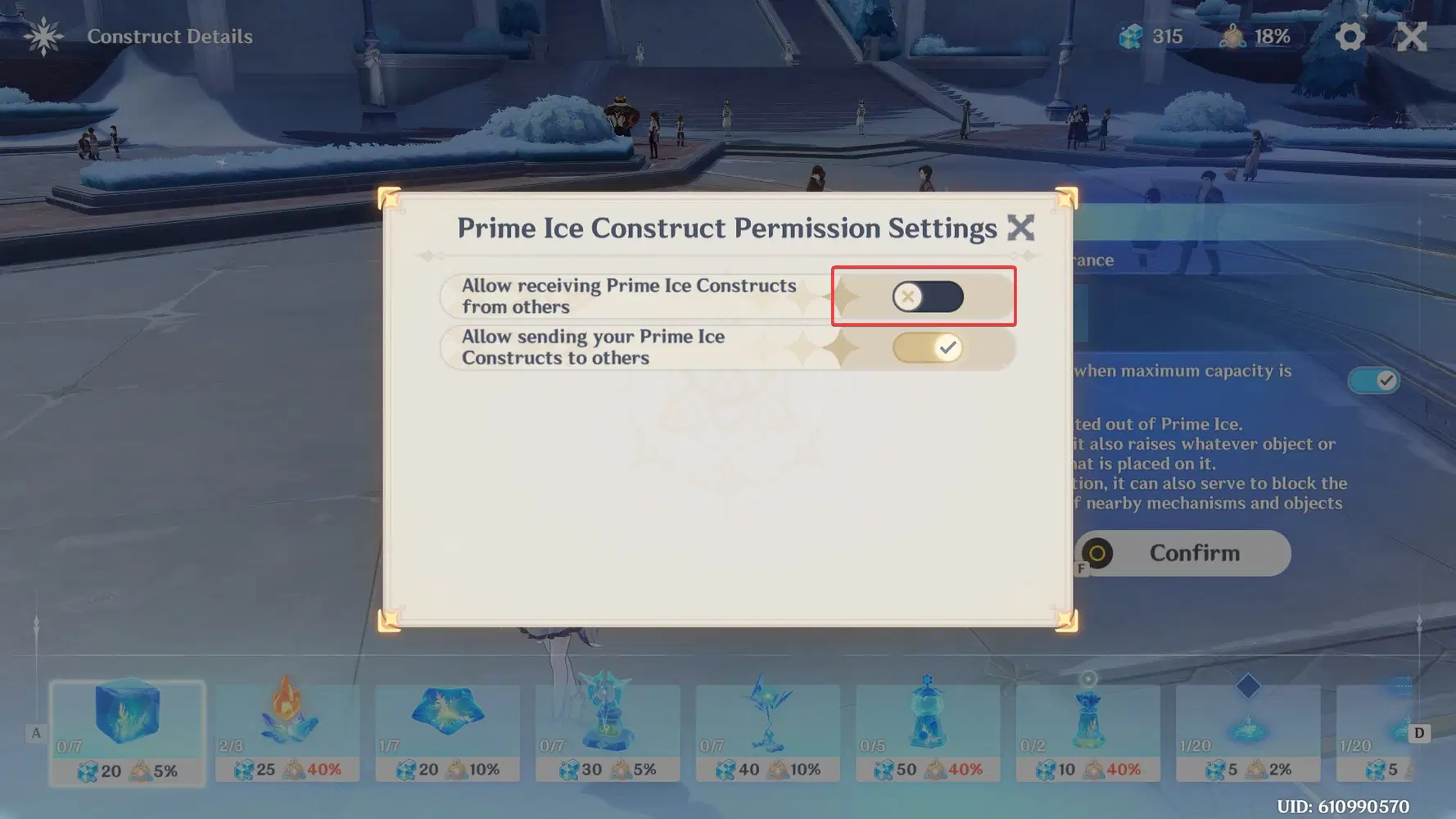
We want to turn off Allow receiving prime ice constructs from others. This will prevent new Prime Ice Constructs from coming into your world. It will not remove the ones in your world currently. I will be showing the next step.
Step 5
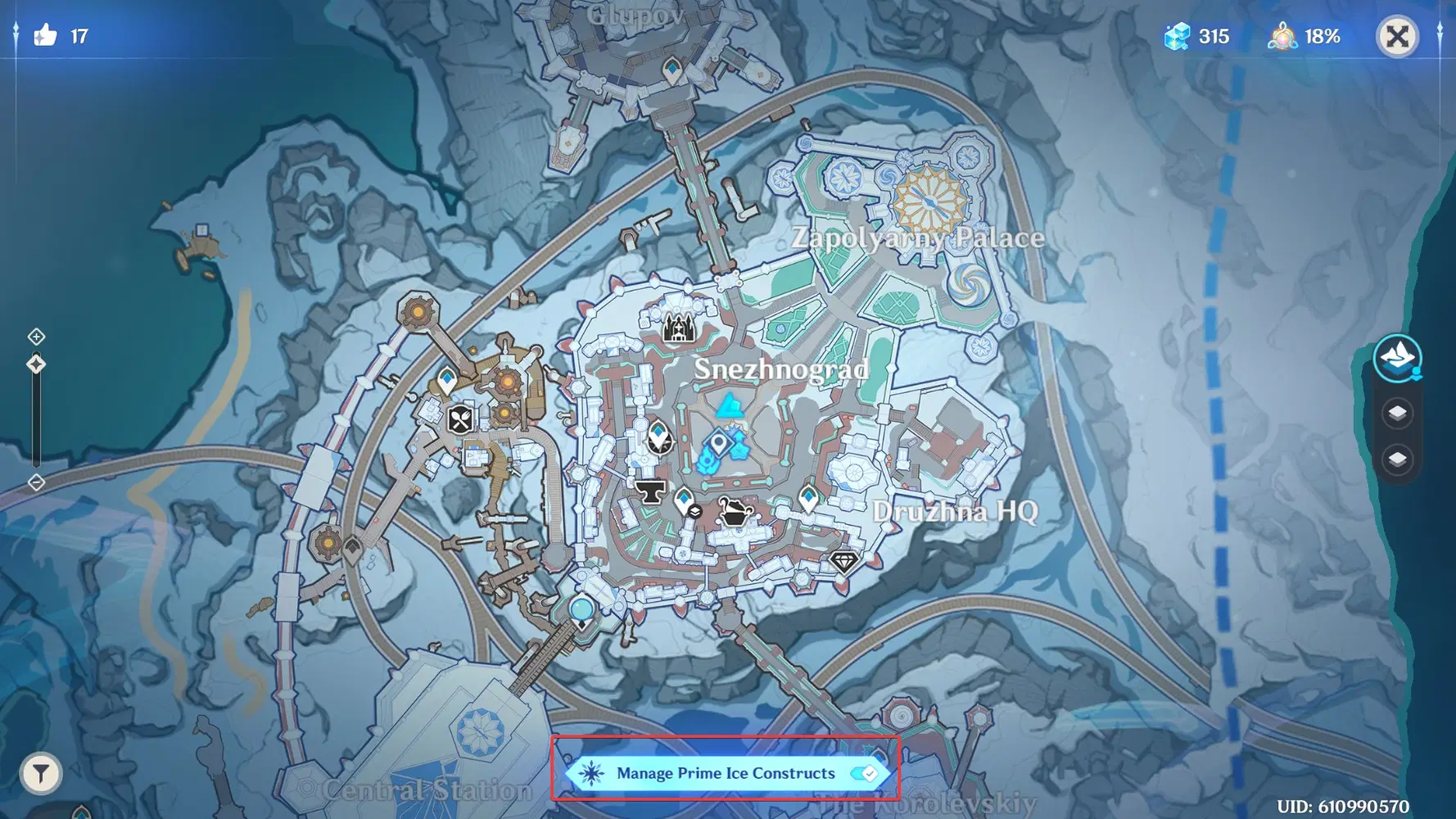
Open up your mini-map and turn on Manage Prime Ice Constructs. This will show all the constructs in your world.
Step 6
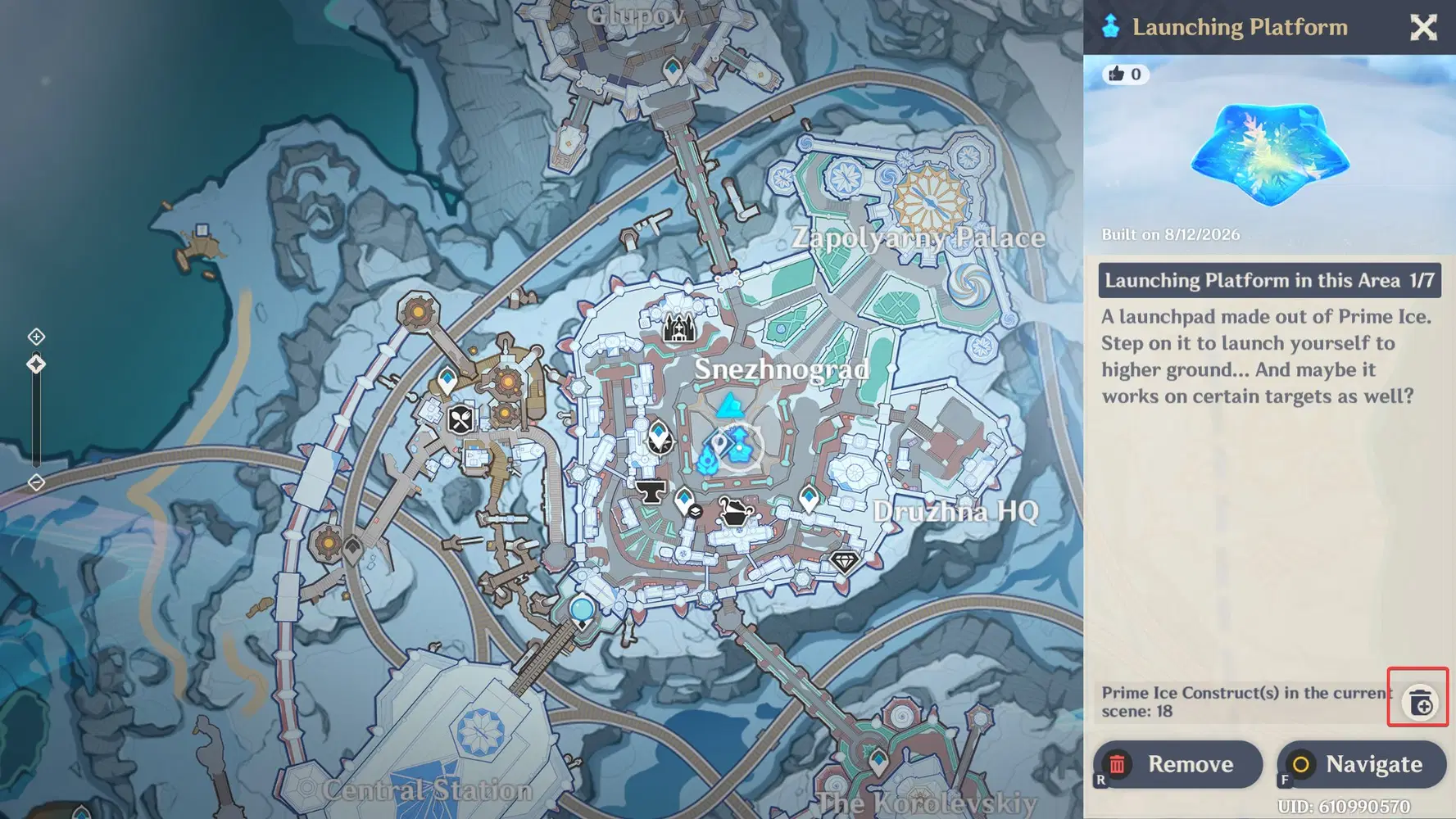
Click on any blue icon for Ice Constructs to access the detail menu. Locate the little trashcan icon and click it.
Step 7
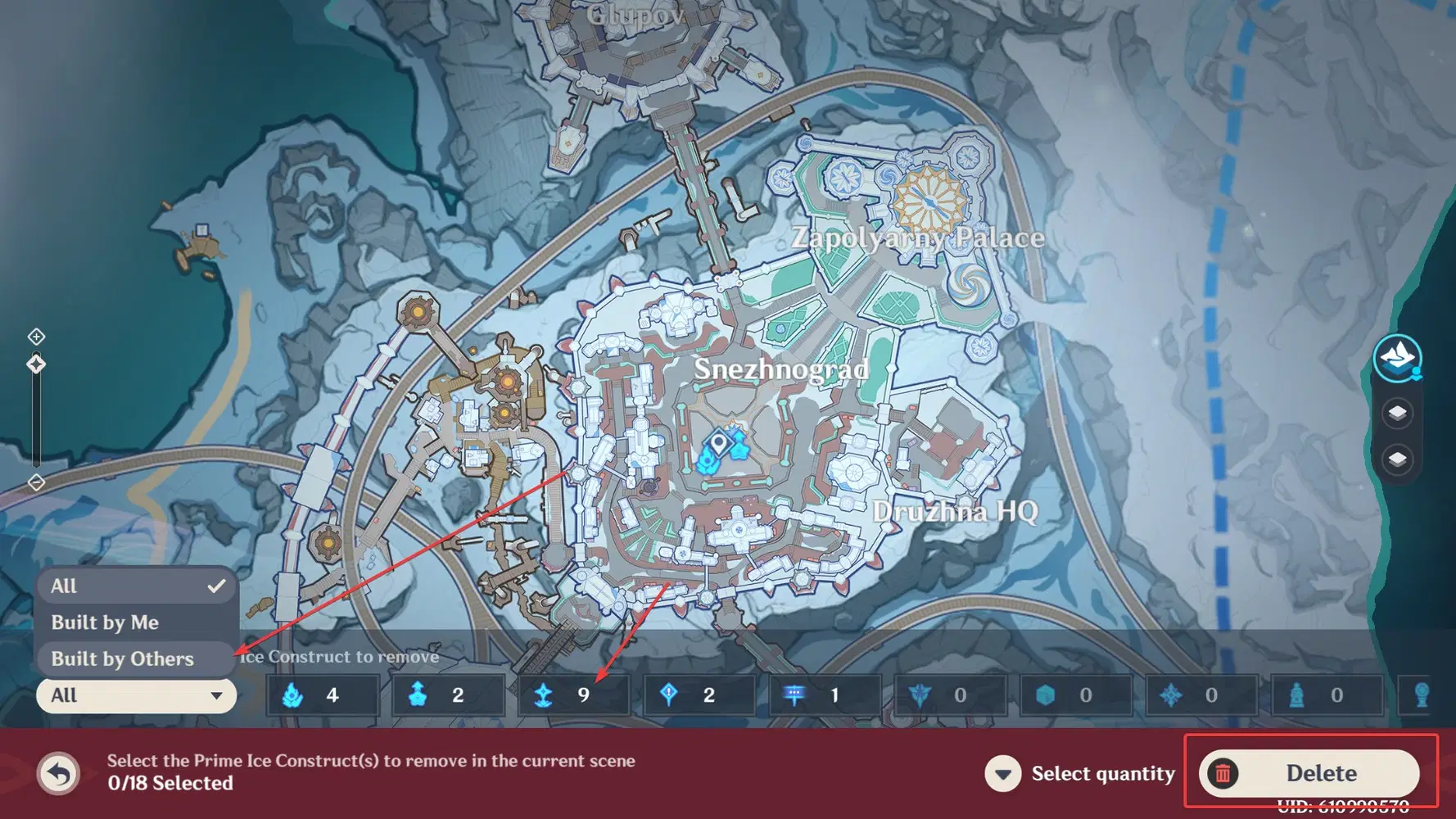
Go and select Built by others. This will separate all the ice constructs to only ones built by other people. Now go and click/highlight all the little boxes to group the ones you want removed. (The limit is 100, so you may have to do this multiple times.) I do suggest leaving the storage ice construct, as you might want to redeem daily items. When everything is selected, press Delete.
Step 8
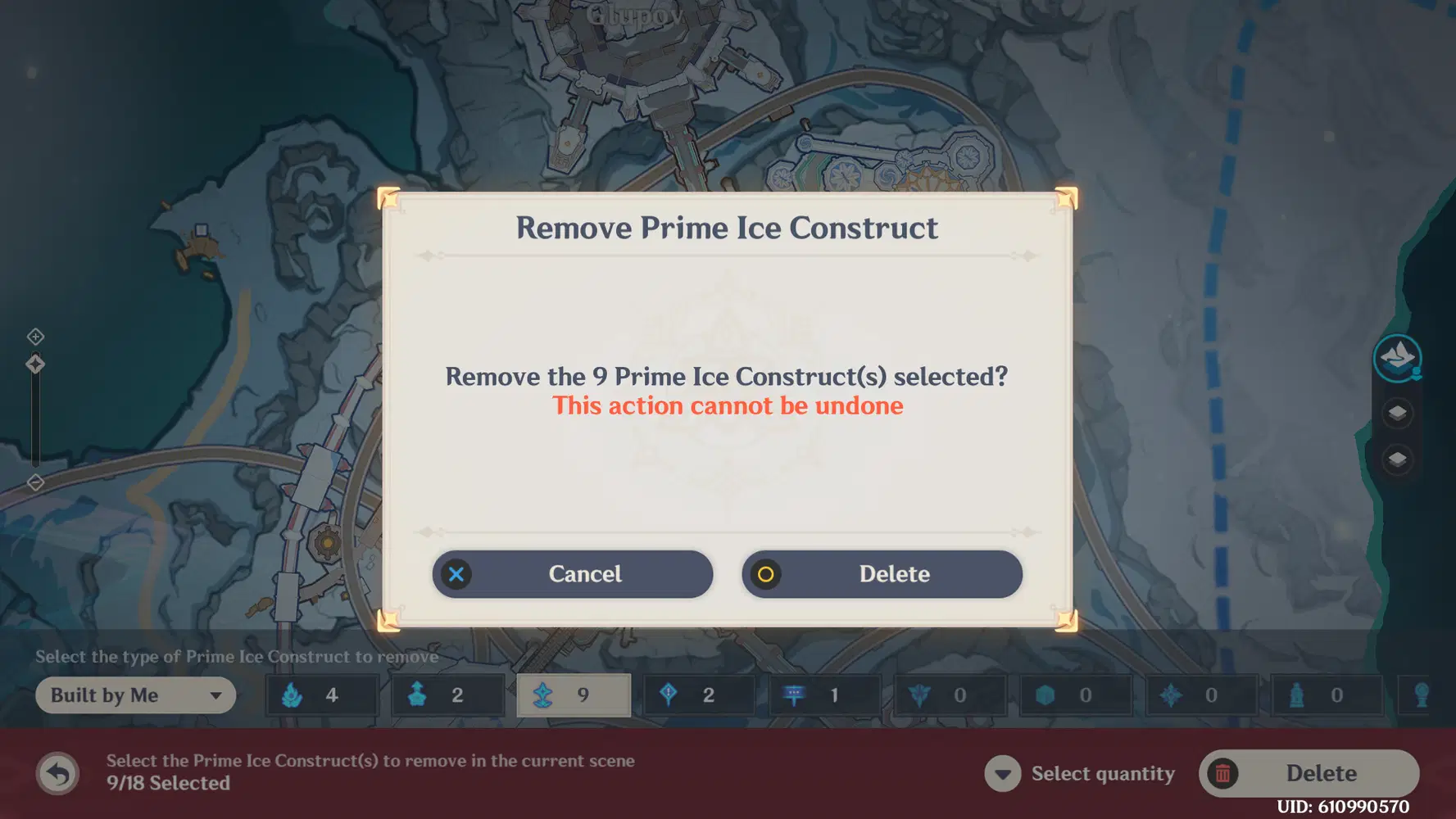
Now your map is free from Coop Ice constructs. Enjoy exploration!!!
If you found this useful, please consider giving me a like.